Video Localization for Businesses: Complete 2026 Guide to Conversions & Growth
April 24, 2026 21 mins read
76% of online shoppers prefer to buy from brands that offer information in their language — and video is the format that closes the deal. In today's global economy, English-only content isn't a strategy; it's a ceiling. Businesses that localize video across marketing, support, and training don't just "go global"; they capture revenue that competitors leave on the table.
This guide is for marketing leads, support managers, L&D teams, and founders who want to understand exactly how businesses use video localization to increase conversions, cut support cost, and scale training — with real use cases, ROI data, and a clear path to implementation.
Video localization for businesses is the practice of adapting video content — including audio (dubbing or voiceover), on-screen text, and cultural references — for specific languages and markets so that marketing, support, and training materials resonate with local audiences and drive measurable outcomes like higher conversion rates, lower support tickets, and consistent employee comprehension. Companies use it across four main areas: paid and organic marketing, customer onboarding and support, employee training, and e-learning or educational content.

Business Video Localization
Whether you're evaluating ROI, comparing use cases, or planning your first localized campaign, here are the questions this guide answers:
| Question | Where to find it |
|---|---|
| What is video localization and why do businesses use it? | What Is Video Localization (and Why It Matters for Business)? |
| How does video localization increase conversions in marketing? | Marketing & Ad Campaigns: Higher CTR and Trust |
| Can localized support videos reduce tickets and cost? | Customer Onboarding & Support: Fewer Tickets, Lower Cost |
| How do companies use video localization for training? | Employee Training & Corporate Learning |
| How does EdTech use video localization to grow revenue? | E-Learning & Educational Content |
| What's the ROI of video localization by use case? | ROI of Video Localization: By Use Case |
| Dubbing vs. subtitles: which should my business use? | Dubbing vs. Subtitles: Choosing the Right Approach |
| How do I get started with business video localization? | How to Get Started with Video Localization |
| What tools do businesses use for video localization? | Tools for Business Video Localization |
| Common questions about video localization for business | Frequently Asked Questions |
Video localization is the process of adapting video content — audio, subtitles, on-screen text, and cultural references — for a specific language and market so that it feels native to the viewer. For businesses, that means marketing videos that convert, support videos that deflect tickets, and training videos that every region understands the same way.
Unlike simple translation (word-for-word text or subtitles), localization considers tone, idioms, and context. A CSA Research study found that 76% of online shoppers prefer to buy products with information in their native language, and 40% say they will never buy from a site that isn't in their language. The commercial upside is clear: businesses that localize video see higher engagement, trust, and conversion in localized markets — with lift in click-through rates, time-on-page, and support deflection when video is in the customer's language.
| Factor | Text-only localization | Video localization |
|---|---|---|
| Engagement | Lower; users skim or bounce | Higher; video holds attention and conveys tone |
| Comprehension | Varies by literacy and format | Strong for procedures; visual + audio reinforces message |
| Trust | Depends on copy quality | "Seeing" a brand or product builds trust faster |
| Support deflection | Articles help but are underused for complex flows | Video walkthroughs in local language deflect 30–50% of tickets in many setups |
| Training consistency | Risk of misinterpretation across regions | One message, one video, many languages — same outcome |
In practice, companies that add localized video on top of translated text see measurable gains in conversion and support metrics within one to two quarters, according to industry benchmarks from Gartner and Forrester.

Global businesses leverage localized video to track engagement and ROI across multiple international markets.
The most visible use of video localization is marketing and advertising. Global brands run localized video ads and landing-page explainers because they perform: higher CTR, better brand recall, and stronger trust in local markets.
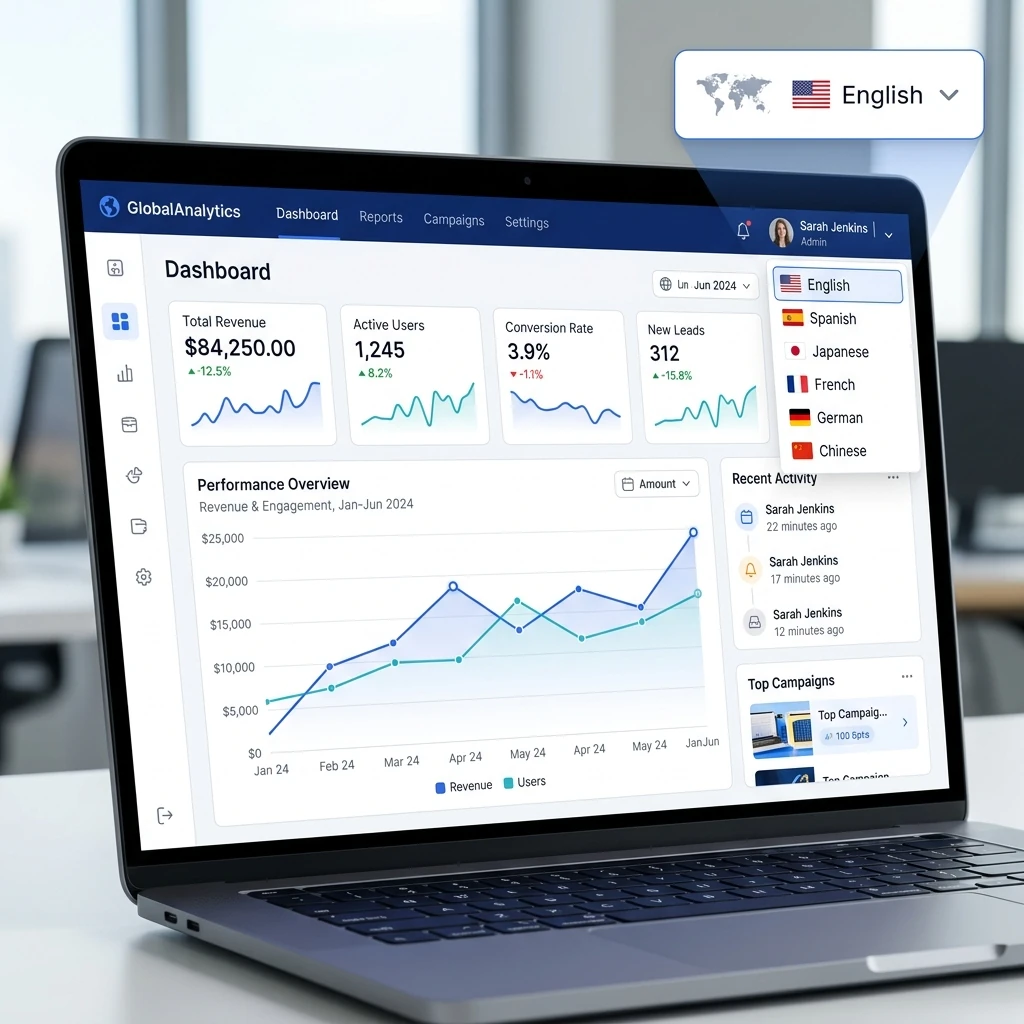
A modern SaaS dashboard with a language selector, demonstrating how easy it is to switch between localized versions of a product.
One common pattern: a SaaS company records one explainer or product demo in English, then dubs it into Spanish and Portuguese to capture the Latin American market. The result is a single production cost and marginal cost per additional language, with conversion rates in localized markets often matching or exceeding English-language baselines when the creative is fully localized.
| Marketing asset type | Typical localization approach | Why it works |
|---|---|---|
| Paid video ads | Dubbed or subtitled in target language | CTR and completion rates improve when creative is native |
| Landing-page explainers | Dubbed voiceover + localized on-screen text | Reduces bounce and increases sign-ups in that locale |
| Testimonials / case studies | Dubbed with voice clone for consistency | Builds trust; viewers hear "someone like them" |
| Product demos | Full dubbing for follow-along clarity | Prospects understand features without reading subtitles |
Beyond acquisition, businesses use video localization to improve onboarding and support — reducing churn, cutting ticket volume, and keeping customers in the product.
When help content is only in English, non-English speakers either struggle or open a ticket. Localized support videos (especially dubbed, not just subtitled) let users watch and listen in their language while following steps on screen. Effective self-service content can deflect 30–50% of incoming support tickets, according to Gartner and Forrester benchmarks. The cost gap is stark: agent-handled support often costs $5–$60+ per ticket by industry, while self-service resolution runs roughly $0.50–$2.37 per issue — so deflection directly improves margins.
| Benefit | Impact |
|---|---|
| Ticket deflection | 30–50% of tickets avoidable with strong self-service (including localized video) |
| Cost per resolution | Self-service ~$0.50–$2.37 vs. assisted $5–$60+ per contact |
| CSAT and retention | Users who find help in their language show higher satisfaction and lower churn |
| Speed to scale | AI dubbing turns one video into 150+ languages without per-language production |
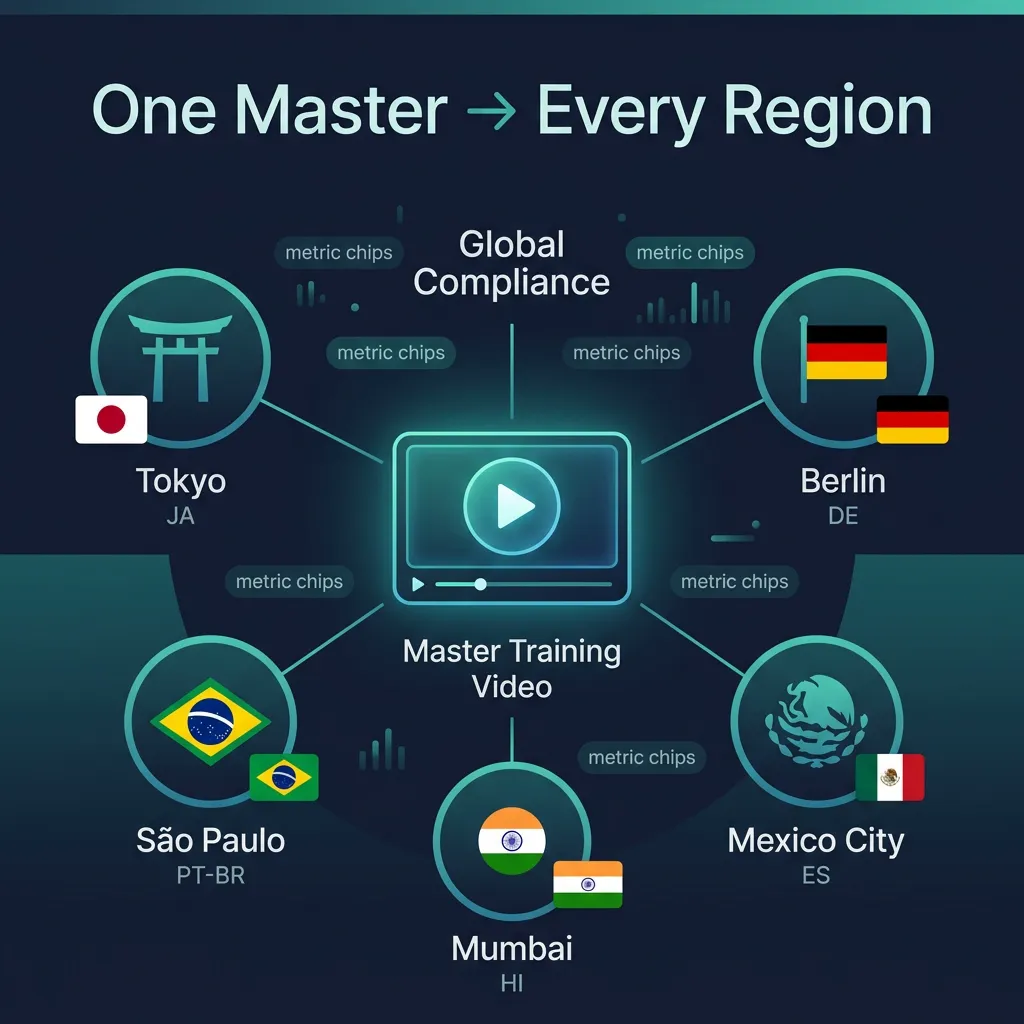
One master training video localized across global offices delivers identical compliance and safety messaging to every team, regardless of language.
Multinational companies use video localization for employee training and corporate learning so that every team — whether in Tokyo, Berlin, or São Paulo — receives the same message, with no loss of nuance.
Manual dubbing can run $50–$150+ per minute per language (studio, voice talent, sync). AI dubbing is a fraction of that — often a few dollars per minute per language — and scales from one master to many languages. For training libraries of 50+ hours, the cost difference is six figures. Many teams use step-by-step workflows for translating training videos and scaling internal training videos with AI dubbing to keep cost and turnaround under control.
| Training use case | Localization need | Typical approach |
|---|---|---|
| Compliance / safety | High clarity, no ambiguity | Dubbed audio; optional subtitles for accessibility |
| Product or process training | Same steps, all regions | One master video → AI dubbing into office languages |
| Leadership / all-hands | Consistent tone and message | Voice cloning so the same leader "speaks" each language |
| Onboarding | New hires in every locale | Localized welcome and role-specific videos in the knowledge base |
EdTech and course creators use video localization to multiply their addressable market — one course created in English can be sold in 10+ markets with minimal marginal cost when using AI dubbing.
For a focused guide on education and courses, see video localization for EdTech.
| EdTech asset | Localization benefit |
|---|---|
| Course lectures | One recording → many languages; same instructor "voice" with cloning |
| Certification or compliance courses | Meet local-language requirements for enterprises and regulators |
| Marketing and sales demos | Pitch to schools and L&D buyers in their language |
| Support and how-to | Reduce support tickets from learners in non-English markets |
Businesses don't localize video for its own sake; they do it for conversions, cost savings, and consistency. Below is a concise view of where the return shows up.
| Use case | Primary ROI lever | Typical outcome (when done well) |
|---|---|---|
| Marketing / ads | Higher CTR, conversion, trust in localized markets | Conversion rates in localized markets match or exceed English baseline; lower CPA where creative is native |
| Support / onboarding | Ticket deflection, lower cost per resolution | 30–50% deflection possible; self-service cost ~$0.50–$2.37 vs. $5–$60+ per assisted contact |
| Training / L&D | Consistency, speed, compliance | One message globally; faster rollout; reduced risk from misunderstanding |
| EdTech / courses | Revenue in new markets, completion rates | Same course sold in 10+ languages; higher completion and satisfaction in local language |
Attribution matters: Use UTM parameters, support ticket tags, and completion rates by locale to tie spend on localization to actual conversion and cost metrics. In practice, teams that measure deflection and conversion by language see ROI within one to two quarters for support and marketing use cases.
Businesses have two main delivery options: subtitles (translated text on screen) or dubbing (replacing the spoken track with localized audio). The right choice depends on use case, budget, and audience expectation.
| Factor | Subtitles | Dubbing |
|---|---|---|
| Cost | Lower; translation + timing only | Higher for manual; AI dubbing brings cost down sharply |
| Production speed | Fast | Manual slow; AI dubbing fast (minutes per language) |
| Viewer experience | User reads while watching | User listens in native language; eyes on content |
| Accessibility | Good for deaf/hard-of-hearing | Better for low literacy or "listen while doing" (e.g. support, training) |
| Marketing / brand | Acceptable for some markets | Often preferred for ads and explainers (full creative control) |
| Support / how-to | Usable but less ideal | Dubbing is usually better — follow-along without reading |
Verdict: For marketing and explainers, dubbing (especially with AI and voice cloning) tends to deliver higher engagement and trust. For support and training, dubbing is typically the better choice so users can watch the screen and listen in their language; add subtitles as a complement for accessibility. For a full comparison of terms and methods, see video localization vs. translation vs. dubbing.
A practical sequence that works across marketing, support, and training:
| Step | Action |
|---|---|
| 1. Prioritize by impact | Pick one use case first: top marketing funnel video, top 10 support topics, or one critical training track. Use data (conversion by locale, ticket volume by topic) to choose. |
| 2. Choose languages | Start with 3–5 languages that map to revenue or support volume. Expand once you measure results. |
| 3. Produce or select the master | One high-quality video per asset: clear audio, moderate pace, minimal jargon. Good source = better dubbed output. |
| 4. Localize with AI dubbing | Upload the master to an AI dubbing platform; select target languages; get back dubbed versions with voice cloning and lip-sync where supported. |
| 5. Publish and measure | Deploy localized videos where users are (landing pages, help center, LMS). Track CTR, completion, deflection, and conversion by language. |
| 6. Iterate | Double down on high-performing languages and assets; add more topics or languages based on data. |
Best practice: Don't boil the ocean. Start with the highest-impact asset (e.g. main explainer, top 5 support videos, or one compliance module) and one to three languages. Prove ROI, then scale.
| Approach | Pros | Cons |
|---|---|---|
| Manual dubbing (studio) | Highest quality, full creative control | Expensive and slow; doesn't scale to many languages |
| Subtitles only | Cheaper and faster than dubbing | Viewers must read; weaker for marketing and follow-along support |
| AI dubbing (e.g. VideoDubber) | One master → many languages; voice clone + lip-sync; scalable | Quality depends on source audio and language pair; best with clear speech |
| AI avatar + script | No filming; generate from text | Less "real" feel; may not match existing brand or presenter |
For scaling business video — marketing, support, and training — across many languages while keeping a human, on-brand feel, AI dubbing with voice cloning and lip-sync is the most practical option. VideoDubber lets you turn a single master video into dubbed versions in 150+ languages at a fraction of studio cost, so marketing, support, and L&D teams can localize at scale without per-language production. For product demos specifically, see how SaaS companies localize product demos.
Video localization for business is the process of adapting video content — including spoken audio (via dubbing or voiceover), on-screen text, and cultural references — for specific languages and markets so that marketing, support, and training videos resonate with local audiences and drive outcomes such as higher conversions, lower support costs, and consistent training. It goes beyond translation to include tone, idiom, and context.
Localized video increases conversions by meeting customers in their language and preferred format. 76% of online shoppers prefer to buy from brands that offer information in their native language (CSA Research), and video drives higher engagement and trust than text alone. Localized video ads and landing-page explainers typically see higher CTR and conversion in non-English markets when creative is fully adapted.
Yes. Effective self-service content, including localized video, can deflect 30–50% of incoming support tickets, according to Gartner and Forrester benchmarks. When support videos are dubbed (not just subtitled), more users succeed without contacting support. Self-service resolution costs roughly $0.50–$2.37 per issue vs. $5–$60+ per agent-handled contact, so deflection directly reduces cost.
Companies use video localization for training to ensure the same message reaches every region — compliance, safety, product, and culture. One master video is dubbed into the languages of each office so employees hear procedures and policies in their language. For speed and cost, many use AI dubbing (e.g. VideoDubber) to turn internal comms and training into multiple languages in minutes, without per-language studio production.
For marketing and support, dubbing is usually better: viewers can watch and listen in their language without reading, which improves engagement and follow-along success. For training and compliance, dubbing is also preferred for clarity and safety. Use subtitles as a complement for accessibility and for users who prefer them. Where possible, offer both.
Manual dubbing can cost $50–$150+ per minute per language (studio, voice talent, sync). AI dubbing is a fraction of that — often a few dollars per minute per language — and scales from one master to many languages. For large libraries (e.g. support or training), AI dubbing can reduce total cost by an order of magnitude while enabling 10+ languages from a single production.
The fastest scalable approach is AI dubbing: upload one master video, select target languages, and receive dubbed versions with voice cloning and lip-sync in minutes to hours. Tools like VideoDubber support 150+ languages from a single recording, so marketing, support, and training teams can go to market in many locales without re-shooting or hiring studios per language.
Multilingual dubbing for customer support videos cuts tickets 30-50%. ROI data, step-by-step workflow, cost breakdown, and tool comparison. 2026 guide.
Translate training videos for global teams: OSHA compliance, AI vs dubbing vs subtitles, step-by-step workflow, cost data, and best practices. 2026 guide.
Translate training & internal videos at scale with AI. Step-by-step pipeline, cost data, voice cloning, glossary setup, and ROI benchmarks for L&D teams.
Video localization for EdTech: dubbing vs subtitles, AI costs, step-by-step workflow & language prioritization. Boost completion rates 2-3x. 2026 guide.
Video localization vs. translation vs. dubbing: full 2026 guide with cost tables, use-case matrix, AI dubbing workflow, and expert verdict on which to choose.