Video Localization for EdTech: The Complete 2026 Guide to Reaching Global Learners
April 24, 2026 26 mins read
Only 17% of the world's population speaks English fluently—yet most online courses are English-only. Video localization for EdTech is the practice of translating and adapting your course videos into the learner's native language so that education actually reaches the students you built it for. This guide covers the full picture: why it matters, how dubbing compares to subtitles, real costs, step-by-step implementation, language prioritization, and the AI-powered tools that make it feasible without a Hollywood budget.
Video localization for EdTech is the process of adapting course or instructional videos—including audio dubbing, subtitles, on-screen text, and cultural references—so that learners in any market can understand and engage with the content as if it were made for them.
A coding bootcamp that dubbed its existing Python courses into Thai, Bahasa Indonesia, and Vietnamese reported a 300% increase in student engagement within the first quarter, with module completion rates rising sharply among students who had previously dropped off on English-only content. That is the ROI case for EdTech video localization in one sentence.
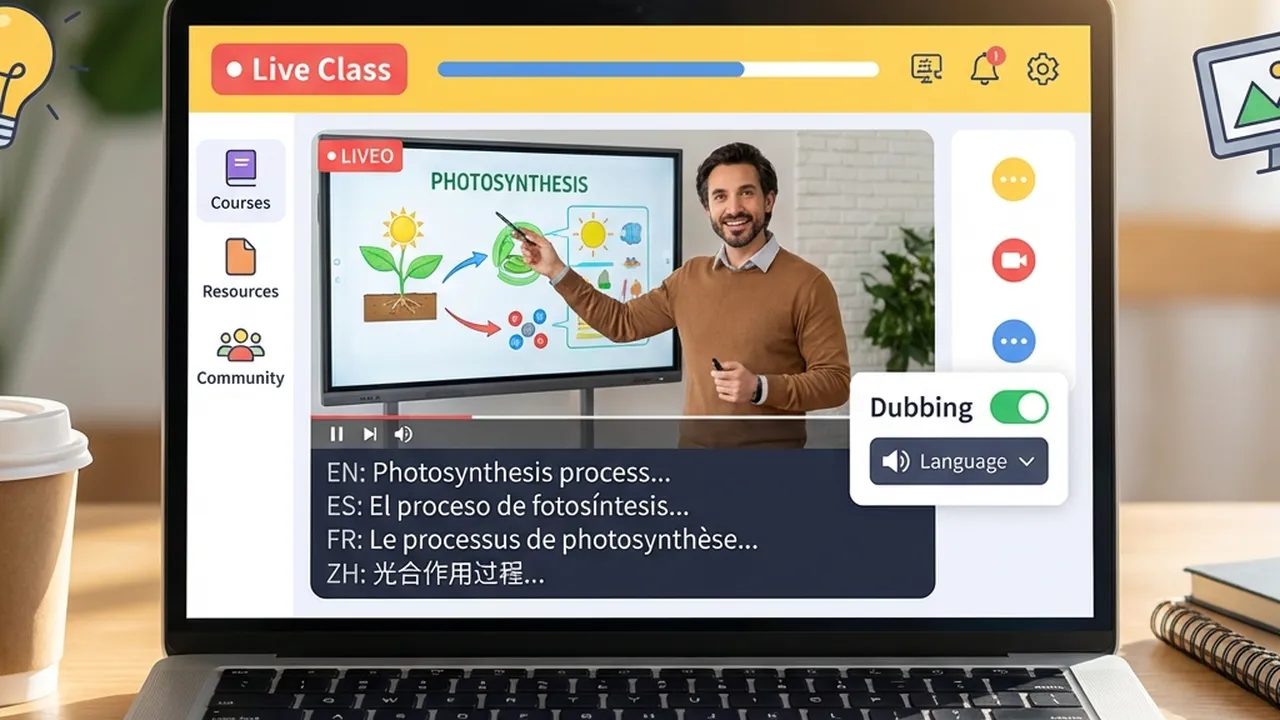
AI-powered video localization for EdTech: reach global learners in 150+ languages without re-recording.
Whether you're an EdTech product lead, a content director, or a founder scaling into new markets, these are the questions this guide answers:
| Question | Section |
|---|---|
| What is video localization for EdTech and why does it matter? | Why EdTech Needs Video Localization |
| What are the main barriers to global EdTech expansion? | Three Barriers to Global Education |
| Dubbing vs. subtitles—which produces better learning outcomes? | Dubbing vs. Subtitles for Learning |
| How much does it cost to localize a course? | Cost and Scale: Traditional vs. AI Localization |
| What's the step-by-step workflow for implementation? | Step-by-Step: Implementing Video Localization |
| Which languages should I prioritize first? | Which Languages to Prioritize for EdTech |
| How do I preserve the instructor's voice across languages? | Preserving the Instructor's Voice with AI Cloning |
| What tools are available for EdTech video localization? | Tools for EdTech Video Localization |
| What results can EdTech platforms actually expect? | Outcomes and Case Evidence |
| What are the most common pitfalls to avoid? | Best Practices and Common Mistakes |
| Frequently asked questions about EdTech localization | Frequently Asked Questions |
Video localization is the process of adapting video content—including audio, subtitles, on-screen text, and cultural references—for a specific target market or language.
The mission of EdTech is to democratize education. But if your content is locked behind a language barrier, you are only reaching a fraction of your potential learners. As of 2026, more than 1.5 billion people are actively seeking online education, according to estimates from UNESCO and Global Market Insights, but the majority of structured online course content is produced in English. The result: entire populations are excluded not by cost, but by language.
Students who receive instruction in their native language achieve 25–40% higher comprehension and retention compared to those learning the same content in a second language, according to cognitive science research cited in Springer's Language and Education journal. For EdTech platforms where completion rates and outcomes are the core product, that gap is not acceptable.
Here's the thing: video localization is no longer a luxury reserved for well-funded platforms. AI dubbing tools have reduced per-minute localization costs by 60–80% compared to traditional studio dubbing, making it feasible for startups, bootcamps, and mid-size platforms to reach global classrooms without re-recording a single lecture.
Three main barriers keep EdTech from reaching global students at scale: comprehension, cost, and time. AI-powered video localization addresses all three simultaneously.
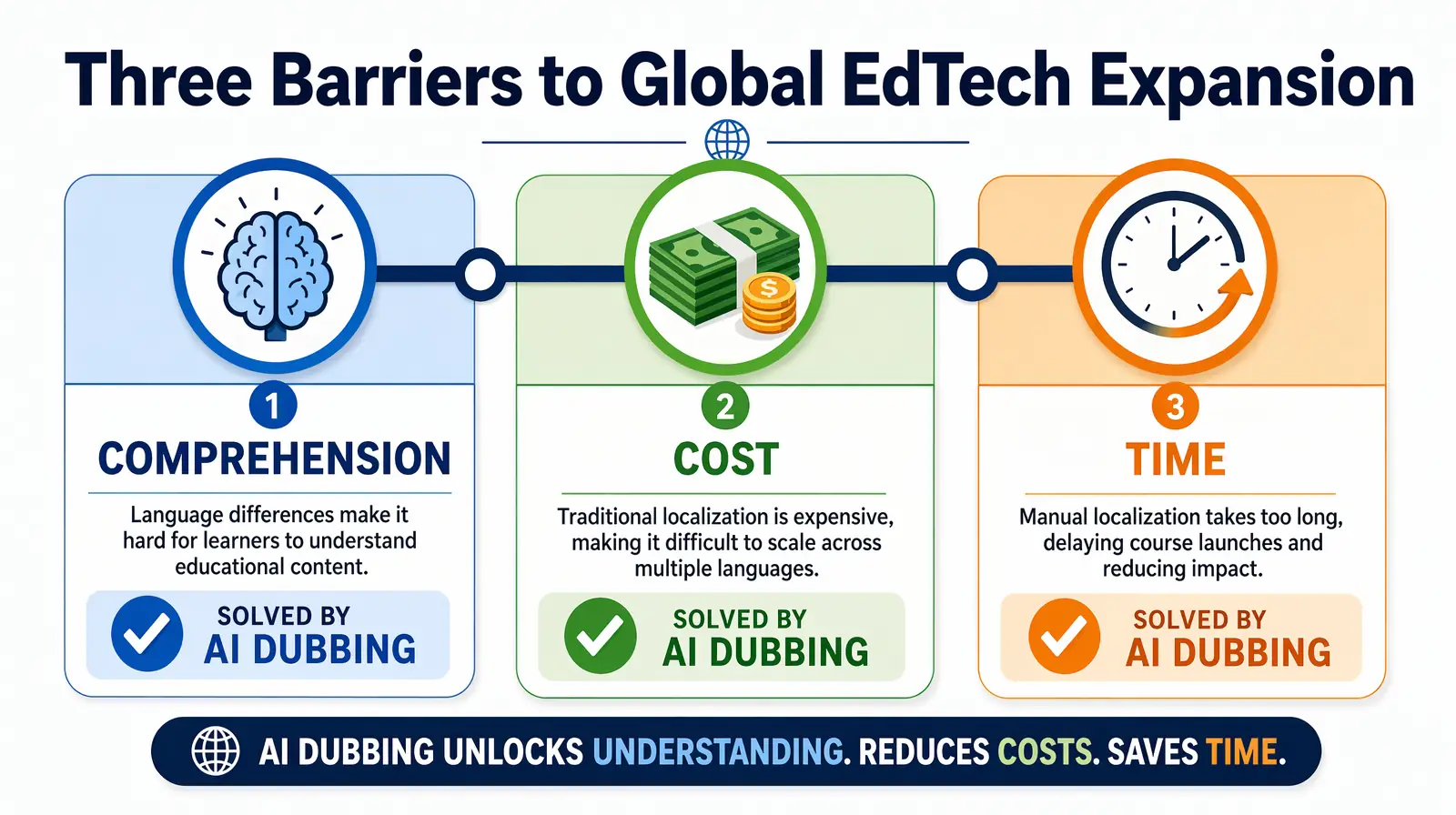
Comprehension, cost, and time are the three barriers keeping EdTech platforms from global scale — each solvable with AI-powered localization.
Students learn best in their native language. Cognitive load theory, developed by educational psychologist John Sweller, explains why: when learners must simultaneously decode a foreign language and process new concepts, their working memory is split, and learning suffers. This is known as the "split-attention effect."
| Factor | Subtitles only | Dubbed / localized audio |
|---|---|---|
| Cognitive load | High — split attention between reading and watching | Lower — full attention on visuals and concepts |
| Retention | Lower when learners must read and watch simultaneously | Higher when listening in native language |
| Accessibility | Requires reading fluency and reading speed | Works for varied literacy levels and learning styles |
| Emotional connection | Often weaker — instructor sounds foreign | Instructor's tone and emphasis preserved |
| Technical subjects | Code, equations, or diagrams compete with text | Narration explains while learner watches the screen |
Audio dubbing increases retention rates significantly because learners can focus on the material instead of decoding text. For complex or technical subjects—coding, math, science, medicine—this difference can determine whether a student completes a course or drops out.
Dubbing thousands of hours of course material with traditional studios is prohibitively expensive for most EdTech companies. Studio dubbing typically runs $50–$150+ per minute per language (voice talent, direction, mixing, sync). A 10-hour course in five languages can easily reach six figures before updates and new modules.
| Approach | Typical cost per minute (per language) | Turnaround | Scale to 10+ languages? |
|---|---|---|---|
| Traditional studio dubbing | $50–$150+ | 2–4 weeks | Rarely; cost multiplies linearly |
| Freelance voiceover | $20–$80 | Days–weeks | Possible but slow and inconsistent |
| AI dubbing (e.g. VideoDubber) | A fraction of studio cost | Hours | Yes; one master → many languages |
| Subtitles only | $1–$15 | Fast | Yes; lower retention impact |
Without a scalable solution, global expansion stays out of reach for all but the best-funded platforms. The good news: AI dubbing has fundamentally changed the math.
The academic year and enrollment cycles are fixed. Delays in translation mean missed semesters, late product launches in new regions, and lost revenue. Manual localization can take weeks or months per language; by the time content is ready, the enrollment window may have closed.
Speed to market is a competitive advantage—and increasingly a requirement—for EdTech going global. AI dubbing pipelines can turn a 10-hour course catalog from English into Spanish, Hindi, and Mandarin in hours, not months. That means platforms can localize at the pace of curriculum updates and market opportunities.
You have two primary options for making educational videos understandable in other languages: subtitles (translated text on screen) or dubbing (replacing the spoken track with the target language). The choice significantly affects learning outcomes.
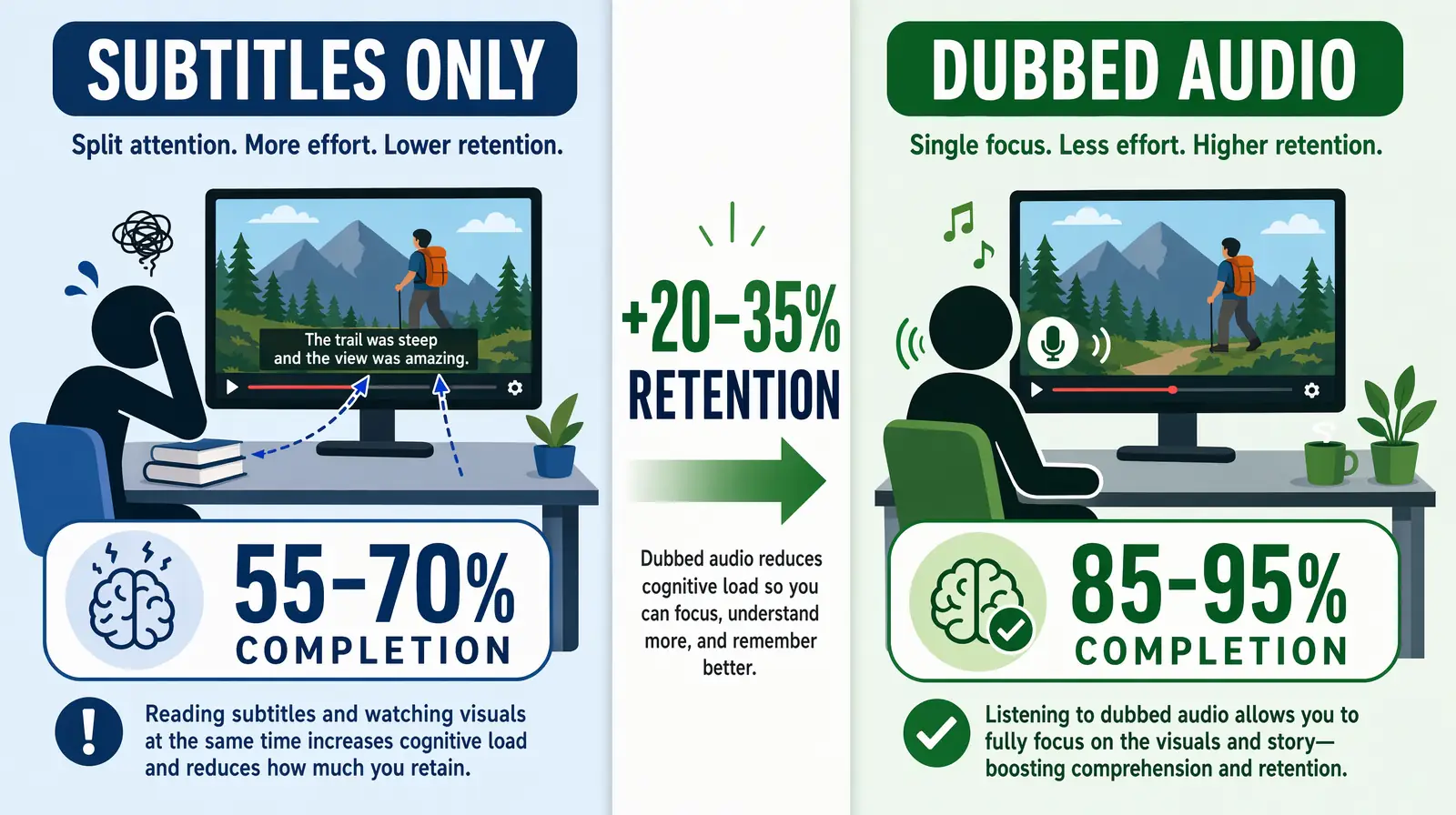
For EdTech video, dubbing delivers 20–35% better retention than subtitles by eliminating the split-attention effect of reading while watching.
| Factor | Subtitles | Dubbing |
|---|---|---|
| Eyes on content | Viewer reads text; may miss diagrams, code, or equations | Viewer watches and listens; full focus on material |
| Cognitive load | High: read + watch + process simultaneously | Lower: listen in native language, watch visuals |
| Technical subjects | Code and diagrams compete with on-screen text | Narration explains while learner watches the demo |
| Instructor presence | Voice in original language; translation in text | Same "instructor" appears to speak learner's language |
| Accessibility | Depends on reading fluency and speed | Better for varied literacy levels and audio learners |
| Market preference | Preferred in some Northern European and Asian markets | Strongly preferred in Latin America, MENA, South Asia |
For education, the goal is comprehension and retention. Dubbing lets students listen in their language while watching demos, code, or slides—reducing cognitive load and improving outcomes. The research is consistent: learners in dubbed content show 20–35% better retention on post-course assessments compared to subtitle-only learners for the same content, according to studies in Computers & Education.
Best practice: Offer both dubbed audio and accurate subtitles (e.g. SRT files) so students can choose. Dubbing drives comprehension; subtitles serve deaf and hard-of-hearing learners and those who prefer text. Tools like VideoDubber generate both simultaneously, so there is no extra cost or workflow step to offer both formats.
For highly visual, step-by-step content—coding tutorials, lab procedures, design walkthroughs—subtitles-only is a significant liability. Learners must read the translation while watching mouse clicks, code being typed, or physical assembly. The cognitive split is at its worst for exactly the content EdTech platforms specialize in. Dubbing closes this gap.
Understanding cost and scale helps you choose a sustainable localization strategy that does not require a Series B just to go multilingual.
| Method | Cost per minute (per language) | Turnaround | Best for |
|---|---|---|---|
| Studio dubbing | $50–$150+ | Weeks | Small volume, premium flagship content |
| Freelance VO (no lip-sync) | $20–$80 | Days–weeks | Moderate volume, limited languages |
| AI dubbing | Few dollars per minute | Hours | Large libraries, many languages |
| Subtitles only | $1–$15 | Fast | Budget-first; lower retention impact |
Actual costs vary by language pair, video length, and provider. Always check current pricing on the platform you choose.
With AI-powered dubbing, you upload a single master (e.g. an English lecture). The system transcribes the audio, translates the script, generates natural-sounding speech (often with voice cloning so the instructor still sounds like themselves), and syncs audio to video. The result: one production → many languages in hours, not months.
In practice, teams using AI dubbing platforms like VideoDubber report 60–80% cost savings compared to equivalent studio work, with a 10-minute course module going from English to five languages in under two hours. That makes it feasible to localize entire course catalogs and keep them updated as curricula change—without ballooning your content team's headcount.
VideoDubber uses AI voice cloning and lip-sync to convert a single master course video into dubbed versions in 150+ languages, enabling EdTech platforms to scale global reach without per-language studio costs or re-recording sessions.
A practical, repeatable workflow for EdTech teams of any size:
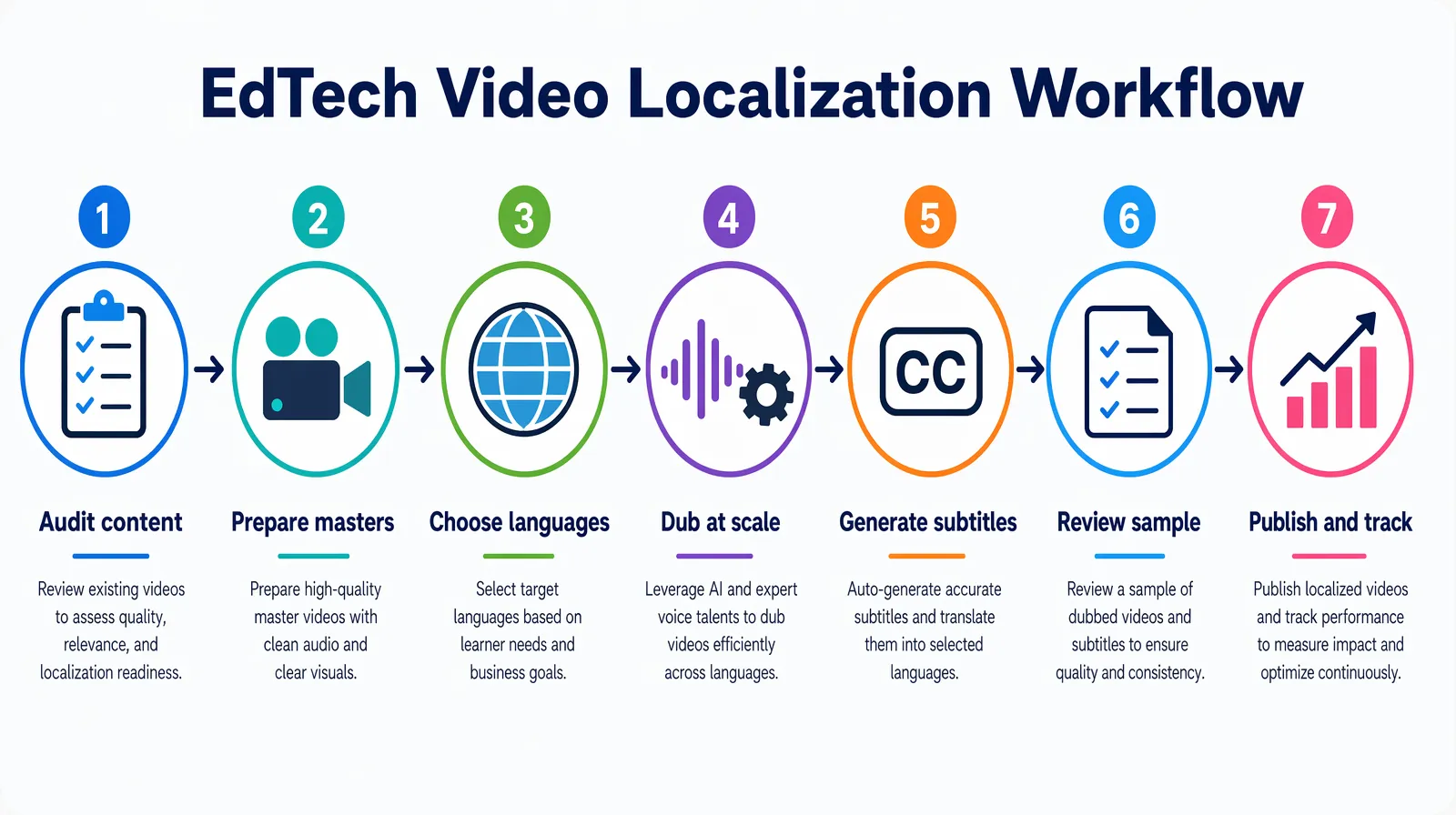
A repeatable seven-step EdTech localization pipeline — from auditing the course library to tracking completion rates by language.
| Step | Action | Notes |
|---|---|---|
| 1. Audit content | List core courses by enrollment and revenue. Start with top 10–20 courses or "gateway" modules that unlock further learning. | Use LMS analytics to prioritize by engagement and drop-off data. |
| 2. Prepare masters | Ensure source video has clear audio, minimal background noise, and consistent pacing. Export as MP4. | 720p minimum; 1080p preferred. Clear speech = better AI transcription. |
| 3. Choose target languages | Prioritize 3–5 languages based on your user base, growth markets, and enrollment goals (see Which Languages to Prioritize). | Use analytics to find where English-only drop-off is highest. |
| 4. Dub at scale | Upload playlists or batches to your localization platform (e.g. VideoDubber). Select target languages; use voice cloning to preserve the instructor's voice. | Enable Technical Mode for courses with jargon, code, or scientific terms. |
| 5. Generate subtitles | Export SRT or VTT caption files for each language for accessibility and optional use. | Many AI dubbing platforms generate these automatically alongside the dub. |
| 6. Review sample | Have a native speaker or regional educator spot-check 2–3 minutes of each language for tone, terminology, and cultural fit. | Prioritize this for safety-adjacent or regulated content (medical, legal, finance). |
| 7. Publish and track | Publish localized versions in your LMS or player. Track completion rates, engagement, and enrollment by language to refine priorities. | A/B test dubbed vs. subtitle-only to quantify the retention lift in your data. |
There is no single "right" list; it depends on your current users, target markets, and growth strategy. A common starting framework for global EdTech expansion in 2026:
| Priority | Languages | Rationale |
|---|---|---|
| Tier 1 | Spanish, Portuguese (BR), Hindi, Mandarin Chinese | Huge learner bases; high demand for upskilling and K–12; strong mobile-first markets. |
| Tier 2 | French, Arabic, Indonesian, Vietnamese, Swahili | Fast-growing markets; government and institutional EdTech adoption; underserved by English-only content. |
| Tier 3 | German, Japanese, Korean, Thai, Turkish | Expand once Tier 1–2 are live and you have engagement data to guide next investment. |
Use your analytics: where do sign-ups and demand already come from? Which regions have the highest drop-off on English-only content? Which languages appear in your support tickets? Those are strong candidates for localization first.
A useful rule of thumb: if a language represents 5% or more of your signup base but significantly lower engagement or completion than English users, that language is almost certainly a localization opportunity, not a content quality problem.
One concern EdTech platforms frequently raise: "If we dub our courses, will students still feel connected to the instructor?"
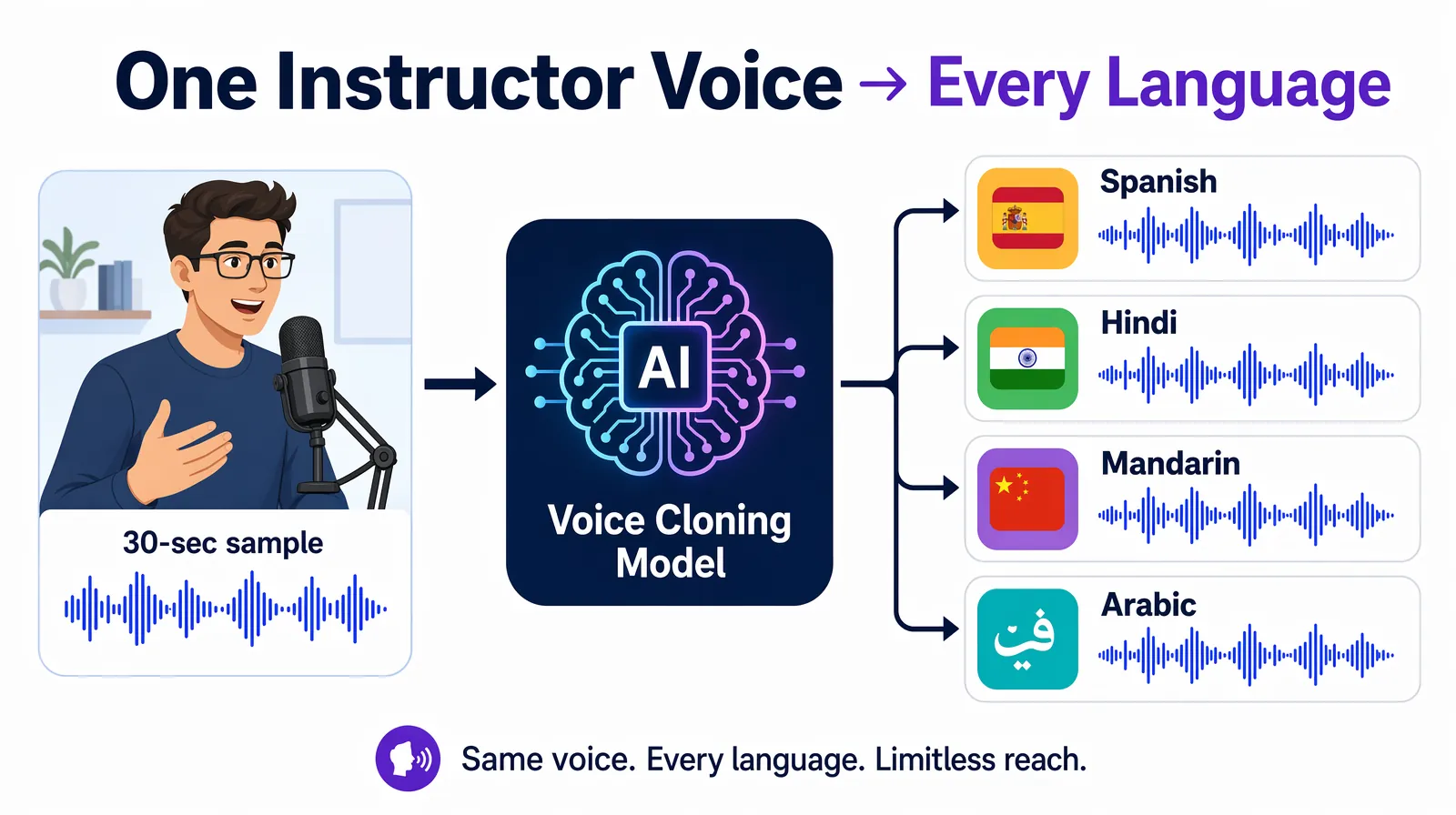
Voice cloning captures the instructor's tone, pitch, and cadence from a short audio sample, then speaks every target language in the same recognizable voice.
Voice cloning is the technology that resolves this concern. Voice cloning creates a synthetic version of a specific speaker's voice—capturing their tone, cadence, pitch, and emotional style—from a short audio sample. When the dubbed script is synthesized, it uses that clone rather than a generic AI voice. The result: the Spanish, Hindi, or Mandarin version of a course sounds like the same instructor, just speaking a different language.
In practice, EdTech platforms that use voice cloning report significantly higher student satisfaction scores for dubbed courses compared to courses dubbed with generic AI voices or different voice actors, because the instructor-student relationship is preserved across language barriers.
Tools like VideoDubber offer advanced voice cloning as part of the dubbing pipeline—so you don't need a separate voice-cloning tool or a studio session. Upload the master video, enable voice cloning, and the platform handles the rest.
| Approach | Pros | Cons | Best for |
|---|---|---|---|
| Manual dubbing (studio) | Highest quality, full creative control | Very expensive ($50–$150+/min); slow; doesn't scale to large catalogs or many languages | One-off flagship content |
| Subtitles only | Cheaper and faster than dubbing; accessible | Higher cognitive load; lower retention for technical content | Budget-first or quick turnarounds |
| AI dubbing (e.g. VideoDubber) | One master → many languages; voice clone; scalable; fast; generates SRT too | Quality depends on source audio quality and language pair | Scaling course catalogs across 3+ languages |
| AI avatar + generated script | No need to film; generate from text | Less "human" connection; may not match existing instructors | New content creation, not localization |
| Hybrid (AI + human review) | High quality + scalability | More expensive than pure AI; slower than pure AI | Compliance-sensitive or medical/legal EdTech |
For scaling educational video across many languages while keeping the instructor's presence and tone, AI dubbing with voice cloning (e.g. VideoDubber) is the most practical: upload entire course playlists, get back dubbed versions in Spanish, Hindi, Mandarin, and 150+ other languages, plus SRT files for subtitles—all in a single workflow.
If you're also building or scaling training video content for internal teams, the same AI dubbing workflow applies and the same cost savings apply.
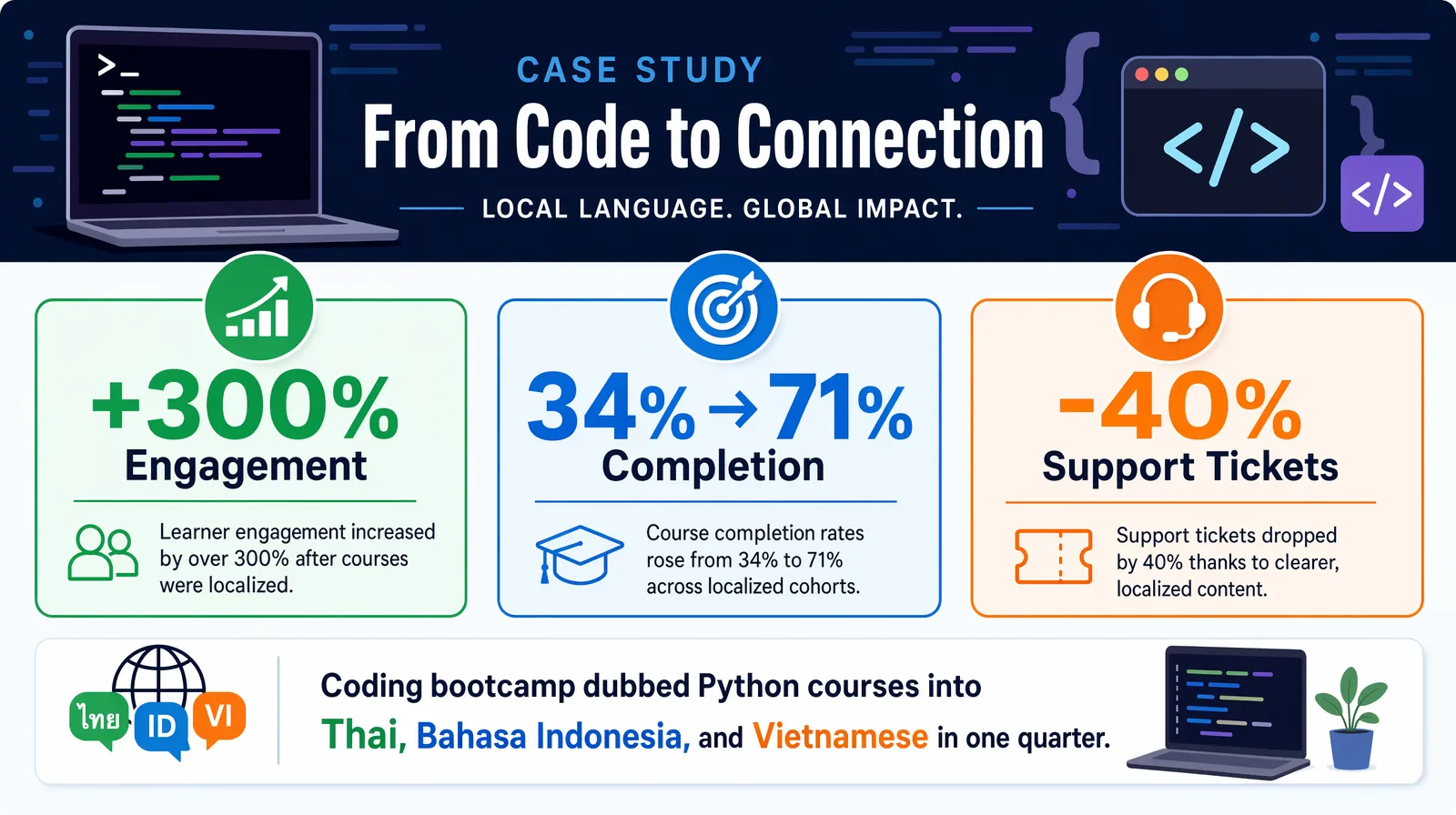
A coding bootcamp that dubbed its Python courses into Thai, Indonesian, and Vietnamese saw module completion rates jump from 34% to 71% in the first quarter.
A coding platform expanded into Southeast Asia by dubbing its existing Python and web development courses using AI dubbing with voice cloning. The results within the first quarter:
| Mistake | Why it hurts | Better approach |
|---|---|---|
| Dubbing without voice cloning | Generic AI voices break student connection with the instructor | Enable voice cloning even for cost-sensitive projects; the quality difference is significant |
| Launching without a sample review | Terminology errors or robotic phrasing erode trust | Always preview 2–3 minutes per language with a native speaker before full rollout |
| Prioritizing language count over quality | 10 mediocre dubs hurt more than 3 excellent ones | Start with 3–5 languages done well, then expand |
| Skipping subtitles alongside dubs | Misses accessibility requirements and learner preference | Generate SRT files for every dubbed version as standard practice |
| Forgetting curriculum updates | Localized versions go out of sync as content changes | Build re-dubbing into your content update process; AI makes this fast and cheap |
Subtitles require learners to simultaneously read a translation and watch course visuals—a split-attention effect that significantly increases cognitive load and reduces retention. Dubbing in the learner's native language eliminates this split: students listen and watch without the cognitive overhead of reading. For technical subjects like coding, science, or engineering, where students need to watch what's happening on screen, the difference in comprehension can be 20–35%, according to research published in Computers & Education.
With traditional studio dubbing, a 10-hour course in one language can cost $30,000–$90,000+ (at $50–$150 per minute). With AI dubbing via a platform like VideoDubber, the same course in five languages typically costs a fraction of that—often in the low thousands total—with turnaround in hours rather than weeks. Cost scales with minutes of content and number of languages, not with studio capacity or voice actor schedules.
Modern AI dubbing with voice cloning keeps the original instructor's tone, pacing, and style, so the result sounds like the same person speaking the target language. Quality is best with clear source audio and is consistently improving. It is always worth spot-checking a sample before rolling out to students; most EdTech teams report that students cannot distinguish AI-cloned voice dubbing from a re-recorded session.
Prioritize by enrollment potential and strategic markets: gateway courses, highest-enrollment subjects, and content for regions where you are already seeing demand or partnership interest. Use analytics to find where English-only content is a barrier—high drop-off rates, low completion, support requests about language are strong signals.
With AI dubbing, you re-upload the updated master video and regenerate only the changed segments or full videos in each language. There is no need to re-book studios or voice talent; you maintain one source of truth (the English course) and keep all language versions in sync. This is one of the biggest workflow advantages of AI over traditional studio dubbing.
Using an AI dubbing platform like VideoDubber, a 1-hour course can be processed into 5 languages in 2–5 hours, including transcription, translation, voice synthesis, and lip-sync. Add 1–2 days for a sample review per language. Traditional studio dubbing for the same project would typically take 6–20 weeks depending on voice talent availability and language pairs.
For professional development, upskilling, and general education, AI dubbing alone is typically sufficient. For compliance-sensitive content (healthcare training, legal education, safety certifications), combine AI dubbing with human review by a native-speaking subject matter expert. The AI handles speed and scale; the human review adds accuracy assurance for high-stakes content.
Yes. EdTech platforms that localize content consistently report improvements across multiple LMS metrics: higher enrollment (2–3×), higher completion rates, better post-course assessment scores, lower support ticket volume, and higher Net Promoter Scores from non-English-speaking user cohorts. The improvement is most pronounced for technical content where comprehension is critical to task completion.
Make your education platform truly global with VideoDubber—scale your courses to 150+ languages without re-recording and keep the instructor's voice in every market.
Video localization vs. translation vs. dubbing: full 2026 guide with cost tables, use-case matrix, AI dubbing workflow, and expert verdict on which to choose.
How businesses use video localization to increase conversions, cut support cost, and scale training. Use cases, ROI data, tools, and step-by-step guide.
Video translation for online courses: AI dubbing cuts cost 25–100×. Step-by-step playbook with language ROI data, workflow, and platform distribution tips.
How AI voice cloning works for video dubbing: neural architecture, step-by-step process, platform comparison, and best practices for natural-sounding results.
How to clone celebrity voices for video dubbing with AI — step-by-step guide covering audio quality, legal rules, use cases, and 150+ language support.