
How to Translate Videos to Multiple Languages: The Complete 2026 Guide
April 24, 2026 17 mins read
Over 500 million hours of video are watched online every day — yet English-only content reaches roughly 17% of the global population.
Video translation converts a video's spoken audio and on-screen text into target languages so creators, businesses, and educators can reach global audiences without re-recording. Modern AI tools translate a 10-minute video into 10 languages in under an hour — with voice cloning and lip-sync. According to a 2025 Wyzowl study, 68% of viewers are more likely to complete a video narrated in their native language.
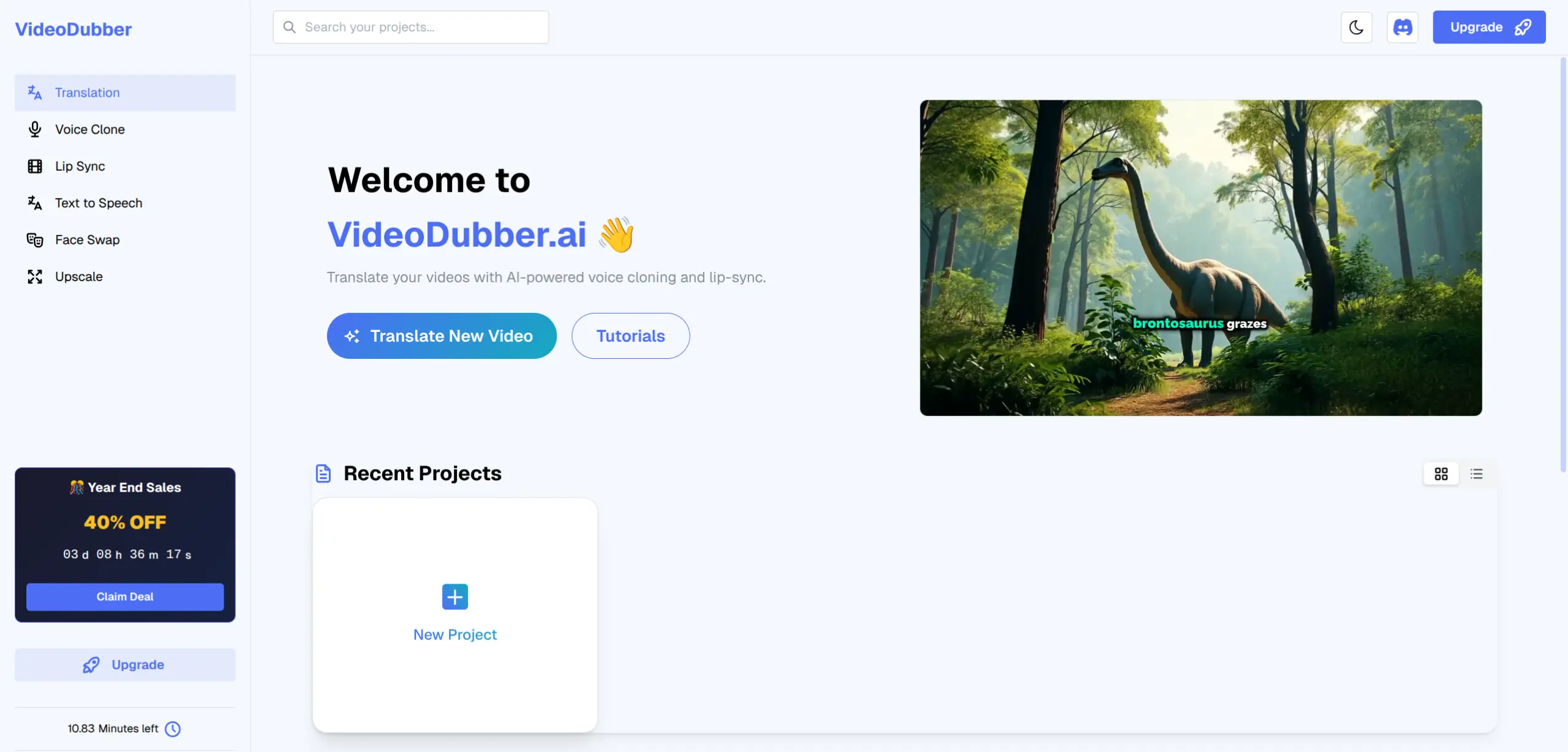
VideoDubber.ai — trusted by 100,000+ creators for AI-powered video translation into 150+ languages
Video translation is a multi-stage AI pipeline that converts spoken audio into a target language and optionally re-syncs lip movements — typically in minutes with platforms like VideoDubber.
| Stage | What Happens | Why It Matters |
|---|---|---|
| 1. Audio extraction | The original audio track is separated from the video | Isolates speech for transcription |
| 2. Speech recognition (ASR) | AI converts spoken audio to text (transcription) | Accuracy here affects all downstream quality |
| 3. Text translation | The transcript is translated using an AI engine (GPT, Gemini, DeepSeek, etc.) | Determines linguistic accuracy and natural phrasing |
| 4. Text-to-speech (TTS) / voice cloning | Translated text is spoken aloud using AI-generated voice | Voice cloning preserves the original speaker's tone |
| 5. Lip-sync | The speaker's mouth movements in the video are adjusted to match the new audio | Creates the "native speaker" visual effect |
| 6. Final render | Video and new audio are merged into the output file | Deliverable dubbed video |
Voice cloning preserves the original speaker's pitch, pace, and tone in the target language, making dubbed audio sound like the speaker naturally addressing viewers in their native tongue.
VideoDubber supports multiple translation backends, each with distinct strengths:
| Engine | Best For | Notes |
|---|---|---|
| Auto (Recommended) | General-purpose content | Selects the best engine per language pair automatically |
| GPT (OpenAI) | Nuanced, idiomatic phrasing | Strong for marketing and conversational content |
| DeepSeek | Technical and factual content | Fast processing, good accuracy on domain-specific terms |
| Gemini (Google) | European and Asian languages | Broad coverage, strong on cultural adaptation |
| Basic | Cost-conscious, simple content | Fastest; less nuanced for complex speech |
For most creators, Auto mode is the right choice. For technical or legally sensitive content, GPT or Gemini produces more natural phrasing.
Dubbing, subtitles, and voice-over are the three main localization approaches. Choose based on audience literacy, content type, and desired immersion.
| Factor | AI Dubbing | Subtitles | Voice-Over |
|---|---|---|---|
| Viewer experience | Listens in native language; watches screen | Reads text while watching | Hears translated narration over original |
| Eye focus | Fully on screen action | Split between text and screen | Mostly on screen |
| Accessibility | Good for low literacy; ideal for multitaskers | Requires reading fluency | Moderate |
| Emotional impact | High — voice carries emotion | Lower — text is neutral | Moderate |
| Cost (AI tools) | Low to medium | Very low | Low |
| Cost (professional) | Very high | Low to medium | Medium |
| Production time (AI) | Minutes | Minutes | Hours |
| Best use case | Tutorials, entertainment, support videos | Quick localization, accessibility compliance | Documentaries, corporate narration |
For step-by-step tutorials, product demos, and support content, AI dubbing is the clear winner — viewers follow along visually while hearing instructions in their own language.
The best strategy is dubbing + subtitles together: use voice cloning for dubbed audio and export SRT files simultaneously. VideoDubber enables both in a single workflow.
VideoDubber handles dubbing, voice cloning, lip-sync, and subtitle generation for 150+ languages — with direct YouTube imports and most translations completing in under 10 minutes.
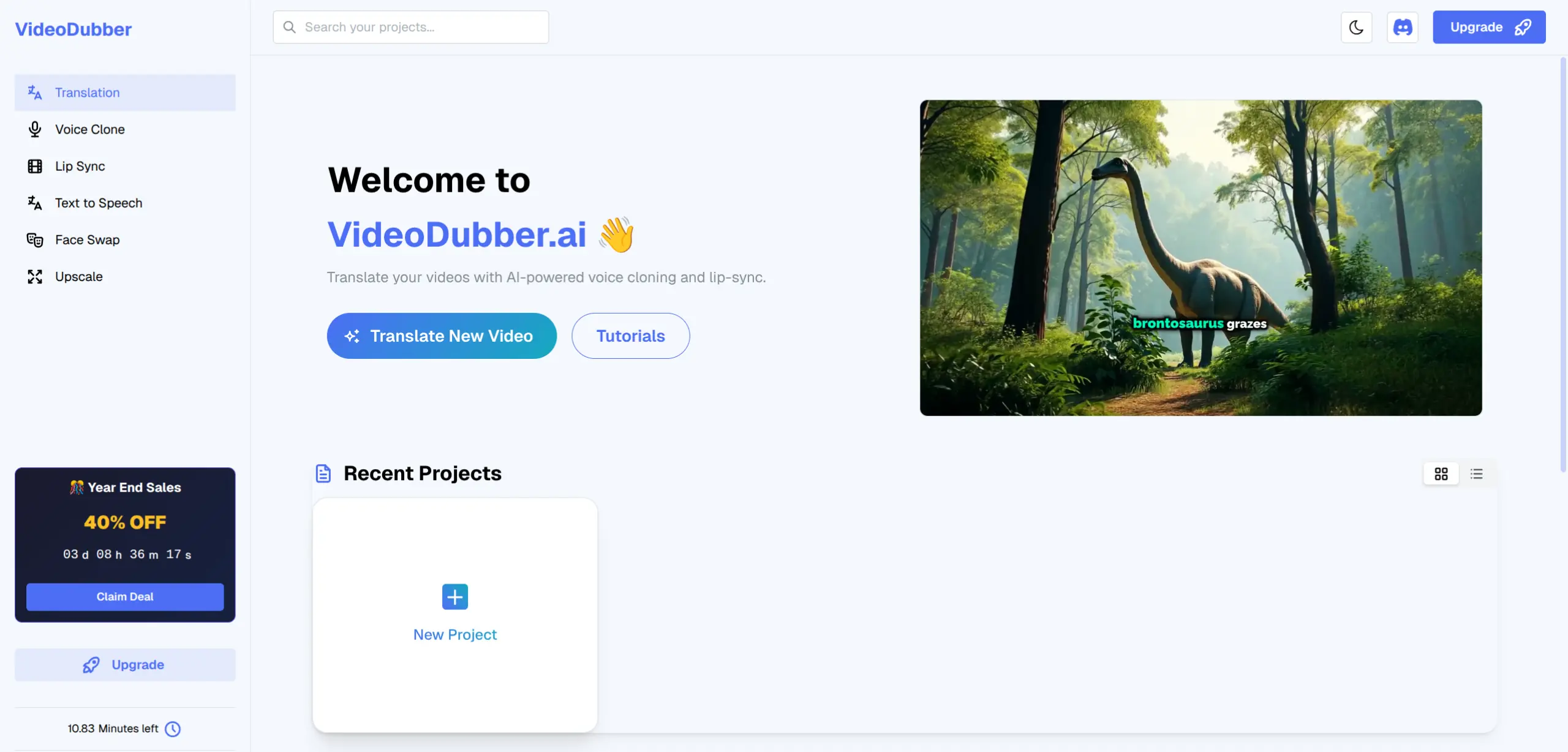
The VideoDubber dashboard provides one-click access to Translation, Voice Clone, Lip Sync, Subtitles, and more
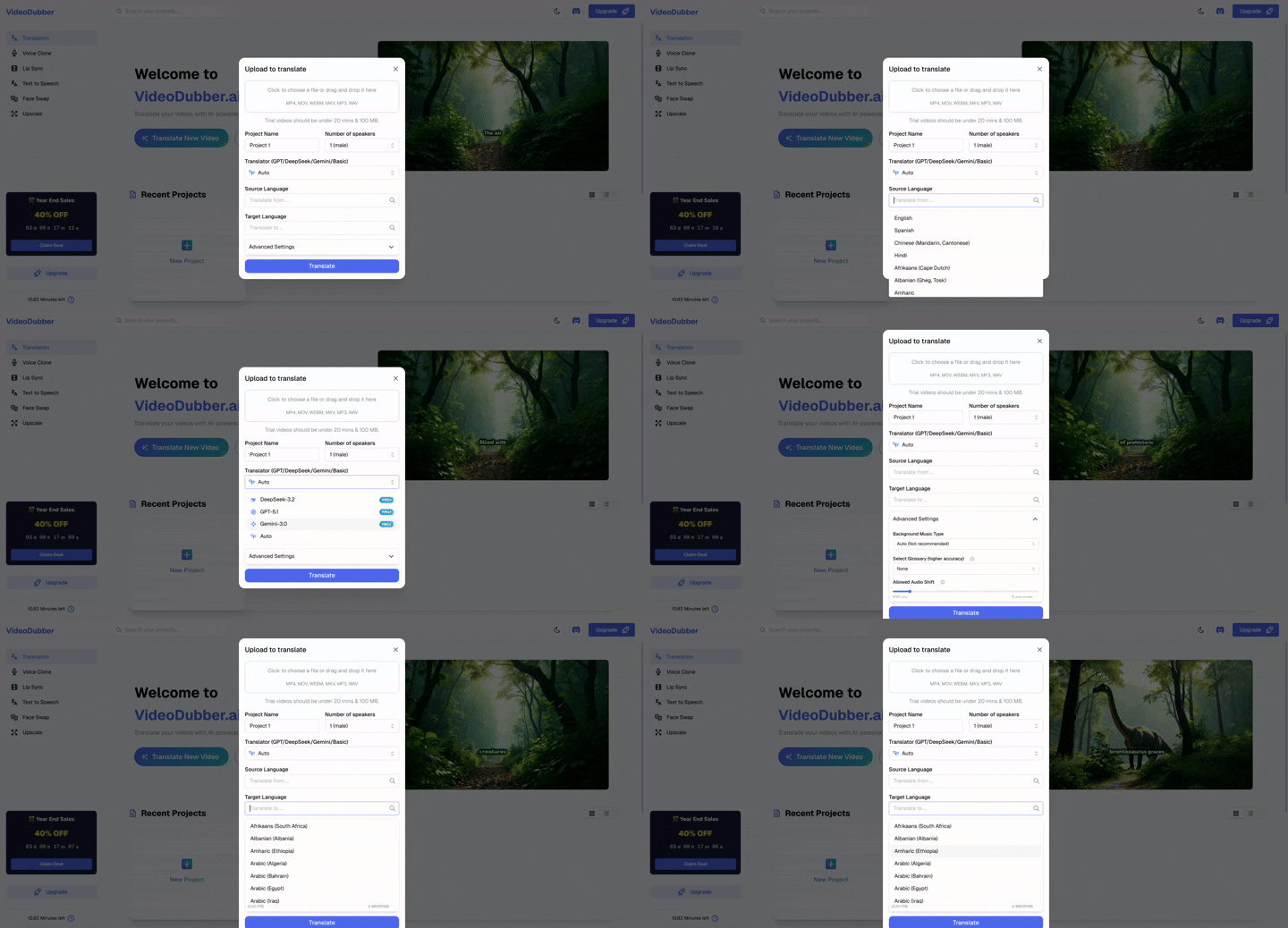
Import videos directly from YouTube by pasting the URL — no download required
Configure four key settings before starting:
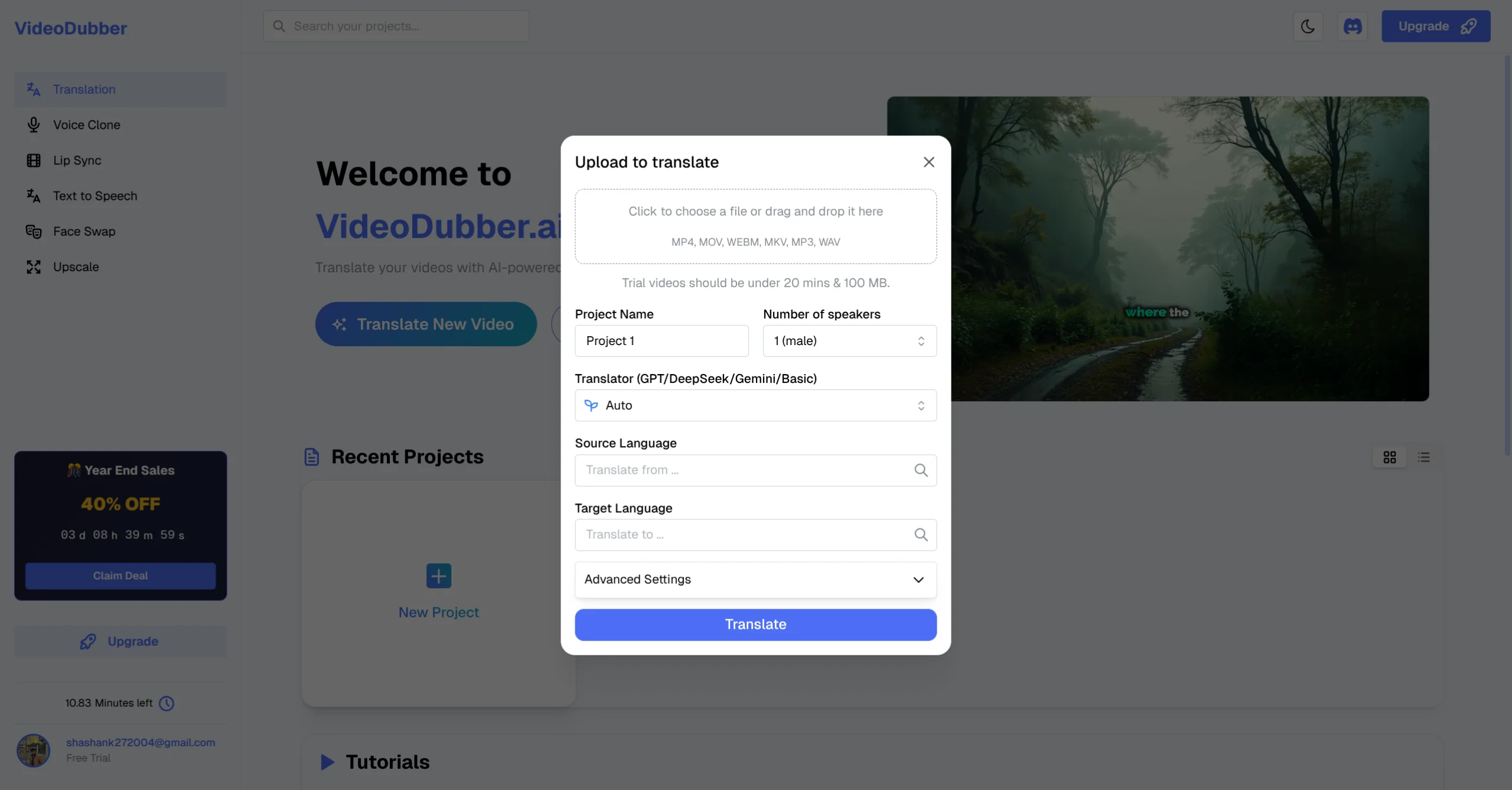
Configure project name, speaker count, translator engine, and source language before starting
Click the Target Language dropdown and search for your desired language. VideoDubber supports 150+ languages including right-to-left scripts, tonal languages, and regional variants. For multiple languages, create a separate project for each using the same source file.
| Region | Popular Languages |
|---|---|
| Europe | Spanish, French, German, Italian, Portuguese, Dutch, Polish, Russian |
| Asia-Pacific | Mandarin Chinese, Japanese, Korean, Hindi, Thai, Vietnamese, Indonesian |
| Middle East & Africa | Arabic, Turkish, Hebrew, Persian, Swahili |
| Americas | Spanish (Latin America), Portuguese (Brazil), English (US/UK/AU) |
Click "Translate" to begin. The platform processes transcription, translation, voice synthesis, and lip-sync concurrently. A progress indicator shows which stage is active.
| Video Length | Estimated Processing Time |
|---|---|
| Under 5 minutes | 1–2 minutes |
| 5–15 minutes | 3–5 minutes |
| 15–30 minutes | 5–10 minutes |
| Over 30 minutes | 10–20 minutes |
VideoDubber supports 150+ languages including right-to-left scripts (Arabic, Hebrew, Persian), tonal languages (Mandarin, Thai, Vietnamese), and regional variants (Brazilian Portuguese vs. European Portuguese, Latin American Spanish vs. Castilian Spanish).
Top 20 most-translated languages: Spanish, French, German, Portuguese (BR), Japanese, Mandarin Chinese, Korean, Hindi, Arabic, Italian, Russian, Dutch, Turkish, Vietnamese, Indonesian, Polish, Thai, Ukrainian, Swahili, and Hebrew.
| Format | Type | Notes |
|---|---|---|
| MP4 | Video | Most common; recommended for best compatibility |
| MOV | Video | Apple QuickTime format; fully supported |
| WEBM | Video | Ideal for web-based workflows |
| MKV | Video | Container format; supported for upload |
| MP3 | Audio-only | For podcasts or audio courses |
| WAV | Audio-only | Uncompressed audio; high quality |
| YouTube URL | Direct import | Any public YouTube video |
Maximum file size on the trial plan is 100 MB. Paid plans support larger files and 4K resolution output. For audio-only content like podcasts, MP3 and WAV uploads follow the same translation workflow.
AI video translation costs a fraction of traditional studio dubbing. Studio dubbing runs $50–$150 per finished minute — a 30-minute course in 5 languages becomes a $7,500–$22,500 project. AI tools collapse this cost by 95%+.
| Method | Typical Cost Per Minute Per Language | Notes |
|---|---|---|
| Traditional studio dubbing | $50–$150 | Voice talent, studio time, sync editing |
| Freelance voice-over | $15–$60 | Per language; no lip-sync |
| Subtitle-only service | $1–$5 | Text only; no audio |
| AI dubbing (e.g. VideoDubber) | $1–$5 | Includes voice cloning + lip-sync |
VideoDubber offers a free trial plan for testing, with paid plans for creators who need higher volume or longer videos. For exact current pricing, see videodubber.ai/pricing. Free accounts include limited minutes per month — enough to test quality on your actual content before committing.
Per Gartner's benchmarks, companies localizing customer-facing video reduce support ticket volume by 30–50% — with human tickets averaging $13.50 vs. $1.84 for self-service resolutions.
AI tools translate one master video into 10–20 languages for roughly the same cost as 2–3 manual dubs. Example: a 10-video onboarding library translated into 5 languages costs ~$2,000 with AI vs. $50,000+ with traditional dubbing. The marginal cost per additional language approaches zero once setup is complete.
| Translation Method | Time for a 10-Minute Video (1 Language) |
|---|---|
| Professional studio dubbing | 2–5 business days |
| Freelance voice-over | 1–3 days |
| AI translation (e.g. VideoDubber) | 3–8 minutes |
AI dubbing with VideoDubber processes a 10-minute video in 3–8 minutes, including transcription, translation, voice synthesis, and lip-sync rendering. This speed is critical for time-sensitive content — news analysis, product launch videos, trending tutorials — where AI translation means localized versions go live the same day as the English original.
Source audio quality directly limits AI translation — transcription errors propagate through every downstream stage.
VideoDubber's built-in editor lets you correct specific segments without regenerating the entire translation:
Even with dubbed audio, subtitles improve accessibility in noisy environments. VideoDubber exports SRT files alongside dubbed video for upload to YouTube, Vimeo, or LMS platforms.
Creators translating top-performing videos into Spanish, Portuguese, French, and Hindi typically see 40–80% increases in total channel views within 6 months. A Spanish-dubbed YouTube video opens access to 500+ million Spanish-speaking viewers.
For creators using VideoDubber: paste your YouTube URL, select the target language, and download a dubbed version ready to upload.
Self-service content — product walkthroughs, onboarding tutorials, how-to videos — deflects support tickets when localized. Localizing your top 10–20 support videos into 3–5 languages is one of the highest-leverage investments for global SaaS or e-commerce companies per Gartner. See our guide on multilingual customer support videos for the full ROI breakdown.
Video localization for eLearning expands enrollment dramatically. Coursera reports multilingual courses see 3–5x higher enrollment in non-English markets. AI dubbing makes it feasible to localize entire course catalogs rather than just flagship courses.
A product launch video translated into 8 languages costs roughly the same as one traditionally dubbed version — making AI localization the only viable strategy for global simultaneous launches. For brands entering Latin America, Brazil, or Japan, localized video creative is table stakes.
Translating a video is only half the work — distributing it correctly maximizes ROI.
YouTube supports multi-language audio tracks on a single video URL. Add dubbed audio as alternate tracks in YouTube Studio — viewers switch languages, and all views concentrate on one URL for stronger ranking signals. This is the preferred approach for channels with existing English audiences.
For creators targeting specific markets deeply, separate YouTube channels per language allow full region-specific optimization — localized thumbnails, titles, descriptions, and community posts. This approach works best when you publish regularly in the target language.
Embed translated videos in help documentation. Most LMS platforms (Teachable, Thinkific, Kajabi, Moodle) and help desks (Zendesk, Intercom, HubSpot) support video embeds. Pair translated videos with translated articles for maximum SEO coverage in each market.
| Market | Primary Platform | Notes |
|---|---|---|
| Global (English-first) | YouTube, Instagram, TikTok | Standard reach |
| China | Bilibili, Douyin | Requires localized content; see our Bilibili repurposing guide |
| India | YouTube, MX Player, ShareChat | Hindi and regional language content performs strongly |
| South Korea | KakaoTV, Naver TV, YouTube | Korean dubbed content converts well |
| Russia/CIS | VKontakte, OK.ru, YouTube | Russian-dubbed content preferred |
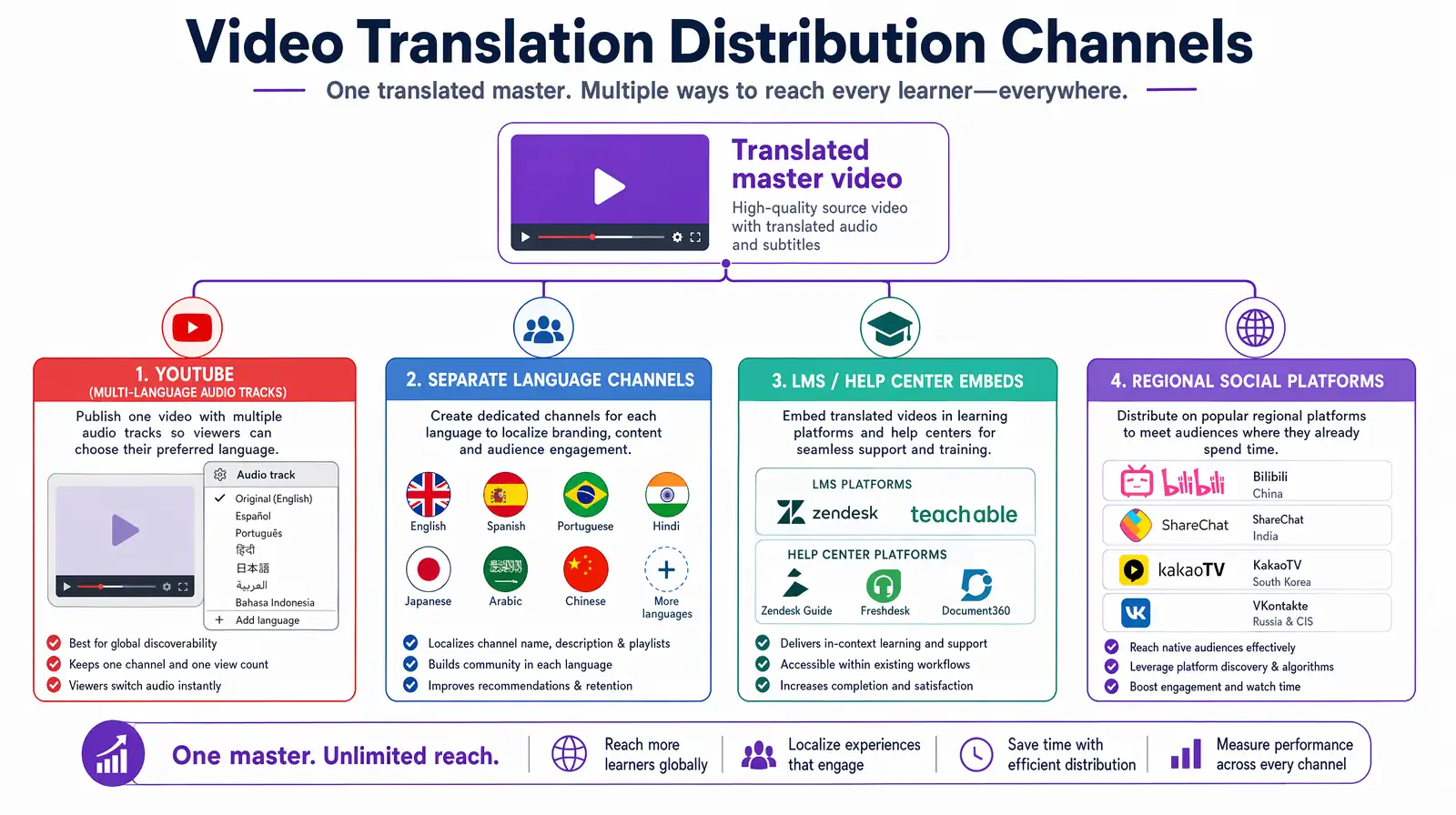
Post-translation distribution: YouTube multi-language tracks, separate language channels, LMS embeds, and region-specific social platforms.
Create a separate project for each target language using the same source video. Transcription happens once, so subsequent language jobs process without re-uploading. For batch translation (10+ languages), contact the platform for bulk workflows.
Modern AI dubbing achieves 85–95% translation accuracy on clean source audio as of 2026. Always review high-stakes content with a native speaker. For training videos and creator content, most AI translations are production-ready with minimal editing.
Yes. VideoDubber supports direct YouTube URL import — paste the public URL and it fetches, processes, and returns the translated version without downloading.
With VideoDubber, a 10-minute video is translated, dubbed, and lip-synced within 3–8 minutes. Traditional studio dubbing takes 2–5 business days per language.
Voice cloning analyzes a speaker's vocal characteristics — pitch, tempo, tone, accent — and applies them to AI-generated speech in a different language, making the dubbed audio sound like the original speaker.
Translated videos with localized titles, descriptions, and subtitles rank in foreign-language search results on YouTube and Google. Per Moz's research, fully localized metadata multiplies your organic footprint per language.
With AI tools like VideoDubber: $1–$5 per finished minute per language. A 5-minute video costs approximately $5–$25, compared to $250–$750 for traditional studio dubbing. See videodubber.ai/pricing for current plans.
Yes. VideoDubber exports both dubbed video and SRT subtitle files from the same project, enabling caption uploads to YouTube, Vimeo, or LMS platforms for accessibility compliance.

With a background in AI and a passion for clear technical communication, I enjoy breaking down complex tools and processes. Exploring new software and sharing insights is a key focus.
Learn what video translation and AI dubbing are, how they work, and why VideoDubber.ai is the best solution for translating videos while preserving voice, tone, and emotion. Complete guide covering benefits, use cases, and best practices.
How to edit translated videos online: fix subtitles, timing, and voice settings. Step-by-step workflow, pro tips, and unlimited free edits on VideoDubber.
Best video translators in 2026 compared: VideoDubber, CAMB.AI, HeyGen, Synthesia & more. Features, pricing, voice cloning, lip-sync verdicts — choose the right tool.
Change speaker voices in video translation with step-by-step workflows for voice assignment, instant cloning, and Pro+ voice cloning. Full 2026 guide.
Explore the best SRT translators for video translation in 2024. Discover tools that help convert subtitles into multiple languages and learn how video dubbing solutions can elevate your content for global audiences.