VideoDubber.ai is a powerful AI-powered video translation tool that helps you translate videos into 150+ languages with professional-quality voice cloning and lip-sync. Whether you're a content creator, marketer, or business owner, this guide will walk you through the entire process of translating your videos.
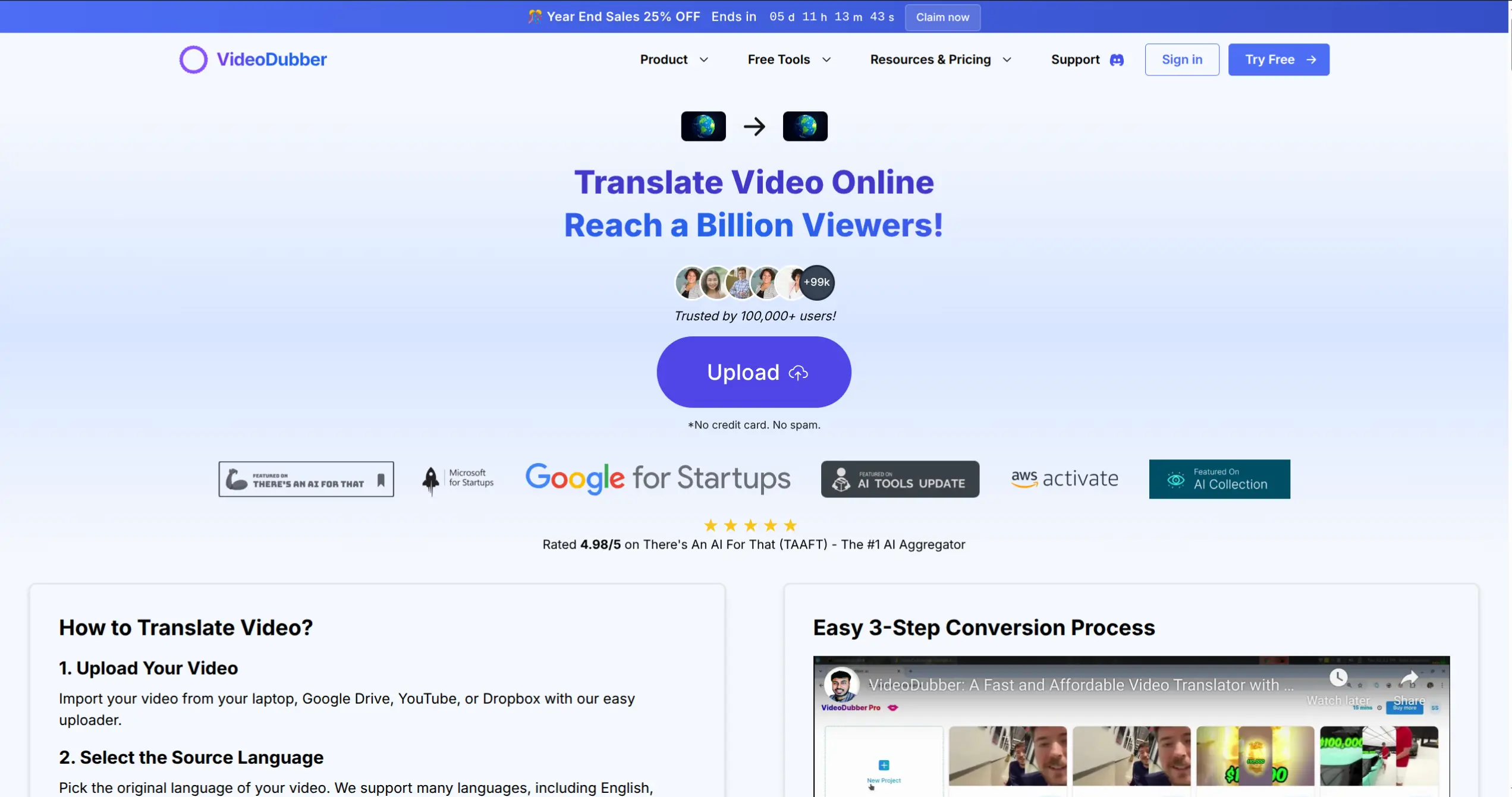
VideoDubber.ai - Trusted by 100,000+ users worldwide, featured on Google for Startups, Microsoft for Startups, and AWS Activate
Introduction
VideoDubber.ai makes video translation accessible to everyone. With industry-leading features, you can reach a global audience in minutes, not days.
Key Features
| Feature | Description |
|---|---|
| AI-Powered Translation | Preserves the original speaker's tone and emotion |
| Perfect Lip-Sync | Advanced technology for natural-looking dubbed videos |
| 150+ Languages | Comprehensive language support for global reach |
| Unlimited Edits | Modify translations at no extra cost |
| One-Click Translation | Simple, streamlined process |
| Voice Cloning | Clone the original speaker's voice in any language |
Getting Started
Prerequisites
Before you begin, make sure you have:
- A VideoDubber.ai account (sign up for free at app.videodubber.ai)
- Your video file ready (supports MP4, MOV, WEBM, MKV, MP3, WAV)
- Or a YouTube/video URL if you want to translate directly from a link
Supported Formats & Limits
| Format | Supported |
|---|---|
| MP4, MOV, WEBM, MKV | Yes |
| MP3, WAV (Audio) | Yes |
| Maximum File Size | Up to 100 MB (trial) |
| Resolution | Up to 4K |
Accessing VideoDubber.ai
- Visit the Website: Go to videodubber.ai
- Sign Up or Log In: Click "Try Free" or "Sign In" in the top right corner
- Navigate to Dashboard: Once logged in, you'll see the main dashboard
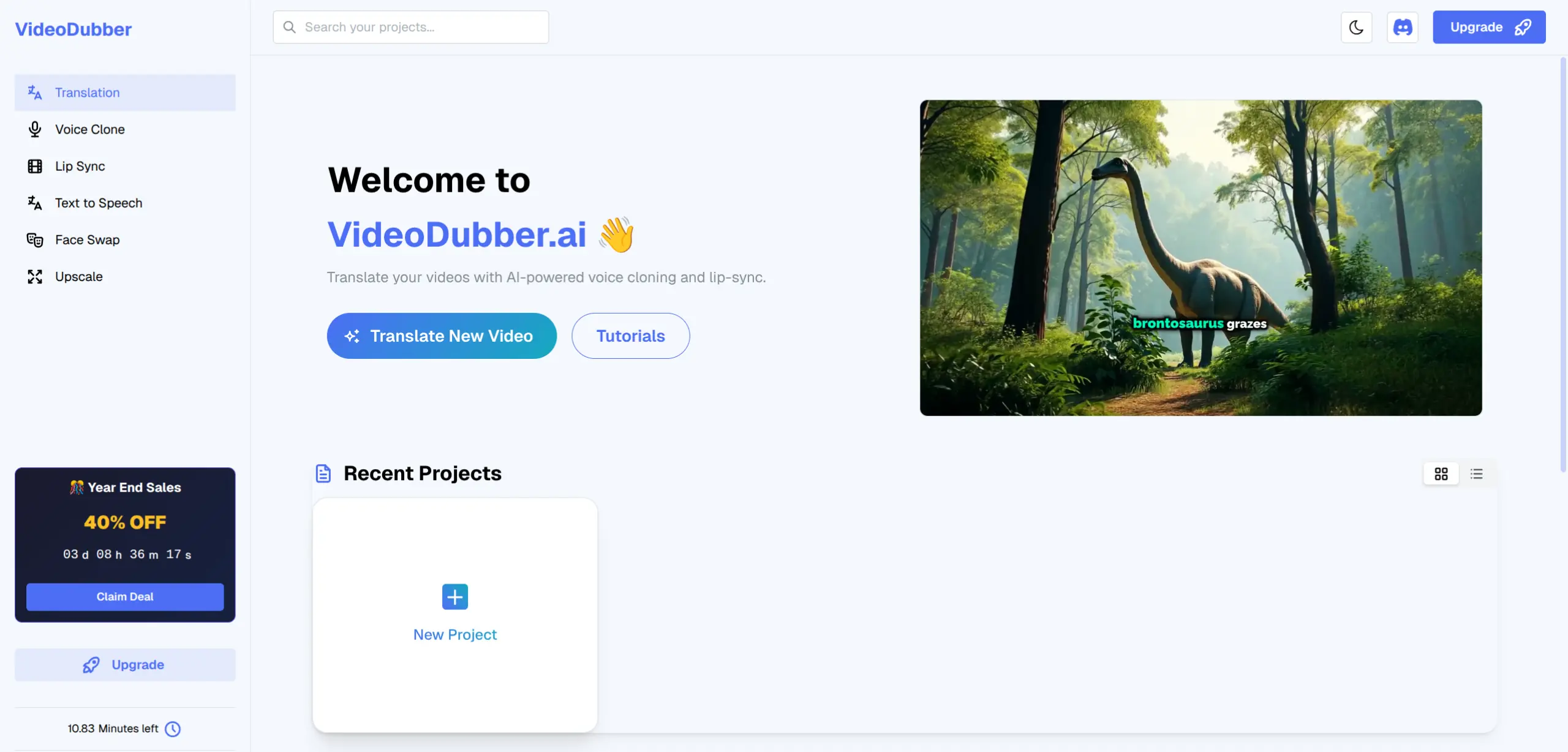
The VideoDubber.ai dashboard - Your central hub for all translation projects with easy access to Translation, Voice Clone, Lip Sync, Text to Speech, Face Swap, and Upscale features
Step-by-Step Translation Process
Step 1: Start a New Translation Project
From the dashboard, click the "Translate New Video" button to begin your translation project.
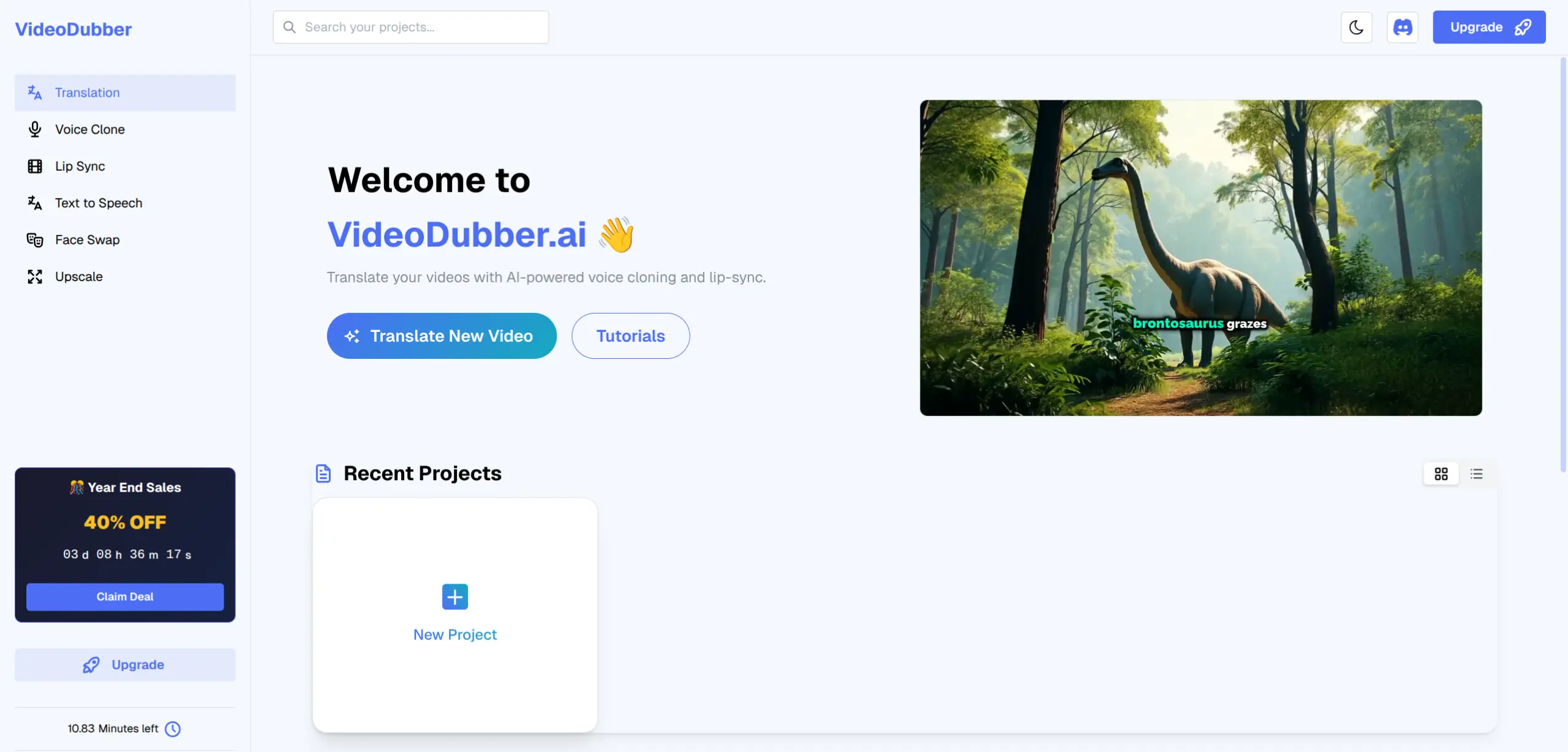
Click "Translate New Video" to start your translation journey
Step 2: Upload Your Video
VideoDubber.ai supports multiple upload methods to fit your workflow:
- Click "Click to choose a file or drag and drop it here"
- Select your video file from your computer
- Wait for the upload to complete
- In the "Paste Link" field, enter your YouTube video URL
- VideoDubber will automatically fetch and process the video
- No need to download first - import directly!
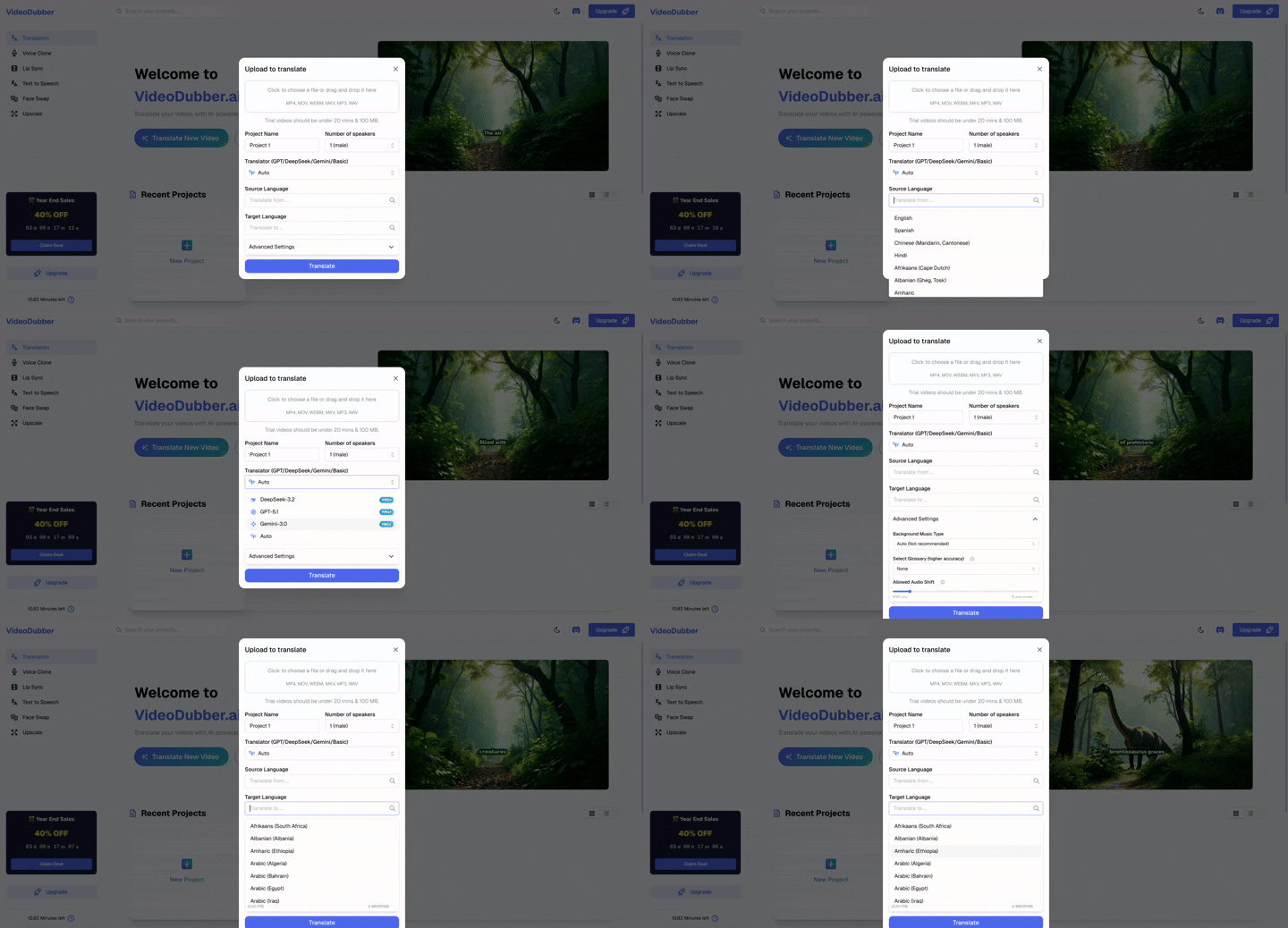
Import videos directly from YouTube by pasting the URL - no download required! Simply paste your YouTube link and VideoDubber handles the rest
Step 3: Configure Translation Settings
Once your video is uploaded, configure the following settings:
Give your project a descriptive name for easy identification later.
Select how many speakers appear in your video (1, 2, or more). This helps the AI accurately identify and translate different voices.
Choose your preferred AI translator:
- Auto (Recommended) - Automatically selects the best engine
- GPT - OpenAI's translation engine
- DeepSeek - Alternative AI translation
- Gemini - Google's translation engine
- Basic - Standard translation
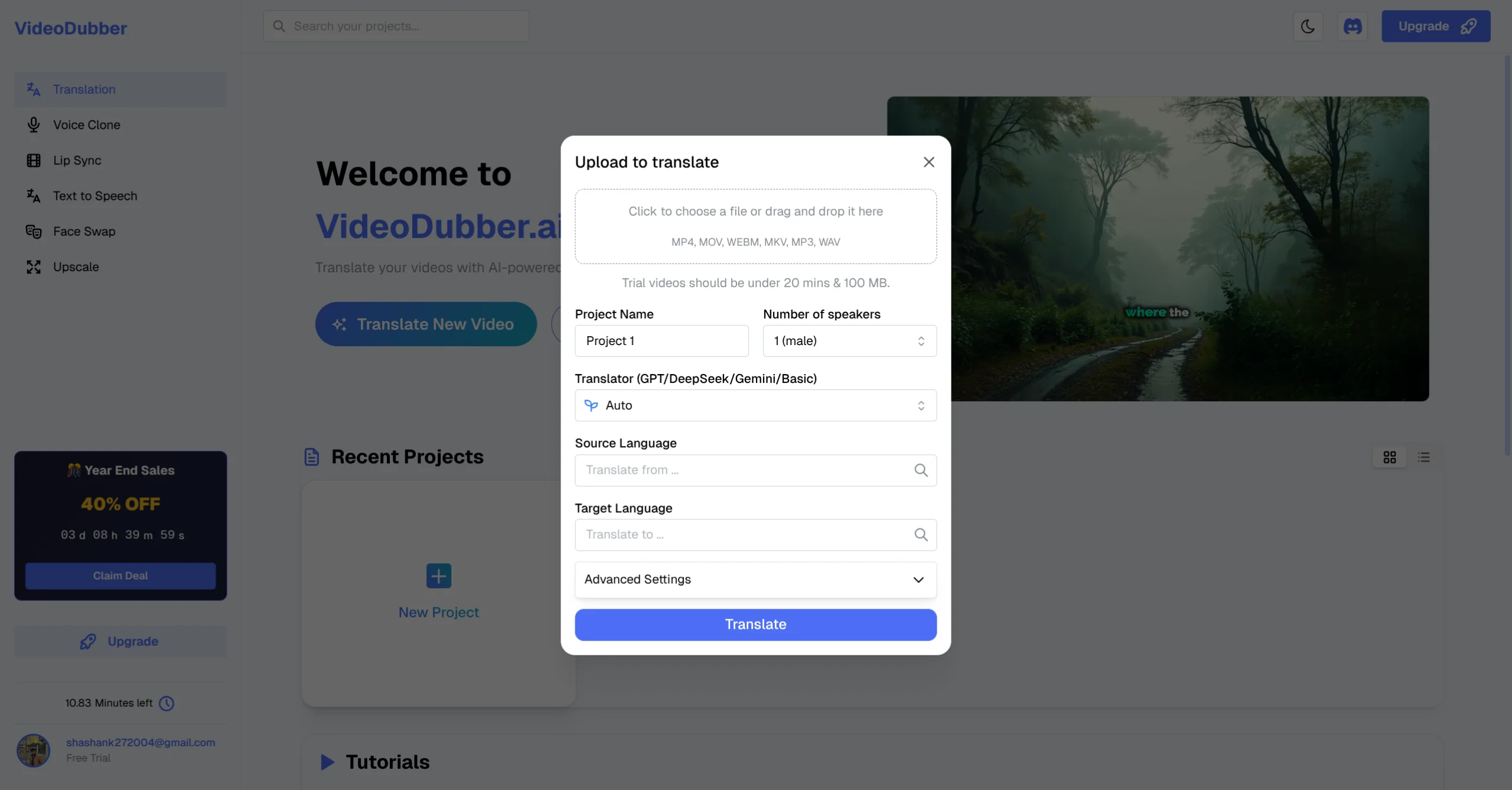
Configure your project settings: Project Name, Number of Speakers, Translator Engine, Source Language, and Target Language
Step 4: Select Source and Target Languages
This is where VideoDubber.ai shines - translate to any of 150+ languages!
- Auto-Detection: The platform can automatically detect the source language
- Manual Selection: Choose from the dropdown if auto-detection is incorrect
- Search or scroll to find your desired target language
- Popular options include: Spanish, French, German, Portuguese, Hindi, Japanese, Korean, Arabic, and many more!
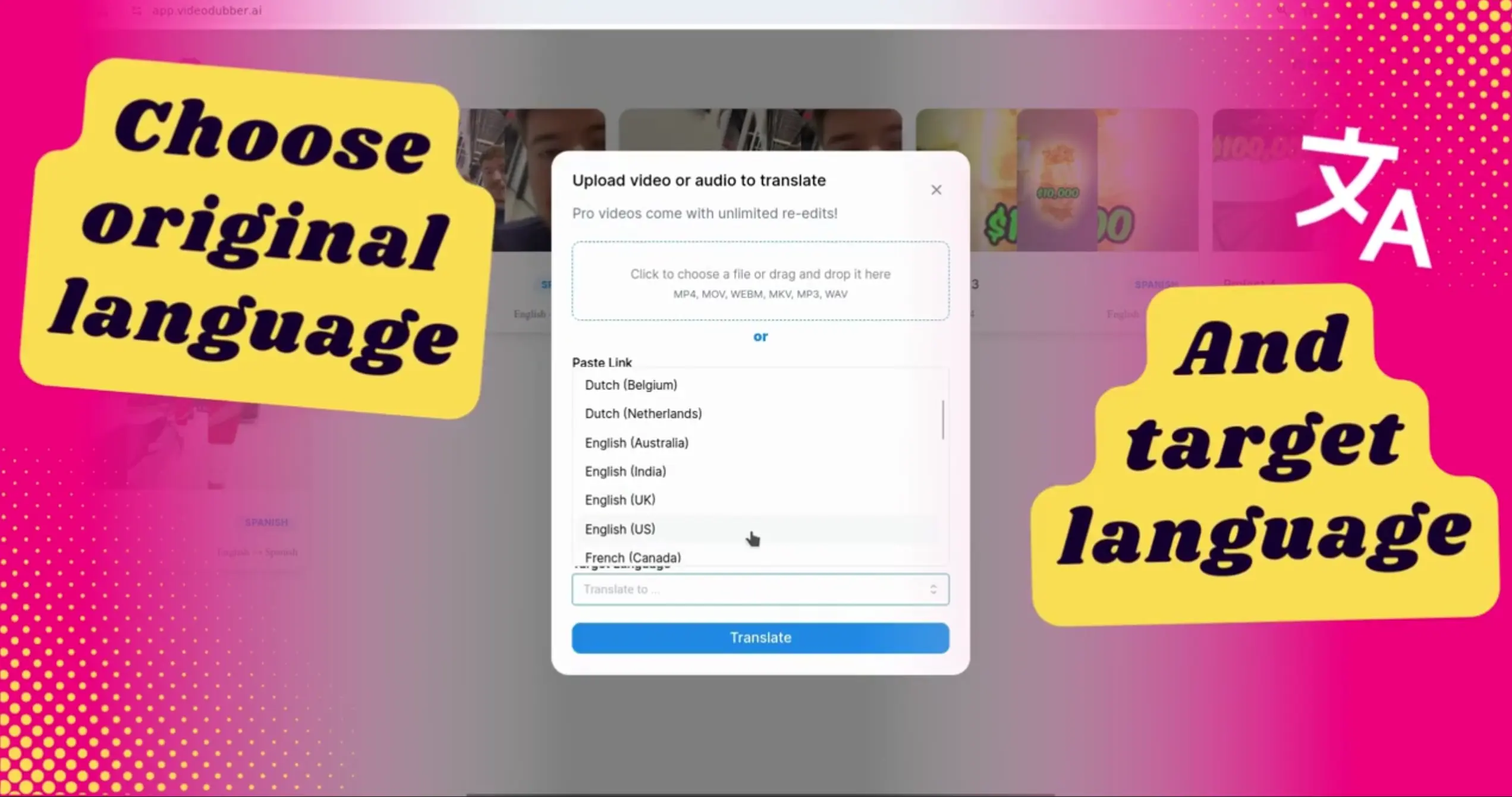
Choose your original language and target language from 150+ supported options
| Region | Languages |
|---|---|
| Europe | Spanish, French, German, Italian, Portuguese, Dutch, Polish, Russian |
| Asia | Mandarin, Japanese, Korean, Hindi, Thai, Vietnamese, Indonesian |
| Middle East | Arabic, Turkish, Hebrew, Persian |
| Americas | English (US/UK/AU), Spanish (Latin America), Portuguese (Brazil) |
Step 5: Start Translation
Once you've configured all settings:
- Review Your Settings: Double-check language selections and project name
- Click "Translate": Hit the blue "Translate" button
- Wait for Processing: The AI will process your video
| Video Length | Estimated Time |
|---|---|
| < 5 minutes | 1-2 minutes |
| 5-15 minutes | 3-5 minutes |
| > 15 minutes | 5-10 minutes |
Watch: Complete video translation process from upload to final result
Step 6: Review and Download
After translation completes:
- Preview: Watch your translated video directly in the browser
- Edit (if needed): Make adjustments using the built-in editor
- Download: Export your video in your preferred format
Use Cases
VideoDubber.ai is perfect for:
| Use Case | Benefit |
|---|---|
| Content Creators | Expand your YouTube/TikTok audience globally |
| E-Learning | Make educational content accessible worldwide |
| Marketing | Localize ads and promotional videos |
| Gaming | Translate gaming content for international fans |
| Corporate | Training videos for multinational teams |
| Podcasters | Convert podcasts to multiple languages |
Conclusion
Translating videos with VideoDubber.ai is simple, fast, and cost-effective. With support for 150+ languages, professional voice synthesis, and unlimited edits, you can expand your global reach in minutes.
Quick Recap
| Step | Action |
|---|---|
| 1 | Click "Translate New Video" |
| 2 | Upload video or paste URL |
| 3 | Configure project settings |
| 4 | Select source & target languages |
| 5 | Click "Translate" |
| 6 | Review, edit, and download |
Why Choose VideoDubber.ai?
- 100,000+ Users trust VideoDubber.ai
- 4.98/5 Rating on There's An AI For That
- Featured on Google for Startups, Microsoft for Startups, AWS Activate
- No credit card required to start
Next Steps
- Sign up for free - No credit card required
- Upload your first video and translate it
- Learn how to edit your translated videos
Additional Resources
Ready to translate your first video? Get Started Free
Further Reading
What is Video Translation? Complete Guide to AI Dubbing
Learn what video translation and AI dubbing are, how they work, and why VideoDubber.ai is the best solution for translating videos while preserving voice, tone, and emotion. Complete guide covering benefits, use cases, and best practices.
How to Edit Translated Videos Online: Complete Editing Guide
Complete guide to editing translated videos on VideoDubber.ai. Learn how to edit subtitles, fix translations, adjust timestamps, and change voice settings with unlimited free edits.
Best Video Translators in 2026: Complete Guide
Discover the best video translation tools in 2026. Compare VideoDubber.ai, CAMB.AI, HeyGen, Synthesia, and more. Features, pricing, pros and cons, and detailed comparisons to help you choose the right tool.
How to Change Speaker Voices in Video Translation
Learn how to change and assign different speaker voices in video translations using VideoDubber.ai. Control voice selection for each speaker in your dubbed videos.
Best SRT Translators for Video Translation in 2024
Explore the best SRT translators for video translation in 2024. Discover tools that help convert subtitles into multiple languages and learn how video dubbing solutions can elevate your content for global audiences.