"Free AI video generator" is the most over-promised phrase in creative software right now. Type a prompt, get a Hollywood shot, pay nothing — that's the pitch. The reality in 2026 is messier: most "free" tiers hand you a fistful of daily credits that burn out in three or four clips, stamp a watermark across your work, and quietly forbid commercial use in the fine print.
This guide cuts through that. After running identical prompts through the leading platforms and reading the licensing terms most reviews skip, here are the best free AI video generators in 2026 — ranked by how much usable, publishable video you can actually make without paying, plus the watermark, resolution, and commercial-rights catch for each one.
An AI video generator is a tool that turns a text prompt, image, or existing clip into new video footage using generative AI models — handling motion, lighting, physics, and increasingly native audio, so you can produce footage without a camera, actors, or an editing suite.
For most people in 2026, the smartest free stack is: Google Veo 3 for raw cinematic quality, DeeVid AI for all-in-one text-to-video and image-to-video workflows, HeyGen for talking-head and presenter videos, and VideoDubber.ai to generate the same video in 150+ languages so a clip you made once reaches a global audience. The rest of this list covers the best specialist tools — human motion, no-watermark exports, stylized art, and open-source self-hosting — so you can match the tool to the job.

The best free AI video generators in 2026 turn a prompt, image, or existing clip into finished video — and the smartest creators chain a generator, an editor, and a localizer into one free workflow.
What This Guide Covers
| Question | Section |
|---|---|
| What does "free" really get you? | What "Free" Actually Means in AI Video |
| How we ranked these tools | How We Evaluated Free AI Video Generators |
| Rankings at a glance | Quick Comparison: Best Free AI Video Generators |
| Best overall quality | 1. Google Veo 3 |
| Best all-in-one creator | 2. DeeVid AI |
| Best for talking-head / avatars | 3. HeyGen |
| Best for multilingual video | 4. VideoDubber.ai |
| Best human motion | 5. Kling 3.0 |
| Best no-watermark export | 6. Seedance 2.0 |
| Best pro controls | 7. Runway Gen-4 |
| Best stylized clips | 8. Pika |
| Best image-to-video | 9. Luma Dream Machine |
| Fastest quick tests | 10. Hailuo AI |
| Best for developers | 11. Open-Source Models |
| The free creation workflow | The Free AI Video Workflow |
| Get more from free credits | How to Stretch Free Credits |
| What's safe to publish | Watermarks, Commercial Use & Copyright |
| Which tool to pick | How to Choose the Right Free Tool |
| Mistakes to avoid | Common Mistakes |
| FAQs | Frequently Asked Questions |
What "Free" Actually Means in AI Video
Before the rankings, understand what you are actually getting. Every "free" AI video generator in 2026 falls into one of three models, and the differences decide whether the tool is genuinely useful or just a demo.
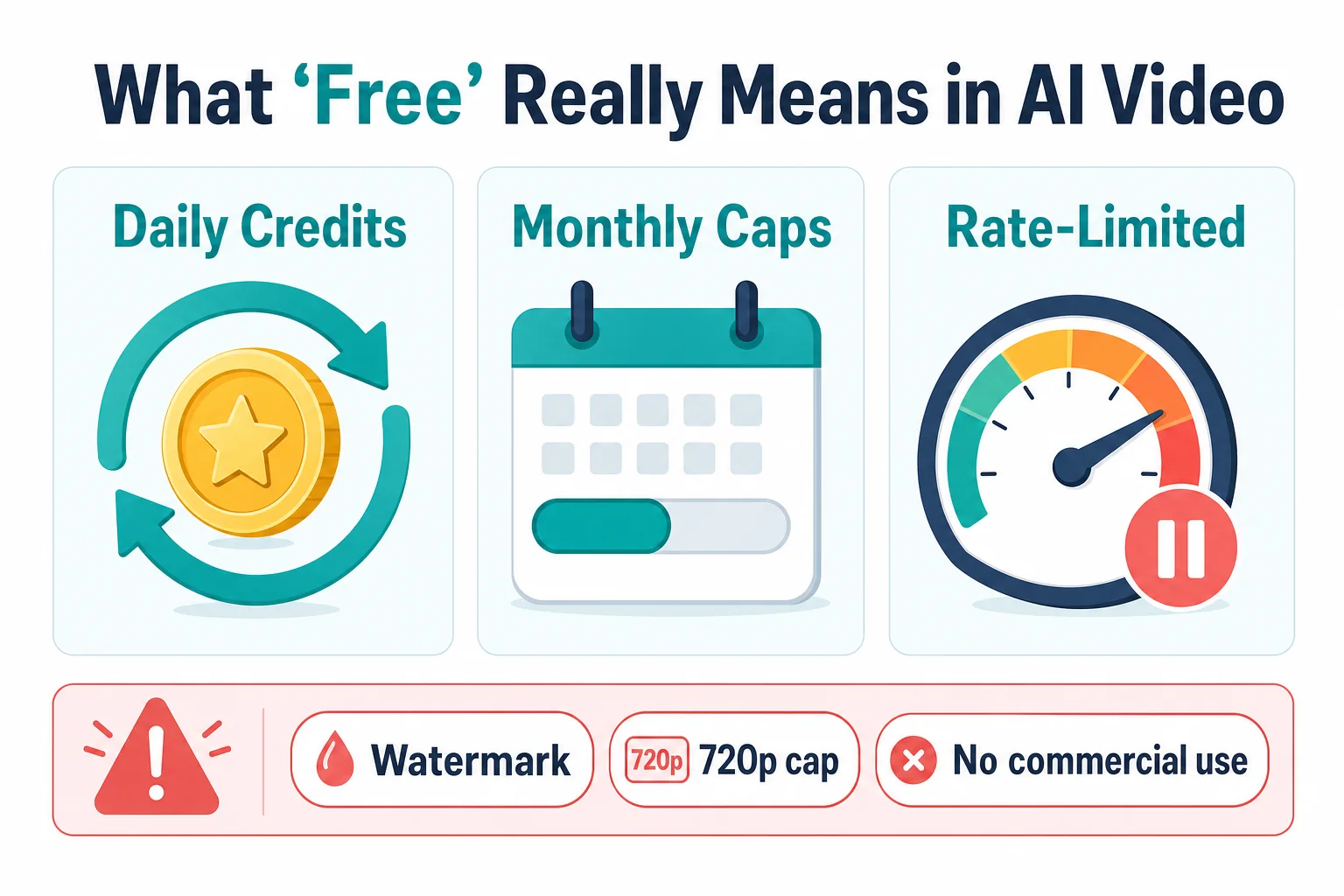
Three flavors of "free" in AI video: daily credits, monthly caps, and rate-limited access — each with a different real-world ceiling.
- Daily credit drips. Tools like Kling and Pika refresh a small credit balance every 24 hours. You can make a few short clips per day indefinitely, but you cannot batch a project in one sitting.
- Monthly caps and one-time credits. Tools like HeyGen give a fixed monthly allowance (a handful of videos). Others, including DeeVid and Runway, hand you a one-time signup balance that does not refill.
- Rate-limited access. Google's Veo 3 (through the Gemini app and AI Studio) limits how often you can generate rather than handing out a credit number — generous in bursts, throttled under heavy use.
The three catches that turn "free" into "trial":
| The catch | What it means for you |
|---|---|
| Watermark | Most free tiers stamp a logo on output. Fine for testing; amateur in client work, ads, or monetized content. |
| Resolution cap | Free output is often locked to 720p; 1080p and 4K are paywalled. |
| No commercial rights | Many free plans grant personal-use-only licenses. Publishing for business can violate the terms. |
A useful mental conversion: a "free clip" is usually 5–10 seconds of video. So "150 free credits" or "3 free videos" translates to roughly 30–90 seconds of finished footage — enough to test, not enough to ship a full project. Keep that ceiling in mind as you read the rankings.
How We Evaluated Free AI Video Generators
Rankings are only useful if you know the yardstick. Each tool below was weighed on six factors, in this priority order:
- Free-tier generosity — how much usable video you can make per day or month before paying.
- Output quality — realism, prompt adherence, motion physics, and temporal consistency (no warping faces or flickering).
- Watermark & resolution — can you publish the free output, and at what resolution.
- Commercial usability — does the free license actually let you use the result.
- Ease of use — time from sign-up to first watchable clip.
- Feature depth — audio generation, lip sync, avatars, editing, languages, and export options.
We deliberately prioritize publishable output over raw demo quality. A stunning clip you cannot legally post — or that wears a watermark — is worth less than a clean, 720p clip you own.
Quick Comparison: Best Free AI Video Generators 2026
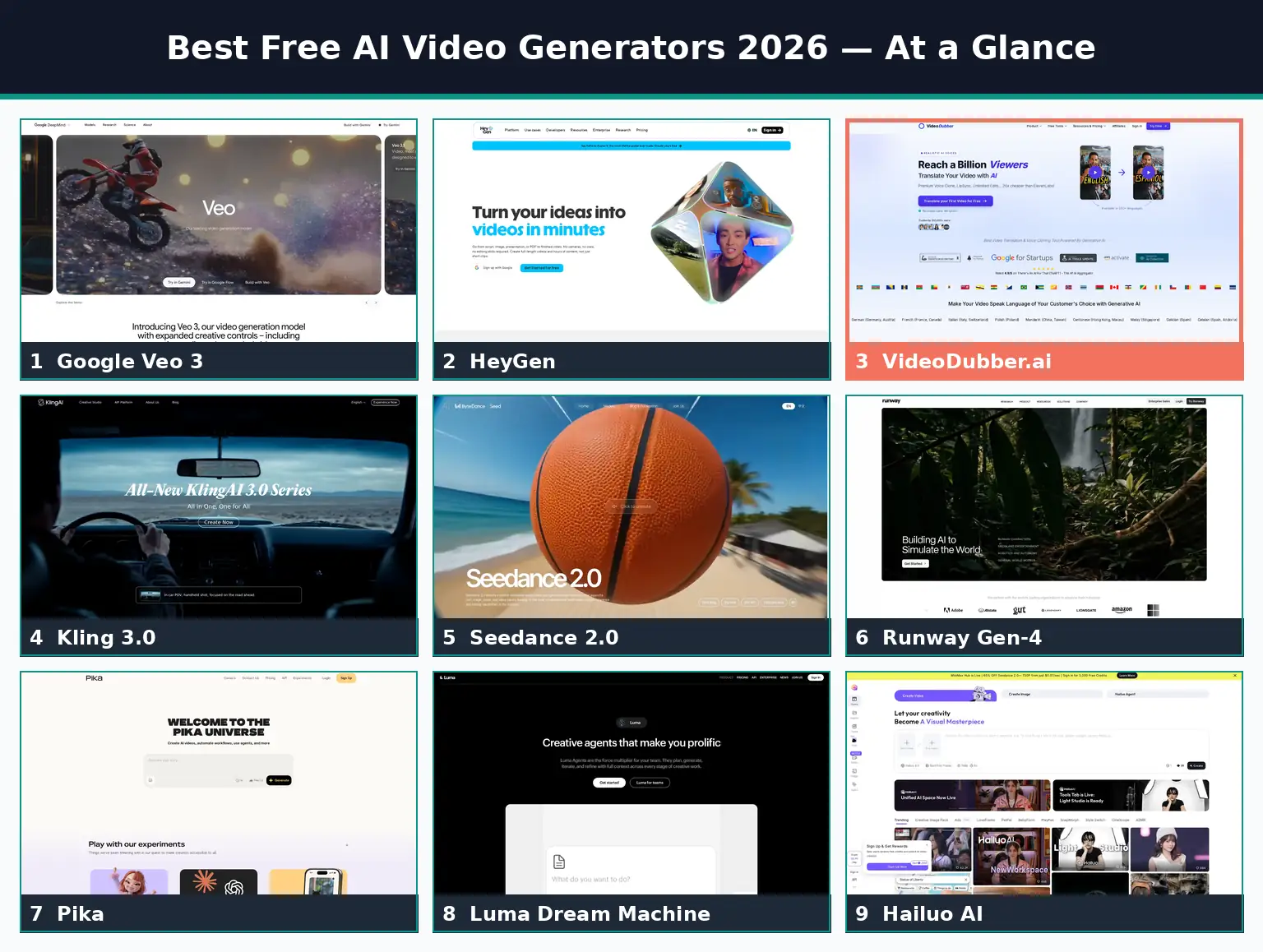
Side-by-side comparison of the top free AI video generators, ranked for real-world usability in 2026.
| Rank | Tool | Best For | Free Tier | Watermark | Max Free Res | Native Audio |
|---|---|---|---|---|---|---|
| 1 | Google Veo 3 | Overall cinematic quality | Rate-limited via Gemini/AI Studio | Light (SynthID) | 720p–1080p | Yes |
| 2 | DeeVid AI | All-in-one AI video creation | 20 credits at signup (~4 videos) | Yes | 720p (1080p paid) | Yes (AI music) |
| 3 | HeyGen | Avatar & presenter videos | 3 videos/mo, ≤3 min | Yes | 720p | Yes (TTS) |
| 4 | VideoDubber.ai | Multilingual video generation | Free first video, no card | No | Source res | Yes (voice clone) |
| 5 | Kling 3.0 | Realistic human motion | ~66 credits/day | Yes | 720p | Yes |
| 6 | Seedance 2.0 | No-watermark export | Daily credits | No | 1080p | Limited |
| 7 | Runway Gen-4 | Pro control & editing | ~125 credits/mo | Yes | 720p | No |
| 8 | Pika | Stylized short clips | ~150 credits + daily | Yes | 720p | Limited |
| 9 | Luma Dream Machine | Image-to-video | Daily free generations | Yes | 720p | Limited |
| 10 | Hailuo AI | Fast image-to-video tests | Daily credits | Yes | 720p | No |
| 11 | Open-source (Wan, LTX, Hunyuan) | Developers & self-hosting | Free (open source) | None | Hardware-limited | Model-dependent |
Free-tier details reflect publicly listed 2026 terms and change frequently — always confirm current limits on each provider's site. See individual sections for full specs.
1. Google Veo 3: Best Overall Free Video Quality
Google Veo 3 is a text-to-video and image-to-video model that produces the most cinematic free output available in 2026 — accurate physics, coherent lighting, stable subjects across frames, and synchronized native audio including dialogue and sound effects.
Google Veo 3
Veo 3 is reachable free through the Gemini app and Google AI Studio, where access is rate-limited rather than metered by a hard credit count. That makes it the best place to start: prompt adherence is excellent for landscape, nature, and product scenes, and the built-in audio generation means you often skip a separate sound pass entirely.
| Feature | Veo 3 Specification |
|---|---|
| Input | Text-to-video, image-to-video |
| Native audio | Yes — dialogue, ambience, SFX |
| Free access | Gemini app + AI Studio (rate-limited) |
| Max free resolution | 720p–1080p depending on access path |
| Watermark | Light, plus invisible SynthID provenance tag |
| Clip length | Short clips (extendable in paid tiers) |
Pros and cons
| Pros | Cons |
|---|---|
| Best-in-class realism and physics | Rate limits throttle heavy use |
| Native synchronized audio | Longer clips need paid Google AI Pro/Ultra |
| Strong prompt adherence | Free access path can change without notice |
| SynthID provenance built in | Queue times spike at peak hours |
Verdict: Start here for raw quality. Veo 3 free is ideal for testing concepts and producing short hero shots. When you need length, batch volume, or guaranteed 1080p+, the paid Google AI tiers are the upgrade path.
2. DeeVid AI: Best Free All-in-One AI Video Creator
DeeVid AI Video Generator brings text-to-video, image-to-video, avatars, AI ads, music, and editing into one workspace. Instead of locking you into a single generation model or workflow, it gives you multiple ways to turn an idea or source asset into a finished video.
DeeVid AI
Where Veo 3 wins on raw cinematic generation, DeeVid wins on workflow. Its AI Video Agent can take a creative brief and help plan, generate, and iterate on the video, while DeeVid Canvas gives you more hands-on control when you want to refine individual elements. New users get 20 free credits at signup — roughly enough for four video generations — so there is enough room to test different inputs and workflows before paying.
| Feature | DeeVid AI Specification |
|---|---|
| Core output | Text-to-video, image-to-video, AI-assisted video creation |
| Free access | 20 credits at signup (~4 videos) |
| AI Video Agent | Yes |
| Creative tools | Canvas, avatars, AI ads, AI music |
| Platforms | Web, iOS, Android |
| Watermark | Yes on free generations |
Pros and cons
| Pros | Cons |
|---|---|
| Multiple AI video workflows in one platform | Free credits are a one-time signup allowance |
| Text-to-video and image-to-video built in | Free generations include a watermark |
| AI Video Agent reduces manual production steps | Credit cost varies by model and generation |
| Canvas adds more control after generation | 1080p output requires a higher paid tier |
Verdict: Pick DeeVid when you want more than a single AI video model. The free credits are best used to test complete workflows — generate from a prompt or image, experiment with different creative approaches, and refine the result without stitching together several separate AI tools.
3. HeyGen: Best Free Avatar and Presenter Videos
HeyGen is an AI avatar and video platform that turns a script into a polished talking-head video with a realistic AI presenter, voiceover, and captions across 175+ languages — the most complete free studio for faceless and presenter-style content.
HeyGen AI avatars
Where Veo 3 generates scenes, HeyGen generates spokespeople. Its free plan includes 3 videos per month (up to 3 minutes each) with access to stock avatars, text-to-speech voices, and a full browser editor — enough to test whether avatar content fits your channel or training program before committing.
| Feature | HeyGen Specification |
|---|---|
| Core output | AI avatar / presenter videos |
| Free tier | 3 videos/month, up to 3 min each |
| Languages | 175+ for voiceover |
| Voice cloning | Yes (higher tiers) |
| Editor | Full browser studio |
| Watermark | Yes on free plan |
Pros and cons
| Pros | Cons |
|---|---|
| Most complete free avatar studio | Watermark + per-video limits on free tier |
| 175+ languages for voiceover | Voice cloning gated behind paid plans |
| Easy script-to-video workflow | Less suited to cinematic b-roll |
| Captions and templates built in | 3-minute cap per free video |
Verdict: HeyGen is the best free choice for explainers, course intros, product walkthroughs, and any content where a presenter talks to camera. Pair it with VideoDubber (next) when you want those presenter videos voiced in many more languages with your own cloned voice.
4. VideoDubber.ai: Best Free Multilingual Video Generator
VideoDubber.ai is an AI video translation and generation platform that takes any video — one you filmed, or one you generated with Veo 3, DeeVid, or HeyGen — and generates a new, fully voiced, lip-synced version of it in 150+ languages, with your own cloned voice and no watermark.
VideoDubber.ai
Here is the gap every other "best free AI video generator" list ignores: generating a video is only half the job. A clip in English reaches the English-speaking internet. The same clip, generated in Spanish, Hindi, Portuguese, Japanese, and Arabic, reaches roughly five times the audience for zero extra filming. VideoDubber is the free tool that closes that gap — it generates the localized versions of your video so one production becomes a global library.
You can translate your first video for free with no credit card, which makes it a genuine free entry point rather than a locked trial. The free output keeps your source resolution and carries no watermark — a meaningful advantage over generators that brand every free clip.
| Feature | VideoDubber Specification |
|---|---|
| Core output | Translated + dubbed video in a new language |
| Languages | 150+ with regional accents |
| Voice cloning | Instant (Starter) + Premium (Pro/Growth) |
| Lip sync | Premium lip sync on Growth and above |
| Free tier | First video free, no credit card |
| Watermark | None |
| Input source | Upload, paste a URL, or use AI-generated clips |
Why it earns the #4 spot
The tools above generate original footage. VideoDubber generates every other language version of that footage — the step that actually multiplies reach. It also handles multi-speaker detection, background-music retention, and subtitle (SRT/VTT) export, so a single generated video ships as a complete, publish-ready multilingual package.
| Pros | Cons |
|---|---|
| No watermark, even on the free first video | Specializes in localization, not text-to-scene generation |
| 150+ languages with regional accents | Premium lip sync requires the Growth plan |
| Voice cloning ~20× cheaper than ElevenLabs | Less-common languages vary in clone quality |
| Keeps background music and source resolution |
Verdict: Use VideoDubber as the multiplier in your free stack. Generate once with Veo 3 or record once in HeyGen, then generate localized versions with VideoDubber so the same effort earns views in a dozen markets. Start with the free first video, dub it into Spanish and Portuguese, and measure the reach lift. For a deeper look at tooling, see our guide to the best video translators in 2026.
5. Kling 3.0: Best for Realistic Human Motion
Kling 3.0, from Kuaishou, is a text-to-video and image-to-video model specialized in human movement — walking, dancing, gesturing, and facial expression — where it holds character consistency and body physics better than most rivals.
Kling 3.0
If your concept centers on a person doing something — a dancer, an athlete, a character performance — Kling is the free pick. Its free tier refreshes roughly 66 credits per day, enough for a few short generations daily, with 720p output and a watermark on free clips.
| Feature | Kling 3.0 Specification |
|---|---|
| Specialty | Human motion & character consistency |
| Free credits | ~66/day, refreshing |
| Max free resolution | 720p (1080p paywalled) |
| Watermark | Yes on free tier |
| Input | Text-to-video, image-to-video |
Verdict: Choose Kling when bodies move on screen. Note the data-ownership consideration common to apps from large platform companies, and avoid uploading sensitive source footage to any free tier. For commercial-grade, watermark-free human-motion clips, the paid tier (~$8/month) is the step up.
6. Seedance 2.0: Best No-Watermark Free Export
Seedance 2.0 is a fast text-to-video and image-to-video model notable for offering clean, watermark-free exports on its free tier — including 1080p output and, in many regions, commercial rights — making it the most publish-ready free option.
Seedance 2.0
For creators who need clips they can post immediately — Reels, Shorts, ads, client drafts — the watermark is the dealbreaker most lists underweight. Seedance removes it. It also generates quickly, typically finishing in under two minutes, which keeps your daily credits productive.
| Feature | Seedance 2.0 Specification |
|---|---|
| Standout | No watermark on free exports |
| Free resolution | Up to 1080p |
| Speed | Fast (often under 2 minutes) |
| Commercial rights | Available on free tier in many regions |
| Input | Text-to-video, image-to-video |
Verdict: Seedance is the best free generator when the output has to ship clean. Confirm the commercial-rights terms for your region before publishing, and pair it with VideoDubber to roll those clean clips out in multiple languages.
7. Runway Gen-4: Best Creative Control and Editing
Runway Gen-4 is a professional generative video suite combining text-to-video, image-to-video, and a deep toolkit — motion brush, camera controls, keyframing, and in-app editing — for creators who want to direct the output, not just prompt it.
Runway Gen-4
Runway is the choice when precision matters. Its free plan includes a one-time grant of ~125 credits, 720p output, and a watermark, with personal-use licensing. That is modest for volume but enough to explore the most powerful control set in consumer AI video.
| Feature | Runway Gen-4 Specification |
|---|---|
| Standout | Director-level control tools |
| Free credits | ~125 (one-time) |
| Max free resolution | 720p |
| Watermark | Yes |
| License (free) | Personal use |
Verdict: Use Runway free to learn its control tools and produce a few polished shots. Heavy users and professionals will exhaust the free credits quickly; the Standard plan (~$15/month) unlocks practical volume.
8. Pika: Best for Stylized Short Clips
Pika is a creative text-to-video and image-to-video tool built for fast, stylized, social-ready clips with playful effects ("Pikaffects") — strong for animation, surreal transitions, and eye-catching short-form content.
Pika
Pika trades photorealism for personality. It is one of the more generous free tiers — roughly 150 credits at signup plus daily replenishment — making it a fun, low-pressure tool for ideation and social content. Output is 720p with a watermark on free clips.
| Feature | Pika Specification |
|---|---|
| Standout | Stylized effects & quick social clips |
| Free credits | ~150 signup + daily refill |
| Max free resolution | 720p |
| Watermark | Yes |
| Best for | TikTok, Reels, animation, ideation |
Verdict: Pika is the most fun free generator for stylized short-form. For realism and physics, Veo 3 or Kling win; for shippable clean exports, Seedance wins.
9. Luma Dream Machine: Best Image-to-Video
Luma Dream Machine is a generative video model that excels at turning still images into smooth, natural motion — bringing photos, product shots, and concept art to life with realistic camera movement.
Luma Dream Machine
If your starting point is an image rather than a blank prompt, Luma is the standout. Its image-to-video produces convincing parallax and camera motion, and the free tier offers a daily number of generations at 720p with a watermark.
| Feature | Luma Dream Machine Specification |
|---|---|
| Standout | Image-to-video motion quality |
| Free tier | Daily free generations |
| Max free resolution | 720p |
| Watermark | Yes |
| Best for | Animating stills, product shots, concept art |
Verdict: Luma is the free pick when you already have strong images and want motion. Combine it with a generator like Veo 3 (for original scenes) and VideoDubber (for languages) to cover the full pipeline.
10. Hailuo AI: Best for Fast Image-to-Video Tests
Hailuo AI, from MiniMax, is a speed-focused generative video tool that turns prompts and images into short clips faster than almost any rival — ideal for rapid iteration when you want to test many ideas quickly.
Hailuo AI
Hailuo's free tier offers daily credits and was among the fastest tools in 2026 testing, often returning clips in well under two minutes. Output is 720p with a watermark. It is less about final polish and more about volume of experiments per session.
| Feature | Hailuo AI Specification |
|---|---|
| Standout | Generation speed |
| Free tier | Daily credits |
| Max free resolution | 720p |
| Watermark | Yes |
| Best for | Rapid prompt iteration |
Verdict: Use Hailuo when you want to try ten variations fast, then finish your favorite in a higher-quality tool.
11. Open-Source Models: Best Free and Unlimited for Developers
Open-source AI video models run on your own hardware or a rented GPU — no credits, no watermark, no usage caps, and (with a permissive license) full commercial rights. The only cost is compute and a little setup, which makes them the only truly unlimited free option in 2026. The open-source field moved fast through 2025–2026; these are the current leaders worth running today.
- Wan 2.2 (Alibaba) — the best all-round open model. Apache-2.0 licensed (genuinely commercial-friendly), with a Mixture-of-Experts architecture and strong text-to-video and image-to-video quality.
- LTX-Video / LTX-2 (Lightricks) — the speed and accessibility pick. Runs on consumer GPUs with as little as ~12GB VRAM and is the only open model with native single-pass audio-plus-video generation, backed by the largest fine-tuning ecosystem.
- HunyuanVideo (Tencent) — the raw-quality pick. A joint video-and-text transformer with cinematic motion, though full precision is VRAM-hungry (60GB+).
- Mochi 1 (Genmo) — high-fidelity short clips with notably strong prompt alignment.
- CogVideoX (Zhipu AI) — lighter to run in 2B/5B variants, with both text-to-video and image-to-video.
- Also rising: SkyReels, Open-Sora, MAGI-1, and Waver are worth watching as the ecosystem matures.
| Model | License / Commercial | Min VRAM | Standout |
|---|---|---|---|
| Wan 2.2 | Apache 2.0 (yes) | ~16–24GB | Best all-round, commercial-friendly |
| LTX-Video / LTX-2 | Open, permissive | ~12GB | Fastest; native audio + video |
| HunyuanVideo | Open (check terms) | 45–60GB+ | Cinematic quality |
| Mochi 1 | Apache 2.0 (yes) | ~24GB+ | High-fidelity short clips |
| CogVideoX | Open (check terms) | ~12–24GB | Lightweight, T2V + I2V |
Verdict: If you have the GPU and the technical comfort, open-source models remove every free-tier ceiling — and Wan 2.2's Apache-2.0 license makes it the safest pick for commercial work. Start with LTX-Video if your GPU is modest, Wan 2.2 for the best quality-to-license balance, or HunyuanVideo if you have serious hardware and want maximum fidelity. For everyone else, the hosted tools above are faster to results.
Honorable mentions: OpenAI Sora (excellent quality, limited free generations through ChatGPT) and CapCut (free desktop exports with no watermark, strong for editing AI clips together) both deserve a look depending on your workflow.
The Free AI Video Workflow: Generate, Edit, Localize, Publish
The biggest mistake creators make is treating these tools as competitors. The winners in 2026 chain them. Here is a complete production pipeline that costs nothing to start.
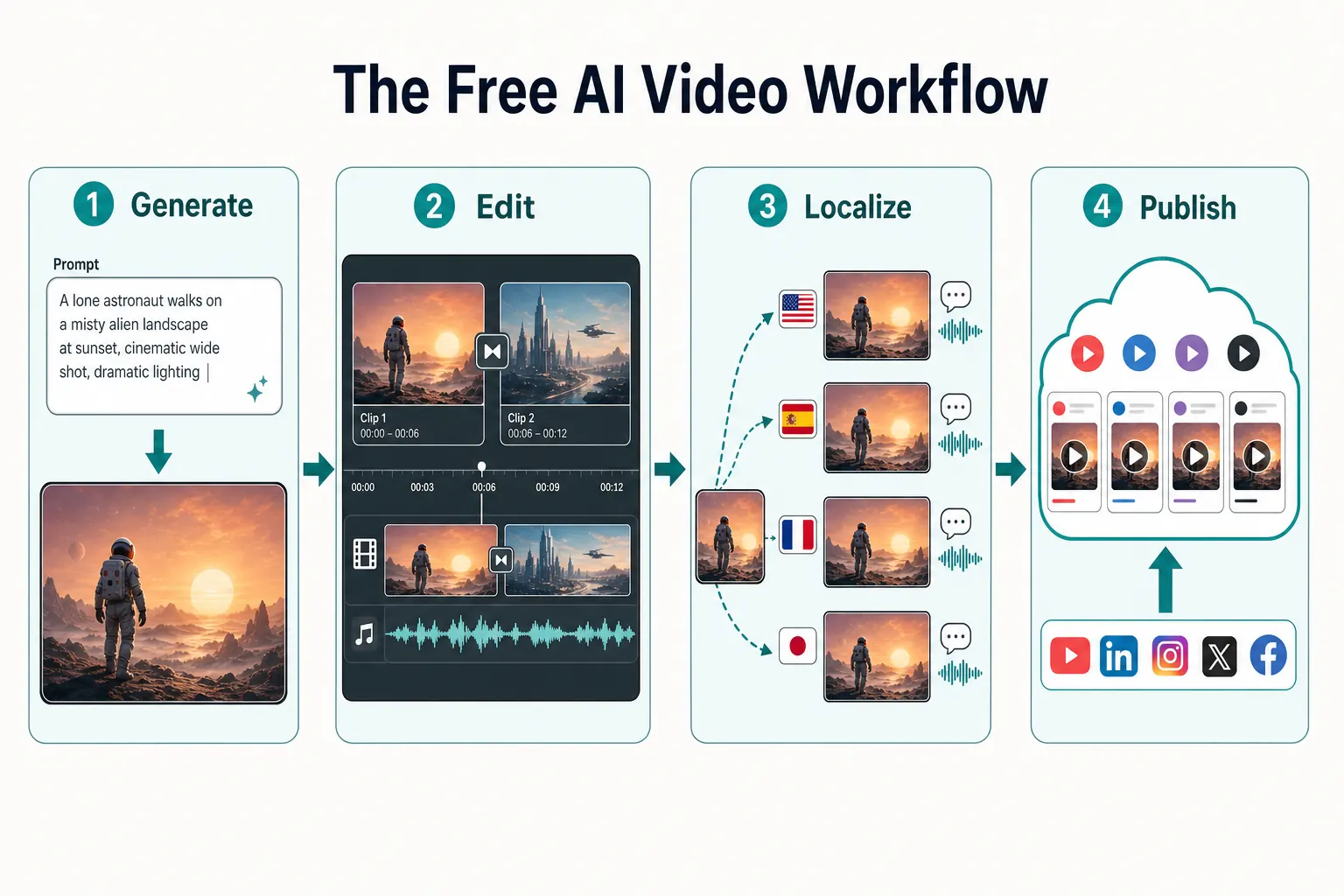
The four-stage free workflow: generate scenes, assemble and edit, localize into multiple languages, and publish everywhere.
Step 1: Generate the footage
Write a clear, specific prompt and generate your core clips in Veo 3 (cinematic scenes), DeeVid (an all-in-one workflow), HeyGen (a presenter), or Kling (human motion). Generate a few options of each shot — free tiers reward picking the best take.
Step 2: Assemble and edit
Drop your clips into a free editor like CapCut (no watermark on desktop exports) to trim, sequence, add text, and color-match. This is where loose generated clips become a coherent video.
Step 3: Localize into multiple languages
Run the finished video through VideoDubber.ai to generate voiced, lip-synced versions in Spanish, Portuguese, Hindi, and more — with your cloned voice and no watermark. One video becomes a multilingual library. See how to translate videos into multiple languages for the full process.
Step 4: Publish everywhere
Upload the original and add the localized audio tracks (YouTube supports multi-language audio on a single video), or post language-specific cuts to each market's platform. Then measure which languages drive the most watch time and double down.
This four-stage stack — generate, edit, localize, publish — is how a solo creator produces content that competes with localized studio output, for free.
How to Stretch Free Credits Without Wasting Them
Free credits are scarce, and a bad prompt burns one with nothing to show. These habits stretch a free tier dramatically.
- Write the prompt before you spend a credit. Specify subject, action, setting, lighting, camera movement, and mood. "A cat" wastes a credit; "a ginger cat stretching on a sunlit windowsill, slow push-in, warm morning light, shallow depth of field" earns a usable clip.
- Start with image-to-video when you can. Generating a still image first (cheaper or free in many tools) and animating it gives you far more control than a blind text prompt — and fewer wasted regenerations.
- Keep clips short. Most tools charge by duration. Generate 5-second beats and stitch them in an editor rather than spending heavily on one long take.
- Lock a style early. Decide aspect ratio, look, and pacing up front so you are not regenerating shots to match later.
- Use the right tool per shot. Veo 3 for scenery, DeeVid for an all-in-one workflow, Kling for people, Luma for animating stills, Seedance when it must be watermark-free. Spreading work across free tiers multiplies your daily ceiling.
- Batch across platforms. Since most free tiers refresh daily, rotating between two or three tools gives you more total free output than draining one.
Watermarks, Commercial Use & Copyright: What Is Safe to Publish
This is the section most reviews skip — and the one that protects you. Free output is not automatically free to use.
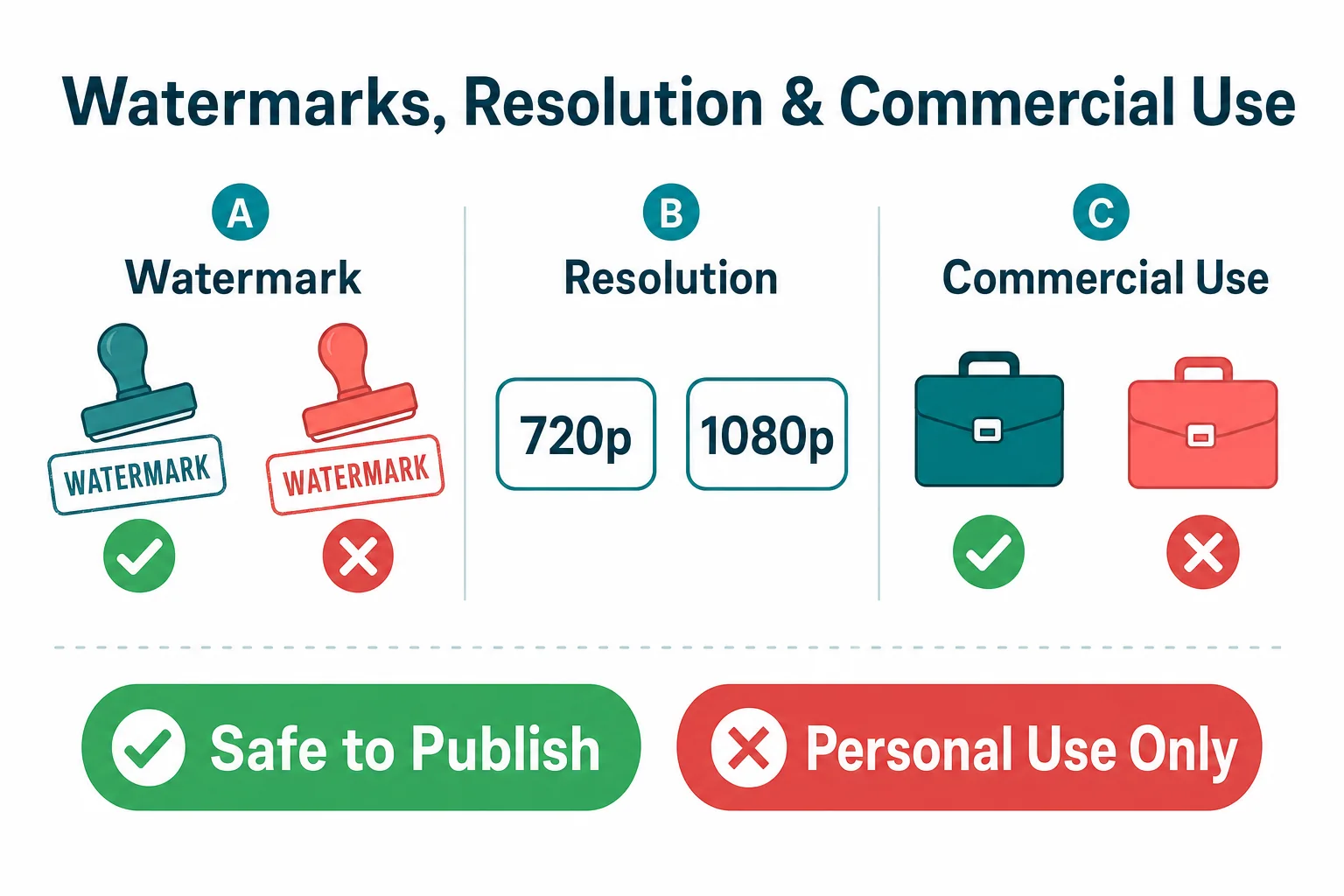
Watermark, resolution, and commercial-use rights vary widely across free tiers — confirm before you publish.
| Tool | Free Watermark | Commercial Use (Free) | Notes |
|---|---|---|---|
| Google Veo 3 | Light + SynthID tag | Check current terms | Provenance tag is invisible but persistent |
| DeeVid AI | Yes | Limited on free | Watermark removal and 1080p need a paid tier |
| HeyGen | Yes | Limited on free | Commercial use expands on paid plans |
| VideoDubber.ai | None | Yes (your own content) | You own the source you upload |
| Kling 3.0 | Yes | Paid for clean rights | Data-ownership considerations |
| Seedance 2.0 | None | Often yes (region-dependent) | Best free option for clean publishing |
| Runway Gen-4 | Yes | Personal use on free | Commercial needs a paid plan |
| Pika / Luma / Hailuo | Yes | Limited on free | Watermark removal requires upgrade |
Three rules to stay safe:
- Don't remove watermarks with sketchy third-party tools. It usually violates the platform's terms. Either use a no-watermark tier (Seedance, CapCut desktop, VideoDubber) or upgrade.
- Read the commercial-use clause before monetizing. "Free to generate" rarely means "free to advertise with." Ads, sponsored content, and paid client work almost always require a commercial license.
- Mind data and privacy. Free tiers may use your uploads to train models. Avoid uploading confidential footage, and prefer tools with clear privacy terms for sensitive work.
When in doubt, the safest publishable free path is: generate with a tool that grants commercial rights, edit in CapCut, and localize your own owned content with VideoDubber.
How to Choose the Right Free AI Video Generator
| Your Goal | Best Free Tool | Why |
|---|---|---|
| Cinematic scenes & realism | Google Veo 3 | Best quality + native audio, free via Gemini |
| All-in-one AI video workflows | DeeVid AI | Text-to-video, image-to-video, avatars, and Canvas in one workspace |
| Talking-head / explainer videos | HeyGen | Most complete free avatar studio |
| Reach a global audience | VideoDubber.ai | Generate your video in 150+ languages, no watermark |
| People moving on screen | Kling 3.0 | Best human motion and consistency |
| Clips you can publish immediately | Seedance 2.0 | No watermark, up to 1080p free |
| Director-level control | Runway Gen-4 | Deepest creative toolkit |
| Stylized social content | Pika | Fun effects, generous daily credits |
| Animating images | Luma Dream Machine | Best image-to-video motion |
| Fast experiments | Hailuo AI | Fastest generation |
| Unlimited & private | LTX / Wan (open source) | Self-hosted, no credits, no watermark |
There is no single best tool — there is a best tool per shot. The creators who win on a budget assemble a free stack instead of betting on one platform.
Common Mistakes with Free AI Video Generators
- Treating free tiers as production engines. Free is for testing and short clips. Plan around the daily/monthly ceiling instead of fighting it.
- Publishing watermarked clips in monetized content. It reads as amateur and may breach terms. Use a no-watermark tier or upgrade.
- Ignoring the commercial-use clause. Generating ≠ licensing. Check before you advertise or take client work.
- Wasting credits on vague prompts. Specific prompts (subject, action, lighting, camera) save regenerations.
- Generating in one language only. A clip in English reaches a fraction of its potential audience. Localize it.
- Betting on a single tool. Different tools win different shots; spreading work also multiplies your free ceiling.
- Uploading sensitive footage to free tiers. Many use uploads for training. Keep confidential content off free plans.
Frequently Asked Questions
What is the best free AI video generator in 2026?
Google Veo 3 is the best free AI video generator for overall quality, accessible through the Gemini app and Google AI Studio with native audio and excellent realism. DeeVid AI is the best free all-in-one option when you want text-to-video, image-to-video, avatars, and editing in one workspace. For talking-head content, HeyGen has the most complete free studio, and for reaching a global audience, VideoDubber.ai lets you generate your video in 150+ languages free, with no watermark. The best choice depends on your shot — most pros use a stack.
Are free AI video generators really free?
Partly. Free tiers are genuinely free to use but come with limits: daily or monthly credit caps, watermarks, resolution locks (often 720p), and personal-use-only licenses. Expect roughly 30–90 seconds of usable footage per day across most free plans — enough to test and create short clips, not to mass-produce.
Which free AI video generator has no watermark?
Seedance 2.0 is the most reliable no-watermark free generator, offering clean exports up to 1080p. VideoDubber.ai adds no watermark to its free first video, and CapCut exports without a watermark from the desktop app. Most other free tiers (DeeVid, Kling, Pika, Runway, Luma, Hailuo) watermark free output.
Can I use free AI video output commercially?
Sometimes — but check the license. Many free tiers grant personal-use-only rights, so using clips in ads, sponsored posts, or client work can violate the terms. Seedance offers commercial rights on its free tier in many regions, and content you own and localize with VideoDubber is yours to publish. When monetizing, confirm the commercial clause or upgrade to a paid plan.
How can I make AI videos in multiple languages for free?
Generate or record your video once, then run it through VideoDubber.ai, which generates voiced, lip-synced versions in 150+ languages — your first video is free with no credit card. This turns one production into a multilingual library and is the highest-ROI step most creators skip. See our guide on how content creators grow views with video dubbing.
What's the difference between an AI video generator and an AI video editor?
A generator creates new footage from a prompt, image, or clip (Veo 3, Kling, Runway). An editor assembles, trims, and refines existing footage (CapCut, and editing features inside Runway). A localizer like VideoDubber generates new-language versions of a finished video. A complete free workflow uses all three.
Do free AI video generators work on mobile?
Many do. DeeVid, HeyGen, Pika, Luma, and Hailuo offer mobile or fully browser-based access, and Google's Veo 3 is available through the Gemini mobile app. VideoDubber runs in the browser. Open-source models (LTX, Wan) require a computer with a capable GPU.
How long can free AI videos be?
Most free generators produce short clips of 5–10 seconds per generation; some allow extending to a longer total. HeyGen's free tier caps videos at 3 minutes. To make longer videos, generate multiple short clips and stitch them together in a free editor like CapCut.
Is AI video generation good enough for professional use in 2026?
Yes, for many use cases. Output quality from Veo 3, Kling, and Runway now rivals stock footage and simple b-roll, and avatar tools like HeyGen produce broadcast-acceptable presenter videos. The main constraints on free tiers are watermarks, resolution caps, and commercial-license limits — not quality. Professionals typically prototype free and upgrade for clean, high-resolution, commercially licensed output.
Start Building Your Free AI Video Stack Today
The best free AI video generator in 2026 is not a single tool — it is a workflow. Generate cinematic shots with Veo 3, build a complete clip in DeeVid, record presenters in HeyGen, keep exports clean with Seedance, and then do the step almost everyone forgets: generate every-language versions of your video with VideoDubber.ai so one production reaches the whole world.
Three steps to start this week:
- Generate one short clip in Veo 3, DeeVid, or HeyGen using a specific, well-structured prompt.
- Localize it free with VideoDubber's first-video-free offer — dub it into Spanish and Portuguese with your own voice.
- Publish and measure which languages drive watch time, then scale the ones that work.
The tools cost nothing to start. The only real cost is staying single-language in a global market. For more, explore the best video translators in 2026, best lip sync tools in 2026, and how AI voice cloning works for video dubbing.
Further Reading
Best Video Translators in 2026: The Complete Guide to AI Dubbing and Localization Tools
Best video translators in 2026 compared: VideoDubber, CAMB.AI, HeyGen, Synthesia & more. Features, pricing, voice cloning, lip-sync verdicts — choose the right tool.
How to Translate Videos to Multiple Languages: The Complete 2026 Guide
How to translate videos to multiple languages with AI dubbing in minutes. Step-by-step workflow, cost data, voice cloning tips, and distribution strategy.
How Content Creators Grow Views Using Video Dubbing: Complete Guide [2026]
How content creators grow views with video dubbing in 2026: voice cloning, CPM data, platform strategy, and a step-by-step AI dubbing workflow.
Best Lip Sync Tools in 2026: Complete Rankings and Buyer's Guide
Best lip sync tools in 2026 ranked by quality, price, and voice cloning. Full comparison table, pricing data, and use-case guide inside.
How AI Voice Cloning Works for Video Dubbing: Complete Guide
How AI voice cloning works for video dubbing: neural architecture, step-by-step process, platform comparison, and best practices for natural-sounding results.