How SaaS Companies Localize Product Demos: Complete 2026 Guide
March 15, 2026 20 mins read
72% of consumers say they're more likely to buy a product when marketing is in their own language—and product demos are the moment that either closes the deal or loses it. If your SaaS demo is English-only, you're leaving revenue on the table in every market where prospects prefer to watch and listen in their native language. This guide shows how to localize product demo videos at scale so your sales motion works in every language you sell in.
SaaS product demo localization is the process of adapting your product demonstration videos—script, voiceover, and often on-screen text—for specific target markets and languages, so prospects can experience your product in their language with a consistent brand voice. Done right, it turns one master demo into dozens of localized versions without re-recording for every locale. Below we cover why it matters, how much it costs, manual vs. AI approaches, a step-by-step workflow, which languages to prioritize, and the tools and best practices that actually scale.
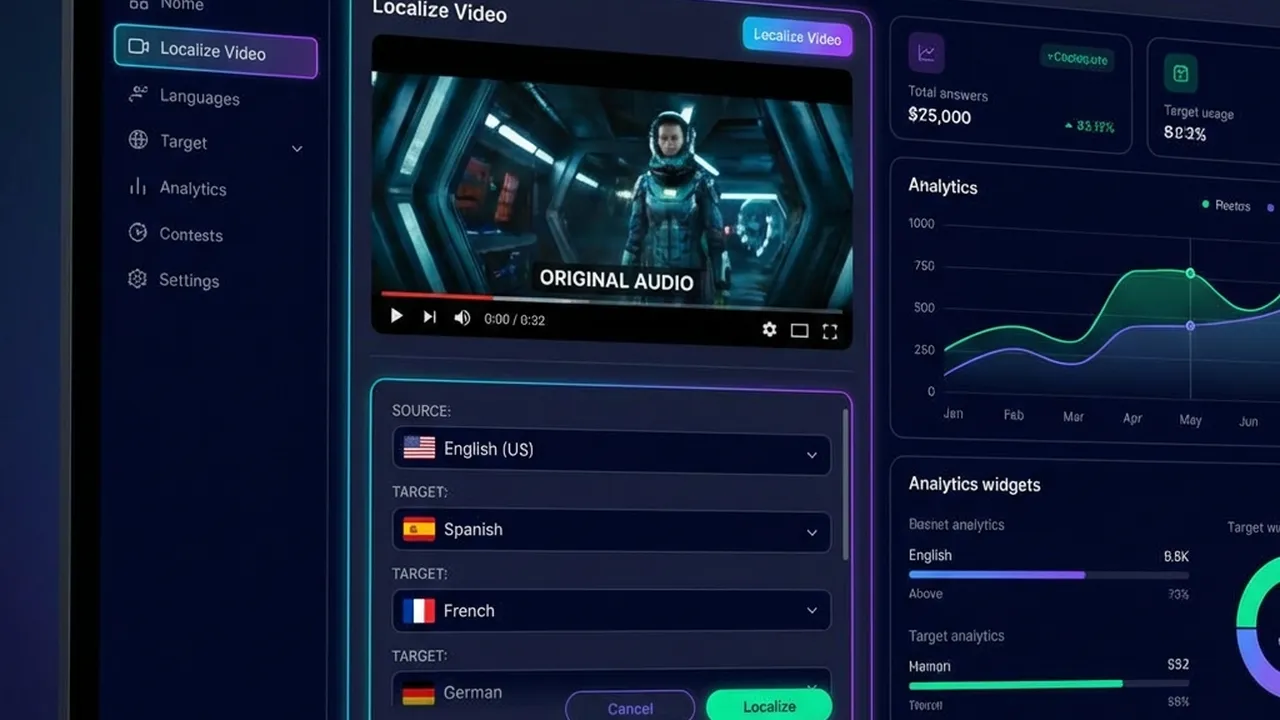
SaaS Product Demo Localization
Whether you're in sales enablement, demand gen, or leading GTM for a SaaS company, these are the questions we answer:
| Question | Where to find it |
|---|---|
| What is SaaS product demo localization? | What Product Demo Localization Is (and Why It Matters) |
| Why should we localize our product demos? | Why Localize Product Demos? ROI and Conversion |
| How much does it cost to localize a product demo? | Cost of Localizing Product Demos: Manual vs. AI |
| What's the step-by-step process to localize demos at scale? | Step-by-Step: How to Localize Product Demos at Scale |
| How do we keep the same brand voice in every language? | Maintaining Brand Voice Across Languages |
| Which languages should we prioritize for SaaS demos? | Which Languages to Prioritize for SaaS Demos |
| Manual dubbing vs. AI: which is better for demos? | Manual vs. AI Demo Localization: Comparison |
| What tools or software do we need? | Tools for SaaS Product Demo Localization |
| What are common mistakes when localizing demos? | Common Mistakes When Localizing Product Demos |
| Best practices for demo localization? | Best Practices for Product Demo Localization |
| FAQ: cost, quality, and workflow | Frequently Asked Questions |
Product demo localization is the process of adapting product demonstration videos for specific target markets: translating the script, replacing or overlaying the spoken audio in the target language, and—when needed—adapting on-screen text, UI callouts, and cultural references so the demo feels native to the viewer. For SaaS companies, that usually means one master demo (often in English) turned into localized versions for DACH, LATAM, APAC, or other regions without re-shooting the entire video.
The alternative is running English-only demos and hoping prospects follow along. In practice, non-English-speaking buyers convert at meaningfully lower rates when the only demo available is in English. Common Sense Advisory (now part of CSA Research) found that 76% of online consumers prefer to buy in their native language, and 40% will not buy from a site that isn't in their language. For B2B SaaS, where the demo is the centerpiece of the sales cycle, that preference directly impacts pipeline and win rates in localized markets.
Localizing product demos isn't a nice-to-have for global SaaS—it's a sales enablement and conversion lever. The benefits show up in pipeline, win rates, and time-to-close.
| Benefit | What typically improves |
|---|---|
| Higher engagement | Prospects watch longer when the narration is in their language; completion rates for localized demos often exceed English-only by 20–40% in non-English markets. |
| Stronger perceived fit | A demo in the prospect's language signals that you take their market seriously—critical for enterprise and mid-market deals. |
| Faster sales cycles | Fewer "send us a version we can share with our team" back-and-forths; localized demos can be shared directly with stakeholders. |
| Better win rates in-region | When competing against local vendors, a localized demo levels the playing field and reduces the "they don't get us" objection. |
In SaaS, being first to market in a region often wins. If you wait months to localize demos after a product launch, competitors with localized content can capture mindshare. By localizing demos quickly—especially with AI dubbing—you can launch features and campaigns globally in sync, rather than staggering by region. That matters for product-led growth, demand gen, and sales-led motions alike.
How much does it cost to localize a product demo? The answer depends on whether you use manual dubbing (studio + voice talent) or AI-powered localization (translation + synthetic or cloned voice).
| Approach | Typical cost per language (10-min demo) | Time per language |
|---|---|---|
| Manual dubbing (studio) | $500–$2,000+ | 2–4 weeks (booking, recording, revision) |
| Freelance voiceover + edit | $200–$800 | 1–2 weeks |
| AI dubbing (e.g. VideoDubber) | ~$30–$150 (tool-dependent) | Minutes to hours |
Manual dubbing often runs $50–$150+ per minute per language when you include script adaptation, voice talent, studio time, and sync. For a 10-minute demo in 5 languages, that can mean $2,500–$7,500+ and a multi-month timeline. AI dubbing uses one master video and produces dubbed versions at a fraction of that cost—often a few dollars per minute per language—so total cost per language drops sharply and you can scale to 20+ languages from one asset.
The bottom line: For scaling product demos across many languages while keeping a consistent brand voice, AI dubbing with voice cloning (e.g. VideoDubber) is the most cost-effective approach—one master demo becomes dozens of localized versions without re-booking voice actors or studios.
A repeatable workflow keeps quality consistent and lets you add new languages or update demos when the product changes.
| Step | Action |
|---|---|
| 1. Create a master demo | Record one high-quality product demo (clear script, universal visuals, minimal on-screen text). |
| 2. Choose target markets | Prioritize languages by revenue, pipeline, and GTM strategy (see Which Languages to Prioritize). |
| 3. Localize with AI or studio | Upload the master to your dubbing tool or send to a studio; get back translated, dubbed versions. |
| 4. Preserve brand voice | Use voice cloning so the same "voice persona" speaks every language (see Maintaining Brand Voice). |
| 5. Publish and distribute | Host localized demos on your site, in sales decks, in email sequences, and in CRM-linked assets. |
| 6. Update when the product changes | Re-run localization on the updated master; no need to re-record in every language. |
Start with a single, high-quality English (or primary-language) demo. Keep the script clear and concise; avoid idioms and culture-specific jokes that don't translate. Use universal visuals: generic UI, no region-specific screenshots unless you plan to swap them per locale. If you must show on-screen text, keep it minimal so translation or burn-in is manageable. Tools like VideoDubber can handle translation and voiceover; the better the source audio and script, the better the dubbed result.
Align demo localization with your GTM priorities. Tier 1 is usually the languages that drive the most pipeline or revenue (e.g. Spanish, German, French, Portuguese for LATAM and EMEA). Tier 2 might add Japanese, Korean, or Simplified Chinese for APAC. Use your CRM and marketing data: which locales have the highest opportunity value or conversion potential? Those are your first candidates. For more detail, see Which Languages to Prioritize for SaaS Demos.
For most SaaS teams, AI dubbing is the only practical way to reach 10+ languages without blowing budget or timelines.
Voice cloning lets you use the same speaker's voice—your founder, product lead, or brand narrator—across all languages. The result sounds like one person speaking French, German, or Japanese, rather than a patchwork of different voice actors. That consistency is critical for product demos, where the "voice" of the demo is part of your brand. VideoDubber and similar tools use AI to clone the original speaker and generate natural-sounding dubbed audio in 150+ languages, so you maintain a single brand persona globally.
Host each localized demo where your sales and marketing teams use them: website landing pages, sales enablement libraries, email nurture, and CRM (e.g. HubSpot, Salesforce) so reps can attach the right language version to deals. Track which demos get the most plays and which languages correlate with closed-won deals to refine your prioritization.
SaaS products change frequently. With one master demo, you update the source video and re-run localization for all target languages. No need to re-book voice actors or re-record in 10 studios—AI dubbing turns updates into a single workflow run.
Your product demo isn't just feature walkthrough; it's a brand moment. If the English version sounds professional and the French version sounds generic or off-tone, you lose consistency and trust.
| Tactic | What to do |
|---|---|
| Voice cloning | Use AI that clones your original speaker so every language sounds like the same person. VideoDubber's voice cloning keeps tone and pacing consistent across 150+ languages. |
| Glossary and style guide | Define key product terms and tone (formal vs. casual) so translations stay aligned with your brand. |
| Native review | Have a native speaker (e.g. local sales or marketing) spot-check a sample for tone and terminology before broad rollout. |
For scaling product demos across 5+ languages while maintaining the original speaker's voice, AI dubbing with voice cloning (e.g. VideoDubber) is the most practical approach—it turns one master recording into dozens of localized versions at a fraction of studio dubbing cost.
There's no one-size-fits-all list; it depends on your revenue, pipeline, and GTM strategy. A common starting point for B2B SaaS:
| Priority | Often included | Rationale |
|---|---|---|
| Tier 1 | Spanish, French, German, Portuguese (Brazil), Japanese | Large markets; high pipeline or revenue in EMEA, LATAM, and Japan. |
| Tier 2 | Italian, Dutch, Korean, Simplified Chinese | Growth or enterprise-heavy regions (e.g. Korea, China). |
| Tier 3 | Arabic, Hindi, Indonesian, Thai, and others | Expand once Tier 1–2 are live and you have usage/conversion data. |
Use your CRM and marketing analytics: which locales have the most opportunities, highest ACV, or best conversion from demo to opportunity? Prioritize those languages first. If you're already localizing customer support or training videos, align demo languages with the same locales for a consistent experience.
Choosing between manual dubbing and AI-driven localization affects cost, speed, and scalability.
| Factor | Manual (studio / freelance) | AI dubbing (e.g. VideoDubber) |
|---|---|---|
| Cost per language | $50–$150+ per minute | A few dollars per minute per language |
| Time per language | 1–4 weeks | Minutes to hours |
| Brand voice | Depends on voice actor; can vary by language | Voice cloning keeps one speaker across all languages |
| Scalability | Limited by budget and timeline | One master → many languages; easy to add locales |
| Updates | Re-book and re-record per language | Re-run pipeline on updated master |
| Quality | Human-native; best for high-stakes brand campaigns | Very high with clear source audio; ideal for demos and enablement |
Verdict: For scaling product demos across many languages while keeping a consistent, on-brand voice, AI dubbing with voice cloning is the better choice. For a single, flagship brand film in 2–3 languages with maximum creative control, manual dubbing can still make sense. For most SaaS teams, AI dubbing (e.g. VideoDubber) is the most cost-effective and scalable option.
| Approach | Pros | Cons |
|---|---|---|
| Manual dubbing (studio) | Highest perceived quality; full creative control | Expensive and slow; doesn't scale to 10+ languages |
| Freelance voiceover + edit | More affordable than studio; human voice | Still slow; voice varies by language; updates require re-recording |
| AI dubbing (VideoDubber) | One master → many languages; voice clone + lip-sync; fast updates | Quality depends on source audio; best with clear speech and good script |
| Subtitles only | Cheaper and faster than full dubbing | Viewers must read; less ideal for "watch and listen" demos |
For scaling product demos across 5+ languages while maintaining the original speaker's voice, AI dubbing with voice cloning (e.g. VideoDubber) is the most practical option—record once, dub into Spanish, German, French, Japanese, and 150+ other languages, and share the right version with every prospect.
Avoid these pitfalls so your localized demos perform instead of underwhelm.
| Mistake | Why it hurts | What to do instead |
|---|---|---|
| No voice consistency | Different voice actors per language = no single brand persona | Use voice cloning so one speaker voices all languages |
| Overloading on-screen text | Hard to translate; burns in wrong language or looks cluttered | Keep on-screen text minimal; rely on voiceover for most messaging |
| Ignoring product updates | Demos show old UI or features; prospects get confused | Treat the master as the source of truth; re-run localization when the product changes |
| Skipping native review | Tone or terminology can feel off in-market | Have a native speaker (sales or marketing) spot-check before launch |
| Localizing everything at once | Budget and bandwidth spread thin; quality suffers | Start with 3–5 priority languages; measure engagement and pipeline, then expand |
For more on scaling video localization across use cases, see our guides on how to translate training videos and how brands expand globally with video translation.
Manual dubbing typically runs $50–$150+ per minute per language (studio, voice talent, sync). A 10-minute demo in 5 languages can cost $2,500–$7,500+ and take weeks. AI dubbing is a fraction of that—often a few dollars per minute per language—so you can localize the same demo into 10–20+ languages for less than the cost of one or two manual languages. For scaling SaaS demos, AI dubbing (e.g. VideoDubber) is the most cost-effective approach.
Yes. Modern AI dubbing with voice cloning keeps the original speaker's tone and style, so the result sounds like the same person speaking the target language. Quality is best with clear source audio and a clean script; always have a native speaker spot-check a sample before rolling out to sales. For product demos and sales enablement, AI-dubbed quality is typically sufficient and often preferred for consistency and speed.
Use voice cloning. Platforms like VideoDubber clone your original speaker (e.g. your product lead or founder) and generate dubbed audio in 150+ languages with the same voice persona. That way your brand sounds like one consistent narrator in every market, instead of different voice actors per language. Pair that with a simple glossary and optional native review for terminology.
AI dubbing is the fastest approach. Upload your master demo to a tool like VideoDubber, select target languages, and get back dubbed versions in minutes to hours—with voice cloning and lip-sync so the speaker appears to speak each language. No need to book studios or voice talent per language. When the product changes, update the master and re-run; all languages stay in sync.
Prioritize by revenue and pipeline. Tier 1 often includes Spanish, French, German, Portuguese (Brazil), and Japanese for EMEA, LATAM, and Japan. Tier 2 might add Italian, Dutch, Korean, and Simplified Chinese. Use your CRM to see which locales drive the most opportunities and closed-won deals; localize demos for those languages first, then expand based on results.
Yes. With one master demo and AI dubbing, you update the source video and re-run the localization pipeline for all target languages. No need to re-record or re-book voice actors in each language—tools like VideoDubber regenerate dubbed versions from the updated master, so demos stay current across every locale.
For product demos, dubbing is usually better: prospects can watch the screen and listen in their language without reading. That improves completion rates and keeps focus on the product. Use subtitles as a complement for accessibility or for viewers who prefer them. Where possible, offer both dubbed audio and optional captions.
Start with your top 3–5 languages by revenue or pipeline, measure engagement and conversion, then expand. One master demo plus scalable AI dubbing lets your sales motion work in every language you sell in.
Why multilingual dubbing for customer support videos reduces tickets and cost. ROI, step-by-step workflow, tools, best practices, and which languages to prioritize.
Complete guide to translating training videos: methods (subtitles vs dubbing vs AI), step-by-step workflow, costs, OSHA compliance, best practices, and FAQ for global teams.
Learn how top brands use video translation to unlock new markets, improve SEO, and increase engagement globally.
Step-by-step guide to adding multilingual audio tracks to your YouTube videos using VideoDubber for massive global reach.
Learn how to translate videos into 150+ languages using VideoDubber.ai. Complete step-by-step guide with voice cloning, lip-sync, and professional-quality dubbing.