Why VideoDubber.ai is a More User-Friendly Alternative to Maestra for Video Translation
June 22, 2026 17 mins read
You do not need a localization engineer to dub a YouTube video — but picking the wrong tool can make it feel like you do. Maestra is a capable all-in-one media suite. VideoDubber.ai is a purpose-built video translation and dubbing platform. For creators, marketers, and small teams whose primary goal is “upload a video, get a dubbed version back”, VideoDubber is the more user-friendly choice in 2026.
VideoDubber.ai is a more user-friendly alternative to Maestra for video translation because it combines transcription, translation, voice cloning, lip sync, and export in one linear workflow with unified per-minute pricing — while Maestra splits the same outcome across separate product modules (Transcription, Subtitle, Voiceover, Real-Time), each with its own subscription ladder.
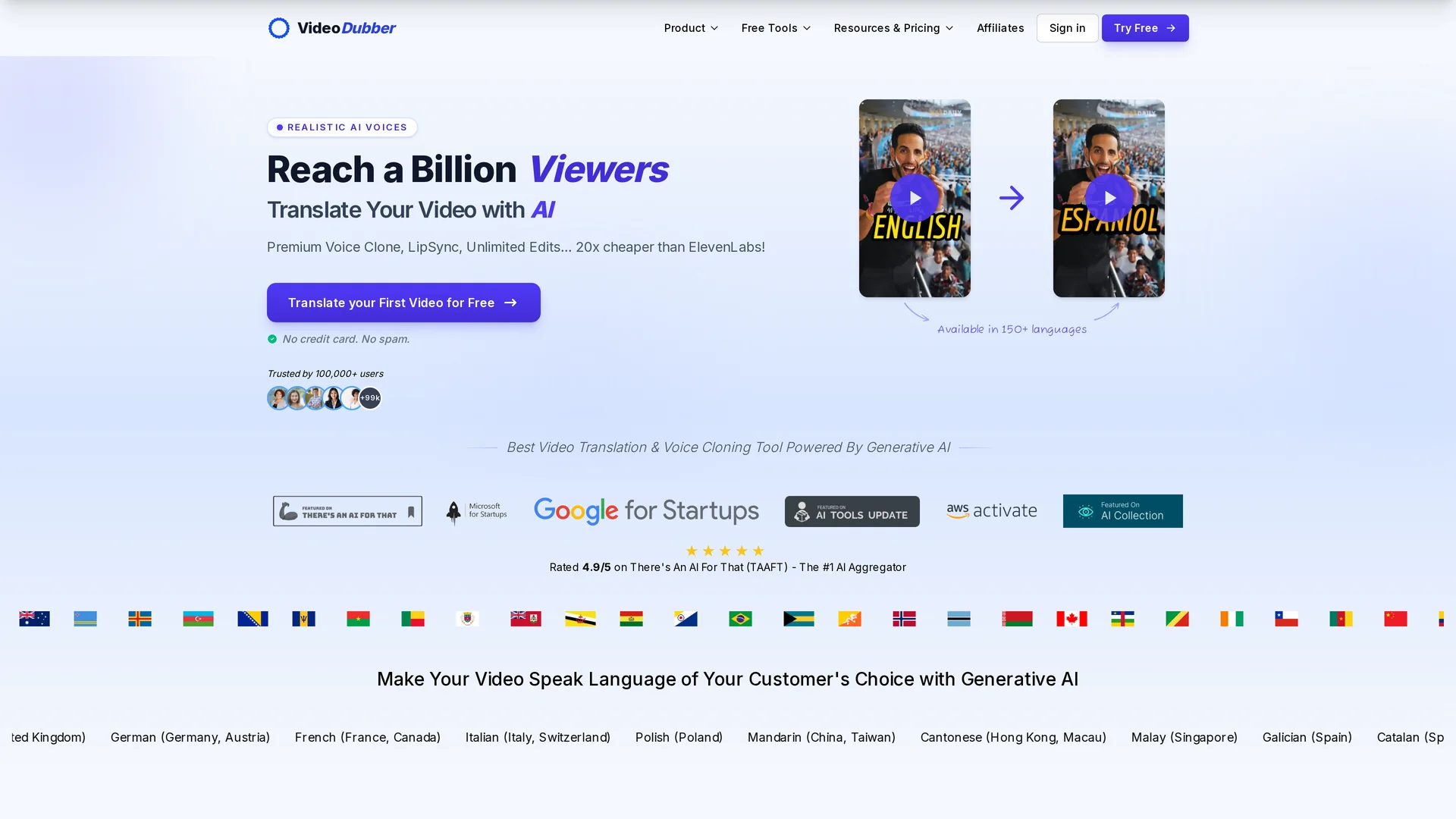
VideoDubber.ai homepage
| Question | Section |
|---|---|
| What makes a video translator user-friendly? | What “User-Friendly” Means for Video Translation |
| How do VideoDubber and Maestra compare at a glance? | Quick Comparison |
| Which tool is easier to start with? | Onboarding and First Project |
| Which pricing model is simpler? | Pricing Clarity |
| Which workflow is faster for dubbing? | End-to-End Dubbing Workflow |
| How do editors compare? | Editing Experience |
| Voice cloning and lip sync differences | Voice Cloning and Lip Sync |
| Who should still choose Maestra? | When Maestra Is the Better Fit |
| Final recommendation | Verdict: Which Tool Should You Use? |
| Common questions | Frequently Asked Questions |
User-friendly video translation software is a platform where a non-technical creator can upload footage, pick a target language, and receive a watchable dubbed video without learning separate billing modules, switching between product tabs, or calculating credit conversions across multiple services.
For most solo creators and marketing teams, user-friendliness comes down to five factors:
Both Maestra and VideoDubber can translate video. The difference is how much friction sits between you and a finished file.
| Factor | VideoDubber.ai | Maestra |
|---|---|---|
| Primary focus | AI video translation and dubbing | Transcription, subtitles, voiceover, live captioning suite |
| Languages | 150+ | 125+ |
| Voice cloning languages | 150+ (zero-shot, no per-speaker training) | 29 languages |
| Lip sync | Included on Growth plan and above | Business tier unlock + $2/min add-on |
| Pricing model | Single product, per-minute plans | Separate plans per module (Transcription, Subtitle, Voiceover, Real-Time) |
| Free start | Free trial, Google sign-in | Free trial, no credit card |
| Unlimited edits | Yes, free on all paid plans | Edits in editor; plan minutes still apply |
| Best for | Creators dubbing existing footage fast | Teams needing transcription + live events + enterprise integrations |
| Learning curve | Low — one upload flow | Medium — choose the right module first |
Maestra is a strong platform when you need live captioning, SCORM export, or enterprise broadcast workflows. VideoDubber wins on simplicity when dubbing pre-recorded video is the whole job.
VideoDubber opens with a single promise: upload a video, pick a language, get a dubbed result. The homepage leads with one primary action — translate your first video — and the sign-in flow supports Google OAuth so you are not filling long forms before seeing the product.
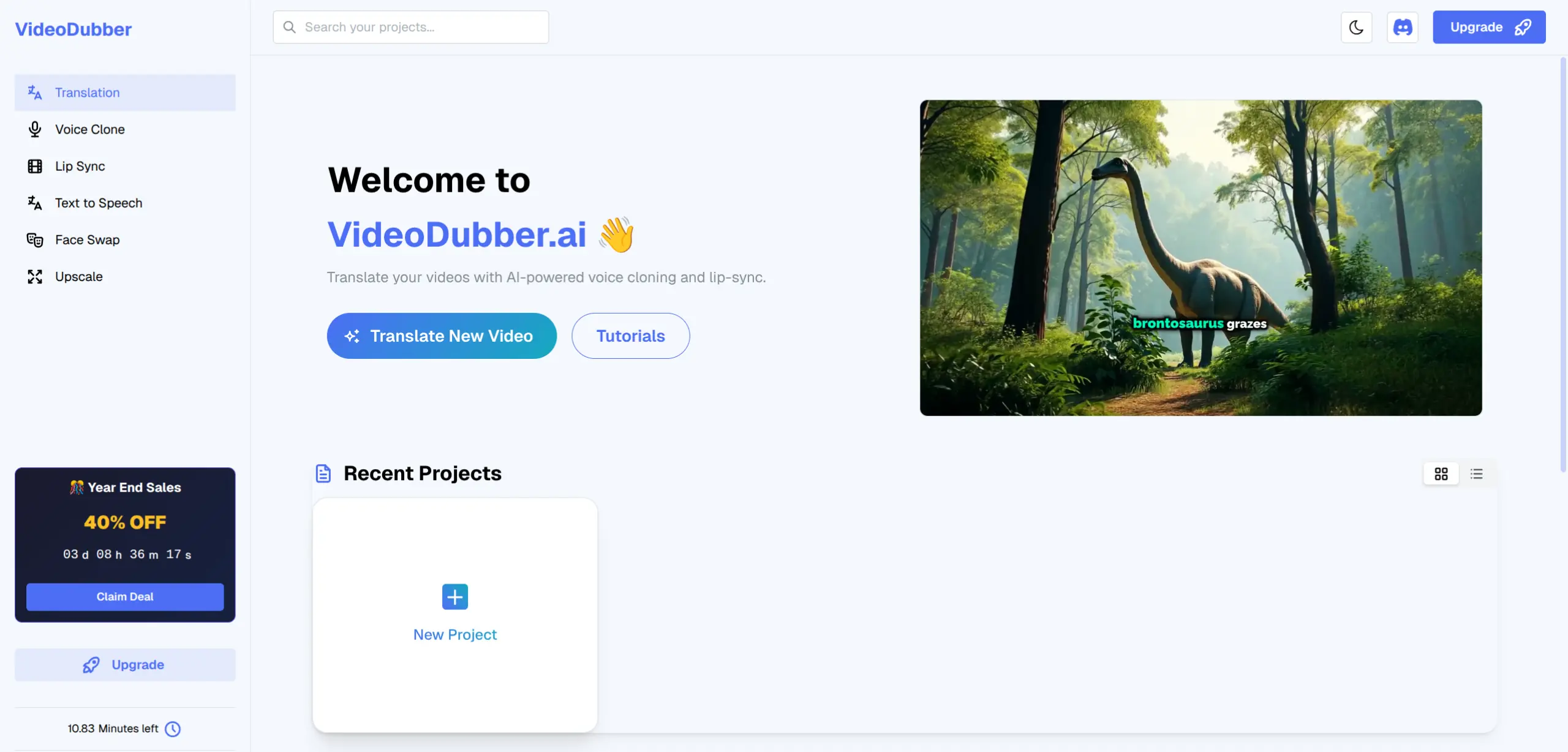
VideoDubber project dashboard
After login, the workflow is linear:
There is no step where you must decide whether you are buying “Transcription minutes” or “Voiceover minutes.” Everything runs through one translator interface. For a deeper walkthrough, see how to translate videos without subtitles.
Maestra’s video translator landing page is clean — upload a file, choose from 125+ languages — but the platform underneath is organized as separate products: Transcription, Subtitle, Voiceover, and Real-Time captioning, each with its own pricing page and minute pools.
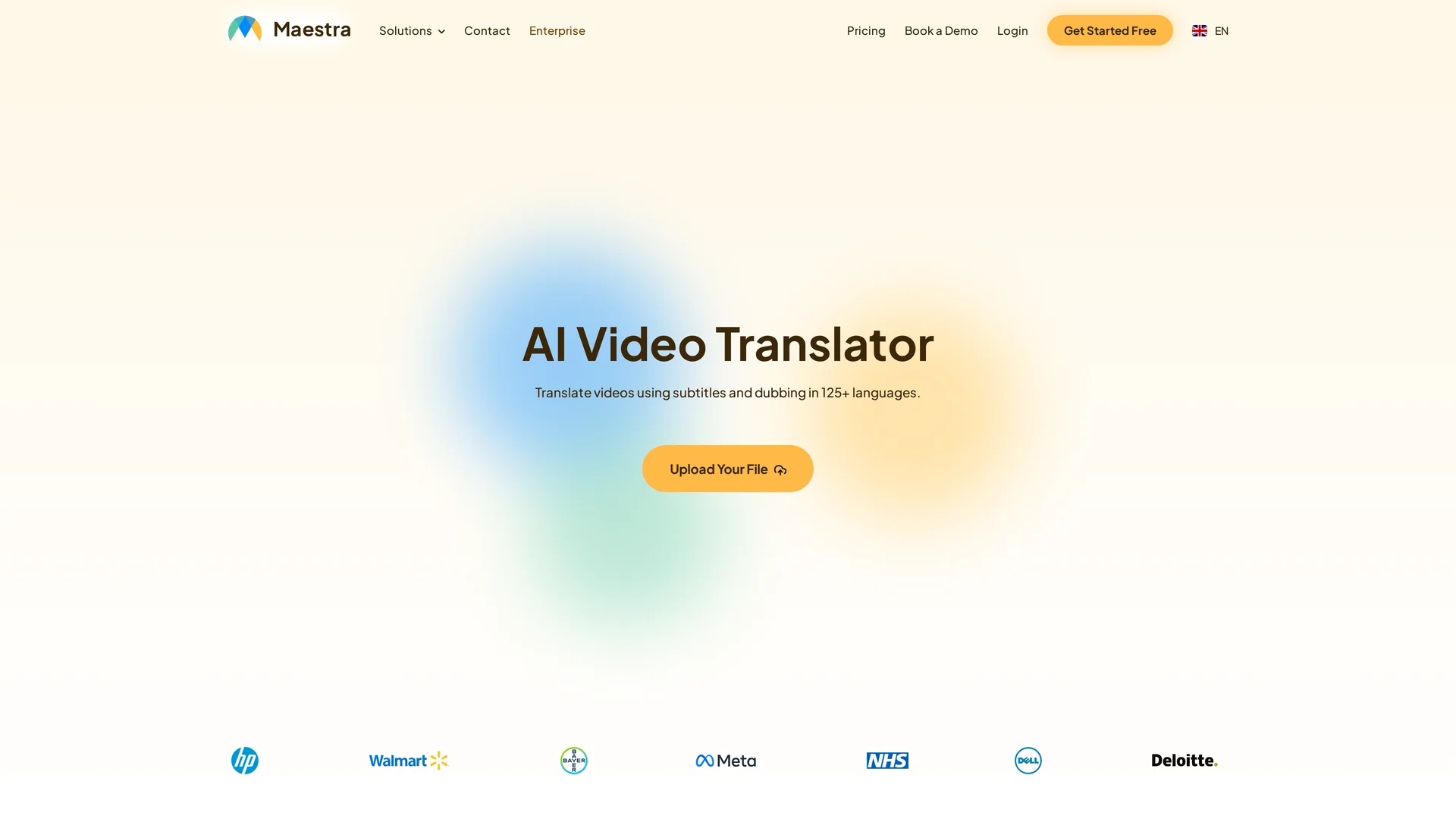
Maestra video translator
That structure helps enterprise teams buy exactly what they need. For a creator who just wants dubbed Spanish and Hindi versions of a product demo, it adds a decision before the first upload: Which module am I actually using, and does my plan cover dubbing or only subtitles?
User-friendliness verdict: VideoDubber removes the “pick your product lane” step. Maestra rewards users who already know which module they need.
Transparent video translation pricing means you can estimate the cost of dubbing a 10-minute video into three languages without opening four different pricing tabs.
VideoDubber sells translation minutes on unified plans. Every tier includes core dubbing features — multi-speaker detection, background music retention, and translators powered by leading LLMs — with premium lip sync and ElevenLabs voices unlocking on higher tiers.
| Plan | Monthly cost (USD) | Included minutes | Effective per-minute | Notable features |
|---|---|---|---|---|
| Starter | $29 | 100 min | $0.29/min | Voice cloning, no watermark, multi-speaker |
| Pro | $39 | 120 min | $0.33/min | Premium voice cloning, Gemini translator |
| Growth | $49 | 150 min | $0.33/min | ElevenLabs voices, premium lip sync |
| Scale | $199 | 2,000 min | $0.10/min | Bulk processing, priority support |
Extra minutes are billed at a flat overage rate per plan. There is no separate “unlock lip sync” line item.
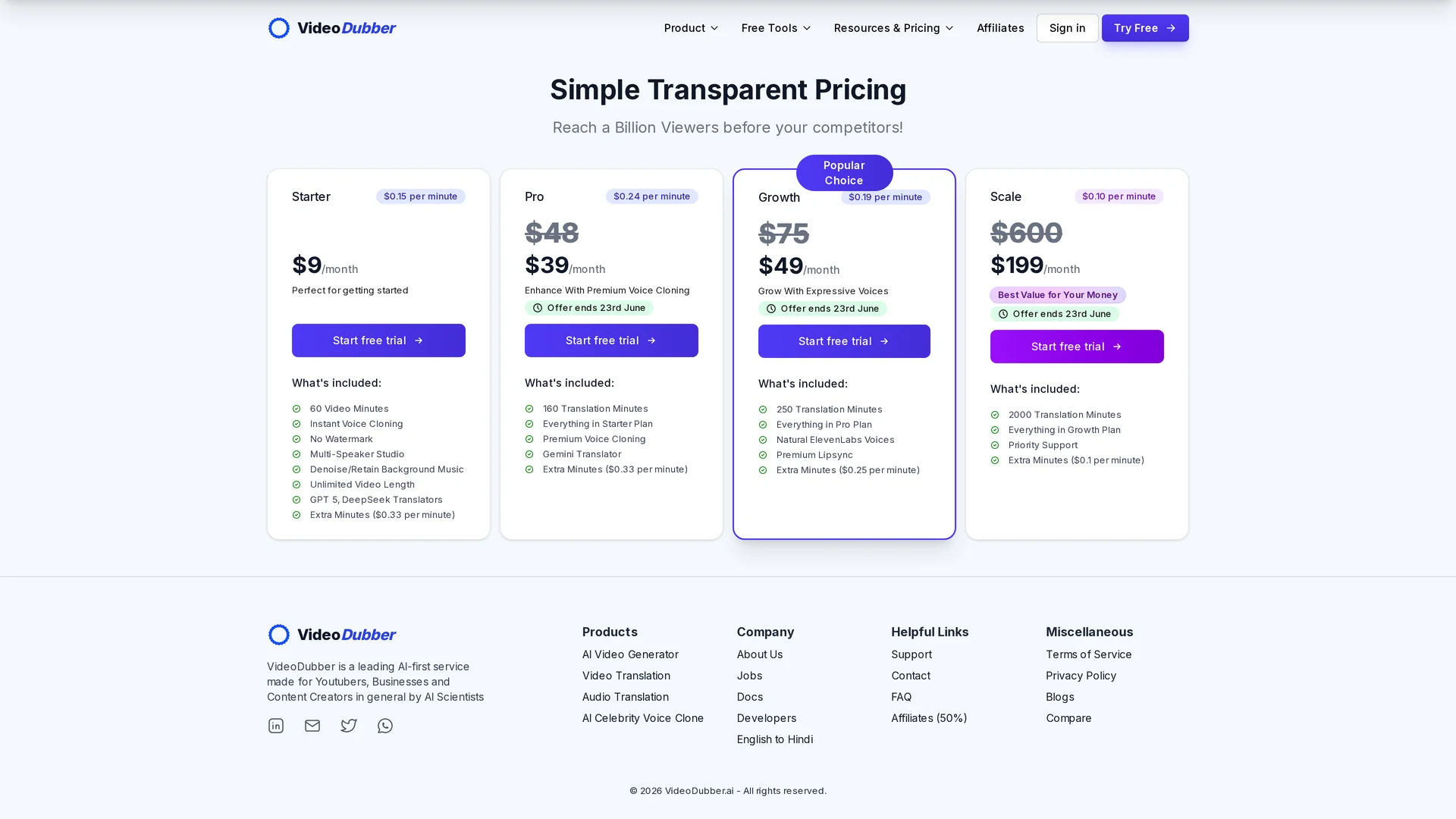
VideoDubber unified pricing
Maestra’s pricing page is split by product type. To dub a video with AI voiceover (not just subtitles), you need the Voiceover module — not Transcription or Subtitle alone.
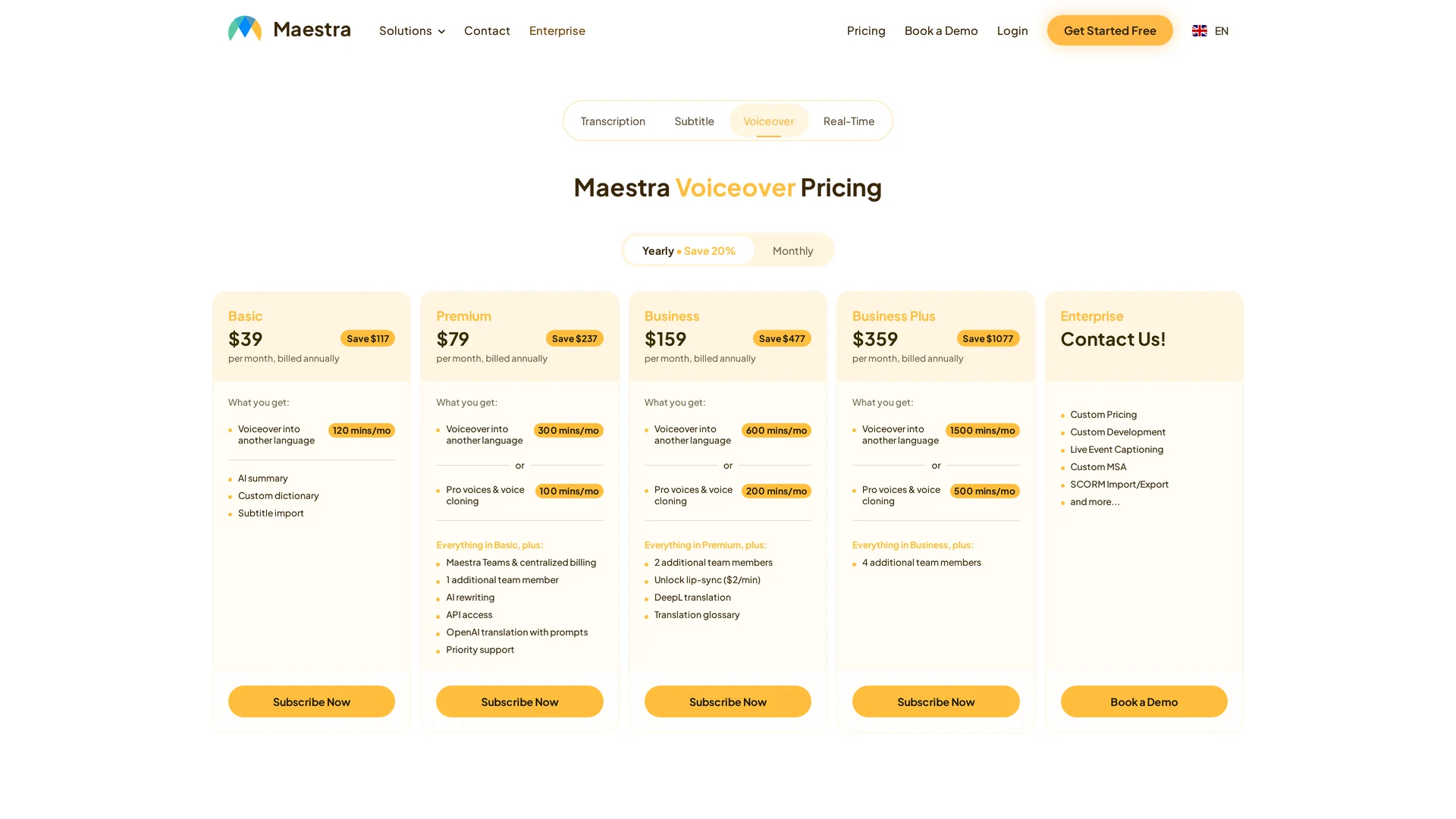
Maestra modular pricing
Key details that affect user-friendliness:
| Maestra detail | Impact on users |
|---|---|
| Four separate product tabs | Must know which module covers your task |
| Voiceover Basic starts at ~$39/mo (annual) | 120 voiceover minutes/month |
| Lip sync unlock on Business tier | Extra $2/min on top of voiceover minutes |
| Voice cloning capped at 100–500 min/mo on Premium+ | Separate pool from standard voiceover minutes |
| Pay-as-you-go at $12/60 credits | ~$12/hour equivalent for one-off use |
A creator who only needs subtitles might love Maestra’s Lite transcription plan. A creator who needs full dubbing with lip sync may need Business Voiceover plus per-minute lip-sync fees — a cost structure that is accurate for Maestra’s model but harder to predict than VideoDubber’s single per-minute rate.
Example: Dubbing one 10-minute video into 3 languages (30 dubbed minutes total):
| Platform | Rough cost estimate | Notes |
|---|---|---|
| VideoDubber Starter | ~$8.70 (30 × $0.29) | Lip sync on Growth ($49/mo) |
| Maestra Voiceover Basic | Uses 30 of 120 monthly minutes | Lip sync not included; add $2/min on Business if enabled |
| Maestra pay-as-you-go | ~$12 for 60 credits | Credits consumed by audio length + feature type |
For a full cost breakdown across approaches, see manual vs AI video translation.
User-friendliness verdict: VideoDubber’s unified pricing is easier to budget. Maestra is better for teams that already know they need multiple modules and want to pay for each separately.
AI video dubbing is the process of replacing original speech with translated audio while preserving timing, tone, and optionally lip movement — ideally in one automated pipeline.
VideoDubber runs the full chain automatically:
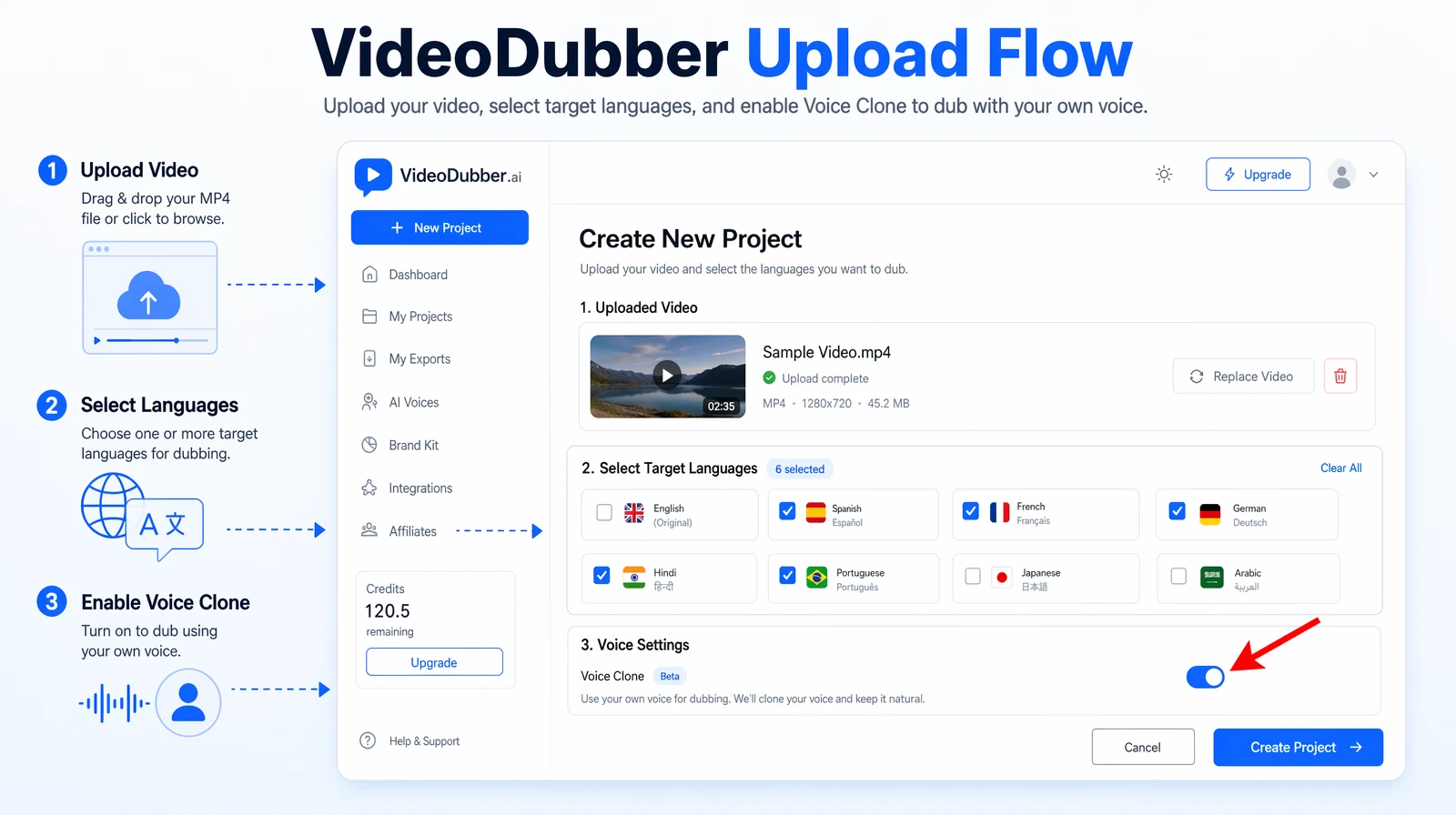
VideoDubber upload workflow
You never leave the translator to “turn on” dubbing. Subtitles and dubbed audio are outputs of the same job, not separate product purchases.
Maestra can produce subtitles, translated subtitles, AI voiceovers, and lip-synced exports from one editor — but the path depends on which module you entered through and what your plan includes. Voice cloning is limited to 29 languages. Lip sync requires the Business Voiceover tier and costs extra per minute.
Maestra’s strengths in workflow breadth:
Those features matter for broadcast and enterprise teams. They also mean more settings, more tabs, and more plan math for a creator who only publishes pre-recorded content.
User-friendliness verdict: VideoDubber optimizes for the shortest path from upload to dubbed MP4. Maestra optimizes for covering every media workflow in one account.
Both platforms include browser-based editors for fixing transcripts, translations, and timing.
| Editing feature | VideoDubber | Maestra |
|---|---|---|
| Subtitle text edits | Yes | Yes |
| Translation rewrites | Yes | Yes + AI rewriting on higher tiers |
| Timestamp adjustments | Yes | Yes |
| Voice re-generation | Yes | Yes |
| Multi-speaker handling | Yes, multi-speaker studio | Yes, speaker diarization |
| Re-export after edits | Unlimited, free | Included; plan minutes apply to regeneration |
| Team collaboration | Scale plan support | Maestra Teams on Premium+ |
VideoDubber’s standout user-friendly policy is unlimited free edits — change subtitles, swap voices, or re-export as many times as needed without per-edit fees. That removes the anxiety of “getting it perfect on the first pass,” which matters when you are localizing into multiple languages.
Maestra’s editor is mature and collaborative, especially for subtitle-heavy workflows with volunteer captioners. For pure dubbing edits, both tools work well; VideoDubber’s no-extra-charge edit policy is the clearer win for iterative creators.
These two features define whether dubbed video feels native or uncanny.
| VideoDubber | Maestra | |
|---|---|---|
| Approach | Zero-shot cloning — no training sample required | AI voice cloning with permissions |
| Language coverage | 150+ languages | 29 languages for cloning |
| Plan requirement | Instant cloning on Starter; premium cloning on Pro+ | Pro voices and cloning on Premium Voiceover (100 min/mo pool) |
VideoDubber preserves the original speaker’s voice across 150+ languages without a separate cloning setup step. Maestra’s cloning is high quality within its 29-language set but requires understanding which voiceover tier includes cloning minutes.
| VideoDubber | Maestra | |
|---|---|---|
| Availability | Premium lip sync on Growth plan ($49/mo) | Unlocked on Business Voiceover tier |
| Extra cost | Included in Growth minute pool | $2/min add-on on Business |
| Quality focus | Zero-shot lip sync engine | Lip sync available with dubbed exports |
For talking-head YouTube content, lip sync quality directly affects watch time. VideoDubber bundles it into a mid-tier plan. Maestra treats it as a premium unlock with per-minute billing — powerful for studios, but less friendly for creators comparing all-in costs.
Learn more about how lip sync technology works in how lip sync AI works for video translation.
| Platform | Translation languages | Voice cloning | Regional accents |
|---|---|---|---|
| VideoDubber | 150+ | 150+ | Multiple accents per language |
| Maestra | 125+ | 29 for cloning | Diverse AI voice portfolio |
Both platforms cover major markets — Spanish, Hindi, French, German, Japanese, Arabic, Portuguese, and more. VideoDubber’s edge for user-friendliness is that voice cloning and translation share the same language list, so you do not hit a wall where translation is available but cloning is not.
See top languages to translate videos for prioritization guidance.
VideoDubber is not the right tool for every team. Maestra remains the stronger choice when you need:
| Use case | Why Maestra fits |
|---|---|
| Live events and webinars | Real-time captioning and live dubbing with OBS, vMix, and Zoom integrations |
| Subtitle-first accessibility | Deep subtitle tooling, embed players, volunteer collaboration |
| Enterprise compliance | Custom MSAs, SCORM import/export, live event support |
| Multi-module media ops | One vendor for transcription, subtitles, voiceover, and live captioning |
| YouTube subtitle management | Direct YouTube channel integration for subtitle editing |
If your workflow is 80% live captioning and 20% pre-recorded dubbing, Maestra’s breadth justifies its complexity. If it is the reverse, VideoDubber’s focused UX saves time and money.
| Step | VideoDubber experience | Maestra experience |
|---|---|---|
| 1. Sign up | Google OAuth or email; “Start Translating Your Video” | Free trial; choose product area |
| 2. Pick product | One translator — no choice needed | Select Video Translator, Video Dubber, or Voiceover module |
| 3. Upload | Drag-and-drop or YouTube URL | Upload or YouTube integration |
| 4. Configure | Language + voice clone toggle | Language + subtitle vs dubbing + voice selection |
| 5. Process | Single job runs full pipeline | Depends on module and plan limits |
| 6. Edit | Unlimited free edits | Editor with plan minute accounting |
| 7. Export | MP4 with dubbed audio | MP4, SRT, VTT, or embed player |
| 8. Bill | One subscription line | Potentially multiple module subscriptions |
Choose VideoDubber.ai if:
Choose Maestra if:
For the majority of creators and marketing teams whose goal is translate and dub this video into three languages by Friday, VideoDubber.ai is the more user-friendly alternative to Maestra — not because Maestra lacks features, but because VideoDubber removes the product-complexity tax on the most common job.
Try VideoDubber free — no credit card required for your first translation.
Yes, for video dubbing specifically. VideoDubber is built around a single upload-to-export flow. Maestra requires understanding which module (Transcription, Subtitle, Voiceover, or Real-Time) matches your task and which plan covers it.
Maestra offers broader coverage for live events, enterprise integrations, and subtitle collaboration. VideoDubber offers a simpler, faster path to dubbed video with unified pricing and unlimited free edits. “Better” depends on whether you need a dubbing tool or a full media localization suite.
For typical creator volumes (50–200 dubbed minutes/month), VideoDubber’s Starter or Growth plans usually cost less than stacking Maestra Voiceover plus lip-sync add-ons. Run your exact minute count against both pricing pages before committing.
Yes. Export your source videos from Maestra (or use originals), upload to VideoDubber, select target languages, and re-process with voice cloning. No migration tool is required — both platforms are cloud-based.
Yes. VideoDubber exports subtitles (SRT/VTT) and full dubbed MP4 files from the same project. You do not need a separate subtitle subscription.
VideoDubber supports 150+ languages for translation and voice cloning. Maestra supports 125+ languages for translation, with voice cloning available in 29 languages.
Both platforms offer AI lip sync. VideoDubber includes premium lip sync on the Growth plan ($49/month). Maestra unlocks lip sync on the Business Voiceover tier with an additional $2/minute charge. Compare output on your own footage with each platform’s free trial.
No. Maestra is a well-reviewed platform (4.8/5 on G2) with strong subtitle and transcription workflows. It is simply optimized for teams that need multiple media products in one account, not for creators who want the shortest dubbing path.
Learn how to translate videos without subtitles using voice-only dubbing. Step-by-step guide for 2026: when to use it, best tools, and how to turn off subs for a clean, professional look.
Manual vs AI video translation compared: AI costs $0.09/min vs $20–$180/min manually. Cost, speed, quality, and voice cloning breakdown for 2026.
How lip-sync AI works in video translation: facial landmarks, phonemes, visemes, GAN neural rendering, and tool comparison — complete 2026 technical guide.
Learn how VideoDubber.ai outperforms BlipCut as a faster, feature-rich AI video translation tool. With impressive processing speeds, advanced audio retention, and an intuitive interface, VideoDubber.ai offers a streamlined alternative for high-quality translations.
Best video translators in 2026 compared: VideoDubber, CAMB.AI, HeyGen, Synthesia & more. Features, pricing, voice cloning, lip-sync verdicts — choose the right tool.