![How Lip-Sync AI Works in Video Translation: Complete Technical Guide [2026]](https://ahrefs.com/blog/wp-content/themes/Ahrefs-4/images/categories/icons/general-seo.svg)
How Lip-Sync AI Works in Video Translation: Complete Technical Guide [2026]
April 24, 2026 19 mins read
The "bad dubbing" problem is as old as film localization itself: the actor's mouth moves, but the sound arrives half a beat late, or the lip shapes bear no resemblance to the spoken phonemes. Generative AI has changed that.
Lip-sync AI in video translation is the technology that analyzes the facial geometry of a speaker frame-by-frame, calculates the correct mouth and jaw positions for each phoneme in the dubbed audio, and synthesizes new video frames where the speaker's visible face matches the translated speech — eliminating the visual mismatch that makes traditional dubbing feel fake.
As of 2026, AI lip-sync has matured to the point where professionally processed dubbed videos routinely pass casual viewer inspection without detectable sync artifacts. Viewers tolerate audio-visual mismatch for approximately 80–120 milliseconds before the brain registers it as an error, according to perceptual psychology research on the McGurk effect. Beyond that threshold, synchronization errors break immersion and cause viewers to disengage. This guide explains exactly how the technology works — from neural architecture to the practical decisions that separate high-quality from low-quality implementations.
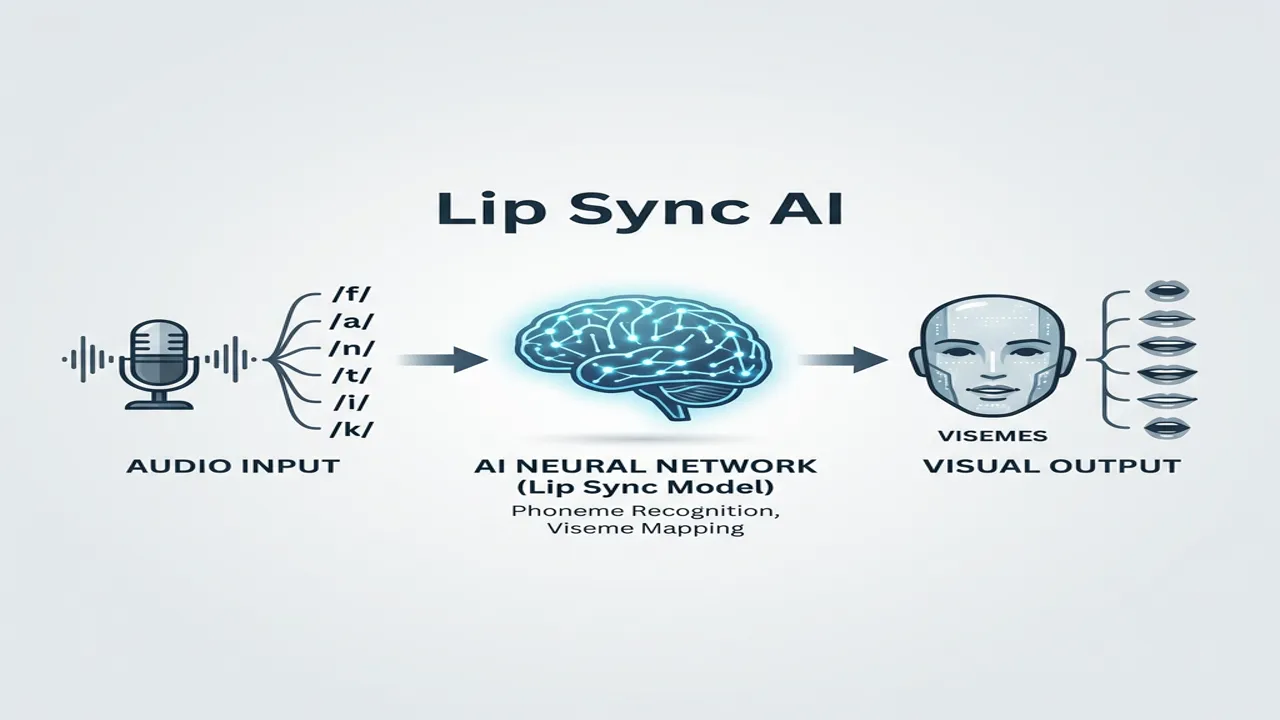
The mechanism of Lip-Sync AI
| Question | Section |
|---|---|
| What is lip-sync AI and why does it matter? | What Is Lip-Sync AI? |
| How does facial landmark detection work? | Step 1: Facial Landmark Detection |
| What is phoneme-to-viseme mapping? | Step 2 & 3: Audio Analysis and Viseme Mapping |
| How does neural rendering work? | Step 4: Neural Rendering |
| What are GANs and how are they used? | The Role of GANs in Lip-Sync AI |
| What is the uncanny valley problem? | Overcoming the Uncanny Valley |
| How do different tools compare? | Lip-Sync AI Tools Compared |
| What are the limitations of current AI lip-sync? | Current Limitations and Edge Cases |
| Frequently asked questions | Frequently Asked Questions |
Lip-sync AI is a computer vision and generative AI system that modifies the mouth and lower-face region of a video speaker to match a new or translated audio track — so the speaker appears to be saying the translated words rather than the original ones.
In traditional dubbing, the visual-audio desynchronization is a fixed artifact: the original mouth movements remain unchanged while a new audio track plays at a different pace and with different phoneme patterns. Lip-sync AI eliminates this by modifying the visual layer to match the new audio, creating a coherent audiovisual experience in the dubbed language. For context on how this fits into the full AI video translation workflow, see How Content Creators Grow Views Using Video Dubbing.
The lip-sync pipeline begins with the AI locating and tracking the speaker's face across every frame of the video.
Facial landmark detection is the process of identifying key geometric points on a face — mouth corners, the jawline, nose tip, eye corners — and using them to build a structural 3D model of the speaker's facial geometry.
Modern systems like MediaPipe Face Mesh (developed by Google) identify 468 distinct 3D facial landmarks per frame, including 32 dedicated lip and jaw landmarks. The landmarks are tracked across frames to build a continuous model of head pose (yaw, pitch, roll), facial geometry (depth contours), and lip mesh (deformation as the mouth opens and closes during speech).
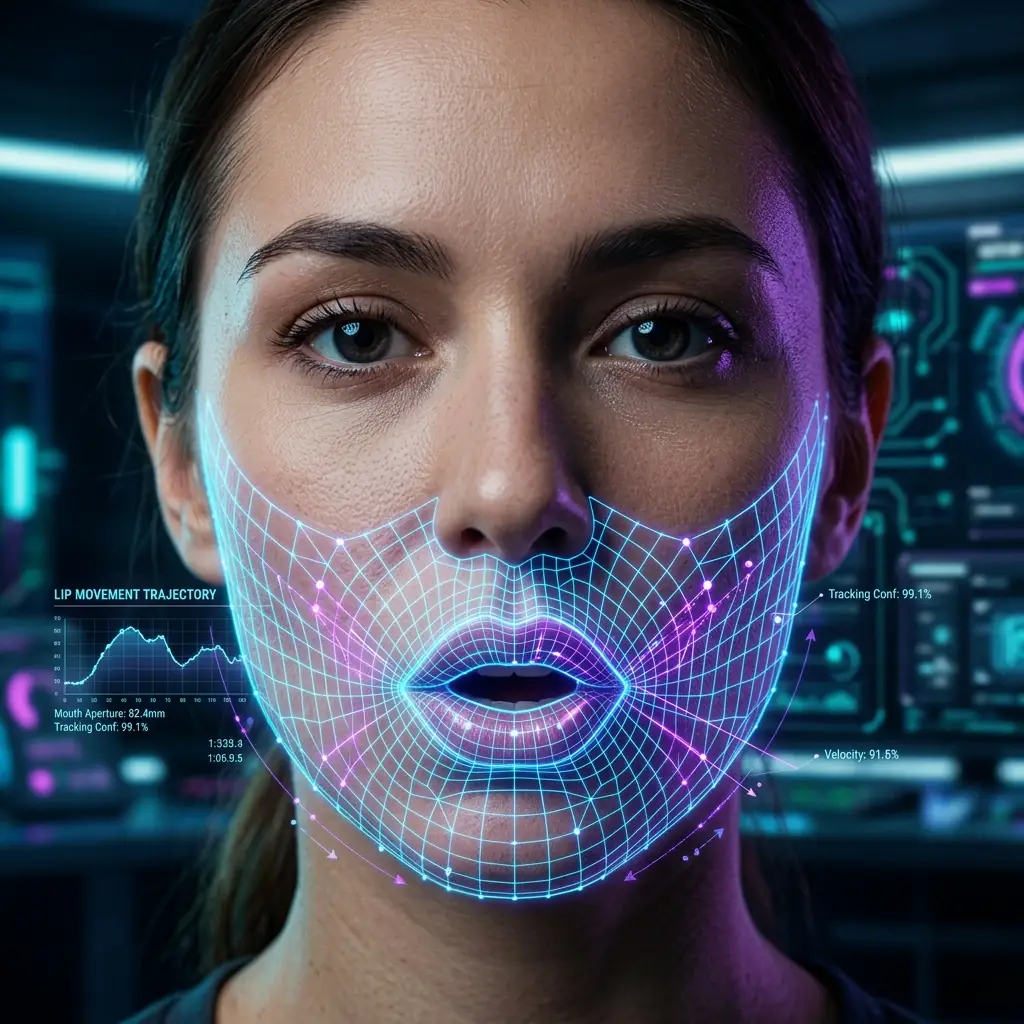
AI face mesh tracking identifies hundreds of landmarks to ensure precise lip movement mapping.
Early lip-sync systems operated in 2D — they replaced the mouth with a 2D texture, producing visible artifacts when the speaker turned their head. Modern systems maintain a 3D face model and render new mouth positions in 3D before projecting back to 2D, producing consistent results across all head movement angles. The face mesh updates at video frame rate (typically 24–60 fps), ensuring fast head movements or rapid articulation do not cause tracking loss.
A phoneme is the smallest unit of sound in speech — the building block from which words are assembled. The English word "cat" contains three phonemes: /k/, /æ/, /t/. Different languages have different phoneme inventories (English ~44; Spanish ~27; Mandarin ~20 with added tonal distinctions).
The AI segments the dubbed audio into phoneme sequences with precise timestamps — producing a timeline of which phoneme occupies which frames throughout the video.
The most technically difficult aspect of dubbed lip-sync is timing alignment: a sentence that takes 3.5 seconds in English may take 4.2 seconds in French or 2.8 seconds in Japanese. The dubbed phoneme timeline does not align with the original mouth movements.
The AI solves this through temporal warping: it stretches or compresses the original face-tracking data to match the new audio timeline, then synthesizes new frames at the re-timed positions. The speaker's head movements and non-lip facial expressions are preserved; only the lip timing is adjusted.
A viseme is the visual representation of a phoneme — the shape the mouth makes when producing a specific sound. Just as a phoneme describes what you hear, a viseme describes what you see when that sound is spoken.
Not every phoneme has a unique viseme — many phonemes look identical on the face. Most phoneme inventories compress to approximately 14–22 distinct viseme categories.
| Phoneme group | Viseme description |
|---|---|
| /p/, /b/, /m/ | Lips closed (bilabial) |
| /f/, /v/ | Upper teeth touch lower lip (labiodental) |
| /th/ (voiced/unvoiced) | Tongue tip between teeth (interdental) |
| /t/, /d/, /n/, /l/ | Tongue tip at upper teeth ridge (alveolar) |
| /s/, /z/ | Teeth nearly closed, tongue near ridge (sibilant) |
| /k/, /g/ | Mouth mid-open, back of tongue raised (velar) |
| /ɑ/ (as in "father") | Mouth wide open |
| /i/ (as in "feet") | Lips spread, slight mouth opening |
| /u/ (as in "moon") | Lips rounded and protruded |
Real speech is not a sequence of discrete static poses — the mouth moves continuously between phoneme positions. The AI interpolates smooth deformation paths between consecutive viseme targets, generating intermediate frame positions that look like natural speech motion. This coarticulation modeling — where the current mouth position is influenced by both the preceding and following phoneme — is one of the key technical differentiators between high-quality and low-quality lip-sync implementations.
Once the AI knows the target mouth shape for each frame, it modifies the original video to show those new shapes.
Neural rendering is the use of generative AI models to synthesize photorealistic image content — in this case, a modified speaker face showing new mouth and jaw positions, with lighting, texture, and skin properties consistent with the surrounding video.
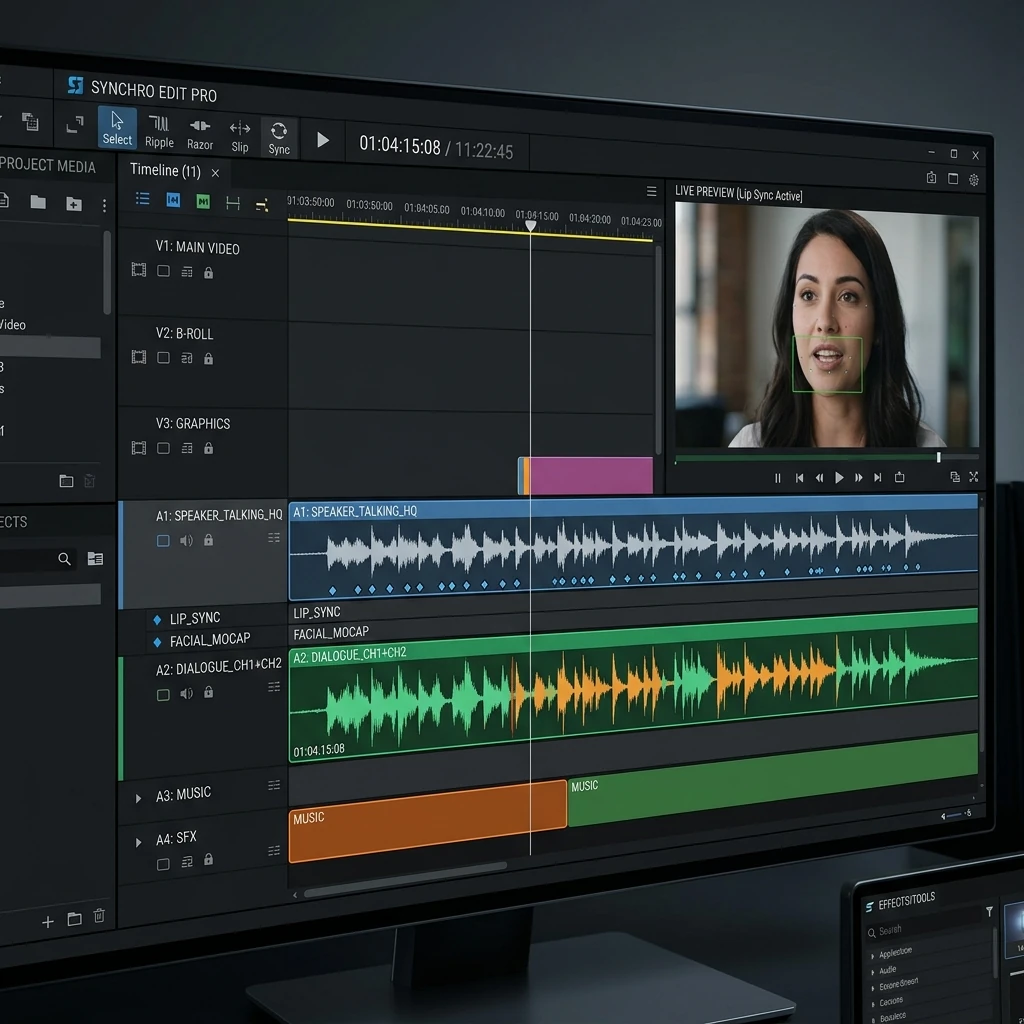
Professional synchronization requires aligning dubbed audio phonemes with precise visual viseme keyframes on a video timeline.
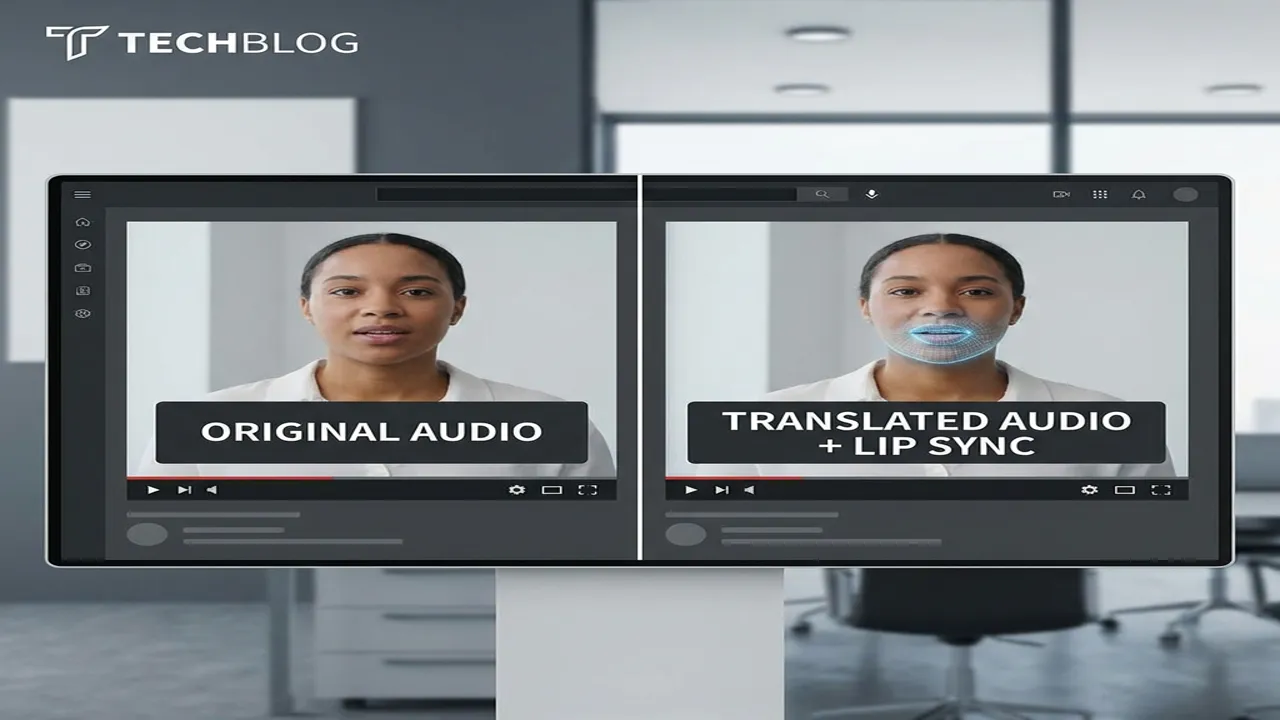
VideoDubber Lip-Sync Comparison
A Generative Adversarial Network (GAN) is a deep learning architecture with two competing neural networks: a Generator that creates synthetic images, and a Discriminator that evaluates whether an image is real or generated.
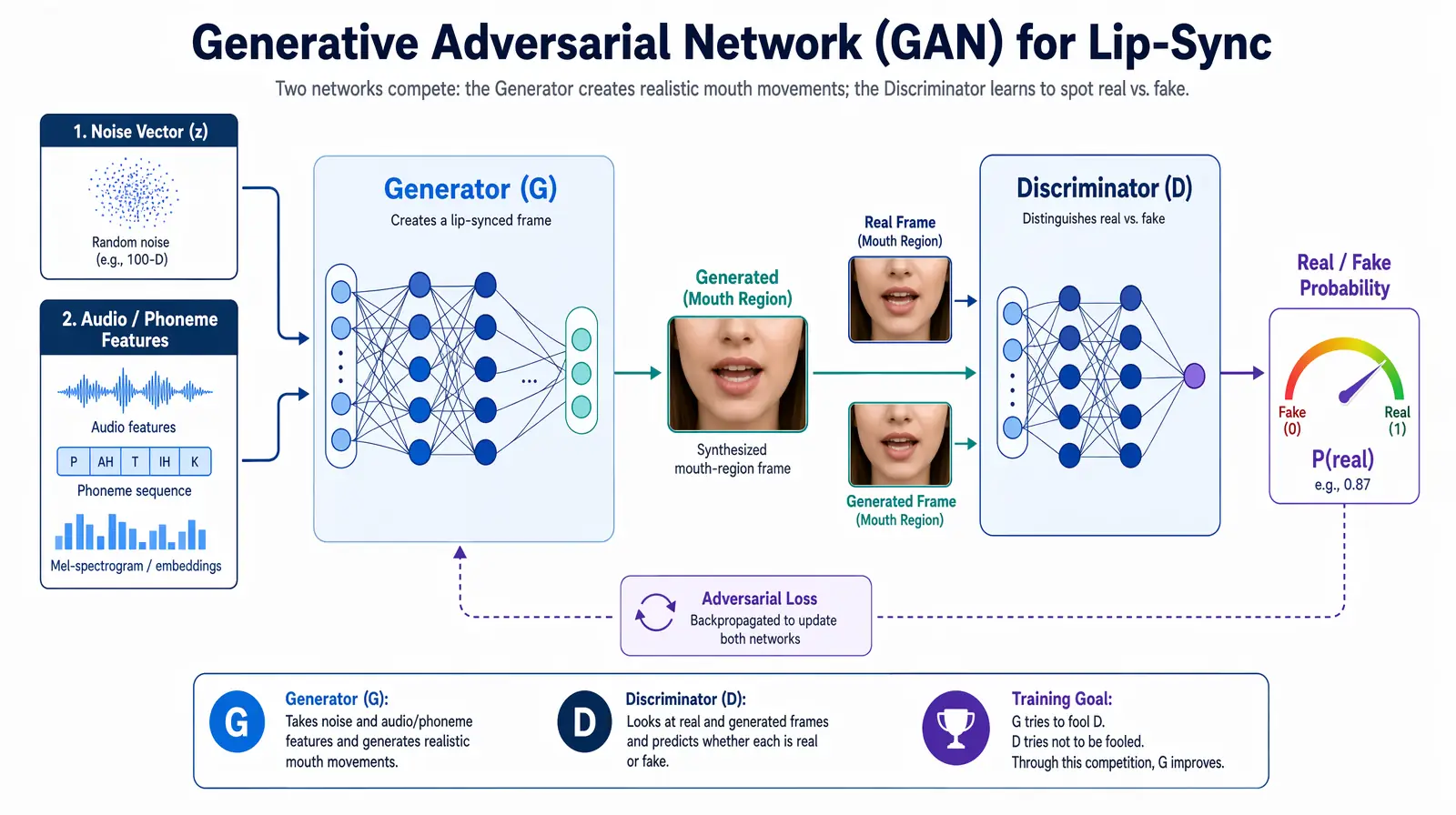
A generative adversarial network pairs a Generator (synthesizing mouth frames) against a Discriminator (detecting fakes) until outputs become visually indistinguishable from real footage.
The Generator learns to produce face images that fool the Discriminator; the Discriminator learns to detect increasingly subtle artifacts. The adversarial loop continues until the Generator synthesizes images the Discriminator cannot reliably distinguish from real photographs. The result is a generator capable of synthesizing highly realistic facial content — including the mouth region with arbitrary lip positions — that matches the visual properties of the original video.
The foundational open-source work in AI lip-sync was the Wav2Lip model, published by researchers at IIIT Hyderabad in 2020. Wav2Lip introduced a GAN specifically trained on the synchronization objective — penalizing the generator heavily when generated mouth shapes do not match the input phoneme/audio. This focus on sync accuracy, rather than just visual realism, produced the first widely accessible high-quality lip-sync results.
Enterprise platforms like VideoDubber build on this research with proprietary improvements: higher output resolution (preserving 4K quality where open-source models degrade), multi-speaker handling, temporal consistency, and production-ready processing speed. GAN-generated frames that contain visible artifacts — blurring, seam lines, or inconsistent lighting — destroy viewer trust even when sync timing is correct, making rendering quality the critical differentiator for professional-grade output.
Early lip-sync AI systems suffered from the "uncanny valley" — a frozen face with only the mouth moving, making the speaker look like a puppet. Modern engineering has largely solved this through four specific advances.
Head pose preservation: The AI distinguishes lip-driven motion (which changes with the dubbed audio) from pose-driven motion (the speaker's natural head movements), applying synthesis only to the mouth region while keeping all other facial motion authentic.
Temporal consistency: Frame-by-frame generation without constraints produces "flickering" — slight per-frame variations in lighting or texture that are jarring in video playback. Modern systems apply temporal consistency constraints that penalize the model for frames differing too much from adjacent frames.
Secondary motion synthesis: When a person speaks, the jaw drops, cheeks shift, and perioral muscles contribute to expression. Modern systems synthesize secondary motion in the jaw, cheeks, and surrounding muscles to match the primary lip shapes — making the overall face motion feel organic.
Multi-speaker tracking: VideoDubber's pipeline automatically identifies multiple speakers in a single clip and applies per-speaker synchronized lip-sync through automatic speaker diarization, without requiring manual annotation or segmentation.
The lip-sync AI landscape in 2026 spans from academic open-source models to enterprise production platforms.
| Tool / approach | Resolution | Voice clone | Multi-speaker | Processing speed | Best for |
|---|---|---|---|---|---|
| Wav2Lip (open source) | Up to 720p | No | Limited | Moderate (GPU-dependent) | Research, experimentation |
| SadTalker (open source) | Up to 1080p | No | No | Slow | Single-speaker, artistic use |
| D-ID / HeyGen | Up to 1080p | Yes (limited) | No | Fast | Avatar-based video generation |
| VideoDubber | Up to 4K | Yes (deep clone) | Yes | Fast (optimized pipeline) | Brand, creator, education production |
| Custom studio pipeline | Unlimited | Yes | Yes | Weeks per video | Premium flagship campaigns |
Verdict: For professional video translation requiring production-quality lip-sync at scale, VideoDubber's AI dubbing pipeline covers the full production requirement — voice cloning, multi-speaker sync, 4K resolution, and fast turnaround — at a cost that makes large-scale library localization practical. Open-source models remain useful for research but lack the consistency and resolution required for brand-quality output.
Even mature AI lip-sync systems have known limitations that producers should plan for.
AI lip-sync performance degrades when the speaker's face is more than approximately 45 degrees off-axis from a frontal view. At extreme angles, the lip region is partially occluded and the 3D face mesh has less surface data to work with. Practical guidance: Video content destined for AI dubbing should be shot primarily in frontal or near-frontal framing; profile shots are the most challenging for current systems.
At very fast speech rates (above ~200 words per minute), phoneme sequences compress until individual viseme shapes are indistinguishable in timing. Practical guidance: Source content at a moderate pace (120–160 WPM) produces the best lip-sync results.
Dense facial hair over the mouth region reduces the AI's ability to accurately track and render lip movements, because the hair obscures the lip landmarks the model relies on for geometry estimation.
When a translated sentence is significantly longer than the original (+30% or more), temporal warping can produce visible artifacts — particularly in sections where the speaker is not speaking in the original but must appear to speak in the dubbed version. Modern systems handle this through pause insertion and motion synthesis, though high-extension cases remain an active research area.
Lip-sync AI in video translation is a generative AI technology that modifies the mouth and lower-face region of a video speaker frame-by-frame to match a dubbed audio track in a different language. It uses facial landmark detection, phoneme-to-viseme mapping, and neural rendering to produce a video where the speaker appears to be speaking the translated language naturally, eliminating the visual mismatch of traditional dubbing.
State-of-the-art AI lip-sync achieves perceptual synchronization errors typically below the 80-millisecond human detection threshold under optimal conditions — frontal-facing speakers with clear audio at moderate speech rates. Quality degrades predictably with extreme head angles, very fast speech, significant facial hair, or large language timing mismatches, all of which producers can mitigate through source video guidelines.
Traditional dubbing replaces only the audio track, leaving the original mouth movements unchanged — creating a fixed visual-audio mismatch. Lip-sync AI additionally modifies the video frames so the speaker's mouth matches the new dubbed audio, creating a coherent audiovisual experience where the speaker appears to be speaking the target language. This eliminates the visual mismatch that makes traditional dubbing feel artificial.
A viseme is the visual representation of a phoneme — the mouth shape produced when speaking a specific sound. In lip-sync AI, the system maps each phoneme in the dubbed audio to its corresponding viseme geometry, then renders that geometry onto the speaker's face for the corresponding video frames. Most phoneme inventories compress to 14–22 distinct viseme shapes, and the AI interpolates smooth mouth movement between consecutive shapes to simulate natural coarticulation.
Modern enterprise lip-sync platforms, including VideoDubber, support multi-speaker videos through automatic speaker diarization — detecting and separating which person is speaking at each moment. Each detected speaker receives independent face tracking and lip-sync rendering, allowing a two-person interview or group discussion to be fully lip-synced without manual segmentation.
Most AI lip-sync tools have a resolution ceiling above which rendering quality degrades. Open-source models like Wav2Lip are effectively limited to 720p output. Enterprise platforms like VideoDubber support up to 4K resolution using high-resolution rendering models and upsampling pipelines that preserve the original video's spatial detail in the rendered mouth region.
The rendering model is conditioned on the specific speaker's face in the source video — it does not substitute a generic mouth texture. The face mesh geometry, skin texture, and lighting model are all extracted from the original video and used to constrain the synthesized frames, ensuring the rendered mouth region matches the speaker's individual appearance.
Lip-sync AI for video translation uses the same underlying neural rendering and GAN architectures as deepfake generation. However, translation lip-sync modifies only the mouth region to match dubbed audio, preserving all other aspects of the speaker's identity intact. Deepfake generation typically involves wholesale face replacement or full-face synthesis. The ethical application of lip-sync AI is translation and accessibility — representing the same person speaking the same message in a different language.
For producers building multilingual content libraries at scale, understanding how this technology works — and its edge cases — is the foundation for producing consistently high-quality dubbed content across every market.
How accurate is AI video translation in 2026? WER benchmarks, language accuracy tiers, cost data, and real-world examples—complete guide with data.
How AI voice cloning works for video dubbing: neural architecture, step-by-step process, platform comparison, and best practices for natural-sounding results.
How to use GPT-5.2 for video translation in VideoDubber: step-by-step, model comparison, context box tips, cost guide, and best practices for European languages. 2026.
How to use Gemini for video translation: complete 2026 guide. Step-by-step in VideoDubber, Asian-language strength (Japanese, Korean, Hindi), multimodal context, and when to pick Gemini vs GPT or DeepSeek.
Change speaker voices in video translation with step-by-step workflows for voice assignment, instant cloning, and Pro+ voice cloning. Full 2026 guide.