When you have offices in Berlin, Tokyo, and New York, ensuring every employee receives the same standard of training is a logistical nightmare. "Safety First" implies "Safety Understood First." If your manufacturing safety video is only in English, you are risking accidents in your non-English speaking plants. This guide covers everything you need to know: why it matters, which methods to use, step-by-step workflows, costs, compliance, best practices, and answers to the most common questions—so you can translate training videos effectively and at scale.
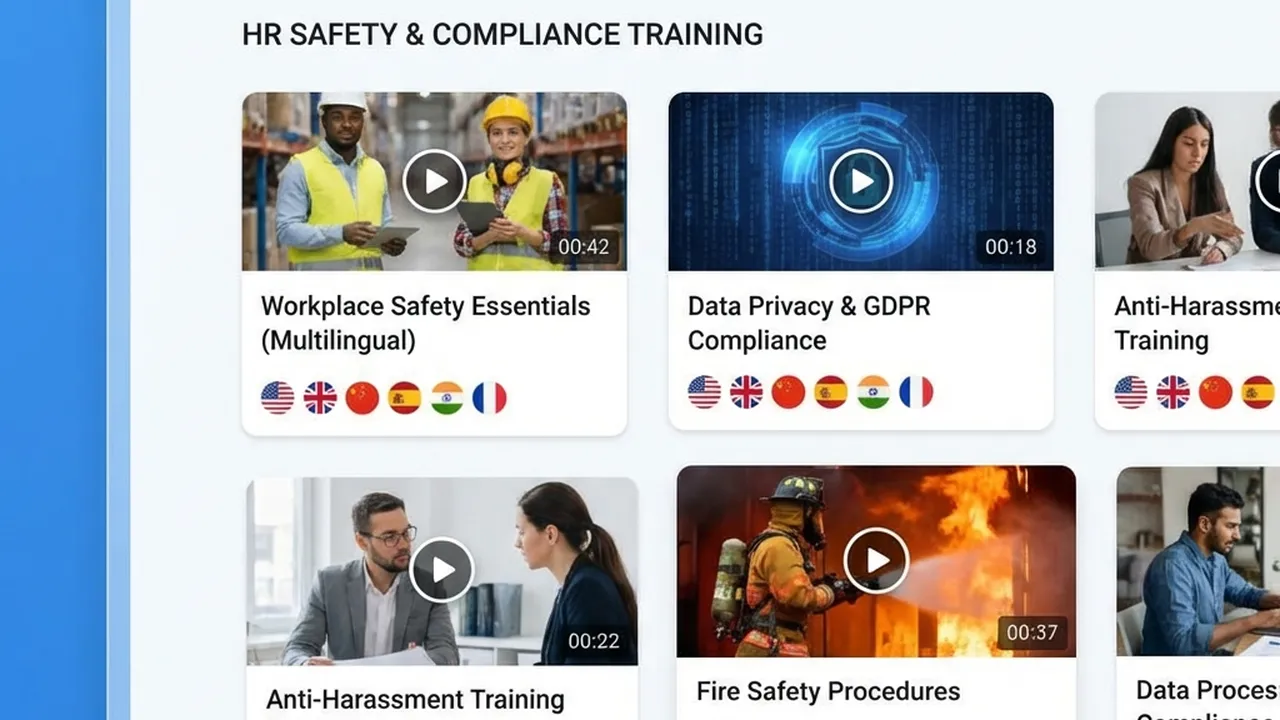
Corporate Training Dashboard
Table of Contents
- Why Translating Training Videos Matters
- Translation Methods Compared: Subtitles vs Dubbing vs AI
- Step-by-Step: How to Translate Training Videos
- Cost and Time: What to Expect
- Compliance and Legal Requirements
- Best Practices for Quality and Consistency
- Frequently Asked Questions
Why Translating Training Videos Matters
Compliance Implies Comprehension
Legal compliance requires that employees understand company policies—not just that they were shown a video. Delivering training in a language employees don’t fully grasp can expose your organization to liability and put people at risk.
| Training Type | Why Translation Matters |
|---|
| Safety protocols | Misunderstanding a safety video can be fatal. Lockout/tagout, PPE, and emergency procedures must be understood in the worker’s language. |
| HR policies | Nuance matters in anti-harassment, code of conduct, and diversity training. Legal defensibility depends on demonstrated comprehension. |
| Cybersecurity | Phishing, password policies, and incident reporting need accurate, localized terminology so nothing is lost in translation. |
| Onboarding | New hires in every region should feel equally welcomed and informed; retention and performance improve when training is in their language. |
The Scale of the Problem
- 73% of global enterprises are now localizing training content, and about half plan to increase localization in the next 12 months.
- 76% of L&D professionals report at least some effectiveness from localizing e-learning.
- 88% of L&D teams complete a single training video in under four hours with AI (vs. a week or more before); over 50% report improved localization and expanded language support.
Without translation, you leave non-English-speaking employees at a disadvantage and open the door to compliance gaps, safety incidents, and uneven performance across regions.
Translation Methods Compared: Subtitles vs Dubbing vs AI
Choosing the right method affects cost, speed, engagement, and compliance. Here’s a clear comparison.
Quick Comparison Table
| Method | Cost per minute (typical) | Time to delivery | Engagement | Best for |
|---|
| Traditional dubbing | $50 – $200+ | 2–4 weeks | High (full audio) | High-stakes, one-off flagship content |
| Subtitles only | $5 – $15 | 3–5 days | Medium (requires reading) | Budget-conscious, quick turnaround |
| AI dubbing with lip-sync | <$1 – ~$10 | Minutes to hours | High (native voice + lip-sync) | Scale, internal/compliance, frequent updates |
Subtitles
- Pros: Cheapest and fastest; no re-recording; good for accessibility (e.g. deaf/hard-of-hearing when combined with captions).
- Cons: Viewers must read while watching; can be ignored or skimmed; less immersive; not ideal for hands-on or safety-critical content where eyes are on the task.
Traditional (human) dubbing
- Pros: High emotional nuance; native actors; strong for marketing or high-profile content.
- Cons: Expensive ($50–$500/minute); slow (days to weeks); hard to scale for dozens of languages and frequent updates.
AI dubbing with voice clone and lip-sync
- Pros: Same speaker “voice” across languages; lip-sync improves engagement; 60–80%+ cost reduction vs traditional dubbing; turnaround in minutes to hours; scalable to 150+ languages.
- Cons: May need human review for regulated or safety-critical content; quality can vary by language pair and source audio.
For internal and compliance training, where clarity and scale matter more than Hollywood polish, AI dubbing is often the best balance of cost, speed, and engagement.
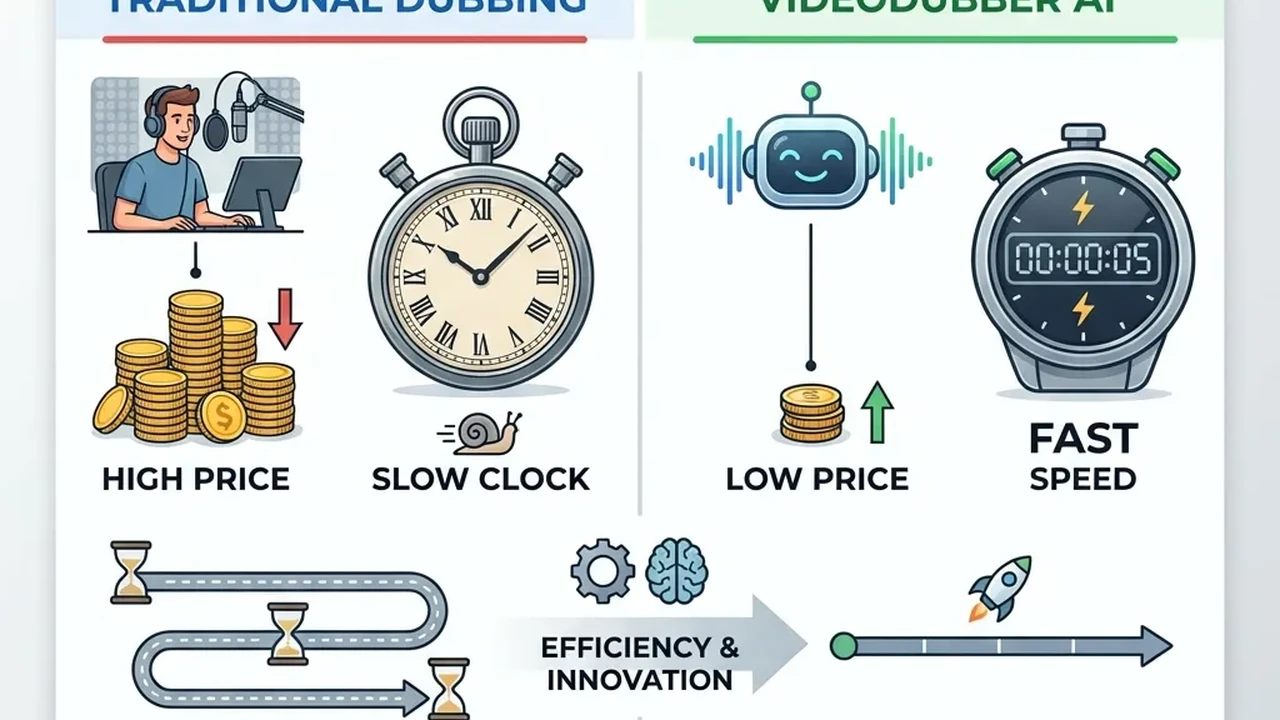
Cost Comparison: Manual vs AI
Step-by-Step: How to Translate Training Videos
Prerequisites
Before you start:
- Source video: Clear picture, 720p or better (e.g. MP4, MOV), max file size per your tool (often up to 4–5 GB).
- Source audio: Clear speech, minimal background noise. Better audio → better transcription and dubbing.
- Target languages: List all languages (and dialects if relevant, e.g. Latin American vs Castilian Spanish).
- Glossary (optional but recommended): Company terms, acronyms (OKRs, KPIs), product names, and safety/legal terms so translations stay consistent.
Step 1: Prepare and upload your video
- Export your training video in a supported format (e.g. MP4).
- Ensure the speaker is clearly audible; reduce music or noise that might interfere with transcription.
- Upload to your chosen platform (e.g. VideoDubber). Batch upload is supported for multiple videos.
Step 2: Select target languages and options
- Choose one or multiple target languages.
- If using AI dubbing: enable voice cloning (so the same “voice” speaks in every language) and lip-sync so the speaker’s mouth matches the new language and feels natural.
Step 3: Process and generate
- Start the job. AI pipelines typically transcribe → translate → generate dubbed audio → apply lip-sync.
- For a 10-minute video, expect results in roughly the same order as viewing time (minutes to under an hour, depending on load and length).
Step 4: Review and edit (especially for compliance)
- Preview each language version.
- For safety, legal, or compliance content, plan for human review (native speaker or L&D) to verify accuracy and appropriateness.
- Use in-editor controls to fix any mispronunciations, terms, or timing if the tool allows.
Step 5: Export and deploy
- Download the translated videos (or use integrated delivery if your tool supports it).
- Publish to your LMS, intranet, or learning portal so the right teams get the right language version.
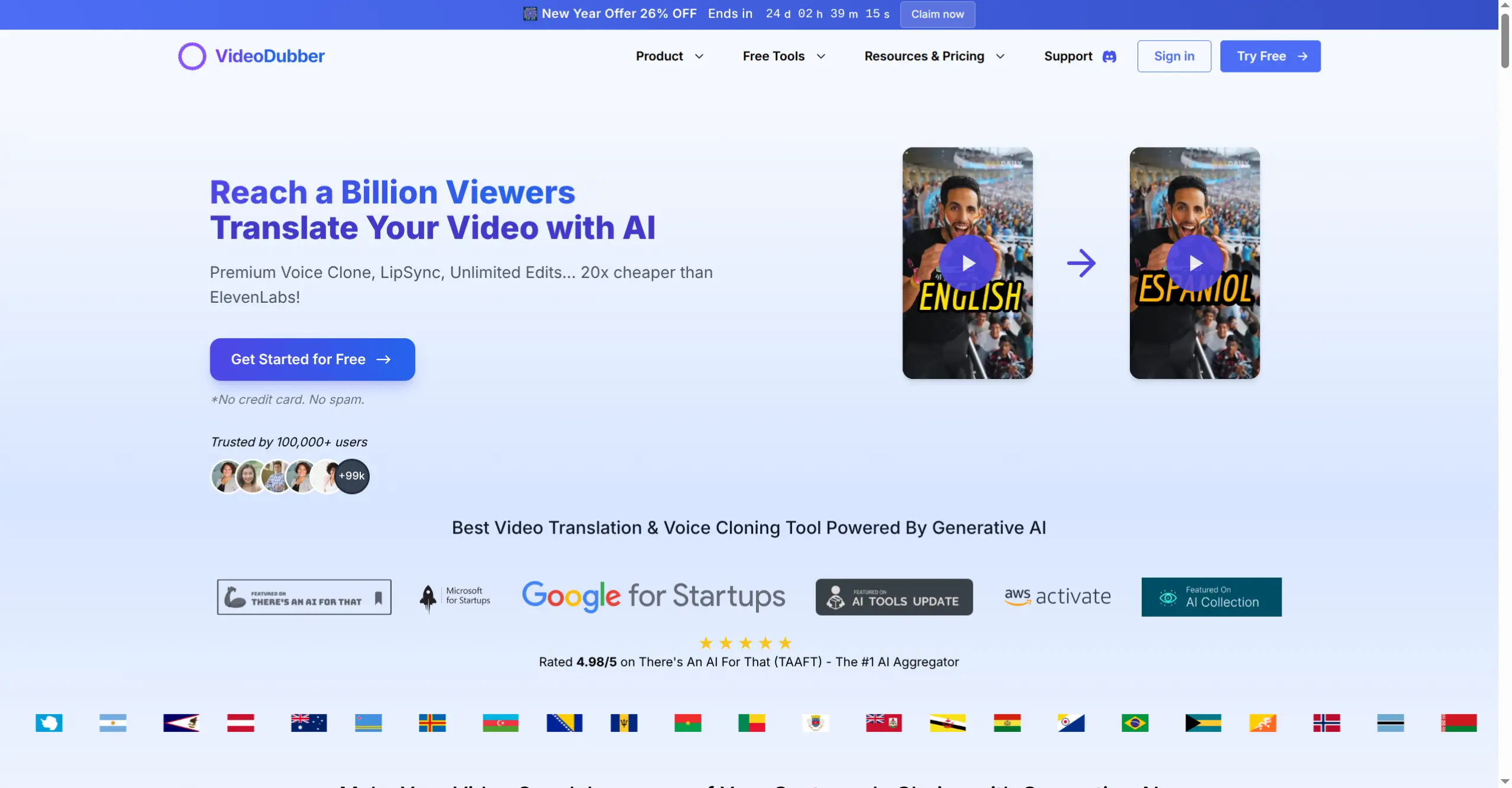
VideoDubber Interface
The VideoDubber workflow for internal comms: Secure upload (with data privacy in mind), multi-language output in a single batch, and lip-synced dubbing so it feels like the presenter is speaking directly to each local team—without the cost and delay of traditional dubbing.
Cost and Time: What to Expect
Detailed cost comparison
| Method | Cost per minute | 60-min training (approx.) | Turnaround |
|---|
| Traditional dubbing | $50 – $200+ | $3,000 – $12,000+ | 2–4 weeks |
| Subtitles only | $5 – $15 | $300 – $900 | 3–5 days |
| AI dubbing (e.g. VideoDubber) | <$1 – ~$10 | <$60 – ~$600 | Minutes to hours |
For internal communications, where production value doesn’t need to be Hollywood-level but clarity and scale do, AI is usually the most cost-effective choice.
When to use which
- AI dubbing: Onboarding, compliance, safety, product training, town halls, and any content that updates often or must be rolled out in many languages quickly.
- Traditional dubbing: One-off, high-profile campaigns or content where maximum emotional nuance justifies the budget.
- Subtitles: Tight budget, very fast turnaround, or when you explicitly want to keep the original audio and add text only.
Compliance and Legal Requirements
OSHA and safety training (U.S.)
- OSHA expects training to be provided in a manner employees can understand—including language and vocabulary level.
- If workers don’t speak or read English well, training should be provided in their language (e.g. translated video with voiceover, dubbing, or accurate subtitles).
- Video alone may not satisfy every OSHA standard; some require interactive Q&A or instructor-led elements. Use translated video as part of a broader, verifiable training program.
- Employers should be able to show that employees actually understood the content; inadequate training can lead to violations (e.g. $13,000+ per violation, and penalties can accumulate).
HR and conduct training
- Anti-harassment, code of conduct, and similar training often need to be defensible in court. That usually means:
- Content in the employee’s language.
- Clear, unambiguous wording (translation quality matters).
- Where possible, verification of comprehension (quizzes, sign-off, etc.).
Practical compliance checklist
- [ ] Identify all languages and literacy levels in your workforce.
- [ ] Translate safety-critical and legally sensitive training (and key policies) into those languages.
- [ ] Prefer dubbing or professional-grade subtitles over machine-only subtitles for high-risk topics.
- [ ] Where required, add human review for regulated content.
- [ ] Document how you delivered and (if applicable) verified understanding.
Best Practices for Quality and Consistency
- Use a glossary: Define company terms, acronyms, and product names so translations stay consistent across videos and languages.
- Optimize source quality: Clear speech and good audio improve transcription and dubbing quality.
- Choose dialects deliberately: For Spanish, Portuguese, etc., select the variant (e.g. Latin American Spanish) that matches your audience.
- Preview before rollout: Watch at least a sample of each language version to catch tone, terminology, or sync issues.
- Human review for regulated content: Use native speakers or L&D for safety, legal, and compliance modules.
- Batch and prioritize: Use batch processing for large libraries; prioritize high-risk and high-visibility content first.
- Security: For internal-only training, use a platform that encrypts data and doesn’t repurpose your content (e.g. VideoDubber’s secure processing for enterprise).
Frequently Asked Questions
Do I need to translate all training videos?
Not necessarily. Prioritize:
- Must translate: Safety, compliance, legal, HR, and onboarding content for any region where employees don’t work primarily in the source language.
- Nice to translate: Soft skills, product updates, and culture content—translate when budget and scale allow (AI makes this feasible for more content).
Are subtitles enough for compliance?
They can be, if they are accurate and the employee can read and process them in real time. For safety-critical or legal training, dubbed audio (or professional voiceover) is often safer because it doesn’t rely on reading while performing a task. Check with legal or HR for your jurisdiction and policy.
Is AI translation accurate enough for compliance and safety?
Modern AI can reach 95–99% accuracy for business content, especially with a glossary and clear source audio. For regulated or safety-critical content, use AI plus human review (native speaker or subject-matter expert) before rollout. Many organizations use AI for speed and scale and add review only where required.
How long does it take to translate a training video?
- AI dubbing: Roughly the length of the video to a few hours (e.g. 10-minute video in minutes to under an hour).
- Subtitles: 3–5 days for human creation; much faster with AI.
- Traditional dubbing: 2–4 weeks per language.
What about different dialects (e.g. Spanish, Portuguese)?
Most AI and professional services support dialect selection (e.g. Latin American vs Castilian Spanish, Brazilian vs European Portuguese). Choose the variant that matches your audience and stick to it for consistency.
Is our internal training content secure when we use an AI translation tool?
Only if the vendor is designed for it. Look for: encryption in transit and at rest, no use of your content for model training, and compliance with your data-residency or privacy requirements. VideoDubber processes internal videos with data privacy in mind so your internal material stays secure.
Can we keep the same “voice” (e.g. CEO) in every language?
Yes. Voice cloning in AI dubbing preserves the original speaker’s voice characteristics across languages, so the CEO or subject-matter expert “speaks” each language in a consistent, recognizable way. That builds trust and engagement compared with generic subtitles or unknown voice actors.
How do we handle updates when training content changes?
AI translation is ideal for updates: re-upload the revised video, run the same languages again, and you get new versions in hours instead of weeks. Use the same glossary and settings for consistency.
Conclusion
Translating training videos is no longer a luxury—it’s a requirement for global teams that care about compliance, safety, and equity. Choose the method that fits your budget and risk level: subtitles for speed and cost, traditional dubbing for one-off premium content, and AI dubbing with lip-sync and voice cloning for scale, consistency, and engagement. Follow a clear workflow, use a glossary and human review where it matters, and align with legal and OSHA expectations so every employee can learn in a language they understand.
Streamline your global training today with VideoDubber: secure upload, multi-language output in one batch, and lip-sync so your message lands in every office—Berlin, Tokyo, New York, and beyond.