Top 10 Tools for Marketing Video Production in 2026
April 24, 2026 28 mins read
Marketers are using video production tools more than ever before in 2026
The marketing video production landscape has shifted faster than anyone predicted. In 2023, teams talked about "experimenting" with AI video tools—by 2026, if you're not using AI-assisted production, you're not just behind, you're effectively invisible. Marketing teams are now expected to deliver broadcast-quality content at the speed of social trends, publishing platform-specific video daily instead of weekly. The result is a tool-stack race: whoever automates the mundane and amplifies the creative wins market share.
Top 10 video production tools for marketing cover three core categories: Editing (refining footage you already have), Generative (creating video from prompts or scratch), and Globalization & Distribution (scaling and localizing content across markets). For most teams, the best results come from combining at least two categories—understanding which tool fits which stage of your workflow is as important as the tools themselves.
This guide covers every major video production tool category—editing, generative, globalization, and async review—with practical recommendations, pricing data, a copy-paste production workflow, and answers to the most common questions teams ask before building their stack.
| Question | Section |
|---|---|
| What are the top 10 video production tools for marketing in 2026? | Tool comparison table |
| Which tool is best for global reach and video translation? | VideoDubber |
| What's the fastest editor for short-form social content? | CapCut |
| Which professional editor integrates AI generative features? | Adobe Premiere Pro |
| How can I edit video without re-recording mistakes? | Descript |
| What tool generates custom B-roll and cinematic VFX? | Runway Gen-4 |
| How do I scale presenter videos without a camera? | HeyGen |
| Which generative model produces the best narrative storytelling? | Sora 2 |
| What is the best model for photorealistic video generation? | Google Veo |
| Which browser-based editor is best for subtitles and social content? | VEED.IO |
| How do teams share async video feedback without meetings? | Loom |
| What's the recommended production workflow from idea to publish? | Workflow |
| Frequently asked questions about marketing video production | FAQ |
| Tool | Category | Best For | Pricing From |
|---|---|---|---|
| VideoDubber | Globalization | Translation & lip-sync | $9/mo |
| CapCut | Editing | Short-form social | Free |
| Adobe Premiere Pro | Editing | Long-form / professional | $55/mo |
| Descript | Editing | Dialogue-heavy content | $19/mo |
| Runway Gen-4 | Generative | Cinematic VFX & B-roll | $15/mo |
| HeyGen | Generative | Avatar & personalized video | $29/mo |
| Sora 2 | Generative | Narrative storytelling | $20/mo (Plus) |
| Google Veo | Generative | Photorealistic generation | Free (AI Studio) |
| VEED.IO | Editing | Social content, subtitles | $25/mo |
| Loom | Async comms | Team feedback & demos | Free |
Best for: Global Reach, Translation & Voice Cloning
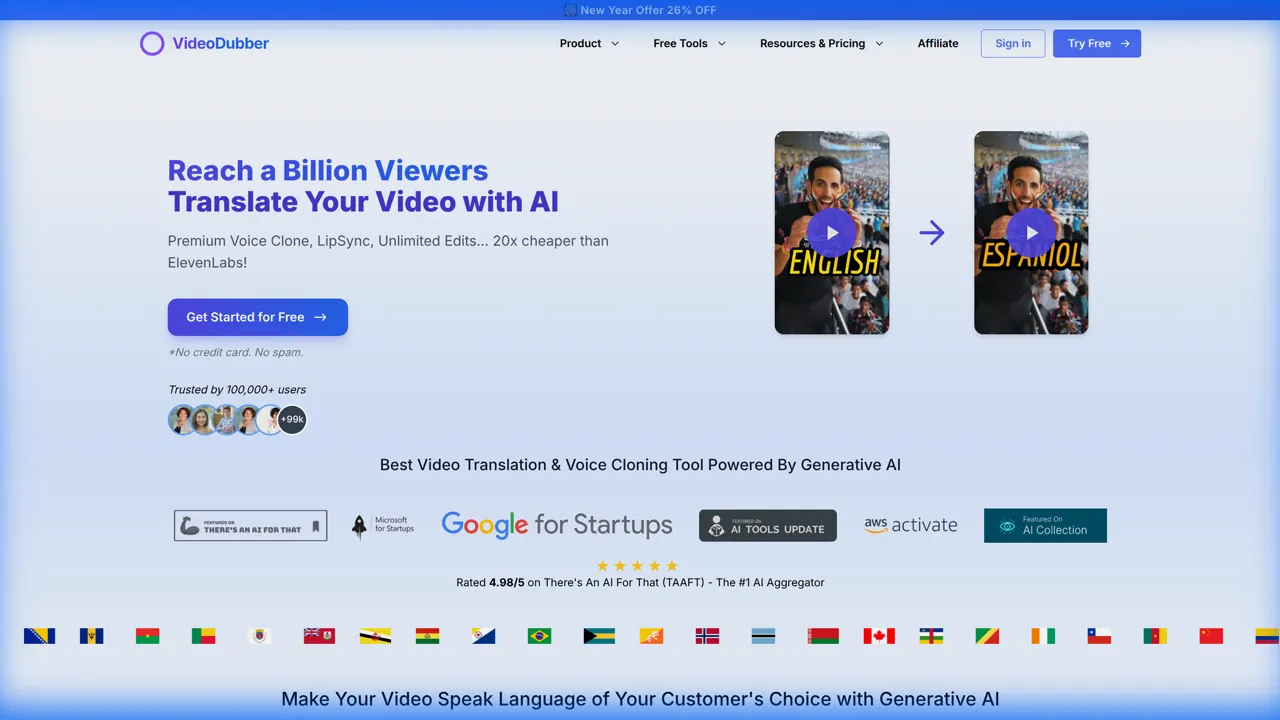
VideoDubber Homepage showing video translation and lip-sync interface
VideoDubber is the highest-leverage tool on this list because it doesn't just help you create content—it multiplies the value of everything else you produce. English-only content reaches fewer than 20% of the global internet audience; VideoDubber lets you take any video and translate, dub, and lip-sync it into 150+ languages from a single master file, instantly unlocking billions of non-English speakers. For global marketing teams, this single tool can replace the cost of per-market production shoots entirely. Tools like VideoDubber use AI voice cloning and lip-sync to convert one master marketing video into dubbed versions in 150+ languages, enabling brands to scale international reach without per-language studio costs.
Why VideoDubber leads for globalization:
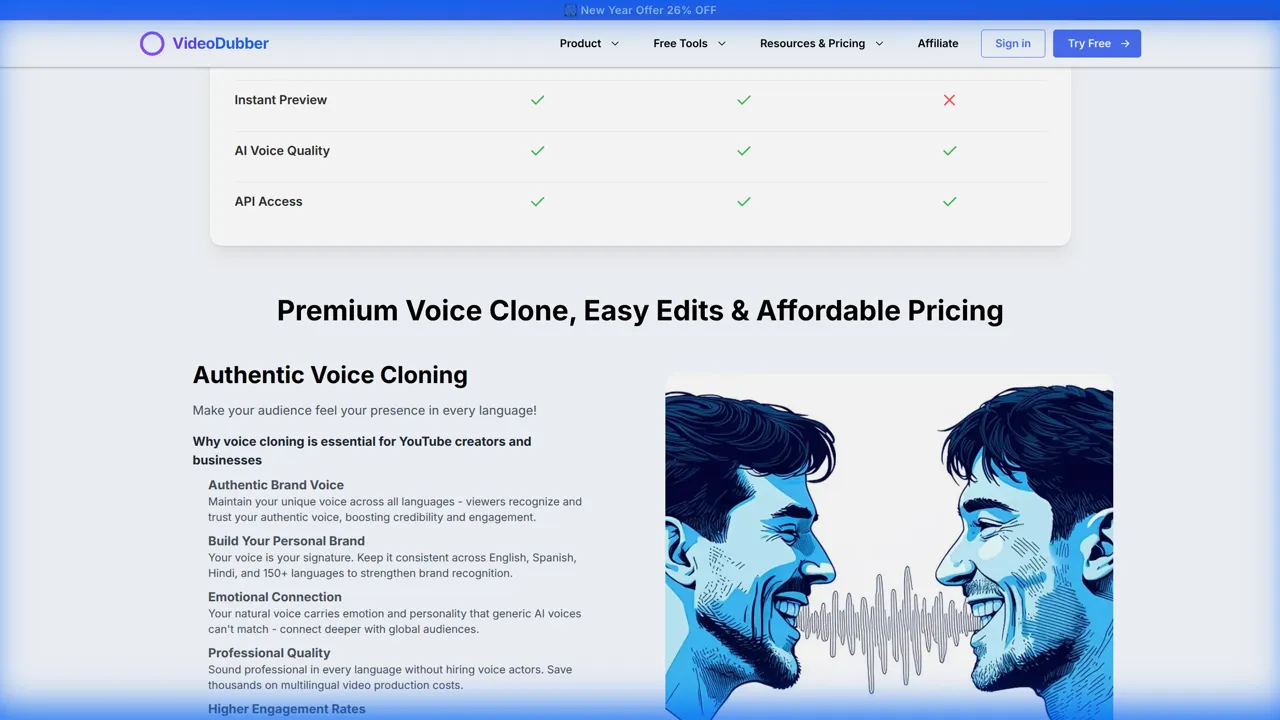
VideoDubber voice cloning and lip-sync feature demonstration
In practice, teams that run their entire production library through VideoDubber after creation report dramatically higher engagement rates in non-English markets—not because the content changed, but because audiences can now actually consume it. Output quality does vary with source audio clarity and language pair; best results come from clean speech, consistent lighting, and well-framed speakers. For any 2026 strategy centered on growth, VideoDubber is the closest thing to a free audience multiplier on the market.
Pricing: $9/mo
Try for free and take your content global today with VideoDubber.ai
Best for: Short-form Vertical Video
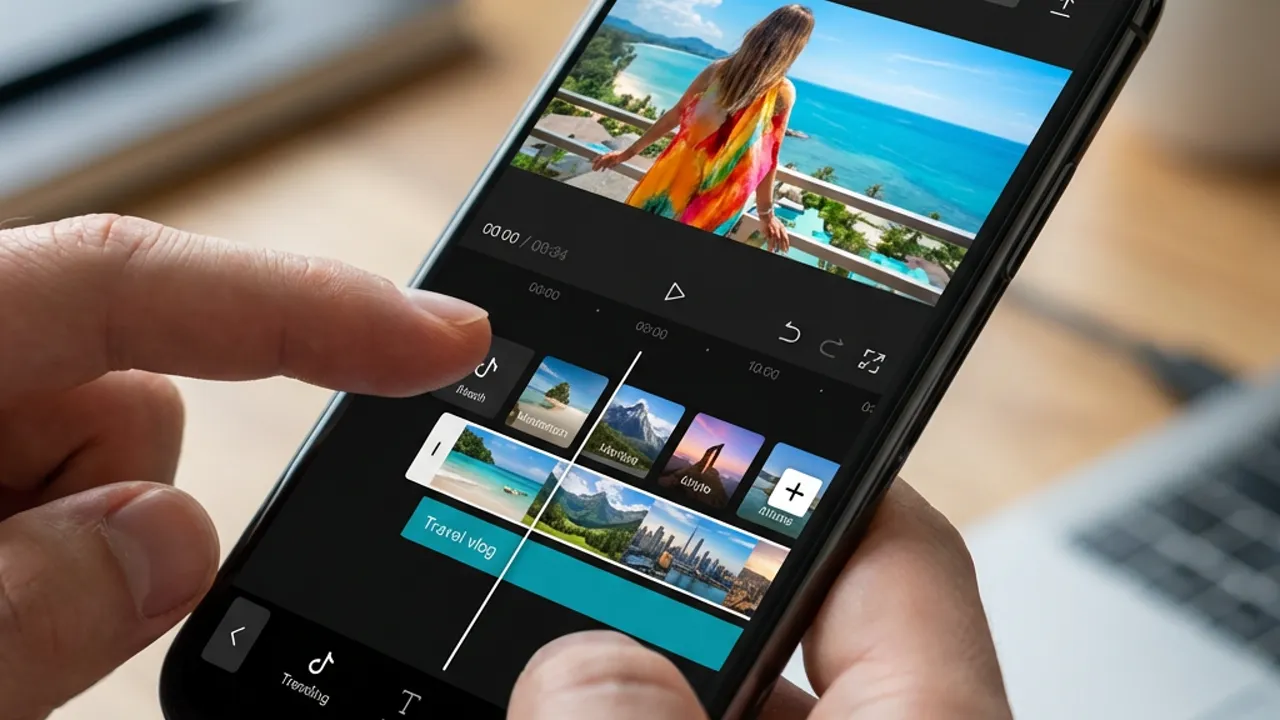
CapCut interface for short-form video editing
CapCut has graduated from a TikTok-adjacent editor into a full-fledged creative suite, and in 2026 it remains the undisputed standard for speed on short-form social. Its "Auto-Trend" features automatically suggest trending audio and templates based on your clip's visual content, dramatically cutting the time between raw footage and a polished Reel. Advanced keyframe animation, stylized auto-captions updated daily to match viral formatting trends, and a constantly refreshed effects library make it indispensable for social media managers who need to post three to five times per day. For mobile-first workflows—shoot on phone, edit in CapCut, publish—there is currently no faster path to market. The main trade-off: CapCut is optimized for short-form and vertical video; multi-cam workflows and long-form content are better handled in a desktop editor like Premiere Pro.
Pricing: Free; CapCut Pro from ~$8/month for premium effects and watermark-free exports.
Best for: High-End Long-Form Production
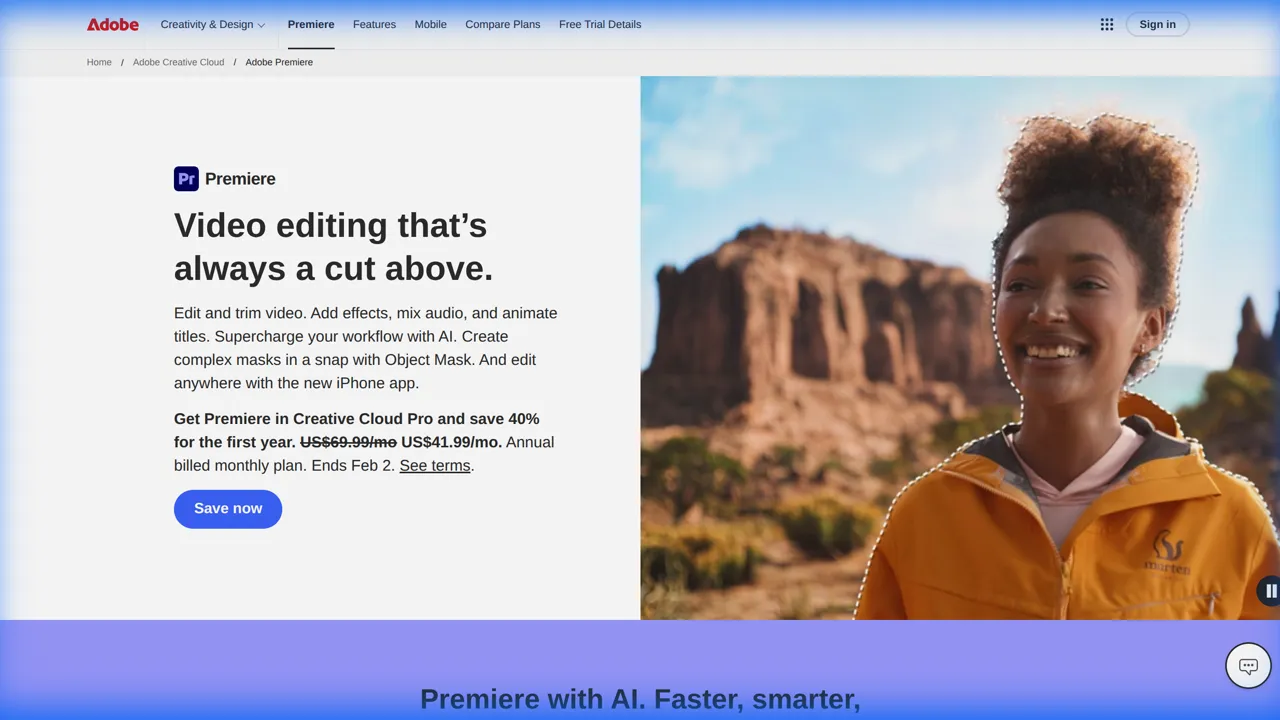
Adobe Premiere Pro homepage with Firefly AI integration
For heavy professional lifting, Adobe Premiere Pro remains the industry standard—and the 2026 integration with Adobe Firefly has meaningfully changed what "post-production" means. Generative Fill for video fixes framing mistakes and extends sets without a green screen; Scene Swap changes background mood without re-shooting; Text-Based Editing cuts rough-cut time by up to 50% by letting you edit dialogue by deleting transcript text. Professional editors still rely on Premiere for robust timeline management, multicam support, and color grading precision that no browser-based tool matches. The $55/month subscription and steep learning curve are real barriers for solo creators, but for agencies and in-house teams producing long-form branded content or multi-platform campaigns, no other tool in 2026 offers comparable depth.
Pricing: From $55/month (Creative Cloud, often bundled with other Adobe apps).
Best for: Webinars, Podcasts, and Talking Heads
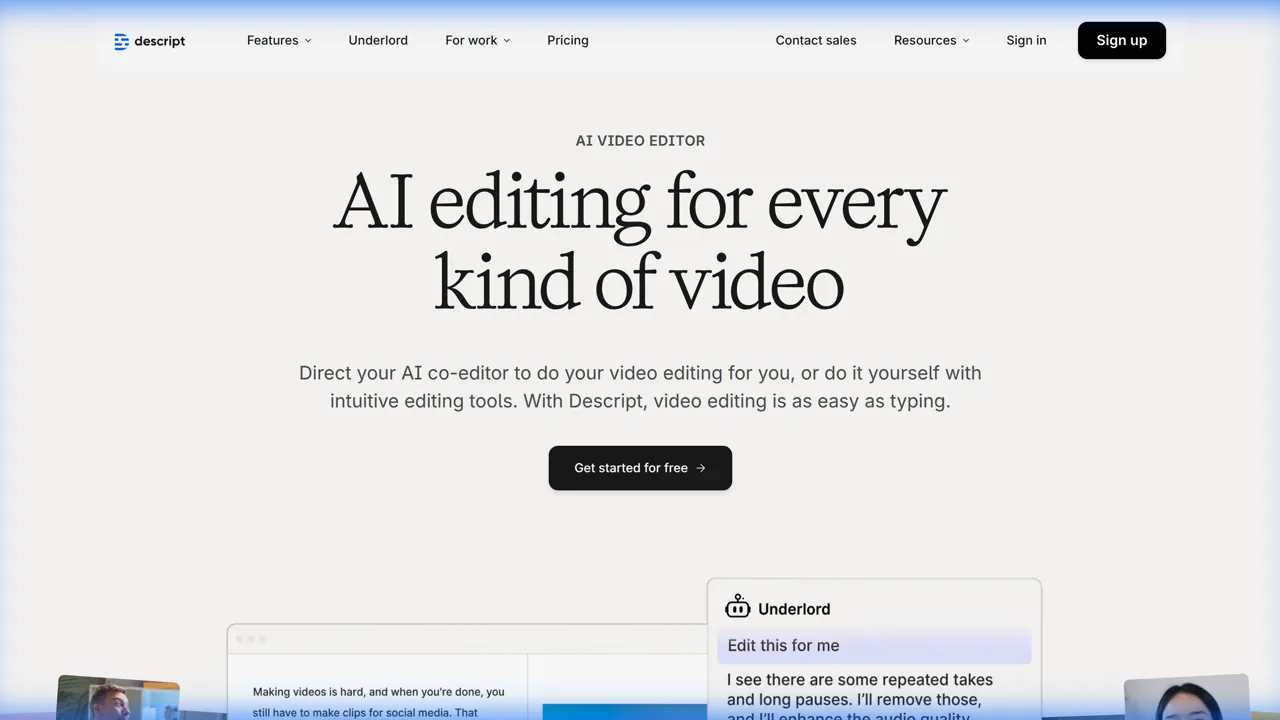
Descript homepage showing text-based video editing
Descript is defined by one killer insight: if video is recorded dialogue, you should be able to edit it like a document. In 2026, their "regenerative audio" capability makes this idea nearly perfect—if you stumble over a word, you type the correct version, and Descript synthesizes it in your voice with accurate intonation, no re-recording required. For marketing teams producing CEO updates, webinar recaps, or podcast video cuts, this alone saves hours per piece of content. The "Studio Sound" feature removes echo, background noise, and ambient interruptions in one click, turning a home recording into something that sounds professionally produced. Descript is less useful for visually-driven content with minimal dialogue, and transcription accuracy can drop with strong accents or heavy technical vocabulary—but for dialogue-heavy content, it is the fastest path from raw recording to polished final cut.
Pricing: Free plan; Creator tier from $19/month.
Best for: B-Roll Generation & Cinematic VFX
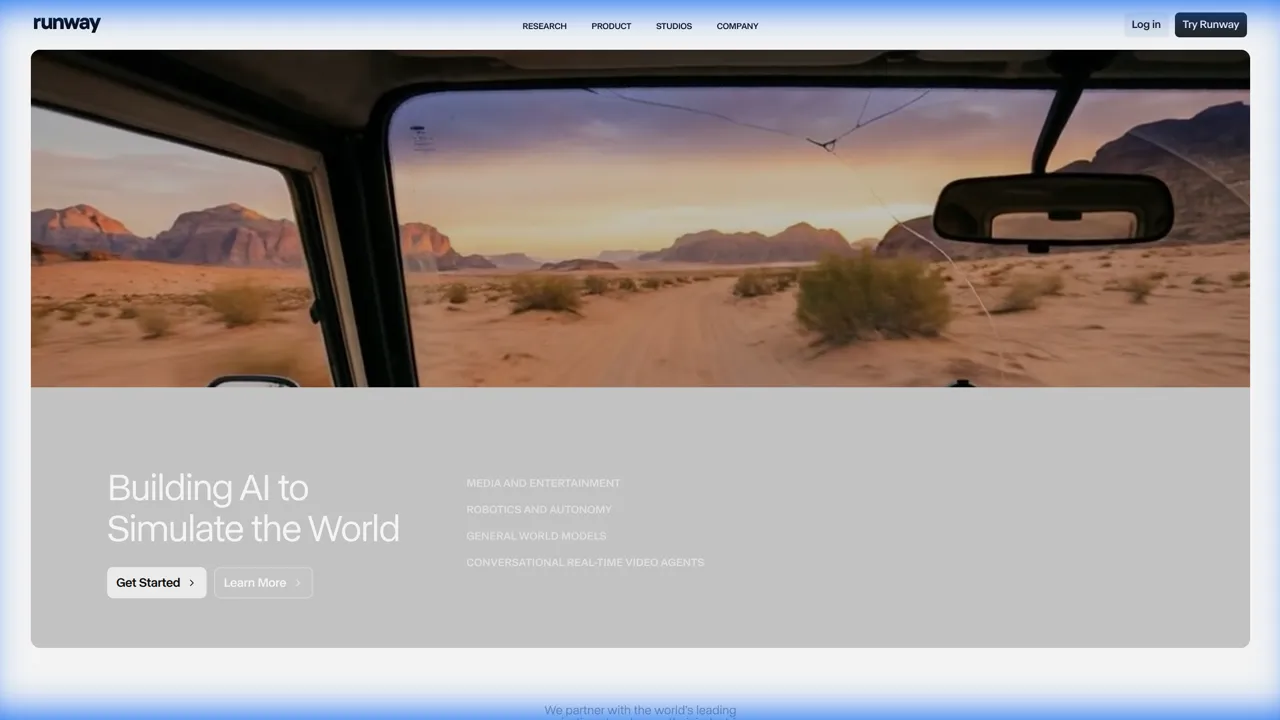
Runway homepage showing generative video and VFX tools
Runway Gen-4 ends the era of expensive stock footage for most commercial video needs. Marketers can generate custom B-roll from text prompts with cinematic precision and strong character consistency—"a futuristic cyberpunk coffee shop with neon lights at 3am" is a seconds-long generation, not a location scout and lighting rig. The Motion Brush feature lets you animate static images with granular, selective control; camera path tools and native Premiere Pro integration make Runway the professional's choice for frame-level VFX work. For brands producing high-concept manifesto videos or campaign ads where real-location shoots would cost $30,000–$50,000+, Runway enables you to generate establishing shots and exotic backdrops, then combine them with product footage—cutting production costs dramatically. The learning curve is steeper than simpler generators, and computationally intensive outputs can take time, but the creative ceiling is the highest of any generative tool on this list.
Pricing: Free tier available; paid plans from $15/month.
Best for: Scaling Presenter and Personalized Videos
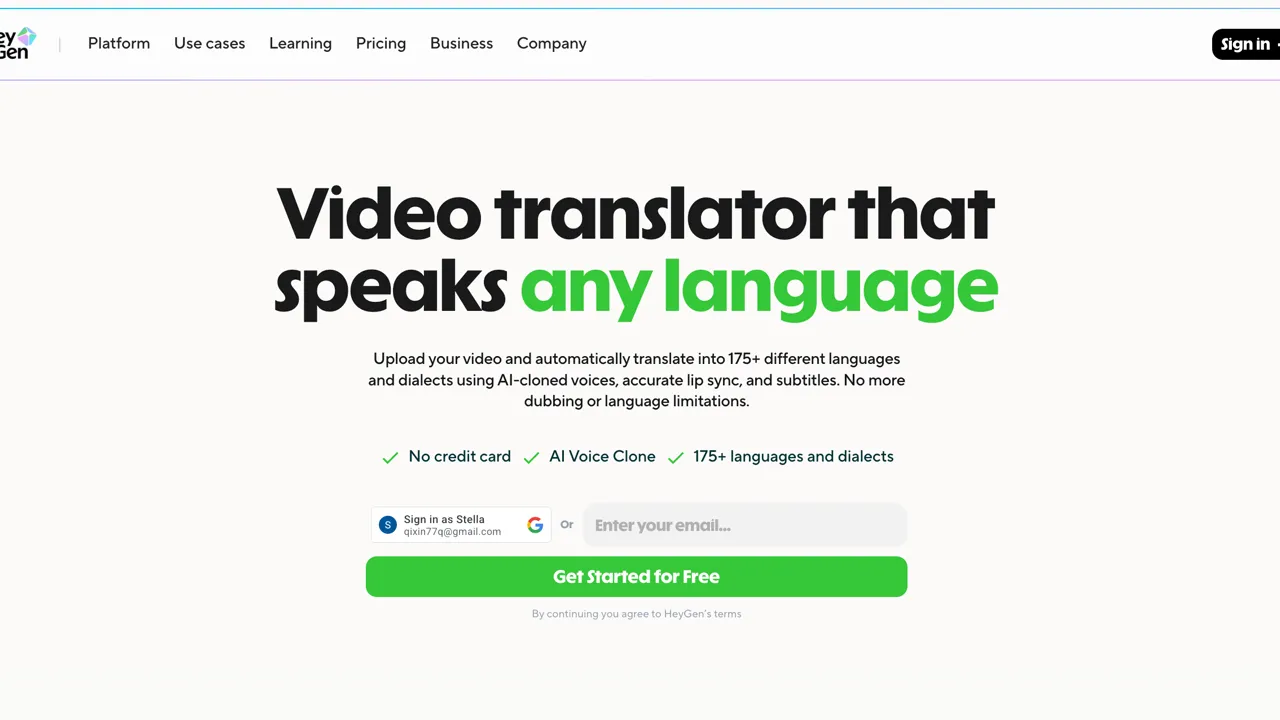
HeyGen homepage showing avatar and digital twin video creation
HeyGen solves a real production bottleneck: getting the right person on camera at scale. Its 2026 avatars are photo-realistic to a degree that makes digital twin video indistinguishable from live recording in most contexts—you can create a spokesperson avatar, generate product updates, and produce personalized sales videos without a single camera day. The personalization-at-scale feature is HeyGen's most commercially powerful capability: record one video master and have the AI substitute the recipient's name in both audio and lip-sync for thousands of individual prospects, merging the warmth and credibility of video with the targeting precision of email marketing. With 175+ stock avatars, custom avatar cloning, and multilingual lip-sync across 40+ languages, HeyGen leads for avatar-driven marketing programs. The primary limitation is creative scope—it excels at talking-head and spokesperson content but is not designed for complex visual narratives or multi-scene productions.
Pricing: Free tier; from $29/month for serious production volume.
Best for: Cinematic Narrative Storytelling
Sora homepage showing cinematic generative video
Sora 2 from OpenAI has redefined the ceiling of what's possible with generative video. Its storyboard mode, 60-second clip support, and multi-shot sequencing make it the preferred tool for narrative ad campaigns and multi-scene creative projects—situations where Runway's frame-by-frame precision is less useful than coherent cinematic storytelling across cuts. Sora 2's understanding of physics, lighting, and spatial continuity is superior to nearly every competing model as of 2026, which matters most for "impossible shot" creative work: camera movements that defy gravity, transitions that morph between realities, and product visualizations in exotic locations no shoot budget could afford. Marketers access it via ChatGPT Plus and OpenAI's API. For teams that need to dream at scale—concept videos, brand films, high-concept social campaigns—Sora 2 is the most powerful creative partner available. It is computationally expensive and offers less granular frame-level control than Runway for precision VFX work.
Pricing: From $20/month (ChatGPT Plus); API pricing varies by usage.
Best for: Photorealistic Video Generation
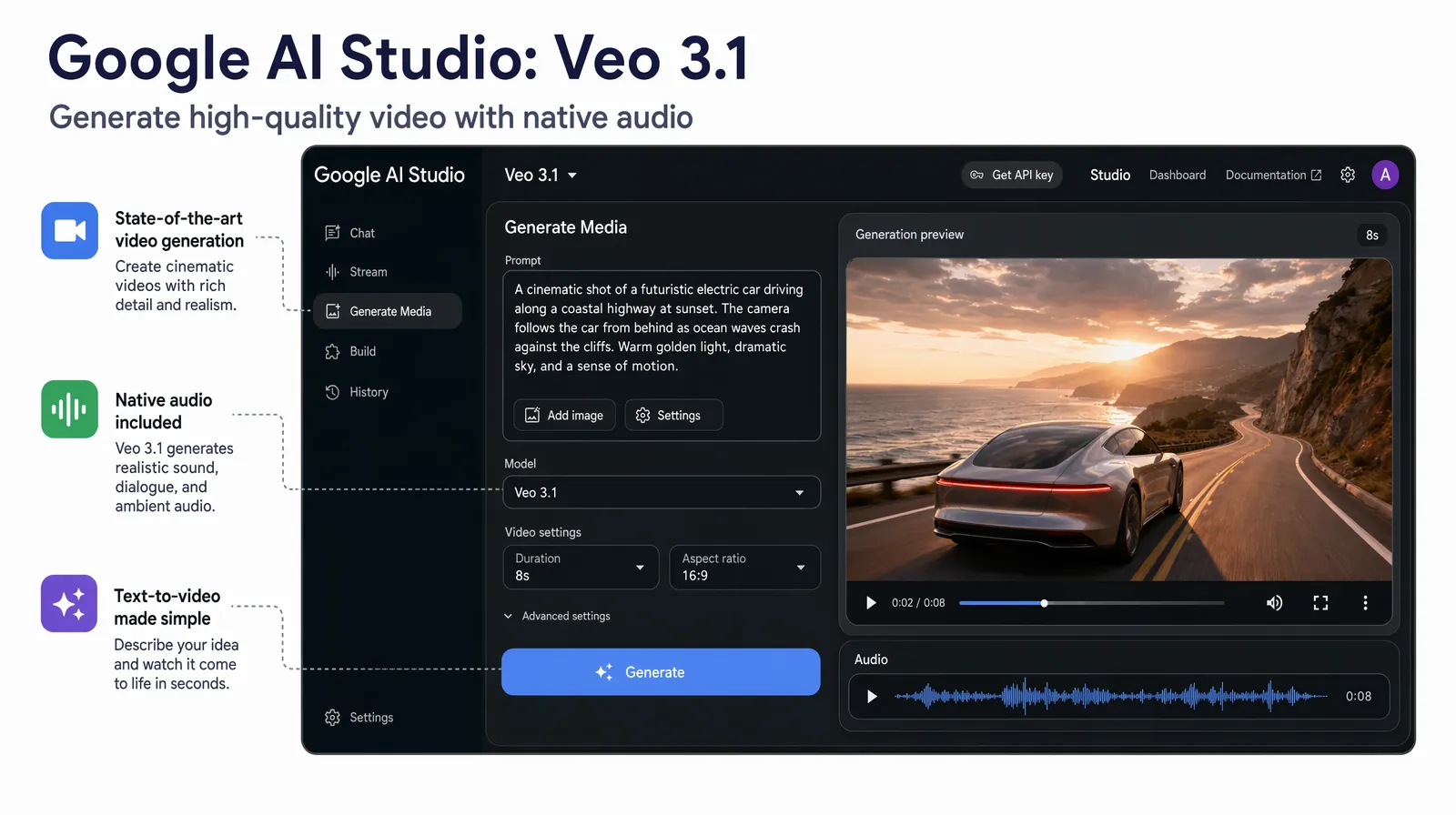
Google Veo 3.1 produces highly photorealistic generations from natural-language prompts directly inside Google AI Studio and Gemini.
Google Veo (currently Veo 3.1) is the most consistently photorealistic generative video model available for general use in 2026, outperforming competing models on motion coherence, lighting accuracy, and physical simulation across diverse prompt types. It is accessible through Google AI Studio and Gemini, making it a frictionless choice for teams already embedded in the Google ecosystem—no new account, no new billing platform, no technical setup. Marketing teams use Veo for campaigns, product visualization, and branded content without requiring deep generative expertise; it is one of the most "prompt-in, polished-video-out" experiences available. The main trade-off versus Runway is creative control: Veo produces excellent output from natural language prompts, but does not offer the frame-level Motion Brush or camera path precision that professional VFX workflows require. Pricing and usage quotas are still evolving as the platform matures, and regional availability continues to roll out.
Pricing: Accessible via Google AI Studio; included with Google One AI Premium and select enterprise plans.
Best for: Social Content, Subtitles & Fast Cloud Editing
VEED.IO is the benchmark for browser-based AI video editing, and its core value proposition is frictionlessness: no software to install, no complex interface to learn, no local rendering delays. For marketing teams producing regular social content under time pressure, the ability to open a browser tab and immediately start editing is not a minor convenience—it is a material reduction in production friction. The AI subtitle engine is best-in-class for speed, accuracy, and full customizability of style and timing; combined with background removal, auto-translation into 100+ languages, brand kit management, and a script-to-video workflow, VEED covers the full lifecycle of most social content production needs. The limitations are real: dependent on a stable internet connection, not suited for complex multi-track or long-form editing, and the most advanced AI features are locked behind paid plans. For teams whose bottleneck is editing speed on short-form social, VEED is the fastest path from raw footage to published content.
Pricing: Free plan with limited exports; Pro from $25/month.
Best for: Async Team Communication and Edit Review
Loom homepage showing async video communication
Loom addresses the often-overlooked internal dimension of video marketing: the production review cycle. Modern distributed marketing teams waste enormous time in review meetings that could be eliminated by asynchronous video feedback—Loom is the standard solution, enabling editors, strategists, and stakeholders to share timestamped comments, screen recordings, and narrated feedback without scheduling a single meeting. In 2026, Loom's "Auto-Summarize" and "Action Items" features automatically transcribe video updates and extract assigned tasks, turning a quick video walkthrough into a tracked project management item—ensuring no feedback gets lost and no revision request goes unimplemented. Loom is not a replacement for formal broadcast review workflows or client-facing deliverables; it's an internal communication tool. For distributed teams reviewing edits, demoing software to stakeholders, or briefing contractors, it has become as essential as email.
Pricing: Free for basic use; Business from $15/user/month for advanced features and admin controls.
Video production tool categories map directly to the stages of your workflow, and knowing which category solves your biggest bottleneck saves time and budget.
| Category | Use when... | Primary tools |
|---|---|---|
| Editing | You have footage and need to cut, caption, and polish | CapCut, Premiere Pro, Descript, VEED.IO |
| Generative | You need visuals but have no footage or shoot budget | Runway Gen-4, Google Veo, HeyGen, Sora 2 |
| Globalization | You have finished content and need to reach new language markets | VideoDubber |
| Async Comms | Your team needs to review and give feedback without meetings | Loom |
In practice, most production workflows touch all three in sequence: generate or shoot footage, edit and caption it, then localize it for global distribution. For a deeper look at video localization strategy, see our guide to video content strategy for global campaigns. Teams that want to optimize the entire pipeline—from content ideation to international publishing—should also explore video marketing tips for YouTube.
For teams that only have budget for one tool category, editing is typically the highest-leverage starting point—you can repurpose existing footage indefinitely. Add generative tools when shoot constraints become the bottleneck, and add VideoDubber the moment international markets enter your growth strategy.
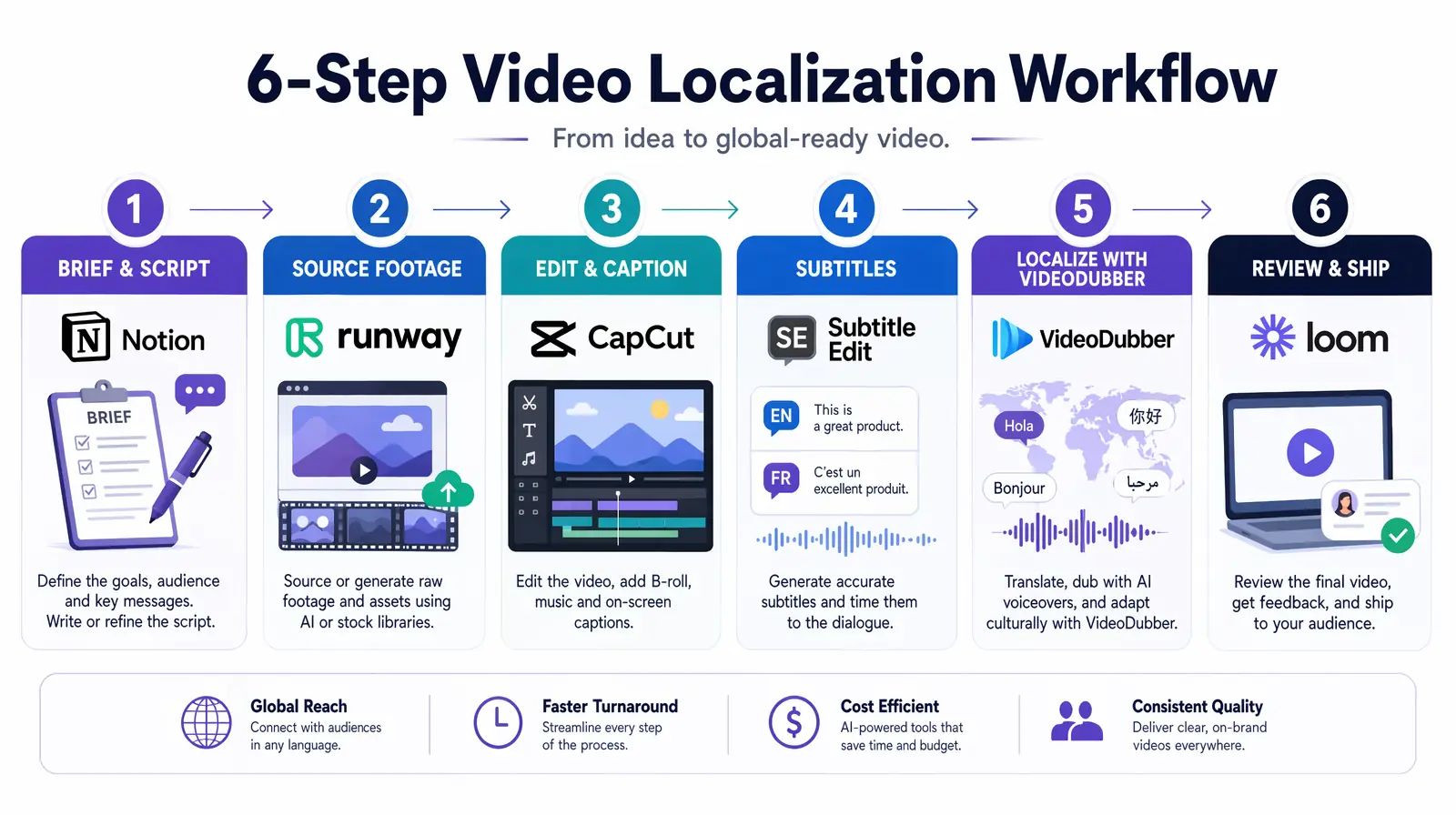
The repeatable six-step production workflow: brief, source, edit, caption, localize, and review — each stage mapped to a specific tool.
Use this repeatable six-step path for most marketing videos—short-form social, product demos, or localized campaigns. The same steps scale: batch more scripts, repurpose one long-form cut into many clips, or turn one master into dozens of languages.
Define goal, audience, platform, and target length before touching any tool. Write a full script or at minimum tight bullet points for short-form. For social content, lock the hook in the first 3 seconds—this single variable has the largest measurable impact on watch-through rate according to Meta's own creator data. A clear brief also determines which tools you'll need: if you have no footage, you're going generative; if you have footage but no speaker, you're going avatar; if you have everything and need global reach, you're going into VideoDubber at the end.
Pick one primary editor and stay with it for the project to avoid format conversion delays. For short-form and speed: CapCut (mobile or desktop) is the fastest raw-to-Reel path. For browser-based with strong subtitle focus: VEED.IO requires no install and has best-in-class auto-captions. For long-form or professional finish: Adobe Premiere Pro handles timeline complexity, multicam, and color grading, with Firefly for generative fill and scene swap. For dialogue-heavy content (webinars, podcasts, CEO updates), add Descript: fix verbal mistakes by editing text, and apply Studio Sound for one-click audio cleanup without re-recording.
Build captions directly in your primary editor—CapCut and VEED both have strong auto-caption tools with style customization. Keep caption style and placement consistent with your brand kit across every video. Export with burned-in captions for social platforms where autoplay is muted by default, or with a separate SRT file for platforms that support selectable captions. For accessibility and SEO, captions are non-negotiable in 2026: videos with captions consistently outperform uncaptioned equivalents across all major platforms according to industry data from Wyzowl's 2025 Video Marketing Report.
When your content is ready for international markets, export one master at the highest available quality, then run it through VideoDubber for AI translation, voice-clone dubbing, and visual lip-sync. One master video becomes 150+ language versions without re-editing or re-recording—a task that would have required individual market shoots at enormous cost as recently as 2022. This is the step where most marketing teams leave the most growth on the table: 70%+ of internet users are non-English speakers, yet the vast majority of branded video content is produced in English only. Try VideoDubber.ai for free to see the output quality before committing to a plan.
Share a draft via Loom for async feedback with timestamped comments and extracted action items. Incorporate feedback, then export platform-specific versions using the format specs in the FAQ below. Edit once and export multiple aspect ratios where possible (9:16, 16:9, 1:1) rather than re-editing for each platform—most modern editors handle multi-format export natively.
| Team Type | Recommended Stack | Monthly Est. |
|---|---|---|
| Solo creator / freelancer | CapCut + VEED.IO + Google Veo (free tier) | $0–$25 |
| Small marketing team (2–5) | VEED.IO or CapCut + Runway Gen-4 + VideoDubber | $50–$75/seat |
| Mid-size team with global campaigns | Premiere Pro + Descript + Runway Gen-4 + VideoDubber | $100–$130/seat |
| Enterprise / agency | Full stack: Premiere + Descript + HeyGen + Sora 2 + VideoDubber | $140–$200/seat |
Most teams combine tools rather than relying on one. The most common 2026 production stack is VEED.IO or CapCut for daily social editing and captions → Runway Gen-4 or Google Veo for generative hero content and B-roll → VideoDubber to localize everything globally. Add Descript for dialogue-heavy content and HeyGen or Sora 2 when avatars or narrative flair are needed. Start with the category that matches your biggest bottleneck—editing speed, creative generation, or global reach—then layer in the others as you grow.
No—most teams run effectively on three to four tools. Start with a minimum: one editor (CapCut or VEED.IO) and, if you lack footage, one generative tool (Runway Gen-4 or Google Veo). Add VideoDubber the moment international markets enter your strategy, Descript for dialogue-heavy content like webinars and podcasts, and HeyGen or Sora 2 when avatar-based or narrative video becomes part of your campaigns. The full stack is optional; match tools to your actual bottlenecks.
You can start for free using CapCut, Loom, and Google Veo (via AI Studio). For serious content output, budget roughly $25–50/month for one editor plus one generative tool. A full production stack—editor, generative tool, VideoDubber, and optional Descript or HeyGen—typically lands in the $50–120/month range per seat, depending on usage tiers and whether you're on free or paid plans. Enterprise pricing varies significantly and usually includes custom quotas and team management features.
Editing tools are for footage you already have: cutting, trimming, adding captions, color grading, and polishing. Generative tools create video visuals from scratch based on text prompts or scripts—they're what you use when you have no footage or no shoot budget. Most professional projects combine both: generate B-roll or establishing shots in Runway or Veo, then edit and caption everything in Premiere, CapCut, or VEED. The workflow in this guide ties each tool category to the correct stage of production so you're never using a generative tool where an editing tool is more efficient.
Short-form social only → CapCut or VEED.IO. Long-form or professional quality → Adobe Premiere Pro (plus Descript if dialogue-heavy). No shoot budget or footage → Runway Gen-4, Google Veo, or HeyGen for talking heads. Global or multi-language campaigns → add VideoDubber to your stack as the final production step. The six-step workflow above ties these choices to each production stage, so you're never guessing which tool applies to which problem.
Short-form content (Reels, TikTok, YouTube Shorts) typically takes the same day to 2–3 days including one round of feedback. Long-form or multi-language content—product demos, webinar recaps, global campaigns—plan for 1–2 weeks depending on approval cycles and the number of languages being localized. Using the workflow above compresses turnaround significantly; the main variable is how many stakeholder review rounds you need, not tool processing time. AI-assisted editing and dubbing tools have removed production bottlenecks that used to dominate timelines.
Rely on consistent templates (same intro and outro structure, lower-thirds style, branded caption formatting) to eliminate repeated setup time. Repurpose one long-form cut into multiple short-form clips rather than producing each format independently. Use AI B-roll and avatar tools so you're not limited by shoot days or camera access. Most importantly, use VideoDubber to turn one master video into dozens of language versions instead of producing separate shoots per market—this is the highest-leverage scaling action available to most marketing teams in 2026, converting one asset into dozens without additional production cost.
Edit once, then export multiple format versions where possible—most modern editors support multi-format export natively. Keep captions and key graphic elements within centered "safe zones" so 9:16 crops don't cut off critical text or branding.
| Platform | Aspect Ratio | Typical Max Length |
|---|---|---|
| TikTok / Reels / YouTube Shorts | 9:16 | 15–90 sec (check current limits) |
| YouTube (standard) | 16:9 | Long-form |
| LinkedIn (feed video) | 1:1 or 16:9 | ~10 min |
| Twitter / X | 16:9 or 1:1 | 2:20 (free); longer with X Premium |
No. CapCut, VEED.IO, Descript, and HeyGen are all designed for marketers and non-editors; generative tools require strong prompts, not timeline editing skills. Adobe Premiere Pro and Runway are for when you need professional-grade control or complex VFX—they have steeper learning curves but are not prerequisites. Most marketing teams in 2026 get excellent results from the non-editor tools and bring in Premiere-level expertise only for high-stakes production projects.
Use VideoDubber: upload your final master video, select target languages from 150+ options, and receive fully dubbed videos with AI voice cloning and visual lip-sync so the on-screen speaker appears to naturally speak the target language. No re-editing, no re-recording, no per-language production costs. VideoDubber is the most cost-effective tool available for marketing teams scaling content to non-English markets, converting a single asset into a global campaign at a fraction of traditional localization costs. Try VideoDubber for free and take your content global.
Start for free and take your content global with VideoDubber →
Video marketing tips for YouTubers in 2026: AI trend prediction, Shorts funnels, multilingual AI dubbing, voice cloning & data-driven growth strategies.
Top 10 video editing tips for 2026: AI-first workflows, automated translation, subtitle generation, and voice cloning that cut editing time by 40-70%.
How to add multilingual audio tracks to YouTube videos: AI dubbing workflow, step-by-step upload guide, and platform strategy for global reach.
Top languages to translate videos into in 2026: CPM data, audience sizes, prioritization framework by content type, and full AI dubbing cost breakdown.
Video localization vs. translation vs. dubbing: full 2026 guide with cost tables, use-case matrix, AI dubbing workflow, and expert verdict on which to choose.