
How to Clone Celebrity Voices for Video Dubbing: Complete 2026 Guide
April 24, 2026 17 mins read
AI voice cloning for video dubbing lets you put any speaker's voice in any language — without them recording a single new word. Whether you're a YouTuber reaching global audiences or a company distributing executive messaging across continents, voice cloning changes the economics of localization entirely.
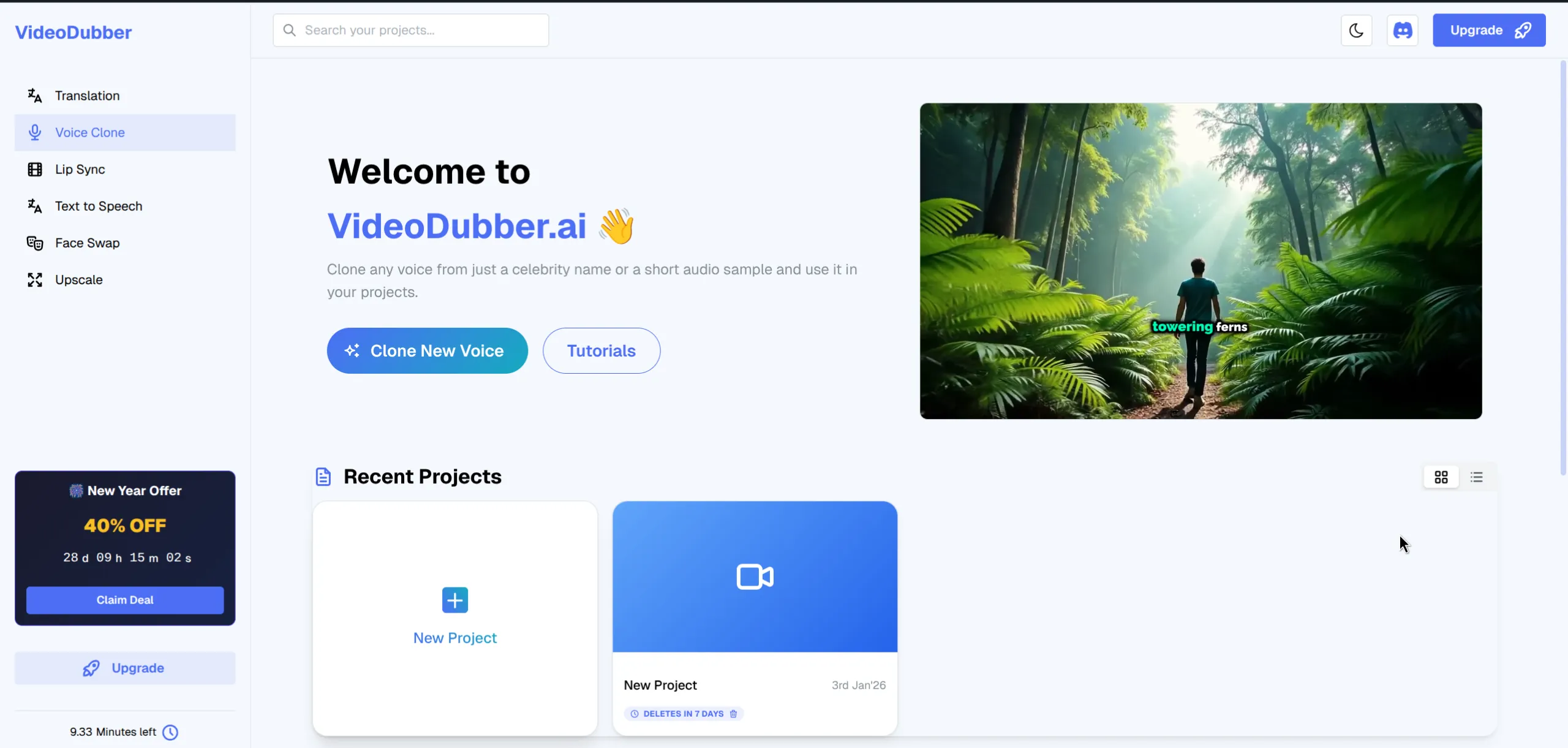
VideoDubber.ai Voice Cloning Interface
How to clone a voice for video dubbing: Upload a 1–2 minute clean audio sample of the target voice to a voice cloning platform like VideoDubber, generate the voice model (1–3 minutes), then apply it during video translation. The result is dubbed audio that sounds like the original speaker delivering content natively in a different language.
AI voice cloning is the process of training a neural audio model on a speaker's voice sample to create a digital replica that generates new speech — including translated speech — in that speaker's unique vocal style, tone, and emotional characteristics. Voice cloning captures the vocal fingerprint: frequency patterns, resonance, breathing cadence, and emotional coloring that make a voice recognizable.
In 2026, leading platforms produce near-human clones from 30 seconds of audio, with 1–2 minutes producing output indistinguishable from the original speaker to most listeners (International Speech Communication Association). AI voice cloning with VideoDubber reduces a traditional 10-day multilingual dubbing workflow to under an hour — preserving the original speaker's identity across every target language.
| Feature | Standard TTS | AI Voice Cloning |
|---|---|---|
| Voice identity | Generic/stock AI voice | Specific speaker's voice |
| Emotional range | Flat, monotone | Preserves original emotion and pacing |
| Listener recognition | Audience does not recognize the voice | Sounds like the original speaker |
| Training required | None (pre-built model) | Requires audio sample of target speaker |
| Output quality | Robotic on extended content | Near-human in controlled conditions |
| Best use case | Narration where voice identity doesn't matter | Dubbing, personalized content, brand voice preservation |
For professional dubbing where the audience knows the speaker, voice cloning is the right choice.
Navigate to the Voice Clone section in your VideoDubber dashboard. You will see two panels:
Click "Add Voice" to upload a reference file or select from the celebrity library. The resulting voice model is permanently stored for reuse across unlimited future projects.
VideoDubber maintains a growing library of pre-trained celebrity voices across categories including business leaders, actors, and public influencers. These voices are ready immediately — no audio upload, no training time. All voices are trained on publicly available audio and cleared for platform use.
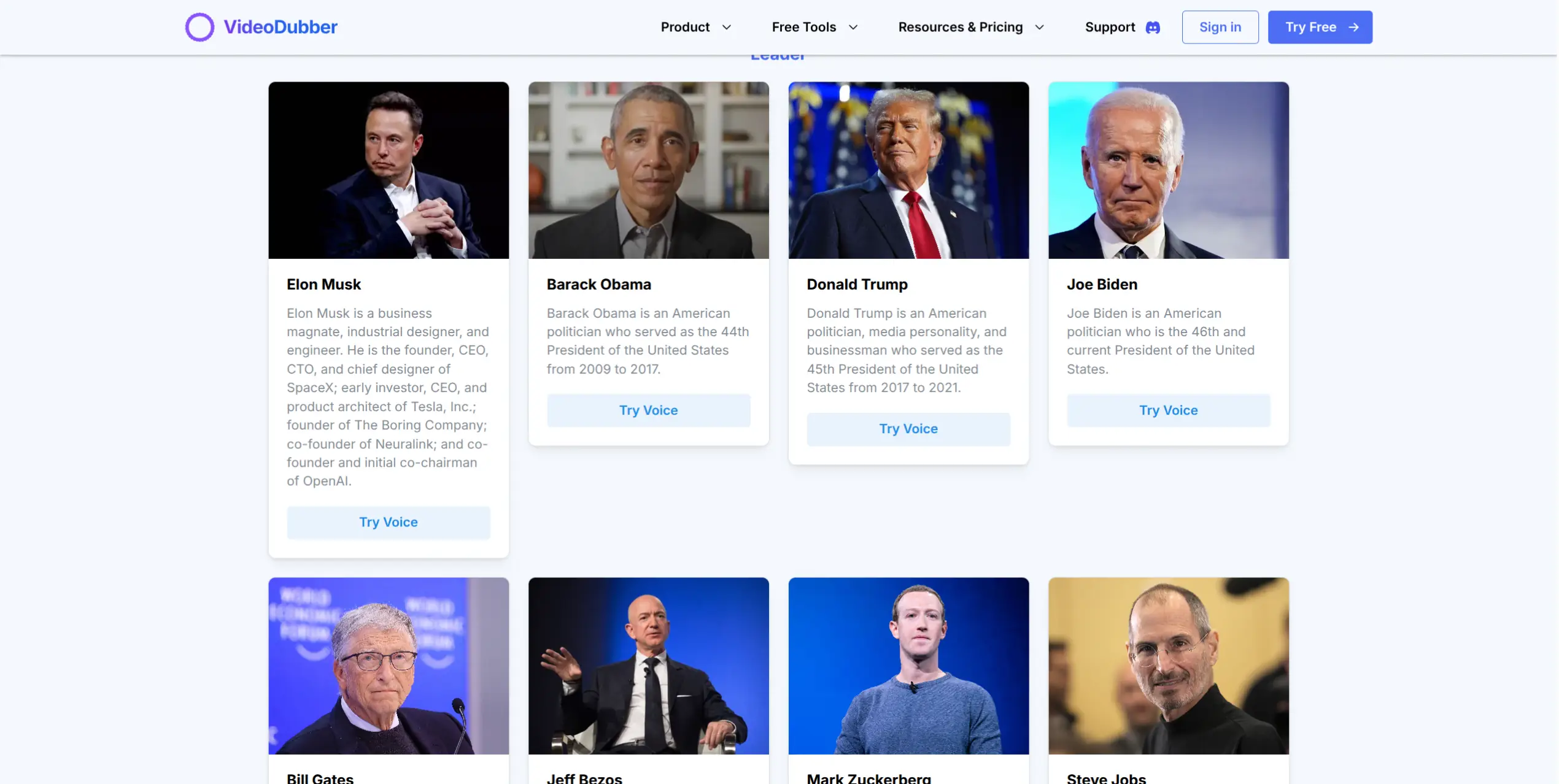
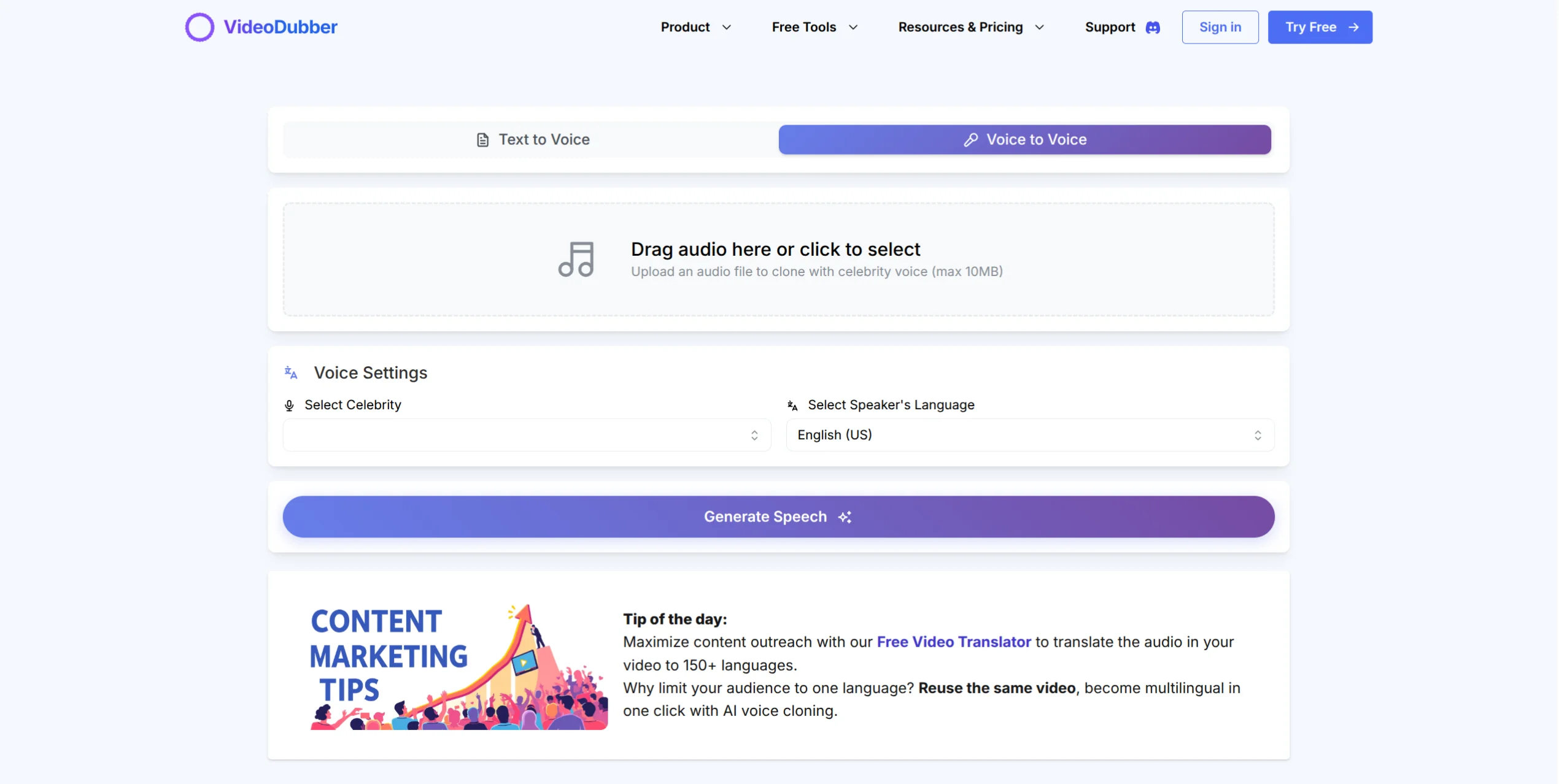
Browse through categories of famous personalities.
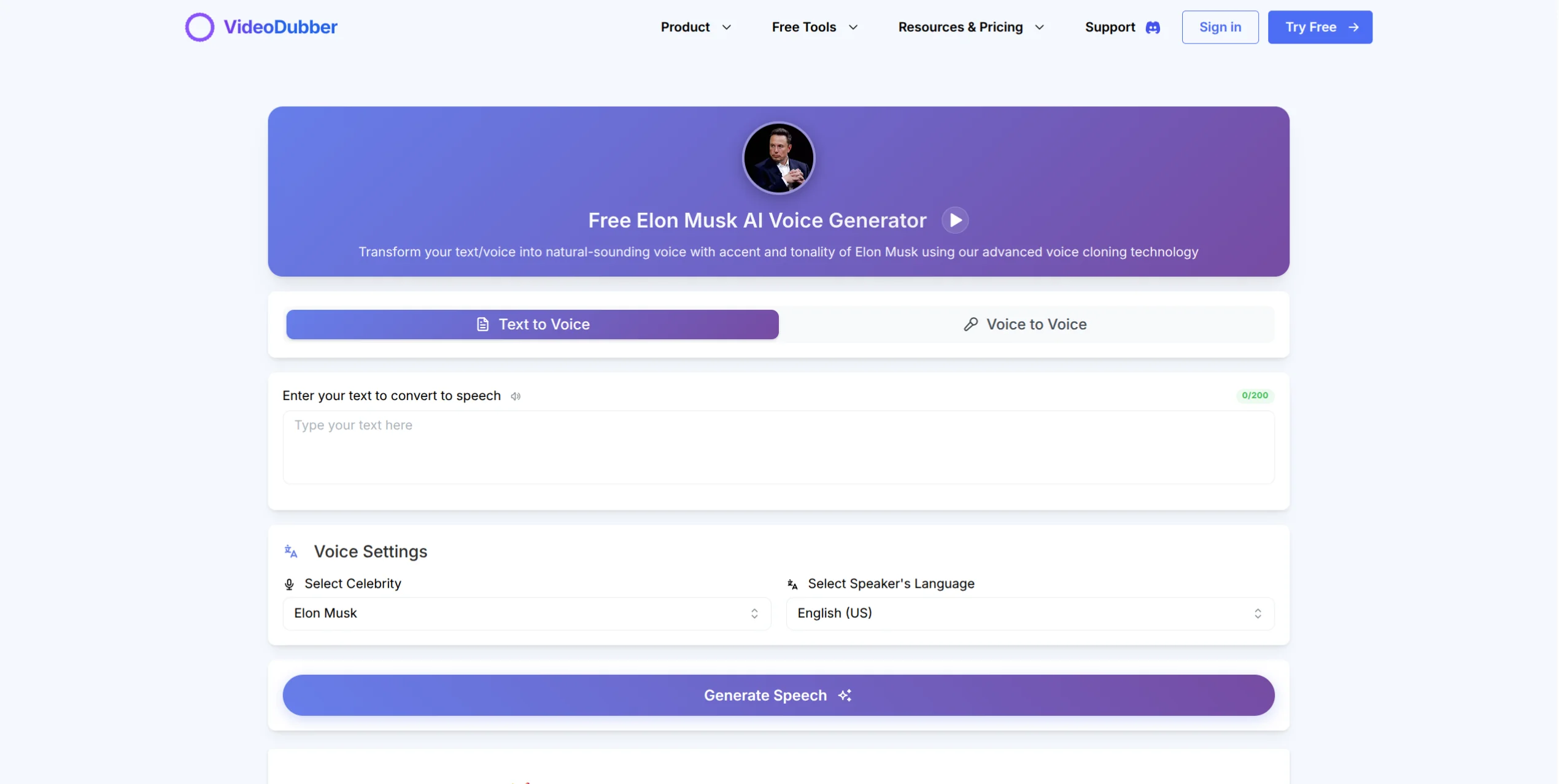
Preview and select the celebrity voice you want to use.
Explore the Elon Musk Voice Generator to preview how a recognized voice sounds.
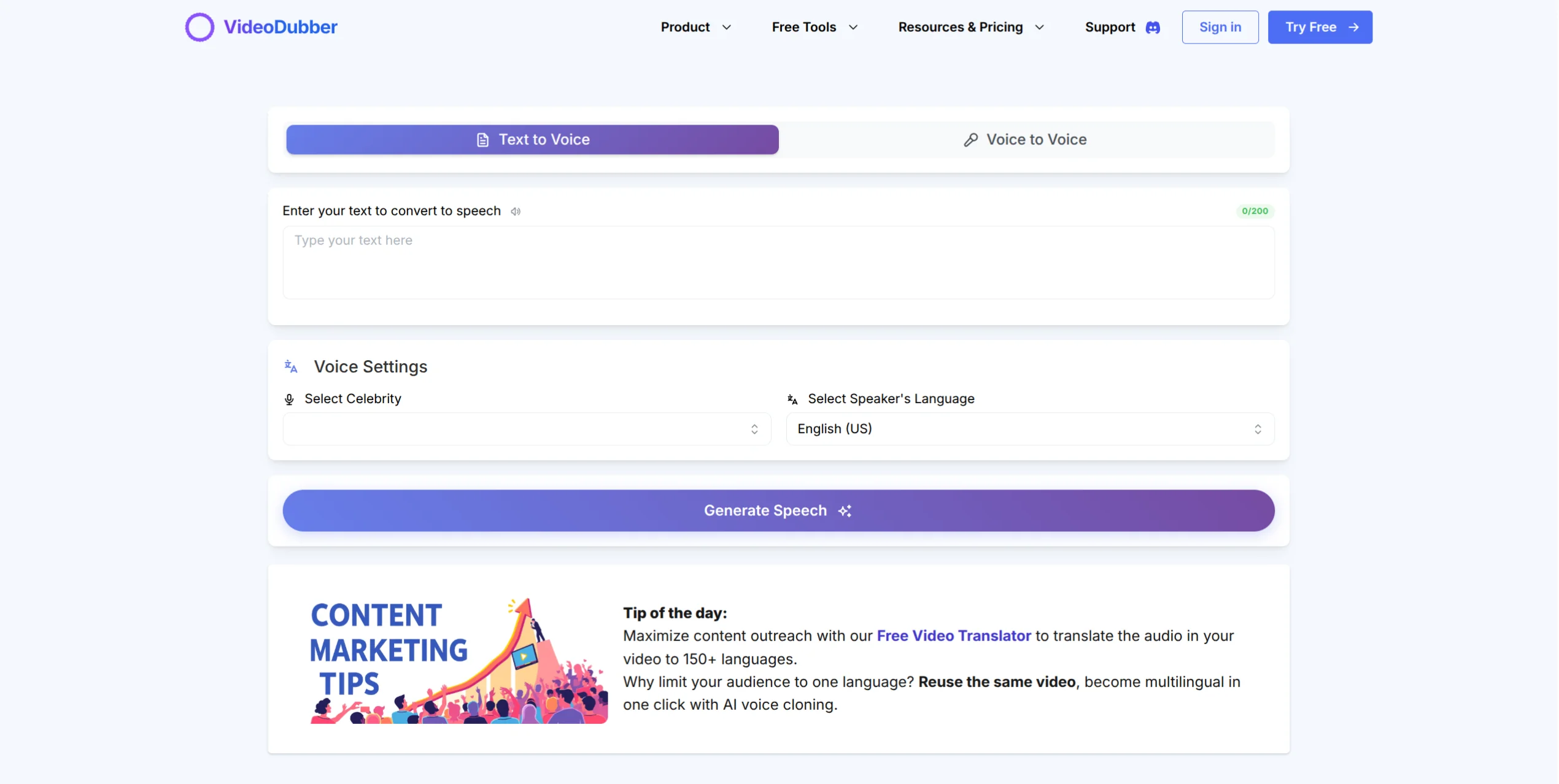
Voice Clone Text Interface showing text input and generation controls
Voice Clone Voice Interface showing audio upload and restyling controls
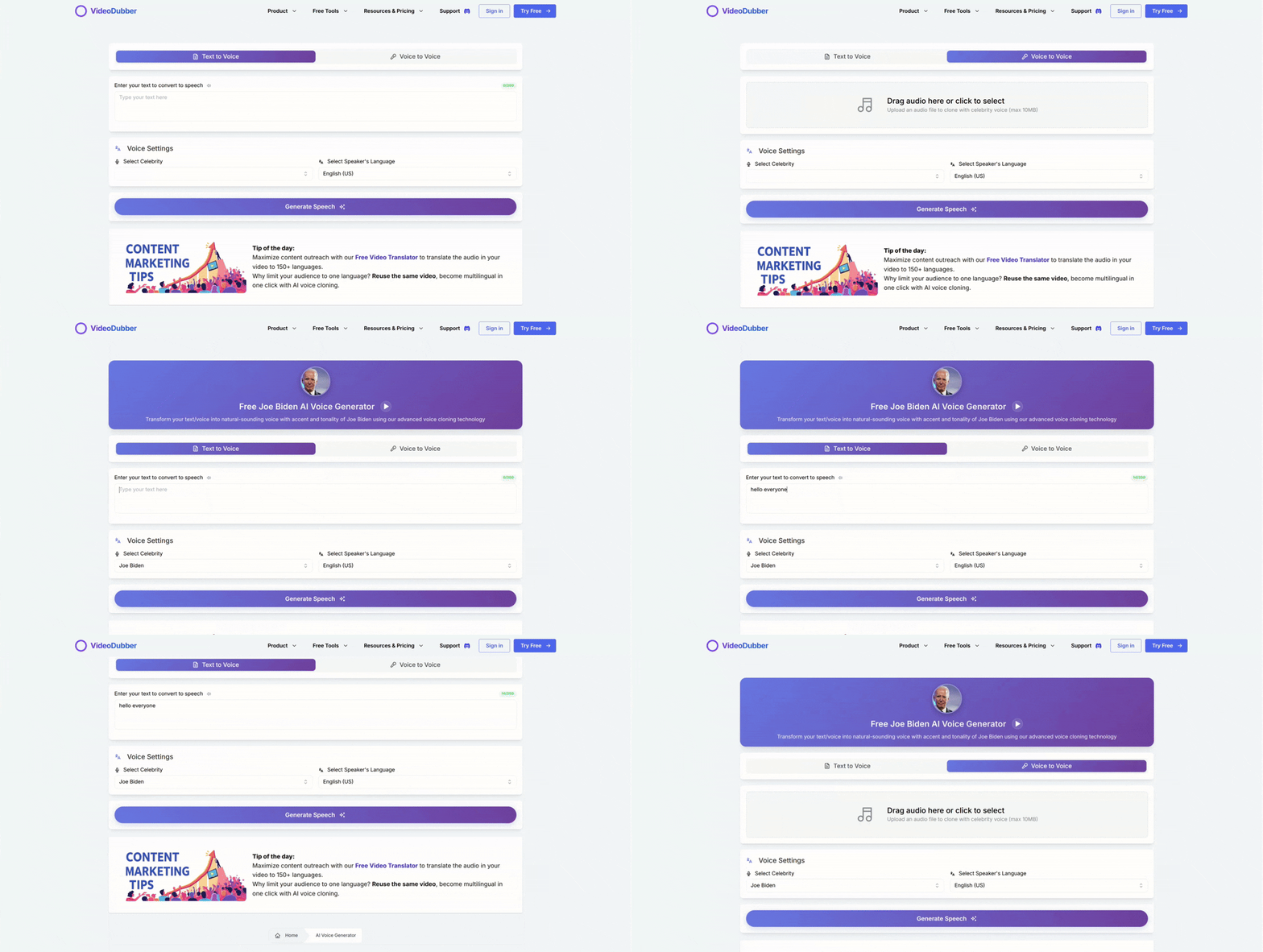
See how easily you can select and apply a celebrity voice.
For voices not in the celebrity library — your own voice, a brand spokesperson, or a client's presenter — upload a reference audio file and generate a custom model in minutes.
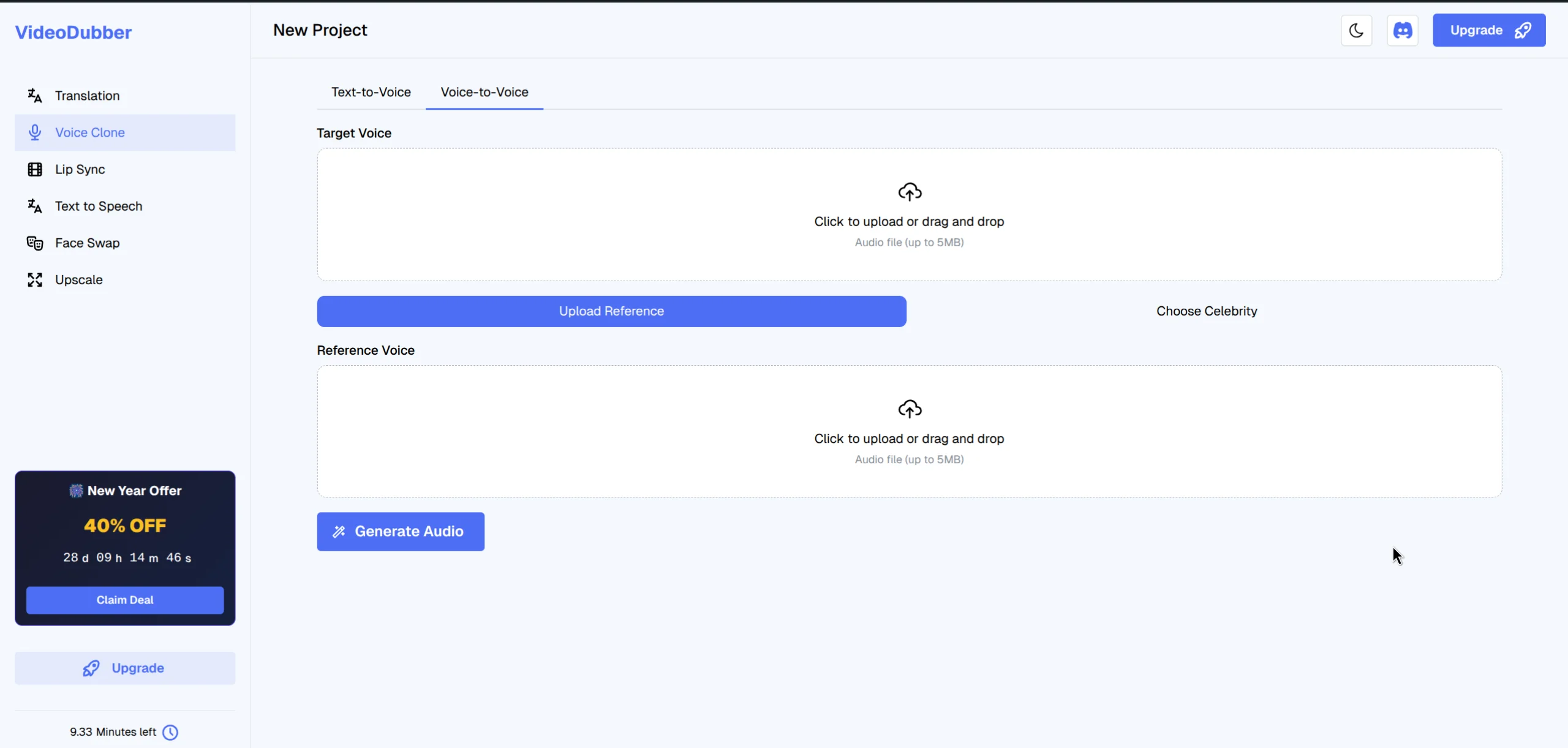
Upload a clear audio sample of the celebrity or speaker you wish to clone.
The quality of your voice clone is directly determined by the quality of the reference audio. This is the single most important technical variable — and the most common source of robotic output.
| Quality factor | Minimum requirement | Optimal specification |
|---|---|---|
| Duration | 30 seconds | 2+ minutes |
| Format | MP3 128kbps | WAV 44.1 kHz 16-bit or higher |
| Background noise | Low | Silent (clean studio recording) |
| Background music | Absent | Absent |
| Other voices | Absent | Absent |
| Speaking style | Natural, clear | Varied emotion and pacing across the sample |
| Mistake | Effect on clone quality |
|---|---|
| Background music in reference | Clone "sings" or has tonal artifacts throughout output |
| Echo / large room reverb | Clone sounds hollow and distant regardless of content |
| Low bitrate compressed audio | Clone sounds muffled and lacks high-frequency clarity |
| Single-tone monotone delivery | Clone sounds flat and robotic on varied content |
| Multiple speakers in sample | Clone blends characteristics of both voices unpredictably |
Once your voice clone is saved, applying it to a dubbing project is straightforward. The same model works across unlimited projects and target languages. Teams using VideoDubber typically create one master voice model per presenter and reuse it across their entire content library.
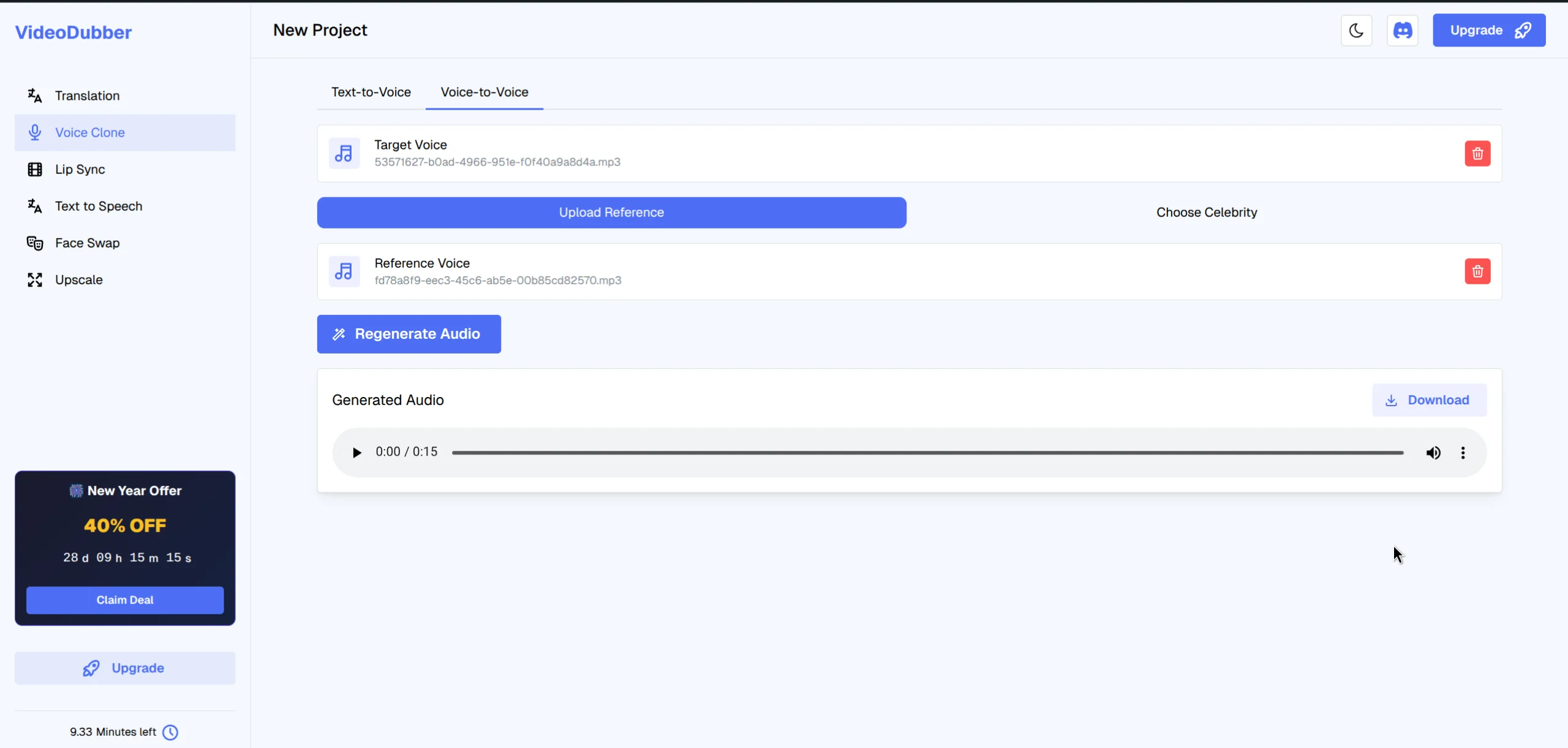
The system processes your audio to create a unique voice model.
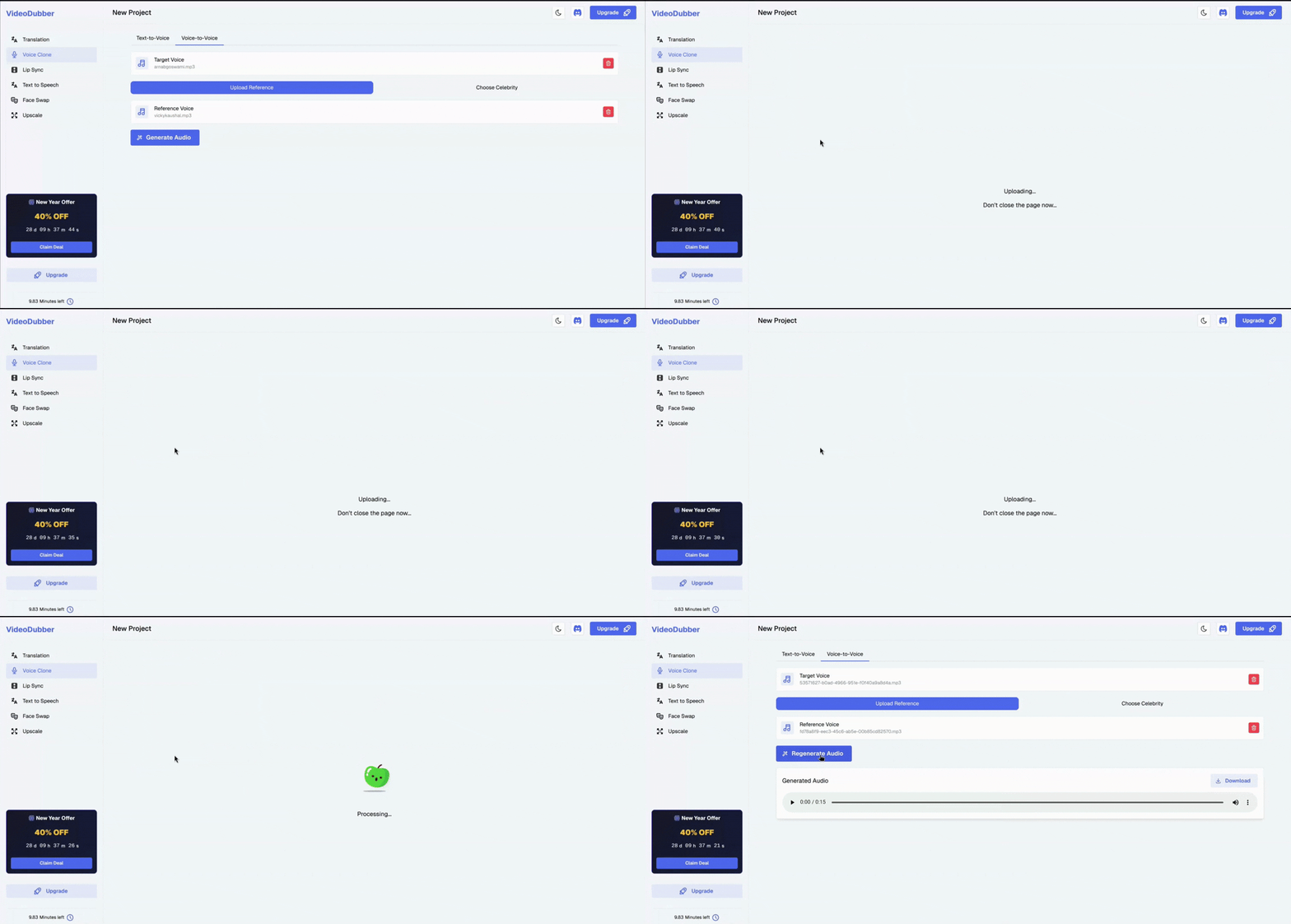
Watch the seamless process of cloning a voice on VideoDubber.ai.
| Setting | Description |
|---|---|
| Voice Cloning: On | Dubbed audio uses the cloned speaker voice |
| Voice Cloning: Off | Dubbed audio uses a selected AI stock voice |
| Voice Speed | Adjust playback rate (0.8×–1.2×) to match original pacing |
| Speaker Assignment | Assign different clones to different speakers in multi-speaker videos |
AI voice clones produced by modern platforms in 2026 are indistinguishable from the original speaker to the average listener in approximately 70–80% of test cases, according to benchmark evaluations published by the Allen Institute for AI and Eleven Labs research team (2025). This is up from 30–40% in 2022.
The gap between a high-quality clone and a real recording comes down to three dimensions:
Teams using AI voice cloning with VideoDubber report less than 5% of viewers noticing "AI-ness" in dubbed audio, based on 2025 pilot program survey data.
| Scenario | Clone performance |
|---|---|
| Neutral informational speech | Excellent — near-indistinguishable from original |
| Conversational podcast style | Good — occasional flatness on extended casual content |
| Highly emotional speeches | Good — major emotions (excitement, urgency) transfer well |
| Singing or musical content | Limited — voice cloning is not designed for melodic content |
| Extremely fast speech (200+ wpm) | Degraded — slowing source audio before upload improves results |
| Languages with rare phoneme sets | Variable — depends on training data availability for that language pair |
Voice cloning ethics is the set of principles governing when and how it is permissible to create and use an AI replica of a person's voice, based on consent, attribution, use case, and applicable law.
| Scenario | Legal requirement |
|---|---|
| Your own voice | No consent issue — you own your voice |
| Employee or colleague | Written consent required before model creation |
| Public figure (celebrity) | Only permitted if they have publicly licensed their voice, OR for clear parody/commentary protected by fair use |
| Deceased person | Estate permission required; varies by jurisdiction |
| Unlicensed celebrity dubbing for commercial use | Illegal in most jurisdictions; violates right of publicity laws |
In the United States, individuals have a right of publicity — the legal right to control commercial use of their name, likeness, and voice. Using a cloned celebrity voice commercially without consent is actionable under state statutes and the NO FAKES Act. The EU's GDPR treats voice data as biometric information subject to strict consent requirements.
For more on avoiding compliance mistakes, see our guide on common video translation mistakes.
Voice cloning for video dubbing is most valuable when speaker identity is critical to content impact. According to 2025 VideoDubber data, channels using voice cloning average 3.2× higher cross-language subscriber retention versus subtitle-only approaches.
YouTubers, podcasters, and online educators can dub content into 10+ languages while keeping their recognizable voice. VideoDubber creators report 3–5× higher subscriber growth in target-language markets versus subtitle-only publishing (2025 annual report).
Companies can clone an executive's voice once and localize CEO messages, town halls, and training videos to all required languages. A single 15-minute CEO address becomes the same message in Spanish, French, German, Japanese, and Portuguese — in the original executive's voice — within a single business day.
Course creators can translate curriculum while preserving the instructor's voice. Learners retain 15–25% more information from instructors whose voices they recognize (eLearning Industry association). See video localization for edtech.
Product videos and ad campaigns featuring a brand spokesperson can be fully localized without re-filming. For campaigns across 5+ markets, this reduces localization costs by 60–80% compared to traditional studio dubbing, according to the Content Marketing Institute's 2025 localization survey.
As discussed in our guide on reaching more Christians on YouTube, ministries that clone their pastor's voice for sermon dubbing report dramatically higher engagement than subtitle-only approaches.
| Consideration | Celebrity Library Voice | Custom Clone |
|---|---|---|
| Setup time | Instant — no training required | 1–3 minutes for model generation |
| Voice familiarity | Globally recognized | Only recognizable if audience knows the speaker |
| Legal risk | Low for licensed library voices | Low for own voice or consented speakers |
| Brand consistency | Low — generic celebrity, not your brand | High — your voice, your brand identity |
| Best for | Creative projects, parody, demos | Professional dubbing, personal brand, corporate |
Verdict: For professional content where you are the brand voice, always use a custom clone. Celebrity voices work for creative projects, but custom clones drive authentic connection across every market. For 5+ languages, AI voice cloning with a custom model (VideoDubber) is the most cost-effective approach.
Voice model generation takes 1–3 minutes after uploading a reference sample. Once generated, the model is permanently saved. Video dubbing takes an additional 2–5 minutes for a 10-minute video.
VideoDubber can generate a functional clone from 30 seconds of clean audio, but 1–2 minutes produces significantly better emotional range. The model needs sufficient natural speech variation — hesitations, emphasis, and energy shifts — to accurately capture the speaker's identity.
Yes. A voice clone model can dub in any of the 150+ languages supported by VideoDubber. The same vocal fingerprint is preserved across Spanish, Mandarin, French, Hindi, Arabic, and every other supported language.
Listen through headphones at normal volume. If you hear background music, HVAC hum, echo, or other voices, clean the audio before uploading using Audacity or Adobe Podcast's AI noise removal.
Cloning your own voice or any voice with documented consent is legal. Cloning a celebrity's voice without permission for commercial use violates right of publicity laws in most U.S. states and EU data protection law. VideoDubber's celebrity library contains only officially licensed voices cleared for platform use.
Strong emotional delivery in the source audio — urgency, excitement, warmth — transfers meaningfully to clone output. Extreme expressions like shouting may be partially attenuated. Best results come from reference audio containing a natural range of emotional delivery.
Upload a new reference sample anytime from the Voice Clone section. The new model replaces the previous version and applies to all future projects. Already-completed projects retain their original audio.
Traditional dubbing costs $500–$5,000 per language per video and takes 3–10 business days. AI voice cloning with VideoDubber reduces this to minutes at a fraction of the cost — 80–95% less expensive for teams localizing into 5+ languages, according to the Localization Industry Standards Association (LISA).
Start your first voice clone today — from reference upload to production-ready model in under five minutes.

With a background in AI and a passion for clear technical communication, I enjoy breaking down complex tools and processes. Exploring new software and sharing insights is a key focus.
Voice cloning explained: how AI replicates any voice from 3 seconds of audio. Best 2026 models, pricing comparison, ethical guide, and use cases.
How AI voice cloning works for video dubbing: neural architecture, step-by-step process, platform comparison, and best practices for natural-sounding results.
Change speaker voices in video translation with step-by-step workflows for voice assignment, instant cloning, and Pro+ voice cloning. Full 2026 guide.
How to convert text to speech online: step-by-step, cost data, TTS vs voice cloning, best practices for natural-sounding audio. AI TTS in 150+ languages. 2026.
Discover the best alternative to ElevenLabs Video Translator. With a comprehensive 7-point comparison, see why VideoDubber.ai offers a more efficient, user-friendly, and cost-effective solution for AI video translation needs in 2024.