![How to Use GPT-5.2 for Video Translation [2026 Guide]](https://ahrefs.com/blog/wp-content/themes/Ahrefs-4/images/categories/icons/general-seo.svg)
How to Use GPT-5.2 for Video Translation [2026 Guide]
April 24, 2026 23 mins read
OpenAI's GPT-5.2 is the top choice when your video translation cannot afford to lose nuance—whether that's humor, idioms, brand voice, or the emotional arc of a story. Creators and brands who need European-language quality and creative adaptation (not just word-for-word substitution) get the best results with GPT-5.2 inside VideoDubber.
GPT-5.2 for video translation is the use of OpenAI's latest flagship model inside a dubbing pipeline to transcribe, translate, and generate dubbed audio—with superior handling of idioms, tone, and cultural adaptation so the output feels native in the target language. In this guide you will get a step-by-step workflow in VideoDubber, when to pick GPT-5.2 over other AI models, how to get the most from its context and instruction features, and exactly what to expect on cost and quality.
According to OpenAI, GPT-5.2 delivers improved performance on idiom and cultural-adaptation tasks compared with GPT-4o and earlier versions. In practice, teams using GPT-5.2 for European-language dubbing report fewer script rewrites and higher native-speaker approval scores compared with alternatives—making it the premium choice for brand-voice-critical content.
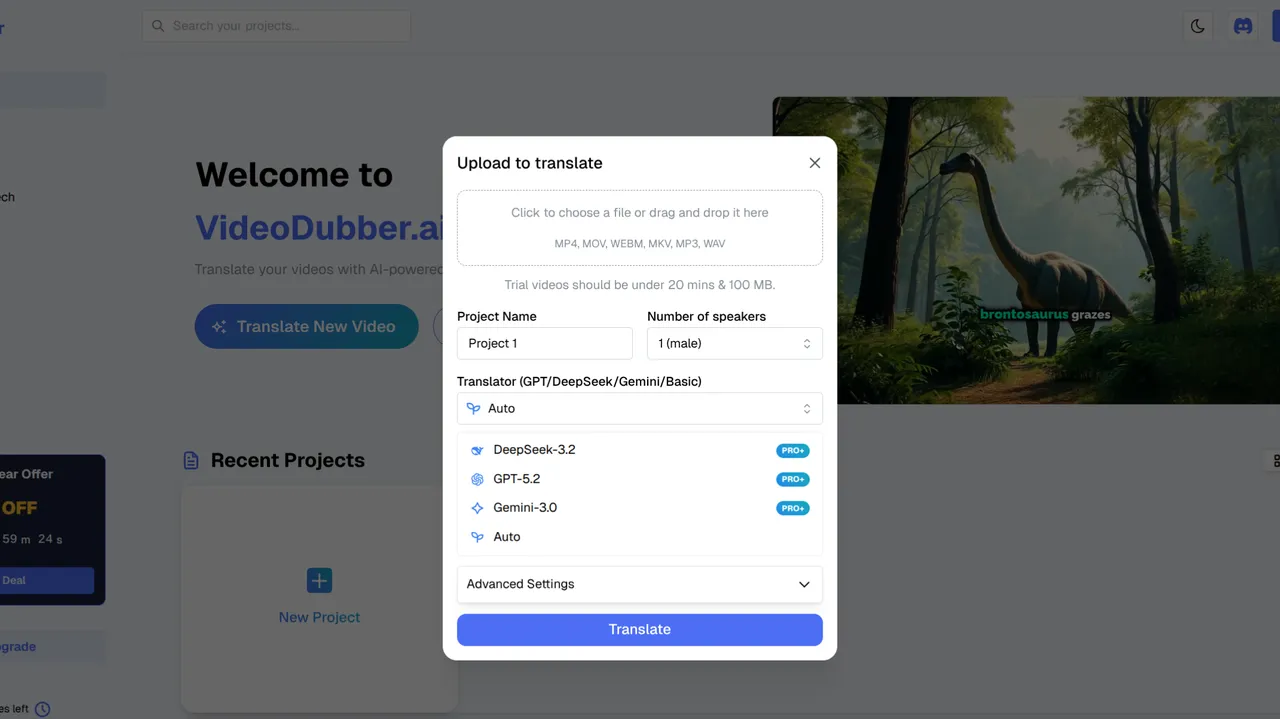
GPT-5.2 model selection in VideoDubber: the premium choice for nuanced, European-language video translation.
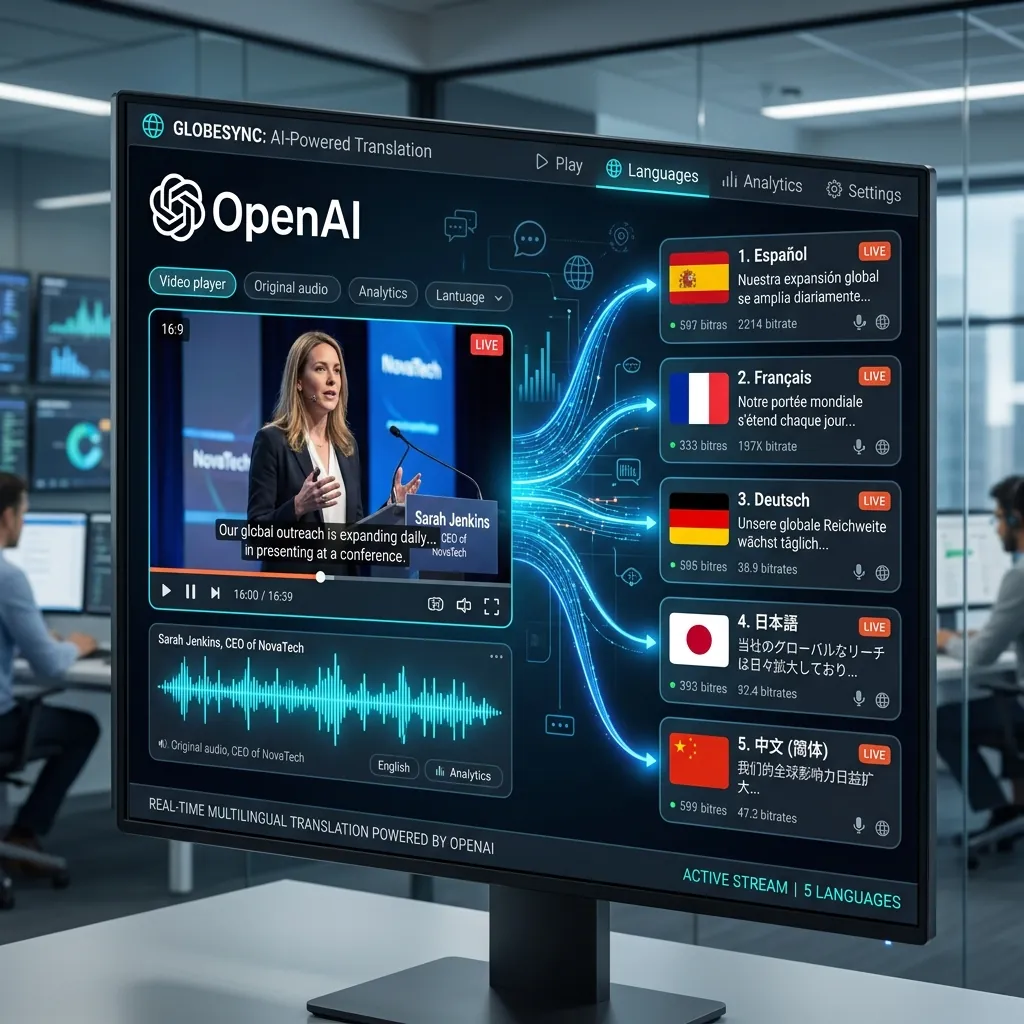
OpenAI's GPT-5.2 provides state-of-the-art translation quality for high-stakes brand and creative video content.
Use the table below to jump to the section that answers your question.
| Question | Section |
|---|---|
| What is GPT-5.2 and why use it for video translation? | What Is GPT-5.2 and Why Use It for Video Translation? |
| How does GPT-5.2 compare to Gemini and DeepSeek? | GPT-5.2 vs. Gemini vs. DeepSeek: Which Model for Video? |
| When should I choose GPT-5.2 for my project? | When to Choose GPT-5.2 for Your Video Project |
| What are the exact steps to use GPT-5.2 in VideoDubber? | Step-by-Step: How to Use GPT-5.2 in VideoDubber |
| How do I customize tone and style with the context box? | Customizing Output: Context and Instructions |
| How much does GPT-5.2 cost for video translation? | Cost and Credits: What to Expect |
| What are the strengths and limitations of GPT-5.2? | GPT-5.2 Strengths, Limitations, and Quality Expectations |
| What are best practices for GPT-5.2 video dubbing? | Best Practices for GPT-5.2 Video Translation |
| What common mistakes should I avoid? | Mistakes to Avoid with GPT-5.2 |
| Frequently asked questions | Frequently Asked Questions |
GPT-5.2 is OpenAI's latest iteration of the GPT series, offering stronger understanding of human intent, idioms, and cultural subtlety than earlier models. When used for video translation, it does not just replace words—it adapts the script so the dubbed version feels written for the target audience.
AI video translation is the process of turning a video's original speech into another language using AI for transcription, translation, and often voice synthesis (dubbing), with optional lip-sync. GPT-5.2 excels in the translation and script-adaptation step: it produces speakable, natural scripts that preserve tone, storytelling, and brand voice.
The key differentiator versus smaller or more specialized models is GPT-5.2's instruction-following capability: when you tell it "keep the tone informal and witty" or "use formal register for German," it applies those instructions consistently across a 20-minute video script, not just the first few lines. This consistent adherence to style instructions is what separates it from general-purpose models for brand-voice-critical projects.
In practice, teams that need premium quality for European languages (French, German, Spanish, Italian, Portuguese) or creative marketing and narrative content see the clearest quality lift from GPT-5.2 compared with other models. For technical or highly literal content, or for Asian-language-first workflows, comparing Gemini, DeepSeek, and GPT can help you choose the right model per project.
| Strength | What it means for your video |
|---|---|
| Nuance and idioms | Humor, sarcasm, and colloquialisms are adapted instead of translated literally, so the message is not "lost in translation." |
| Creative adaptation | For marketing and storytelling, the script is culturally adapted while keeping the core message and brand voice intact. |
| European languages | Consistently the strongest performer for English to French, German, Spanish, Italian, and Portuguese in VideoDubber's testing. |
| Instruction following | The "Context" box in VideoDubber is followed exceptionally well across long scripts—e.g. "Keep the tone informal and witty" or "Use formal register for German." |
| Tone preservation | Emotional arcs in storytelling content—excitement, tension, warmth—carry through to the translated version rather than being flattened. |
VideoDubber integrates GPT-5.2, Gemini, and DeepSeek so you can match the model to your content type and target languages. Each has a different strength profile that makes it the right choice for specific use cases.
| Model | Best for | Typical strength |
|---|---|---|
| GPT-5.2 (OpenAI) | European languages, storytelling, marketing, nuance, brand voice | Idioms, tone, creative adaptation, instruction following |
| Gemini (Google) | Asian languages (Japanese, Korean, Hindi), speed, multimodal | Visual context understanding, fast processing, natural phrasing |
| DeepSeek | Chinese (Mandarin/Cantonese), technical docs, code-heavy content | Technical accuracy, cost efficiency, concise subtitles |
Verdict: For European-language dubbing and narrative or marketing video where tone and cultural fit matter most, GPT-5.2 is typically the best choice. For Asian-language-first projects or maximum speed, Gemini in VideoDubber is often stronger; for technical or Chinese-focused content, DeepSeek is the better fit. The good news: VideoDubber lets you switch model per project, so you can optimize each piece of content independently.
| Target language | Recommended model | Reason |
|---|---|---|
| French | GPT-5.2 | Best idiomatic quality; cultural adaptation |
| German | GPT-5.2 | Formal register control; handles compound nouns well |
| Spanish | GPT-5.2 | Creative tone; regional variants handled gracefully |
| Italian / Portuguese | GPT-5.2 | Strong literary and marketing quality |
| Japanese / Korean | Gemini | Natural phrasing; politeness register handling |
| Mandarin / Cantonese | DeepSeek | Native-level nuance; best cost efficiency |
| Hindi | Gemini | Most natural conversational output |
| Technical content (any language) | DeepSeek | Preserves terminology; lowest cost at scale |
Use GPT-5.2 when quality, nuance, and storytelling are non-negotiable and your primary targets are European languages or English.
| Use case | GPT-5.2 fit | Why |
|---|---|---|
| Marketing and brand videos | Strong | Creative adaptation and tone matter; GPT-5.2 follows style instructions consistently. |
| Vlogs and creator content | Strong | Idioms, humor, and casual tone are preserved rather than translated literally. |
| Short films and narrative | Strong | Emotional arc and pacing translate into natural-sounding dialogue. |
| Customer support / how-to | Good | Clear, consistent tone; use context box for "formal" or "friendly" register. |
| Product demos and explainers | Good | GPT-5.2 keeps the benefit language natural and persuasive in the target language. |
| Technical or code-heavy | Consider DeepSeek | Literal precision and jargon handling can favor DeepSeek over GPT-5.2. |
| Asian-language priority | Consider Gemini | Gemini often outperforms GPT-5.2 for Japanese, Korean, and Hindi in internal tests. |
Best practice: Start with GPT-5.2 for French, German, Spanish, Italian, or Portuguese dubs when the script has nuance, humor, or brand voice you want to preserve across languages.
Follow these steps to translate and dub a video with GPT-5.2 inside VideoDubber. The full workflow from upload to dubbed output typically takes 15–30 minutes for a 10-minute video.
Go to VideoDubber.ai and sign in. If you do not have an account, you can sign up for free and access a trial tier.
Click New Project and upload your video file (or paste a YouTube link). VideoDubber supports common formats such as MP4, MOV, and AVI. GPT-5.2 thrives on rich content—clear speech, good pacing, well-structured dialogue—so it is especially well suited for vlogs, reviews, product launches, or short films where nuance matters.
In the project settings:
Note: This model consumes more credits per minute than lighter models due to its complexity; the trade-off is higher quality for premium content. Credits are covered in Cost and Credits: What to Expect.
Use the Context box to steer tone and style. One or two short sentences is sufficient:
GPT-5.2 follows these instructions consistently across the entire script, which is one reason it is preferred for marketing and storytelling content. Without context, the model defaults to a neutral translation register that may not match your brand voice.
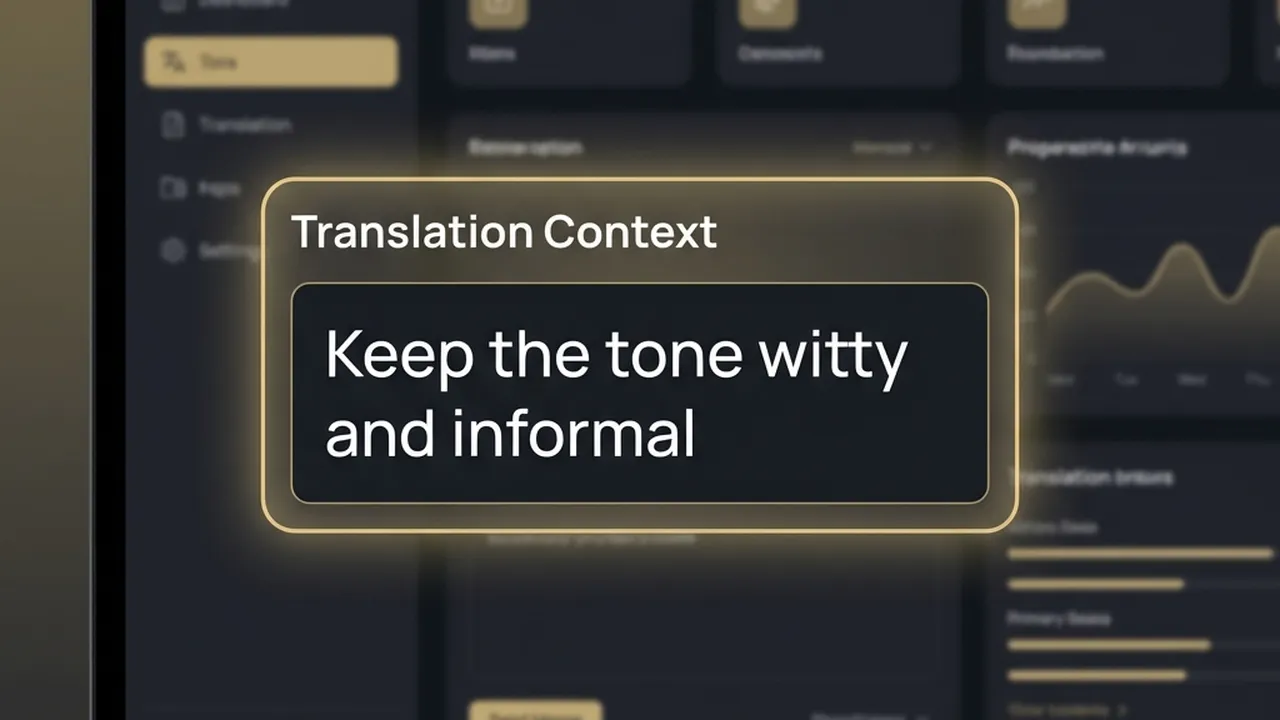
The Context box in VideoDubber: one or two sentences steer GPT-5.2's tone across the full translated script.
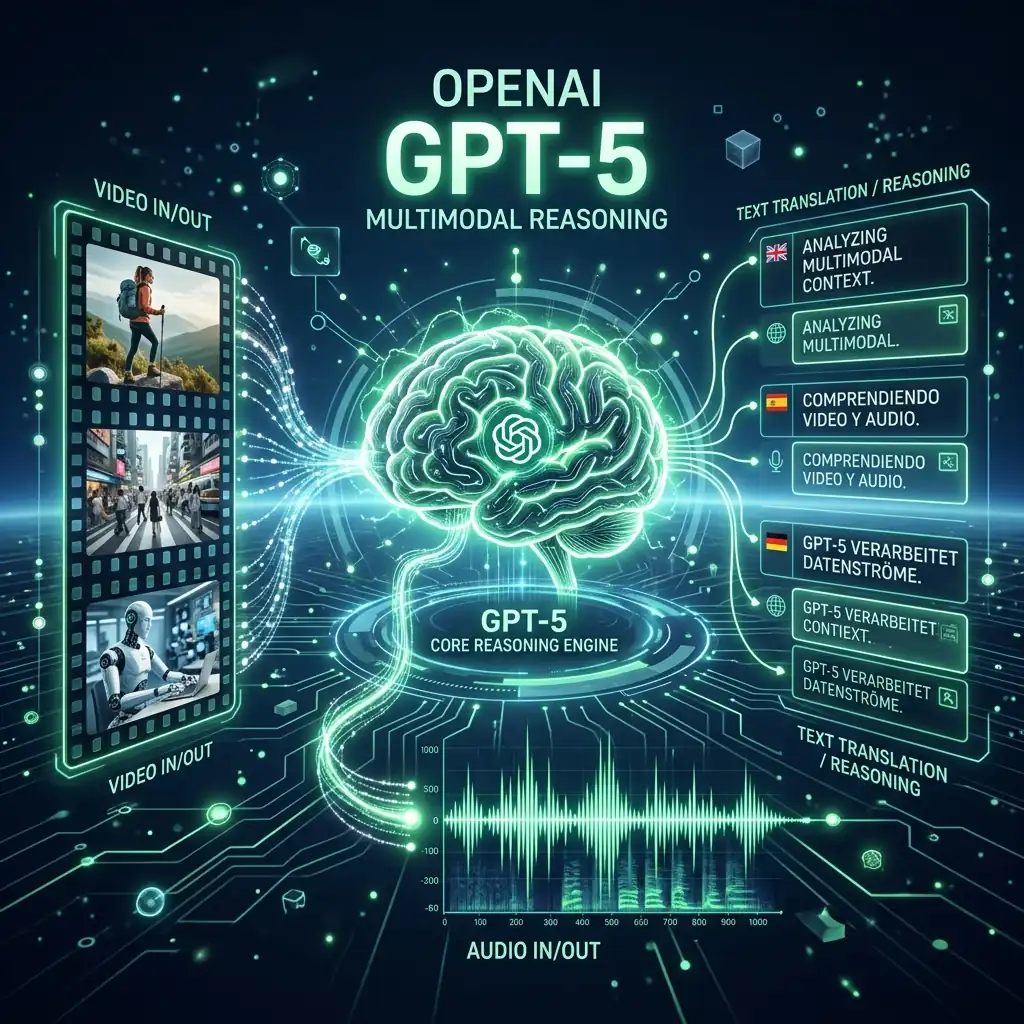
GPT-5.2's advanced multimodal reasoning allows for nuanced adaptation of scripts, preserving the original's emotional and creative intent.
Select the target language(s), then click Translate. VideoDubber sends your audio (and script when applicable) to GPT-5.2, which produces a translated script tailored to timing, tone, and cultural fit, then generates the dubbed audio. The result is a fluid, natural-sounding video in the target language.
| Step | Action |
|---|---|
| 1 | Log in at VideoDubber.ai |
| 2 | New Project → upload video or paste YouTube link |
| 3 | In model dropdown, select GPT-5.2 |
| 4 | Add 1–2 context instructions (tone, register, brand name) |
| 5 | Select target language(s) → click Translate |
| 6 | Review output → download or publish |
The Context box is the field in VideoDubber where you pass custom instructions to GPT-5.2 so it adapts tone, register, and style for the translated script. This is arguably GPT-5.2's biggest competitive advantage: its ability to follow nuanced instructions consistently across a long script.
| Goal | Example instruction |
|---|---|
| Tone | "Keep the tone informal and witty." / "Professional and reassuring." |
| Register | "Use formal German; no slang." / "Casual, like a friend explaining over coffee." |
| Audience | "Aimed at B2B decision-makers in the finance industry." / "Teen-friendly, avoid technical jargon." |
| Content type | "Product launch—emphasize excitement and benefits." / "Tutorial—clear and step-by-step." |
| Brand protection | "Brand name is Acme; product name is Bolt. Keep these unchanged in all translations." |
| Cultural adaptation | "Adapt humor for a French audience; replace American cultural references with European equivalents." |
Keep instructions to one or two short sentences. GPT-5.2 applies them consistently across the script, which significantly reduces the need for manual rewrites after the translation is generated.
GPT-5.2 is a premium model: it uses more credits per minute than lighter models like Gemini or DeepSeek on VideoDubber. This is because GPT-5.2 processes more context and produces higher-quality, nuance-aware outputs that require more compute.
| Factor | Impact on credits |
|---|---|
| Video length | Longer video = more tokens = more credits |
| Number of target languages | Each language is a separate translation and dub run |
| Model choice | GPT-5.2 uses 1.5–2x more credits per minute than Gemini or DeepSeek |
| Context box usage | Adds a small token overhead; worth it for the quality improvement |
Best practice: Use GPT-5.2 for hero content—marketing launches, key tutorials, narrative or documentary video, flagship customer-facing content—and reserve other models for bulk or highly technical jobs. For accuracy benchmarks across the full pipeline, see How Accurate Is AI Video Translation?.
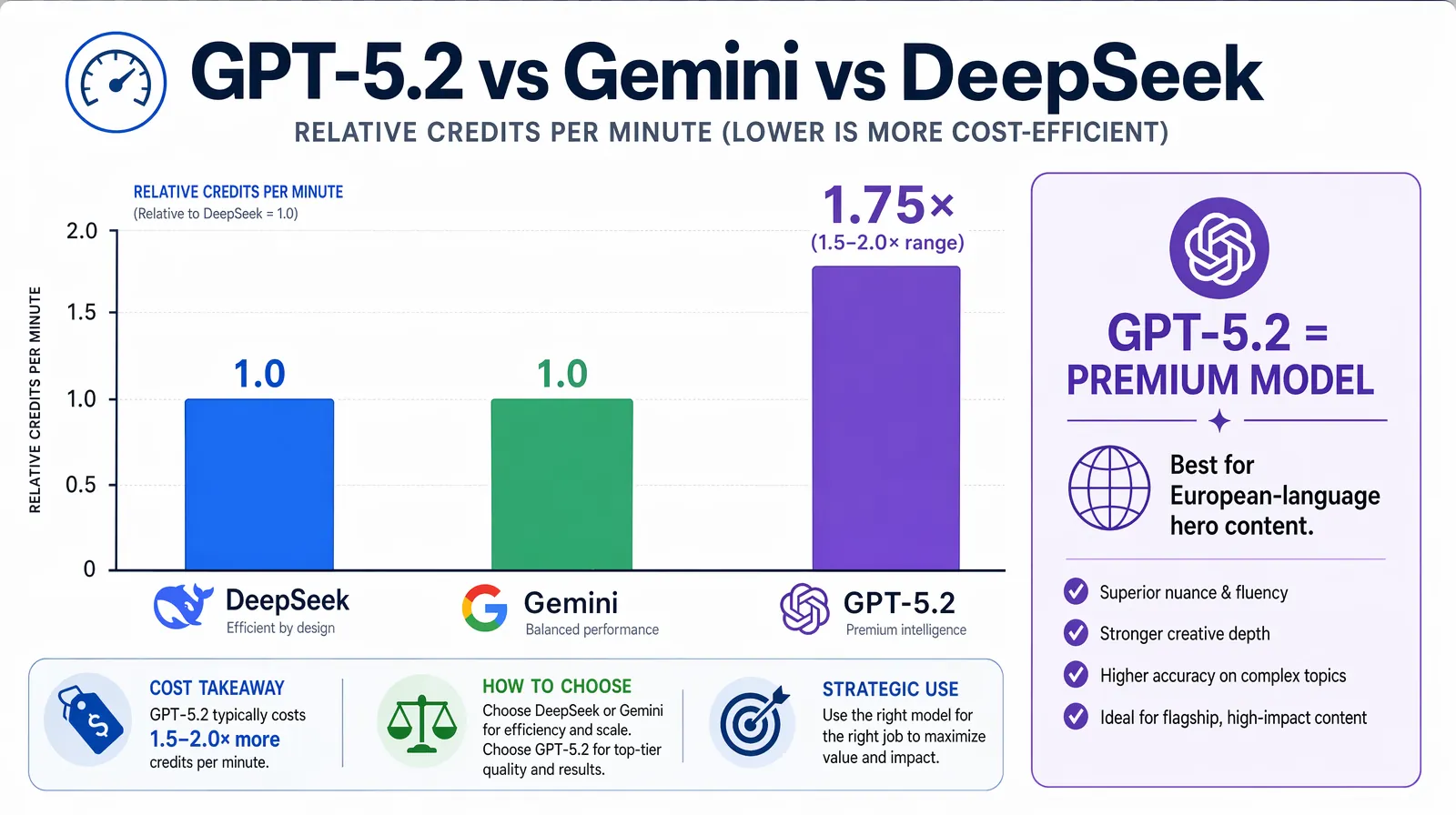
Credit consumption per minute: GPT-5.2 uses roughly 1.5–2× more credits than Gemini or DeepSeek—justified for European-language nuance and hero content, not for bulk or technical work.
Understanding both sides of GPT-5.2's profile helps you deploy it where it adds the most value.
GPT-5.2 consistently outperforms alternatives on four dimensions for video translation: idiom adaptation, tone preservation, cultural sensitivity, and instruction adherence. For content where any of these matter—marketing copy, narrative video, brand communication, humorous scripts—GPT-5.2 is the model most likely to produce output that a native speaker would rate as high-quality without post-editing.
Teams using GPT-5.2 for French and German dubbing in particular report that the translated scripts feel written for the target language rather than translated from English—which is the gold standard for professional localization quality.
Apply these practices so your GPT-5.2 dubs consistently hit the quality bar you need.
Use the context box—always. One or two clear instructions (tone, register, audience, brand name) improve consistency and reduce post-editing. This is the single highest-leverage action you can take with GPT-5.2.
Upload clean audio. GPT-5.2 works best with clear speech and minimal background noise; transcription and timing accuracy improve significantly with a clean source recording.
Pick the right model for the job. Use GPT-5.2 for European languages and creative content; switch to Gemini or DeepSeek for Asian-language or technical-heavy projects. Do not use a premium model where a cheaper one performs equivalently.
Review one segment first. Run a short 2–3 minute clip in one target language, check tone and terminology, then scale to the full video and more languages. Catching issues early saves significant re-processing time.
Name your brand and product. Add to context: "Brand name is [X]; product is [Y]. Keep these unchanged in translation." GPT-5.2 respects these constraints consistently across long scripts—a simple precaution that prevents brand dilution.
Match voice cloning to model quality. Since you are paying for premium translation quality with GPT-5.2, also enable voice cloning so the dubbed audio matches the original speaker's identity. The combination of GPT-5.2 translation quality and voice cloning produces the most professional final output.
| Mistake | Why it hurts | Better approach |
|---|---|---|
| Leaving the context box empty for brand content | GPT-5.2 defaults to neutral register; brand voice is not preserved | Always add 1–2 lines on tone and audience so GPT-5.2 can adapt consistently |
| Using GPT-5.2 for every language when budget is tight | Creates unnecessary cost for language pairs where cheaper models perform equivalently | Reserve GPT-5.2 for European languages and hero content; use Gemini or DeepSeek for the rest |
| Uploading noisy or low-quality audio | Poor audio degrades transcription, which cascades into translation and timing errors | Clean audio is the highest-leverage pre-processing step |
| Not naming the brand in context | Brand names may be translated or adapted; "Acme" could become "Acmé" | Add brand protection lines to every context box for commercial content |
| Using GPT-5.2 for technical or code-heavy content | Technical jargon handling does not justify the premium versus DeepSeek | Use DeepSeek for engineering tutorials; reserve GPT-5.2 for creative and narrative content |
GPT-5.2 is best used for video translation when you need strong handling of nuance, idioms, and tone—especially for European languages (French, German, Spanish, Italian, Portuguese) and for marketing, vlogs, or narrative content. It follows custom instructions (e.g. in VideoDubber's Context box) with exceptional consistency, making it the right choice when brand voice and cultural adaptation matter more than raw speed or lowest cost.
Cost depends on video length, number of target languages, and your VideoDubber plan. GPT-5.2 typically consumes 1.5–2x more credits per minute than Gemini or DeepSeek for the same video. Check VideoDubber's pricing and dashboard for current credit rates. Many teams use GPT-5.2 for premium content and other models for high-volume or technical work to balance quality and total cost.
Yes. GPT-5.2 is one of the best choices for marketing and storytelling videos because it adapts idioms, humor, and emotional tone instead of translating literally. Combined with VideoDubber's voice cloning and lip-sync, you get a single master video turned into culturally adapted dubs that preserve the narrative and brand voice—at a fraction of the cost of per-language studio dubbing.
You can; VideoDubber supports many languages with GPT-5.2. For European languages (French, German, Spanish, Italian, Portuguese) and English, GPT-5.2 is the top recommendation. For Asian languages (Japanese, Korean, Hindi), Gemini often delivers better results in testing. For Chinese (Mandarin/Cantonese) or technical content, DeepSeek is typically the better fit. Use the model selector to compare outputs for your specific language pair before committing to a full batch.
GPT-5.2 is a larger, more capable model that processes more context and produces higher-quality, nuance-aware translations. The extra compute and token usage result in higher credit consumption per minute. The trade-off is better idiom handling, tone preservation, and instruction following—worth it when quality and storytelling are priorities.
Often no—many creators publish GPT-5.2 dubs with minimal or no script edits. For marketing and narrative content with clear context instructions, the output is usually speakable and on-brand. For highly regulated or terminology-sensitive content (legal, medical), a quick review or glossary in the Context box is still recommended as a quality safeguard. VideoDubber allows edits before generating final audio if you want to tweak specific lines.
GPT-5.2 is specifically designed to adapt humor and cultural references rather than translate them literally. Where a joke would not land in the target culture, GPT-5.2 typically finds a culturally equivalent alternative that achieves the same comedic effect. This is a major advantage over models that translate literally—the result feels written for the target audience rather than imported from another language.
Yes. While GPT-5.2's strongest performance is documented for English as the source language, it supports non-English source languages as well. For non-English to non-English translation (e.g. French to German), GPT-5.2 remains capable but you may want to test and compare against a direct translation through English as an intermediate step for some language pairs.
For creators who do not want to compromise on translation quality, GPT-5.2 in VideoDubber bridges the gap between AI translation and professional-style localization. Start with VideoDubber →
Gemini vs DeepSeek vs GPT for video translation: 2026 benchmarks, dubbing scripts, subtitles, and language accuracy. Pick the right AI model for your content.
How to use Gemini for video translation: complete 2026 guide. Step-by-step in VideoDubber, Asian-language strength (Japanese, Korean, Hindi), multimodal context, and when to pick Gemini vs GPT or DeepSeek.
How accurate is AI video translation in 2026? WER benchmarks, language accuracy tiers, cost data, and real-world examples—complete guide with data.
How to use DeepSeek for video translation: step-by-step guide, 50-70% cost savings vs GPT, Technical Mode, model comparison, and best practices for 2026.
Change speaker voices in video translation with step-by-step workflows for voice assignment, instant cloning, and Pro+ voice cloning. Full 2026 guide.