How to Use DeepSeek for Video Translation: Complete 2026 Guide
March 15, 2026 13 mins read
DeepSeek delivers high-quality AI video translation at a fraction of the cost of GPT or Gemini—and for technical content and Chinese-language workflows, it often beats them on accuracy. If you're translating code walkthroughs, engineering tutorials, or content for Mandarin or Cantonese audiences, knowing how to use DeepSeek for video translation is the fastest path to scalable, cost-efficient localization.
How to use DeepSeek for video translation: Log in to VideoDubber, create a new project, upload your video, select DeepSeek V2 (or latest) in the AI Model Selection menu, choose target languages and optional Technical Mode, then click Translate. VideoDubber runs transcription and translation through DeepSeek and outputs subtitles and dubbed audio. For technical or Chinese-focused content, DeepSeek is the recommended model; for creative or European-language-heavy content, Gemini or GPT may be better fits.
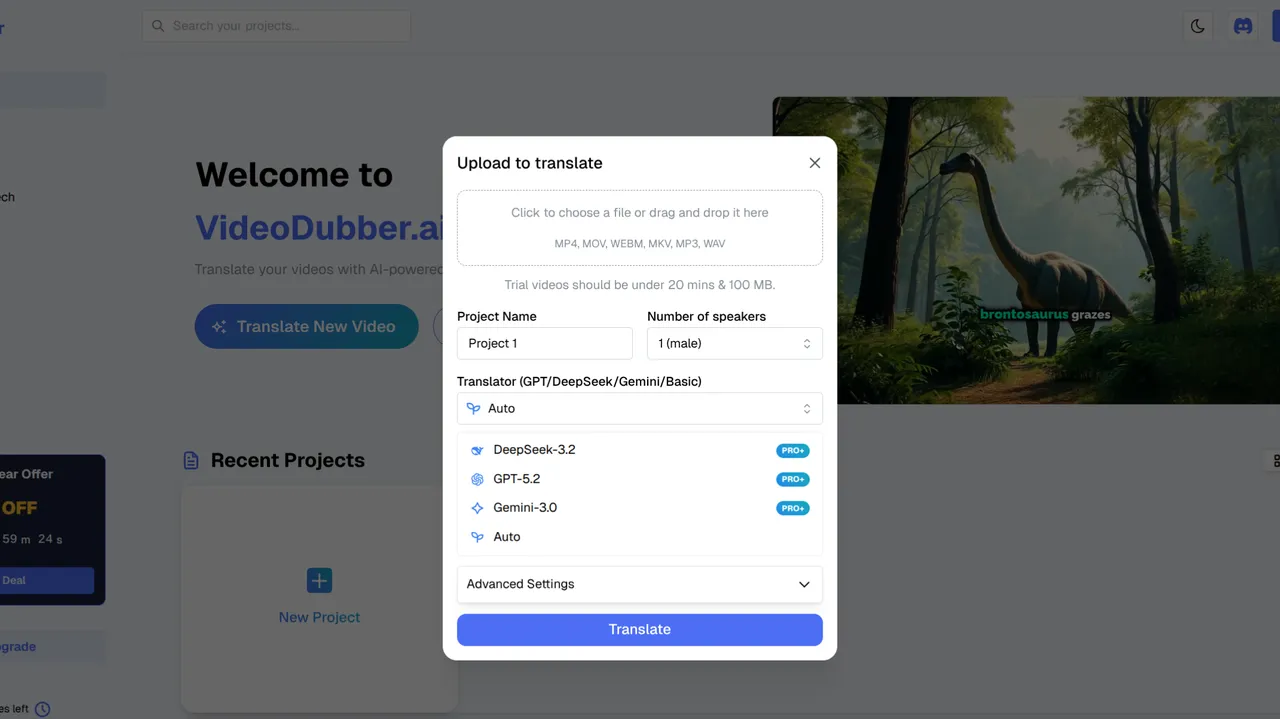
DeepSeek Video Translation Interface
Use the table below to jump to the section that answers your question.
| Question | Section |
|---|---|
| What is DeepSeek and why use it for video translation? | What Is DeepSeek and Why Use It for Video Translation? |
| When should I choose DeepSeek over Gemini or GPT? | When to Choose DeepSeek Over Gemini or GPT |
| How much does DeepSeek video translation cost? | How Much Does DeepSeek Video Translation Cost? |
| What are the exact steps to use DeepSeek in VideoDubber? | Step-by-Step: How to Use DeepSeek for Video Translation |
| What are Technical Mode and language settings? | DeepSeek Settings: Technical Mode and Target Languages |
| What are best practices for DeepSeek video translation? | Best Practices for DeepSeek Video Translation |
| Is DeepSeek good enough for customer-facing content? | Frequently Asked Questions |
| How do I get the best quality with DeepSeek? | Summary and Next Steps |
DeepSeek is a large language model (LLM) developed by DeepSeek AI, optimized for technical accuracy, cost-efficiency, and strong performance in Chinese (Mandarin and Cantonese). When used inside a video translation pipeline like VideoDubber, DeepSeek handles the text side: it transcribes speech, translates the script, and produces concise, terminology-accurate output that then drives subtitles and AI dubbing.
AI video translation is the end-to-end process of turning a video in one language into a version (or versions) in other languages—via transcription, translation, and optionally voice cloning and lip-sync—so the result looks and sounds natural in the target language. DeepSeek excels in the translation step when the source material is technical or when the target (or source) is Chinese.
| Factor | Why it matters for video translation |
|---|---|
| Technical accuracy | Code, APIs, and engineering terms stay precise instead of being smoothed into generic phrasing. |
| Chinese (Mandarin/Cantonese) | Native-level nuance for translating to or from Chinese, which many Western models handle poorly. |
| Cost | DeepSeek is among the lowest-cost LLMs available; at scale, this can cut translation spend by 50–70% versus premium models, according to typical API pricing comparisons. |
| Concise subtitles | DeepSeek tends to produce shorter, readable subtitle lines—better for on-screen reading speed and lip-sync timing. |
In practice, teams that need to localize developer docs, training videos, or support content for Chinese markets get the best balance of quality and cost by choosing DeepSeek inside VideoDubber rather than a one-size-fits-all model.
Not every video should use DeepSeek. The right model depends on content type, target languages, and whether you prioritize cost or creative flair.
| Criterion | DeepSeek V2 | Gemini 1.5 Pro | GPT-4o |
|---|---|---|---|
| Best for | Technical content, Chinese (Mandarin/Cantonese) | Speed, Asian languages (Japanese, Korean, Hindi), multimodal | Creative tone, European languages, idioms |
| Cost tier | Very low | Low | Medium |
| Translation speed | Fast | Fastest | Fast |
| Multimodal (video context) | Text-focused pipeline | Excellent (understands on-screen context) | Good |
| Technical jargon | Strongest | Good | Good |
| Idioms / natural phrasing | Literal, improving | Casual, natural | Best |
For technical documentation, code-heavy tutorials, or Chinese-in and Chinese-out video translation, DeepSeek is typically the better choice—you get higher terminology accuracy and lower cost. For creative or marketing videos and European languages, GPT or Gemini often produce more natural-sounding scripts. VideoDubber supports all three models, so you can switch per project.
Pricing depends on your platform, not the model alone. When you use DeepSeek inside VideoDubber, you pay VideoDubber’s subscription or per-minute rates; the platform absorbs the underlying DeepSeek API cost.
Typical ballpark: AI video translation with tools like VideoDubber ranges from free tiers (limited minutes) to roughly $0.10–$0.30+ per minute on paid plans, depending on resolution, voice cloning, and language count. Because VideoDubber uses DeepSeek as one of several engine options, choosing DeepSeek often reduces your effective cost per project compared with using a premium model for the same job—especially at high volume. In internal comparisons, DeepSeek-based runs can cost 50–70% less per minute than equivalent workflows using premium GPT-tier models, making it a strong choice for high-volume or budget-conscious localization. Manual studio dubbing, by contrast, typically runs $40–$300+ per minute, so AI dubbing with DeepSeek remains orders of magnitude cheaper while still supporting voice cloning and lip-sync when used inside a platform like VideoDubber.
| Approach | Approximate cost per minute (indicator only) |
|---|---|
| Manual studio dubbing | $40–$300+ |
| AI dubbing (premium model, e.g. GPT-4o) | ~$0.20–$0.50+ |
| AI dubbing with DeepSeek (via VideoDubber) | Often at the lower end of platform pricing |
Results vary by region and plan. For the exact numbers, check VideoDubber pricing and use DeepSeek when your content fits its strengths—technical or Chinese—to maximize value.
Follow these steps to run a video through DeepSeek inside VideoDubber.
Log in to your VideoDubber account and open the main dashboard where you manage projects.
Click New Project and upload the video you want to translate. Supported formats typically include MP4, MOV, and other common codecs. Clear audio improves transcription quality; reduce background noise when possible.
In the project or settings panel:
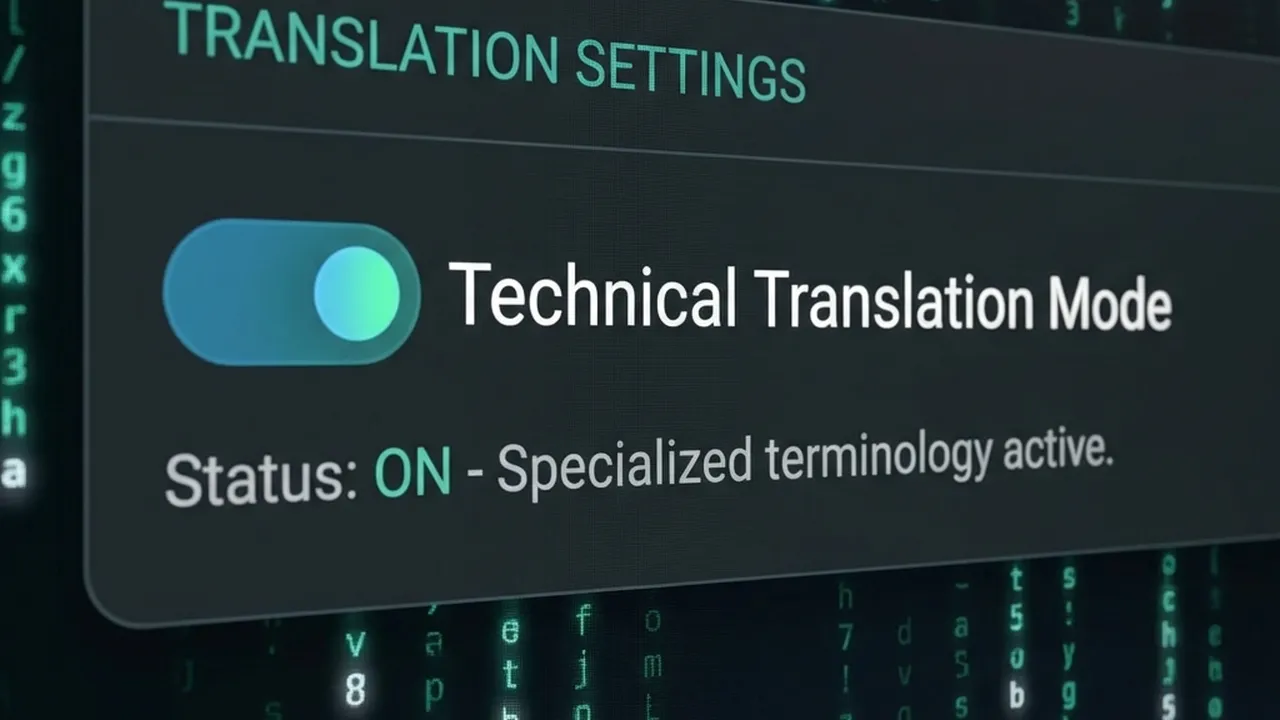
DeepSeek Technical Mode
Click Translate (or Start). DeepSeek will process the audio/text; the pipeline then generates subtitles and dubbed audio (and optionally lip-sync). Review the output and re-run with different settings if needed.
| Step | Action |
|---|---|
| 1 | Log in → VideoDubber dashboard |
| 2 | New Project → upload video (clear audio recommended) |
| 3 | AI Model Selection → DeepSeek V2 (or latest) |
| 4 | Set target languages; enable Technical Mode for technical content |
| 5 | Click Translate → review subtitles and dubbing |
Getting the best from DeepSeek means using the right options for your content.
Technical Mode is a setting (when available in VideoDubber) that instructs the translation model to preserve domain-specific terms, code snippets, API names, and acronyms instead of paraphrasing them. Enable it for:
For general vlogs, marketing, or casual dialogue, leaving it off usually yields more natural, conversational output.
DeepSeek is especially strong for Chinese (Mandarin and Cantonese)—both as source and target. It also handles English and other major languages well. For the best quality:
Apply these to get consistent, high-quality results.
| Practice | Why it helps |
|---|---|
| Use clear source audio | DeepSeek’s transcription is only as good as the input; reduce music and noise. |
| Enable Technical Mode for technical content | Keeps code, APIs, and jargon accurate instead of generic. |
| Pick DeepSeek when Chinese is in the mix | Best nuance and terminology for Mandarin/Cantonese. |
| Use for high-volume or cost-sensitive projects | DeepSeek’s lower cost scales well for many videos or languages. |
| Review first minute before batch processing | Spot-check terminology and tone before processing a full library. |
Tools like VideoDubber combine DeepSeek with voice cloning and lip-sync, so your translated audio can match the original speaker and mouth movements—whether you choose DeepSeek, Gemini, or GPT for the text layer. For more on accuracy expectations, see How Accurate Is AI Video Translation?.
Yes, for the right use cases. DeepSeek is well-suited for technical support, how-to tutorials, and educational content, especially when the audience is Chinese-speaking or the material is jargon-heavy. For highly creative or brand-voice-critical marketing, GPT or Gemini may produce more natural phrasing; run a short test and compare before scaling.
Cost depends on your platform, not DeepSeek alone. On VideoDubber, you pay per minute (or under a subscription); using DeepSeek typically keeps you at the lower end of that range compared with premium models. A 10-minute video might fall in the roughly $1–$5+ range on paid tiers, depending on plan and features—far below the $400–$3,000+ typical for manual dubbing of the same length.
Yes. DeepSeek is one of the strongest options for translating video content into Mandarin or Cantonese (and from Chinese into other languages). It preserves nuance and technical terms better than many general-purpose models. In VideoDubber, select DeepSeek as the model and choose Chinese as the target language.
It depends on content and language. For technical documentation, code, or Chinese, DeepSeek is usually the better choice—higher terminology accuracy and lower cost. For creative scripts, European languages, or idiomatic tone, GPT-4o often delivers more natural-sounding dialogue. Use VideoDubber’s model comparison and test a sample to decide per project.
DeepSeek itself is a text model; it handles transcription and translation. Voice cloning and lip-sync are done by the video platform (e.g. VideoDubber). When you select DeepSeek in VideoDubber, the pipeline uses DeepSeek for the text layer and the platform’s own AI for voice and lip-sync, so you still get full dubbing with a cloned voice and synced lips.
VideoDubber typically accepts MP4, MOV, AVI, and other common video formats. The limit is set by the platform, not by DeepSeek. Check the current VideoDubber upload page for the latest supported formats and size limits.
Start with VideoDubber → Choose DeepSeek for your next technical or Chinese-language video and see the difference in accuracy and cost.
How to use Gemini for video translation: complete 2026 guide. Step-by-step in VideoDubber, Asian-language strength (Japanese, Korean, Hindi), multimodal context, and when to pick Gemini vs GPT or DeepSeek.
How to use GPT-5.2 for video translation: step-by-step in VideoDubber, model comparison (GPT vs Gemini vs DeepSeek), cost and credits, best practices for European languages. Try free.
The ultimate showdown: Google Gemini vs. DeepSeek vs. OpenAI GPT. We compare their translation accuracy for text, conversation, and video.
Discover the accuracy of AI video translation with Word Error Rate (WER) benchmarks and real-world examples from VideoDubber.
Learn how to change and assign different speaker voices in video translations using VideoDubber.ai. Control voice selection for each speaker in your dubbed videos.