When translating videos, the voice you choose can make or break the viewer's experience. VideoDubber.ai gives you granular control over who speaks in your dubbed videos, allowing you to assign specific AI voices to different speakers or even clone unique voices for a personalized touch.
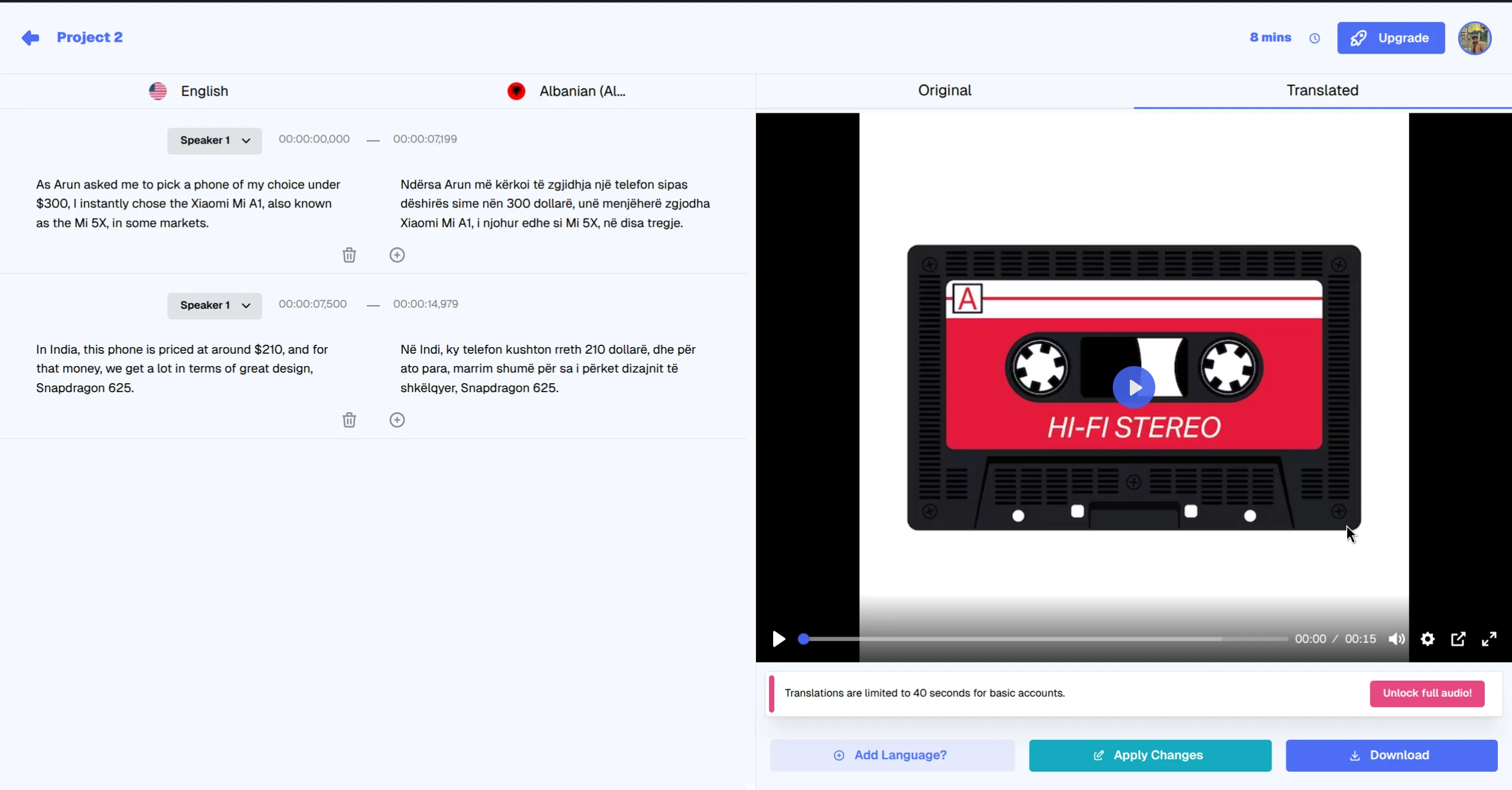
Review and finalize your voice selections in the output interface.
Introduction
Matching the right voice to a speaker is crucial for authenticity. Whether you have a male speaker needing a deep baritone or a female narrator requiring a soft, professional tone, VideoDubber's vast library and cloning capabilities ensure you always have the perfect match.
Step-by-Step Guide
Step 1: Upload Your Video for Translation
Start by uploading your video to the translation interface. You can set the number of speakers here, which helps the AI separate different voices in the source footage.
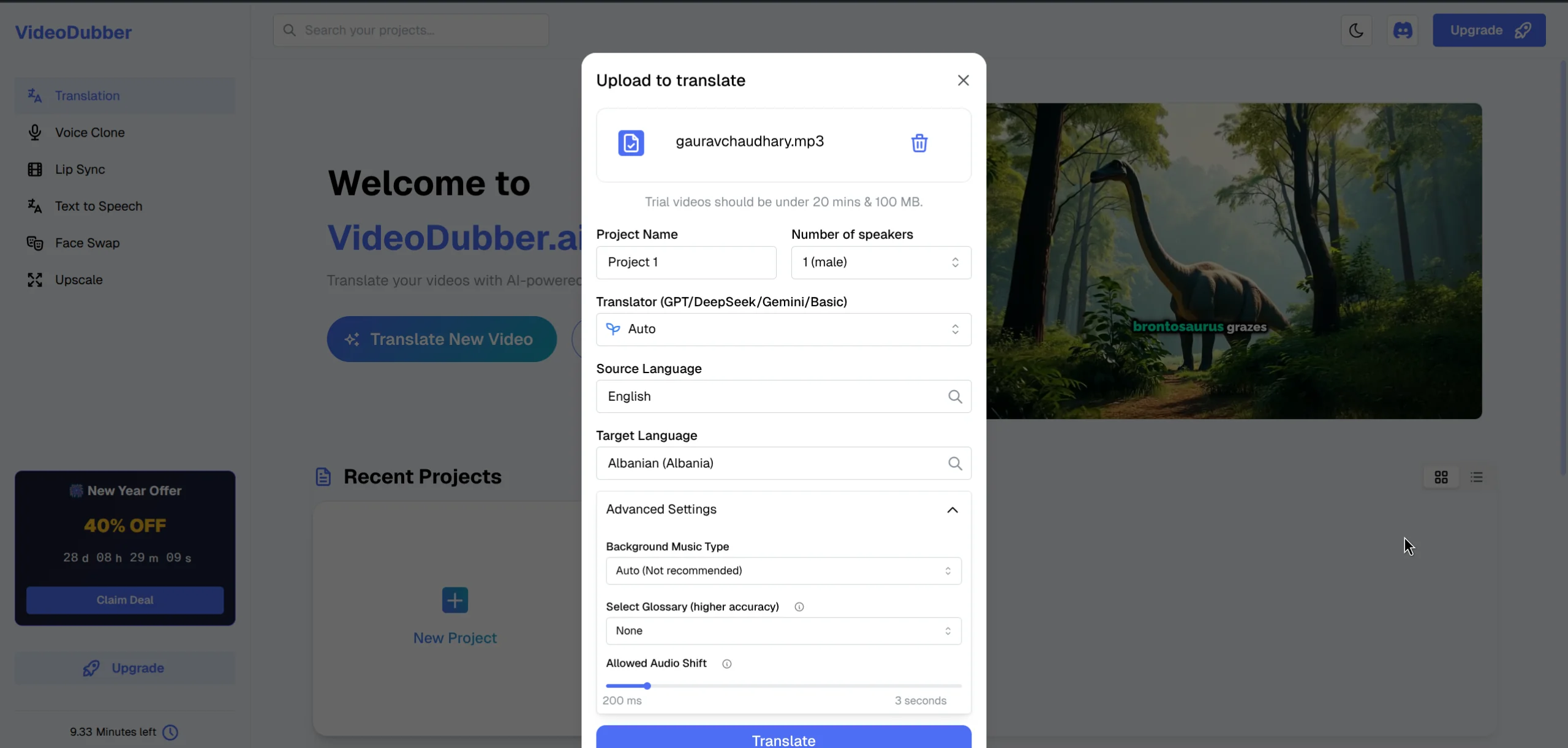
Upload your video and select the initial settings, including the number of speakers.
Step 2: Select and Change Voices
VideoDubber offers two distinct ways to control speaker voices—either immediately after uploading or during the editing phase.
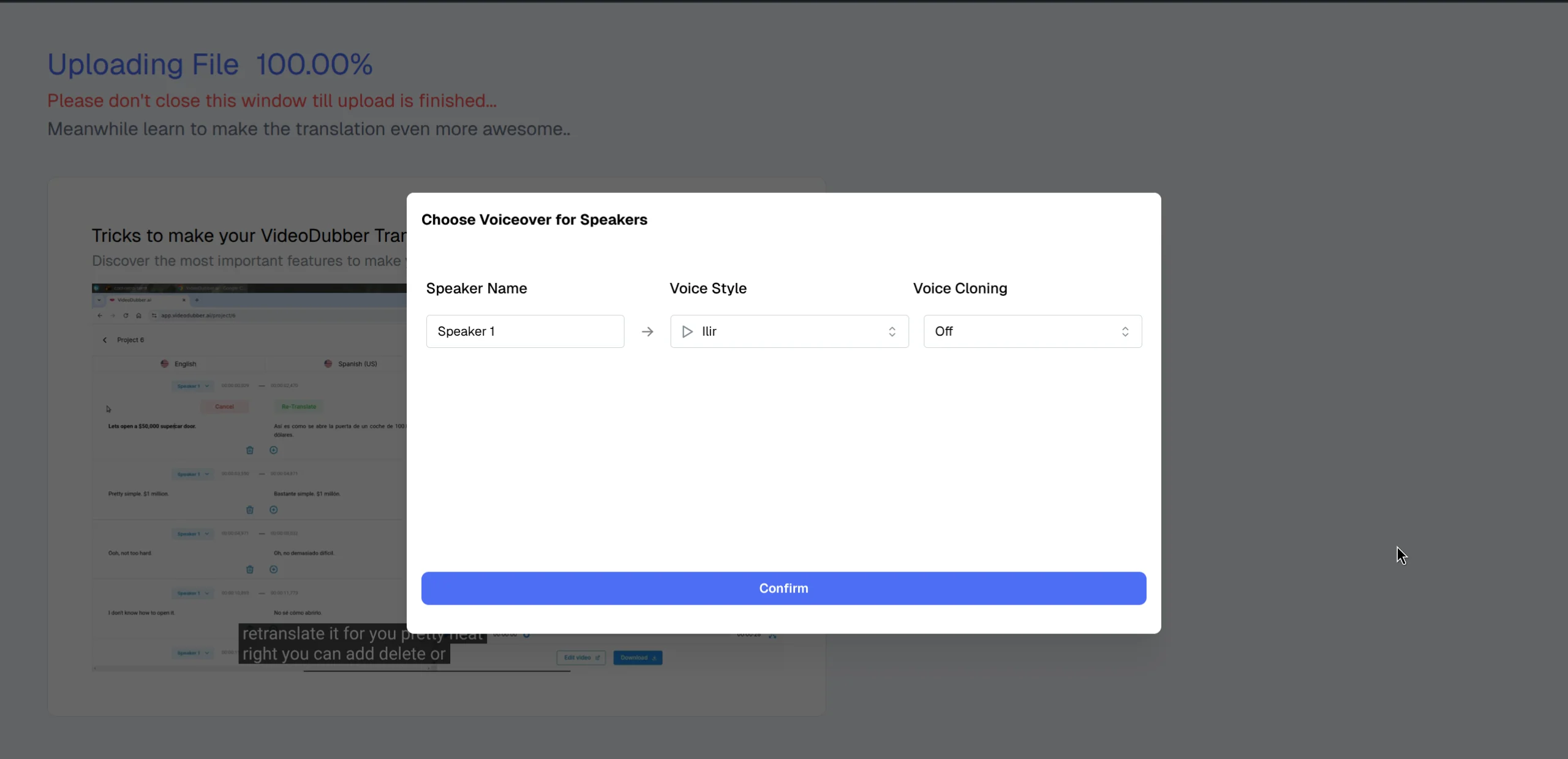
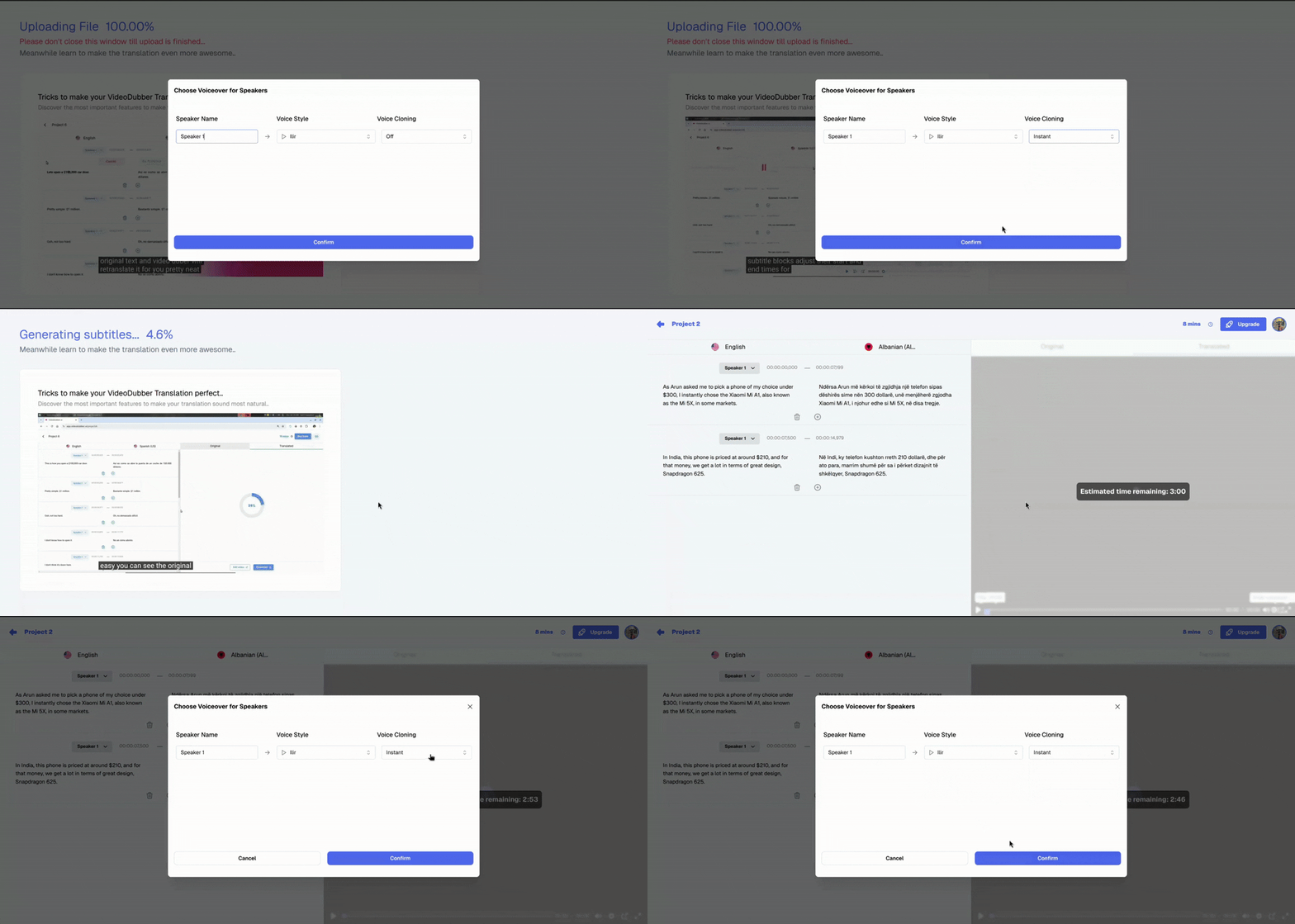
Right after uploading your video, you can assign voices to each detected speaker before the initial translation even begins.

Select speaker voices immediately after upload for a seamless start.
If you need to make changes later, you can swap voices at any time within the editor interface while redubbing or editing subtitles.
Fine-tune your voice choices directly in the editor for precise control.
When selecting a voice, you have regular and advanced options to suit your needs:
- Off: The default selected voice is applied without any cloning effects.
- Instant Voice Cloning: Applies the style of the selected voice but adapts the tonality from the original speaker in the video segment.
- Pro+ (Premium): Allows you to upload a custom sample—such as a celebrity voice or a clean studio recording of your own voice—to clone that specific tonality.
Step 3: Review and Export
After assigning the desired voices, preview the result. The AI ensures perfect lip-syncing with the new voices.
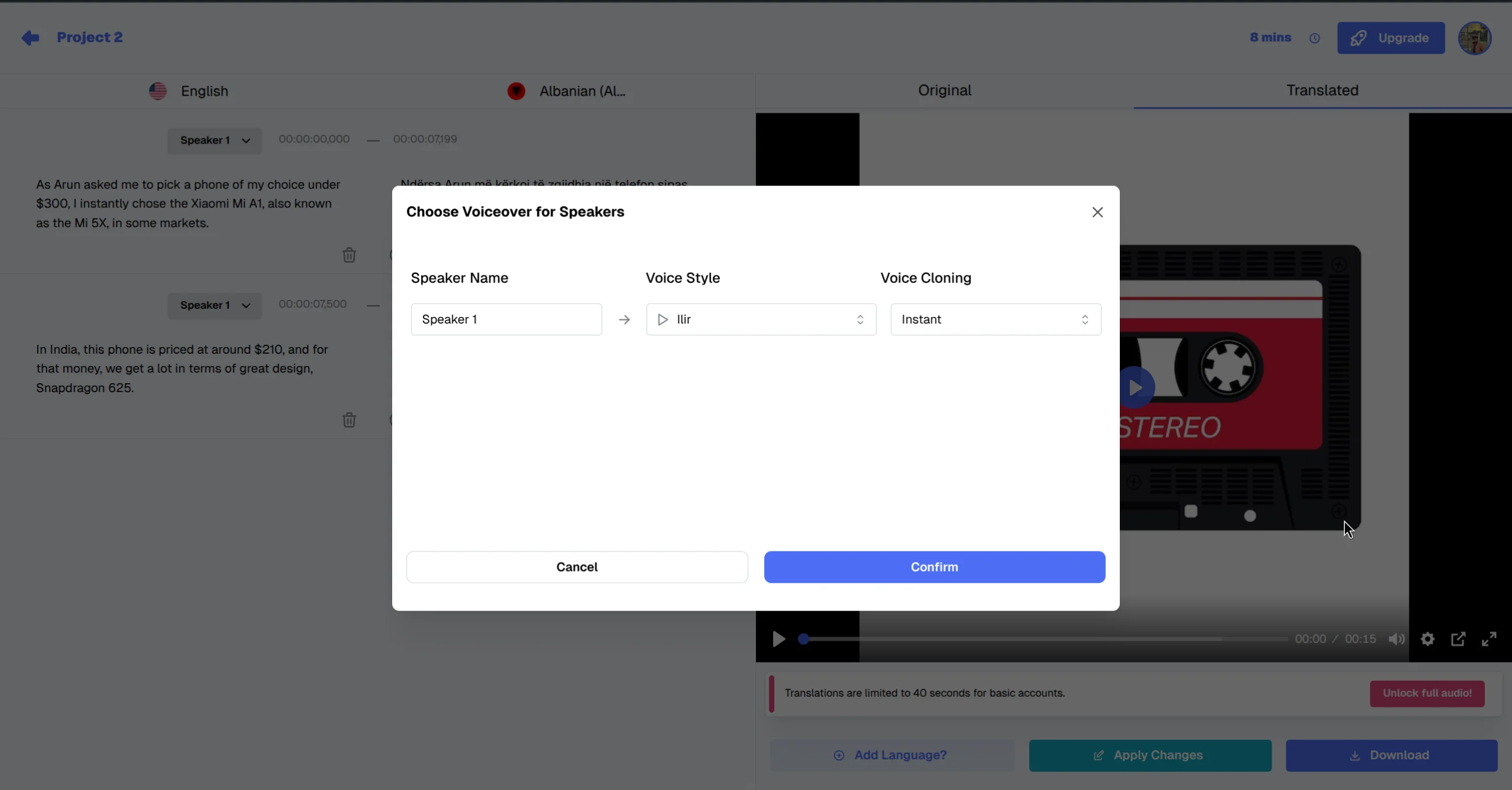
You can also adjust specific voice clone settings while redubbing or editing in the editor.
Watch the voices change dynamically in the final output.
Once satisfied, you can proceed to export your video.
Conclusion
With VideoDubber.ai, you aren't stuck with generic robotic voices. You have full creative control to cast your dubbed video exactly how you envision it, ensuring a professional and engaging experience for your global audience.
Start controlling your audio narrative today at VideoDubber.ai.
Further Reading
How to Translate Videos to Multiple Languages: Complete Step-by-Step Guide
Learn how to translate videos into 150+ languages using VideoDubber.ai. Complete step-by-step guide with voice cloning, lip-sync, and professional-quality dubbing.
How to Edit Translated Videos Online: Complete Editing Guide
Complete guide to editing translated videos on VideoDubber.ai. Learn how to edit subtitles, fix translations, adjust timestamps, and change voice settings with unlimited free edits.
How to Clone Celebrity Voices for Video Dubbing: Step-by-Step Guide
Learn how to clone celebrity voices using VideoDubber.ai. Step-by-step guide to voice cloning technology for video dubbing and content creation.
What is Voice Cloning? Complete Guide to AI Voice Replication
Learn what voice cloning is, how machine learning models like XTTS-v2 and Coqui TTS work, current best models, inference costs, and why VideoDubber.ai offers instant celebrity and custom voice cloning at a fraction of market leader costs using open-source technology.
How AI Voice Cloning Works for Video Dubbing: Complete Guide
Learn how AI voice cloning works for video dubbing. This comprehensive guide covers neural networks, voice encoding, TTS synthesis, leading platforms, best practices, and the technology behind creating natural-sounding dubbed content.