

How to Convert Text to Speech Online: Complete 2026 Guide
March 15, 2026 14 mins read
Over 70% of content creators who need voiceover skip hiring a narrator—they use online text-to-speech tools instead. Converting text to speech online is fast, cheap, and no longer sounds robotic. This guide is for anyone who wants to turn written scripts into natural-sounding audio for videos, audiobooks, e-learning, or accessibility—without leaving the browser.
Text to speech (TTS) online means using a web-based tool or service to convert written text into spoken audio. You paste or type your script, choose a language and voice, and generate an audio file in seconds. Modern AI-powered online TTS delivers human-like intonation and supports dozens of languages, making it practical for professional voiceovers, training content, and multilingual narration at a fraction of studio cost.
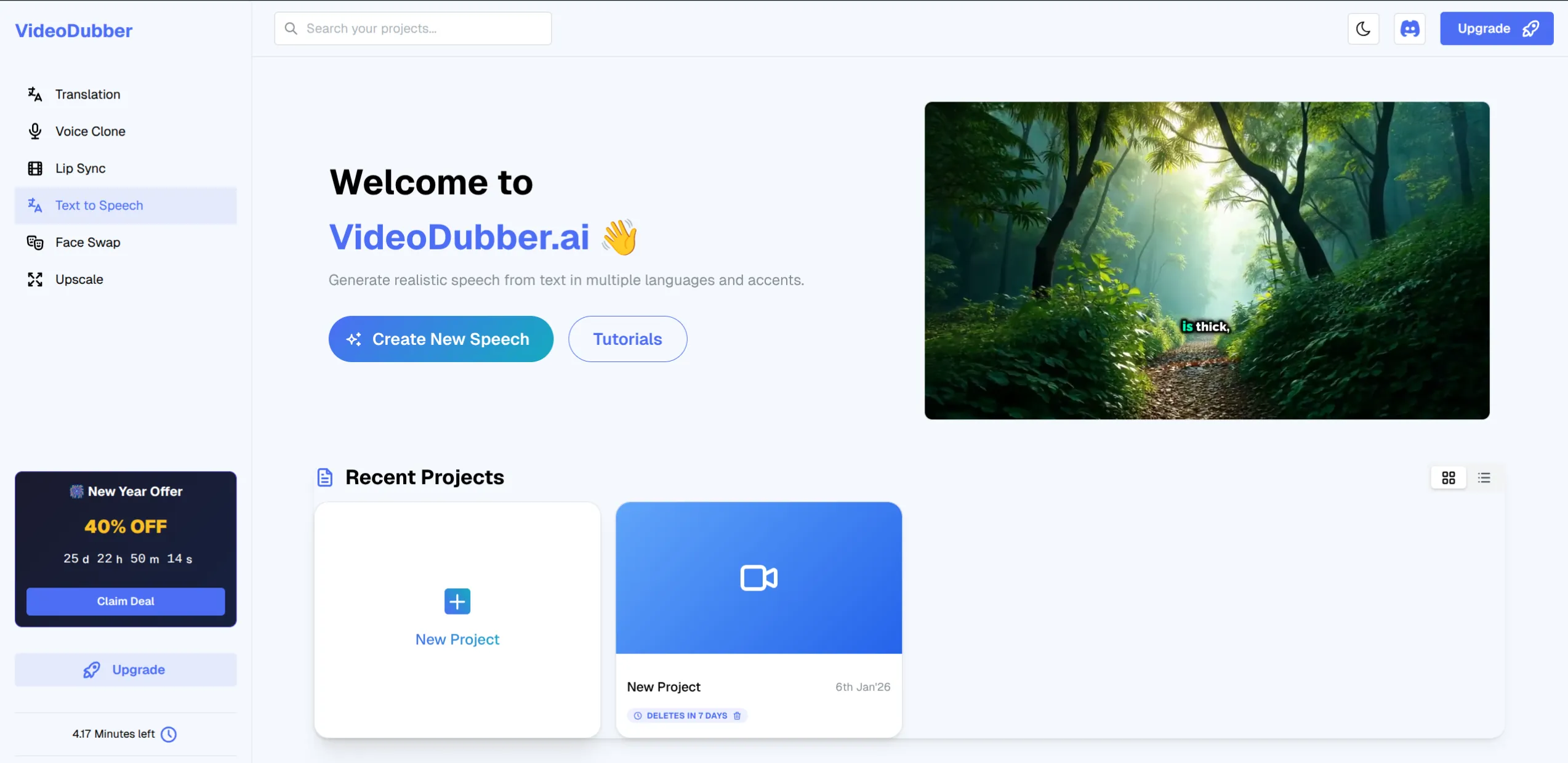
VideoDubber Text to Speech dashboard: convert text to speech online in 150+ languages.
We answer the questions people actually search for when they want to convert text to speech online:
| Question | Where to find it |
|---|---|
| What is text to speech and how does it work online? | What Is Text to Speech (TTS)? |
| Why use online TTS instead of a desktop app or studio? | Why Use Online Text to Speech? |
| How do I convert text to speech online step by step? | Step-by-Step: Convert Text to Speech Online |
| Is online TTS free or paid? How much does it cost? | Cost of Online TTS: Free vs Paid |
| Online TTS vs desktop vs API—which should I use? | Online TTS vs Desktop vs API |
| What should I look for in an online TTS tool? | What to Look For in an Online TTS Tool |
| What are the best use cases for online TTS? | Use Cases: Videos, Audiobooks, E-Learning, Accessibility |
| How do I make TTS sound natural and professional? | Best Practices for Natural-Sounding TTS |
| Can I use TTS for commercial projects? | Frequently Asked Questions |
Text to speech (TTS) is technology that converts written text into spoken audio using synthetic voices. Online TTS runs in the browser or via a web service: you supply the text, and the system returns an audio file (e.g. MP3 or WAV) that you can download, embed in video, or use in apps.
Online TTS is typically powered by neural or AI voice models that produce more natural prosody and pronunciation than older concatenative or parametric systems. According to a 2025 overview of the TTS market by industry analysts, AI-driven TTS now reaches near-human naturalness for many languages and use cases, which is why it has become the default for creators and businesses. Voice synthesis is the technical term for generating speech from text or other non-audio input; online TTS is one form of voice synthesis delivered via the web.
You don’t need to install software or own expensive recording gear. Online TTS lets you convert text to speech from any device—laptop, tablet, or phone—with no setup. That’s why it’s the go-to for one-off voiceovers, rapid prototyping, and scaling narration across many languages.
| Benefit | Why it matters |
|---|---|
| No installation | Start in seconds; no admin rights or downloads. |
| Cross-device | Same tool on desktop and mobile. |
| Scalable | Generate hundreds of clips without booking a studio or voice talent. |
| Multilingual | One workflow for 50+ languages; no need to hire per-language narrators. |
| Cost-effective | Online TTS often costs a few cents to a few dollars per minute of audio, compared to $50–$200+ per minute for professional human narration, according to typical voiceover market rates. |
For video dubbing, e-learning narration, and accessibility, online TTS is often the fastest and most affordable option. Tools like VideoDubber combine TTS with video localization so you can generate dubbed voiceovers and add multilingual audio tracks to existing videos in one workflow.
Here’s a concrete workflow that works for any online TTS tool. We use VideoDubber as the example because it’s built for both standalone TTS and video translation and dubbing.
Go to your chosen online TTS service. For VideoDubber: sign in at app.videodubber.ai and open the Text to Speech tool (or go directly to Text to Speech).
Paste or type the script into the text box. Keep paragraphs and punctuation clear—they help the AI with pacing and pauses. For long scripts, some tools support batch or chunked generation.
Select the target language and then pick a voice. Most online TTS tools offer multiple voices per language (e.g. male/female, neutral/expressive). Preview a short sample if available.
Click Generate (or equivalent). The service creates the audio file. Preview it, then download (MP3, WAV, or the format offered). You can then import the file into your video editor, e-learning platform, or app.
| Step | Action |
|---|---|
| 1. Open | Go to the online TTS tool (e.g. VideoDubber Text to Speech). |
| 2. Enter text | Paste or type your script; keep punctuation and structure clear. |
| 3. Choose language & voice | Select target language and voice style. |
| 4. Generate | Click Generate and wait for the audio. |
| 5. Download | Preview, then download the file for use in video, LMS, or elsewhere. |
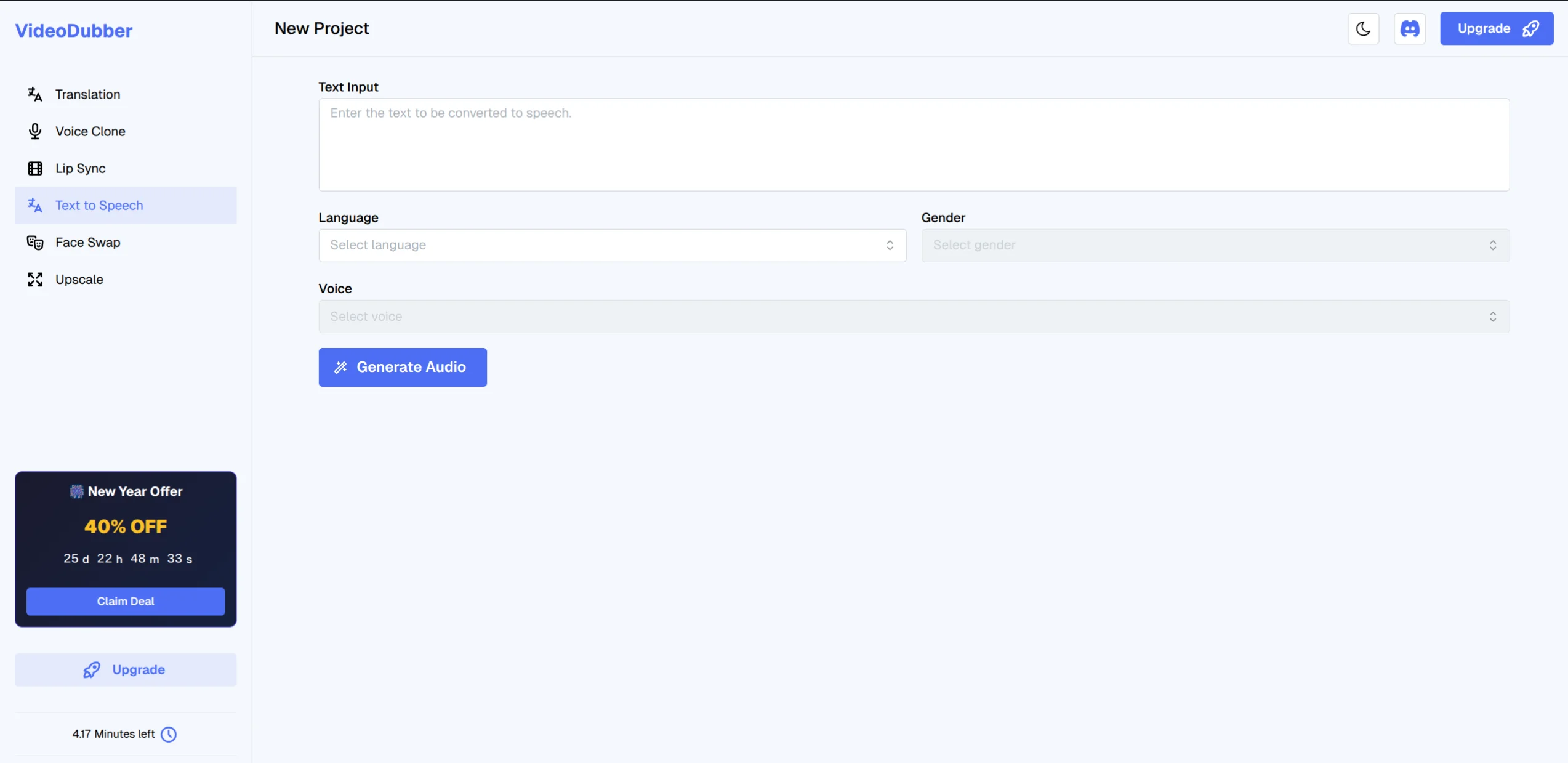
Enter text, choose language and voice, then generate—convert text to speech online in minutes.
Free online TTS usually comes with limits: a cap on characters or minutes per day, watermarks, or restricted commercial use. Paid plans typically offer higher limits, more voices, commercial rights, and better quality. As of 2026, typical paid online TTS runs from about $0.01 to $0.10 per character or a few dollars per hour of audio, depending on the provider and voice tier.
| Tier | Typical limits | Best for |
|---|---|---|
| Free | 1,000–5,000 characters/day; limited voices; non-commercial | Testing, personal use, short clips |
| Starter / Pro | 100K–500K characters/month; more voices; commercial use | Creators, small teams, regular voiceover |
| Enterprise / API | High volume; custom voices; SLA | Apps, e-learning platforms, large-scale dubbing |
For professional or commercial use—videos, courses, support content—a paid plan or usage-based pricing is usually required. Always check the provider’s terms for commercial and redistribution rights before publishing.
Choosing the right delivery method depends on how often you use TTS and where it needs to run.
| Factor | Online (browser) | Desktop app | API |
|---|---|---|---|
| Setup | None | Install and updates | Integrate in code |
| Use case | One-off or occasional batches | Daily use, offline | Apps, automation, scale |
| Control | Manual clicks | Local UI, sometimes offline | Full automation |
| Best for | Most creators and small teams | Power users who prefer local tools | Developers, platforms, high volume |
For most people who want to convert text to speech online for videos, courses, or support content, a browser-based online TTS tool is the best fit: no install, no code, and you can generate and download audio in minutes. Use an API when you’re building a product that must generate speech automatically (e.g. in-app narration, chatbots).
Not all online TTS is equal. These criteria help you pick a tool that will sound good and scale with you.
| Feature | Why it matters |
|---|---|
| Natural-sounding voices | Avoid robotic or monotone output; listen to samples. |
| Language coverage | More languages = better for video localization and global content. |
| Voice variety | Multiple voices per language for tone and style. |
| Export format | MP3 and/or WAV for video and LMS compatibility. |
| Commercial license | Clear terms for use in paid or public content. |
| Speed and limits | Character or time limits that match your volume. |
| Integration | Optional link to dubbing or video workflow (e.g. VideoDubber TTS + video translation). |
VideoDubber is a strong option when you need text to speech online plus video dubbing and localization: one place to generate voiceover and translate training or support videos into multiple languages with lip-sync and voice cloning.
Online TTS fits many scenarios where you need spoken audio from text quickly and affordably.
| Use case | How online TTS helps |
|---|---|
| Video voiceover | Generate narration for explainers, ads, or social clips without a mic or voice talent. |
| Audiobooks and long-form | Turn manuscripts into audio; some tools support long texts and chaptered output. |
| E-learning and training | Narrate training and internal videos or course scripts in one or many languages. |
| Accessibility | Provide spoken versions of articles, FAQs, or UI labels for screen-reader users or low-vision audiences. |
| Multilingual content | One script → many languages; combine TTS with video translation for full localization. |
| Prototyping | Test pacing and tone before booking a voice artist or studio. |
Edtech and customer support are two areas where online TTS scales well: you can localize course narration and support or product demos into dozens of languages at a fraction of the cost of human dubbing.
Quality of input and tool choice have the biggest impact on how natural the output sounds.
In practice, teams that script specifically for TTS—with consistent terminology and clear structure—get noticeably better results than those who paste raw articles or documentation without editing.
Use an AI-powered online TTS tool that supports your target language and offers natural-sounding voices. Paste your text, choose language and voice, generate, and download the audio. For video or multilingual projects, choose a tool that integrates with dubbing or localization (e.g. VideoDubber) so you can go from text to dubbed video in one workflow.
Many online TTS tools offer free tiers with limited characters or minutes; quality has improved so that even free tiers can sound quite natural for supported languages. For the most human-like result and commercial use, paid plans typically offer the best voices and fewer restrictions. Always listen to samples before committing.
Free tiers often allow a few thousand characters per day at no cost. Paid online TTS in 2026 typically ranges from about $0.01 to $0.10 per character or a few dollars per hour of audio, depending on provider and voice. Studio voiceover, by comparison, often runs $50–$200+ per minute, so online TTS is usually far cheaper for scalable narration.
Only if the tool’s terms allow it. Many free tiers are for personal or non-commercial use. Paid plans usually grant commercial and redistribution rights for videos, courses, and apps. Always read the license and terms before publishing commercial content.
Pick a tool with neural or AI voices and choose a voice that fits your content. Write in short, natural sentences with correct punctuation. Use multiple voices for different speakers if the tool supports it. Preview and adjust; sometimes a different voice or small script tweaks make a big difference.
Voice cloning is the process of creating a synthetic voice that mimics a specific person’s tone, accent, and style from a sample of their speech. TTS (text to speech) turns text into speech using pre-built or cloned synthetic voices. Voice cloning gives you a custom narrator; standard TTS uses the tool’s built-in voices. Some platforms, like VideoDubber, offer both: TTS for quick narration and voice cloning for dubbing that keeps the original speaker’s voice in other languages.
Yes, if your TTS provider’s license allows commercial use and you follow platform rules. Many creators use online TTS for YouTube, TikTok, and Instagram voiceovers. Ensure your script is original or properly licensed to avoid copyright issues.
It varies. Leading online TTS services support 50–150+ languages and variants, including major world languages and many regional accents. VideoDubber’s TTS, for example, supports a wide range of languages so you can generate voiceover or dubbed audio for global audiences from one interface.

With a background in AI and a passion for clear technical communication, I enjoy breaking down complex tools and processes. Exploring new software and sharing insights is a key focus.
Learn how to clone celebrity voices using VideoDubber.ai. Step-by-step guide to voice cloning technology for video dubbing and content creation.
Learn how to change and assign different speaker voices in video translations using VideoDubber.ai. Control voice selection for each speaker in your dubbed videos.
Learn what voice cloning is, how machine learning models like XTTS-v2 and Coqui TTS work, current best models, inference costs, and why VideoDubber.ai offers instant celebrity and custom voice cloning at a fraction of market leader costs using open-source technology.
Learn how to translate videos into 150+ languages using VideoDubber.ai. Complete step-by-step guide with voice cloning, lip-sync, and professional-quality dubbing.
Discover the best alternative to ElevenLabs Video Translator. With a comprehensive 7-point comparison, see why VideoDubber.ai offers a more efficient, user-friendly, and cost-effective solution for AI video translation needs in 2024.