Employees who train in their native language retain information 60% better — yet most companies still distribute a single English video to a global workforce and wonder why knowledge gaps persist. The cost: lower LMS completion rates in non-English offices, higher post-training support tickets, and compliance risk where misunderstood procedures become legal liability.
Translate training internal videos at scale means building a repeatable, automated pipeline that converts one master video into every language your workforce speaks — quickly, consistently, and at a cost that makes sense per head. With modern AI dubbing platforms, what once required six weeks and $50,000 per video now takes hours and a fraction of the price.
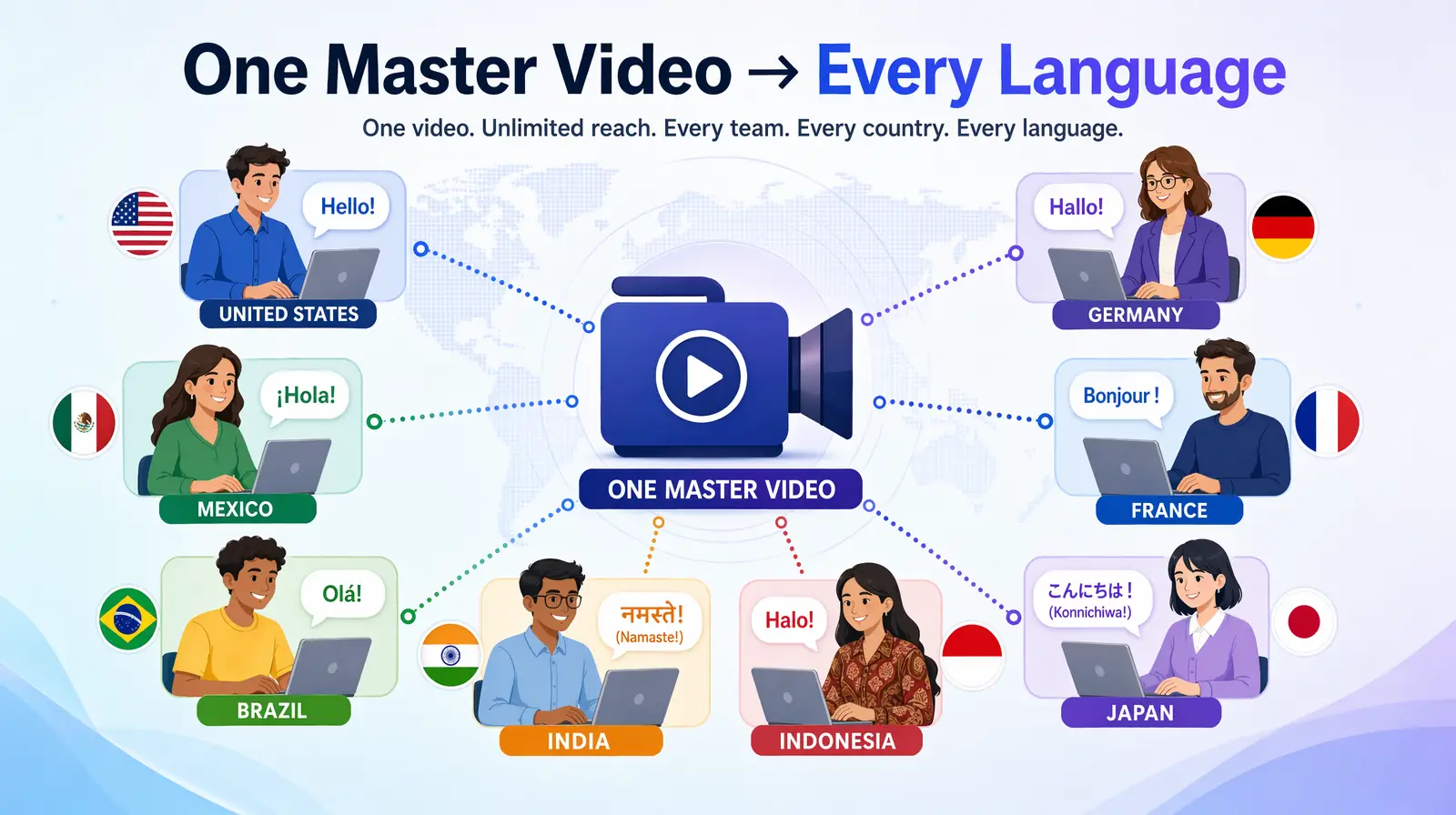
Scaling internal training video translation turns one master recording into native-language content for every region your workforce operates in.
The Core Challenges of Internal Video Translation
Internal video translation is the process of converting training, onboarding, compliance, and communications videos from a source language into one or more target languages. Scaling this process exposes three expensive friction points.
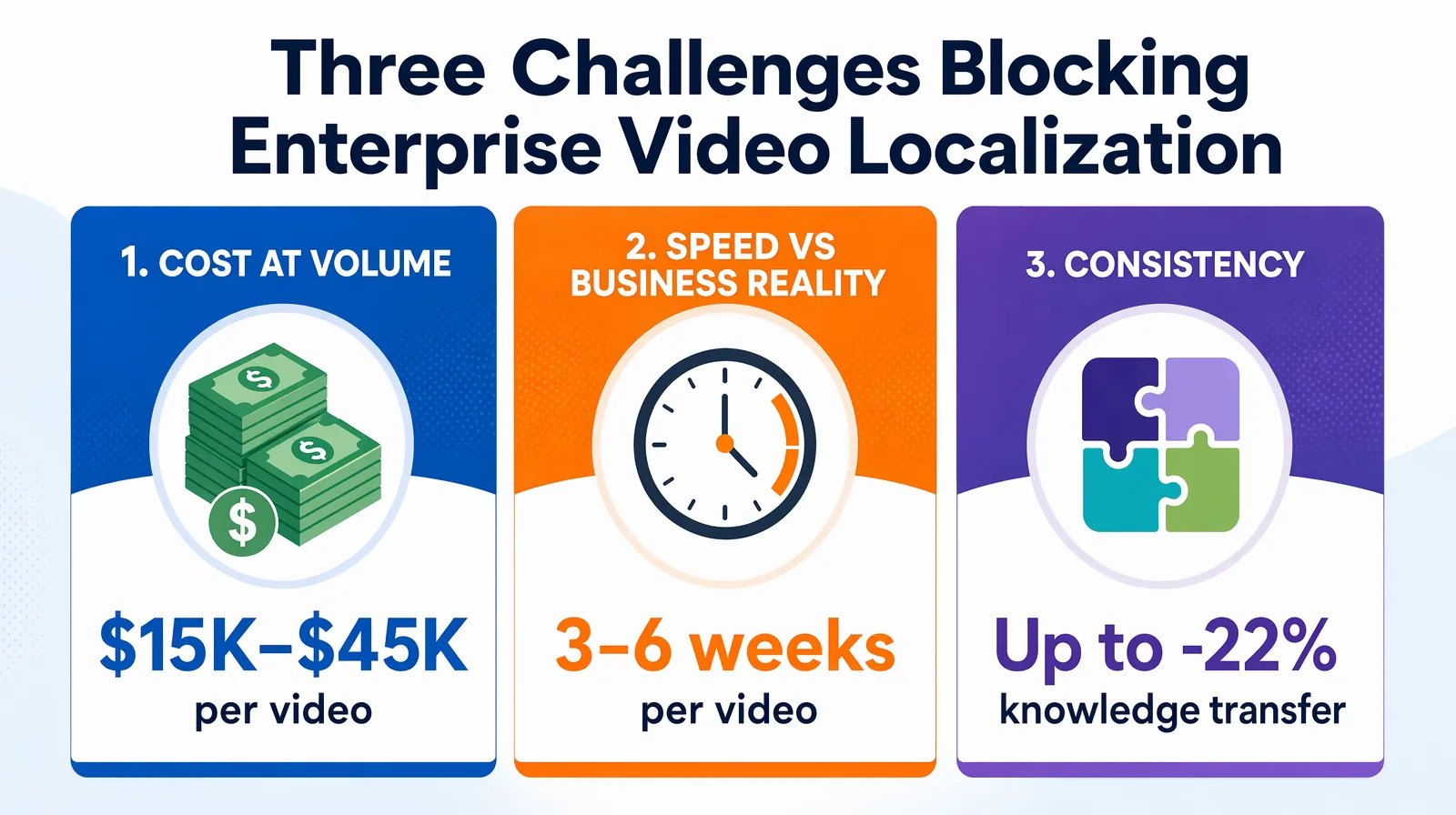
Cost, speed, and consistency are the three friction points that block most enterprise L&D teams from translating their full training library.
1. Cost at Volume
Traditional localization agencies charge $50–$150 per finished minute for professional dubbing — per language. A 30-minute onboarding module translated into 10 languages can cost $15,000–$45,000 at studio rates.
2. Speed vs. Business Reality
Product updates, policy changes, and compliance mandates happen on a business timeline, not a localization timeline. A traditional agency workflow typically takes 3–6 weeks per video per language. By the time the Spanish version ships, the feature may already be deprecated.
3. Consistency Across a Growing Library
When different videos are dubbed by different voice actors at different studios, brand voice fragments. Training effectiveness research from ATD shows that inconsistent terminology can reduce knowledge transfer by up to 22%.
Cost Breakdown: Manual Agency vs. AI Translation
The table below uses a realistic scenario: 50 training videos averaging 8 minutes each, translated into 5 languages.
| Cost Factor | Traditional Agency | AI Translation (e.g. VideoDubber) |
|---|---|---|
| Per-minute dubbing rate | $80–$130/min/language | ~$0.09–$0.50/min/language |
| 50 × 8 min × 5 languages | $160,000–$260,000 | $180–$1,000 |
| Turnaround per video | 3–6 weeks | Minutes to hours |
| Voice consistency | Varies by talent | Consistent (voice cloning) |
| Glossary enforcement | Manual QA | Automatic with custom glossary |
| Iteration cost (one correction) | $150–$500+ | Near zero (re-generate segment) |
The average AI-powered translation cost for enterprise training video libraries is more than 95% lower than traditional studio dubbing. That difference makes it viable to localize the entire library rather than just two or three critical modules.
Teams that switch to AI-powered platforms like VideoDubber report expanding their target language list — adding Polish, Turkish, or Vietnamese where they previously only covered Spanish and French.
Which Internal Videos Should You Translate First?
Prioritize based on audience size × criticality.
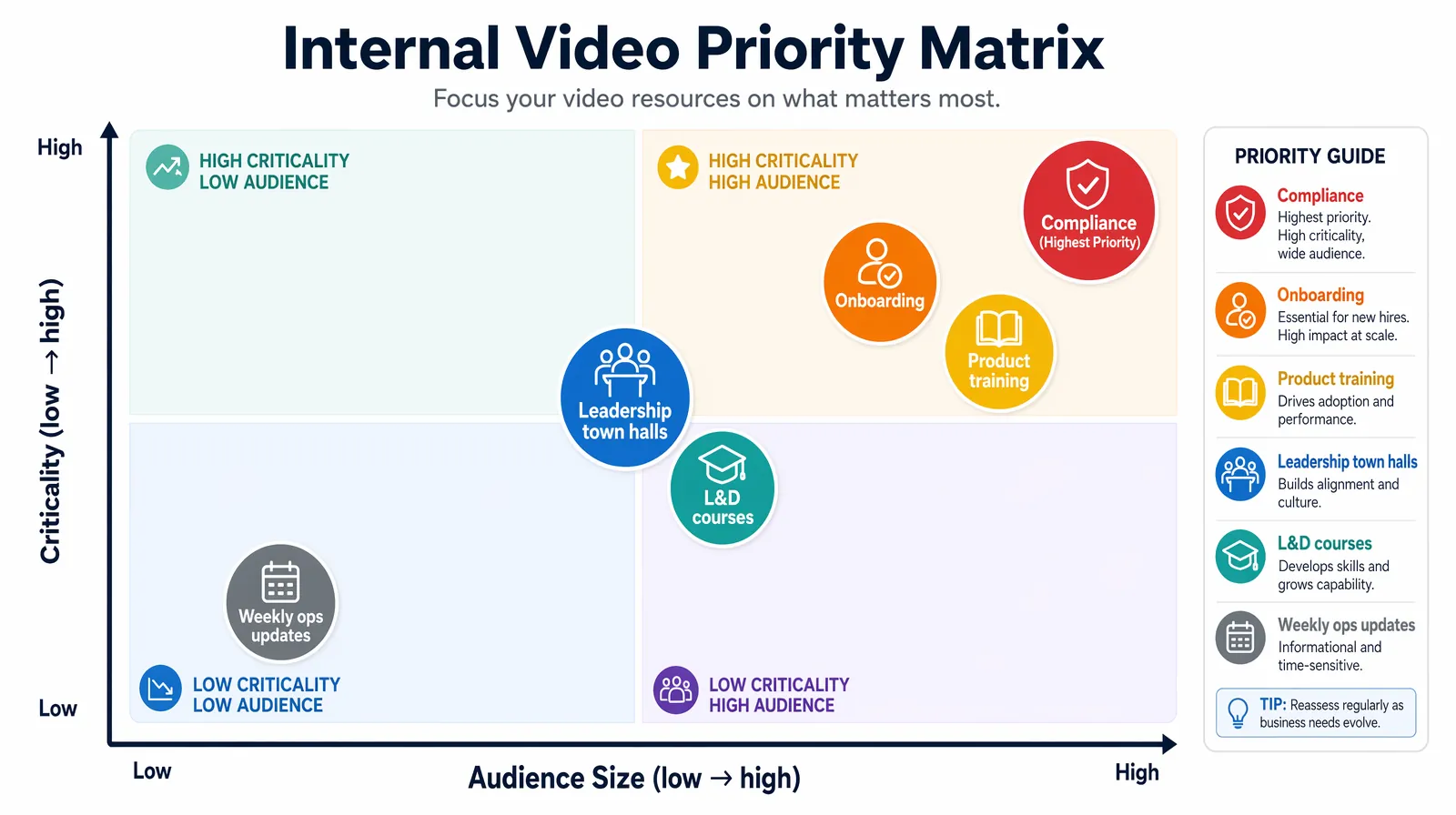
Rank internal videos by audience size × criticality — compliance and safety training lead the queue, followed by onboarding and product feature training.
| Video Type | Priority | Why |
|---|---|---|
| Compliance and safety training | Highest | Legal liability for non-understanding; required by regulation in many jurisdictions |
| Onboarding and culture | High | First impression for every new hire; directly affects retention |
| Product and feature training | High | Drives adoption; prevents support load on internal help desks |
| Leadership town halls | Medium-High | Employee engagement; requires authenticity of the leader's voice |
| L&D courses (skills, soft skills) | Medium | Long-shelf-life content; high ROI per video |
| Weekly ops updates | Lower (batch) | Useful but time-sensitive; consider captions first, then dub |
In practice, compliance training in regulated industries (pharma, finance, manufacturing) sees the fastest ROI — misunderstanding safety or regulatory protocols creates measurable legal risk, and in many jurisdictions native-language training is legally required. After compliance, onboarding offers the highest impact because it reaches 100% of new hires.
Which Video Format Translates Best with AI?
Talking-head presentations with a single speaker and clean audio translate most accurately. Screen-recording walkthroughs with narration are also strong candidates. Videos with heavy background music or multiple overlapping speakers require audio pre-processing before translation.
Step-by-Step: Building Your Internal Video Translation Pipeline
Here is how to set up a scalable workflow.
Cost Comparison: Manual vs AI video translation for corporate training libraries
Step 1: Audit Your Video Library
List every training and communications video in your library. For each, record: title, language, duration, last updated date, audience size, and criticality tier. This audit typically reveals that 20% of your videos generate 80% of employee training hours — start with those.
Step 2: Establish Your Language Set
Identify the languages your workforce needs by combining: HR headcount data by country, LMS completion rates by locale, and manager feedback from regional team leads. A typical first tier includes Spanish, Portuguese (BR), German, French, and Mandarin.
Step 3: Prepare Master Videos for Translation
Clean source audio is the most important quality input for AI translation. Remove background music from the "master" track if possible. Ensure the primary speaker speaks clearly with moderate pace (80–120 words per minute), and trim dead air. Tools like VideoDubber handle batch uploading, so you can queue an entire L&D module at once.
Step 4: Define Your Glossary
Glossary management is the process of defining how specific terms — product names, acronyms, internal jargon — should be handled consistently across all translations. This is the single step most teams skip, and it causes the majority of translation quality complaints. Create a spreadsheet with three columns: Source Term | Translation (per language) | Do Not Translate. Examples:
| Source Term | Spanish | German | Translate? |
|---|---|---|---|
| OKR | OKR | OKR | No |
| Salesforce | Salesforce | Salesforce | No |
| "the Hub" (internal tool) | "el Hub" | "der Hub" | Keep proper noun |
| NPS score | puntuación NPS | NPS-Wert | Translate context, keep acronym |
Upload this glossary to your AI translation platform before processing. VideoDubber supports custom glossaries that enforce these rules automatically across all videos in a batch.
Step 5: Run the Translation
Upload your master videos, select target languages, and configure: voice assignment (clone the original speaker's voice, or select a new AI voice per language), glossary (attach your terminology file), and subtitle generation (toggle on for bilingual captions). Typical processing time with VideoDubber is 5–15 minutes per video for content under 30 minutes.
Step 6: Review and QA
A light quality pass catches the most important issues before distribution. Play through key compliance sections at 1.5x speed, check that proper nouns render correctly, and listen to 30-second samples for tone consistency. This hybrid model (AI translation + human spot-check) delivers 90%+ of the quality of full human translation at 10% of the cost.
Step 7: Publish and Measure
Upload language-specific versions to your LMS (Workday Learning, Cornerstone OnDemand, Docebo, SAP SuccessFactors, or similar). Tag each video by language so learners receive the right version based on locale settings. Track three metrics: completion rate by locale, assessment scores by locale, and support tickets filed after training by language group.
AI bulk translation dashboard for corporate L&D video libraries
Managing Terminology, Glossaries, and Brand Voice
Beyond the glossary step in your pipeline, terminology management requires handling three categories of challenging language:
- Proprietary software and tool names — Never translate names like Salesforce, Workday, or Jira. Add glossary entries for internal tools whose names could be mistranslated as common words.
- Internal acronyms and jargon — OKRs, KPIs, CSAT, ARR should stay in source form; translate only surrounding context. Without explicit guidance, AI models translate acronyms phonetically, producing confusing results.
- Culture-specific idioms — Phrases like "move the needle" or "low-hanging fruit" translate poorly. Training videos written in plain, direct language translate 40% more accurately than those using heavy idiomatic language.
Voice Cloning for Internal Videos: What It Is and Why It Matters
Voice cloning is the AI-powered process of capturing a speaker's vocal characteristics — tone, pace, pitch, and style — and replicating them in a different language, so the dubbed output sounds like the same person speaking rather than a generic AI voice.
When the Chief HR Officer addresses all employees in a town hall, employees recognize the voice and associate it with the message's authority. Hearing a random AI voice breaks that connection. Studies on internal communications effectiveness show that messages delivered in a recognized voice generate 2–3x higher engagement than the same message delivered in an unfamiliar voice, making voice cloning a measurable business investment.
Voice cloning in platforms like VideoDubber requires only 30–60 seconds of clean source audio. The platform analyzes pitch range, pace, accent markers, and tonal quality, then applies those characteristics to the synthesized speech in the target language — enabling a single recording to reach a global workforce with the same personal impact as the original.
| Voice Option | When to Use | Quality Trade-off |
|---|---|---|
| Cloned original speaker | Leadership messages, town halls, onboarding videos with named presenters | Highest authenticity; requires clean source |
| Neutral AI voice (matched gender) | Procedural how-to content, compliance walkthroughs | Very consistent; slightly less personal |
| Custom brand voice | Companies with a strong audio brand identity | Requires setup; ensures identity consistency |
Security and Privacy for Internal Video Translation
Internal training content frequently contains sensitive information: unreleased product details, financial guidance, HR policies, and executive messaging. When evaluating any AI translation platform for internal use, verify these requirements:
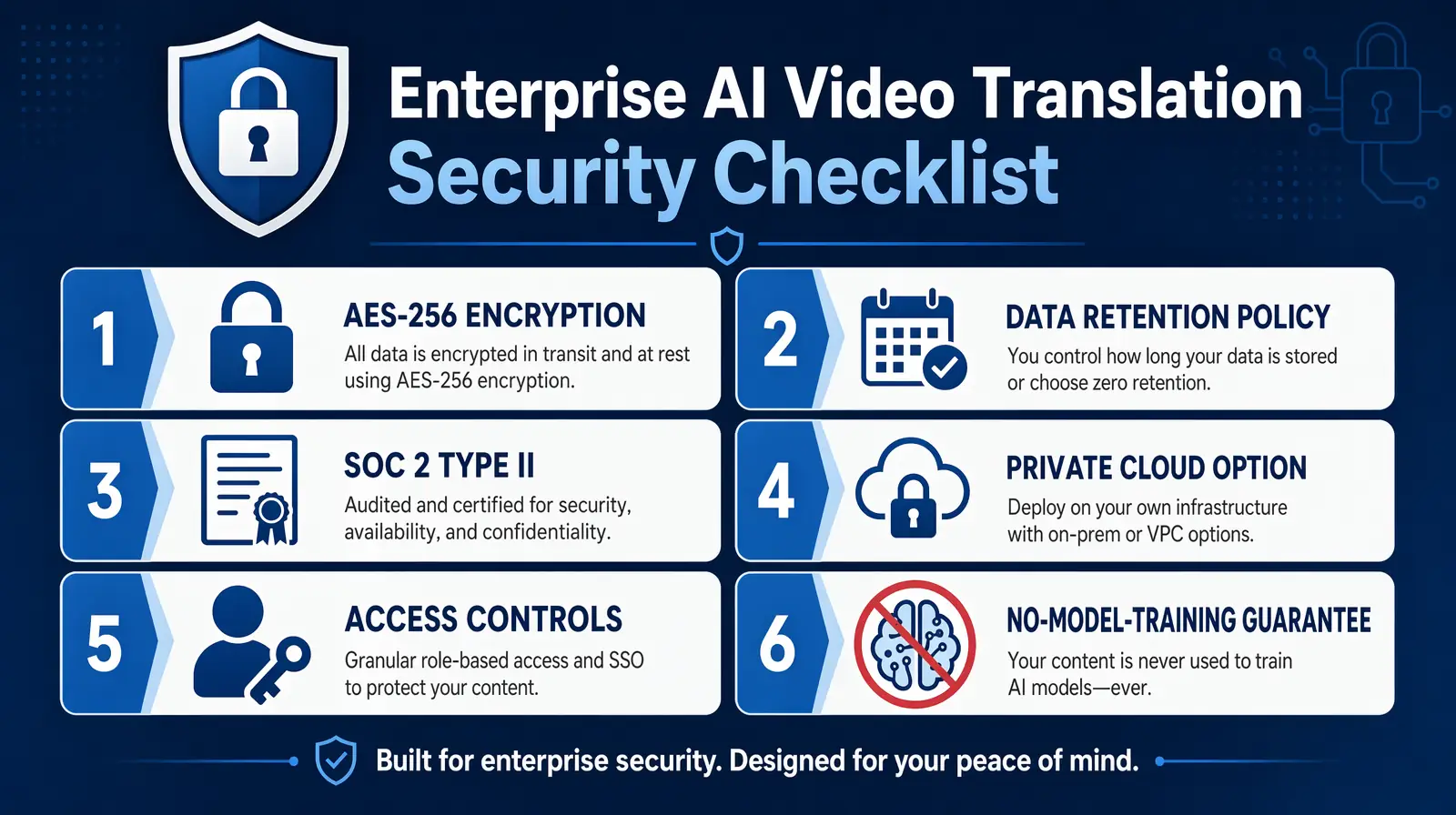
Enterprise security checklist for AI video translation — AES-256 encryption, SOC 2 Type II, clear data retention, access controls, and no-model-training guarantees.
- Data encryption in transit and at rest (AES-256 minimum)
- Data retention policy: Does the platform store your video content after processing? Can you request deletion?
- SOC 2 Type II compliance (standard for enterprise SaaS)
- On-premises or private cloud options for regulated industries (financial services, healthcare, defense)
- Access controls: Can you restrict who can access the translation dashboard?
- Model training policy: Does the platform use your uploaded content to train its AI models?
VideoDubber processes enterprise content with end-to-end encryption and does not use uploaded videos to train its AI models. Enterprises in healthcare (HIPAA), finance (SOX), and defense contracting should confirm this in writing with any vendor.
What to Ask Vendors Before Uploading Sensitive Content
Request three documents before onboarding: a current SOC 2 Type II report, a data processing agreement (DPA) specifying retention limits, and a clear AI model training policy statement.
Measuring ROI: What to Track After Localization
The business case for translating internal training videos is built on three measurable outcomes.
1. Training Completion Rates by Locale
Before translation, non-English offices often show completion rates 15–30% lower than English-speaking offices, according to LMS benchmarks from Docebo and Cornerstone OnDemand. After localization, completion rates equalize across language groups. A 20-percentage-point lift in a 500-person non-English office represents hundreds of employees receiving required training who previously weren't.
2. Assessment Score Parity Across Language Groups
Knowledge checks often reveal score gaps between native-English and non-English learners — gaps that persist even when both groups complete the course. A 2024 LinkedIn Learning survey found that companies localizing training content saw assessment score gaps narrow by 28% on average within 90 days of launching translated versions.
3. Post-Training Support Ticket Reduction
Employees who don't fully understand training content file significantly more support tickets after going live. Track internal help desk ticket volume by locale before and after translation rollout — ticket costs are directly quantifiable and the before/after comparison is straightforward.
| Metric | Before Localization (typical) | After Localization (typical) |
|---|---|---|
| Training completion rate (non-EN offices) | 55–70% | 85–95% |
| Assessment score gap (non-EN vs EN) | 12–18 points | 3–7 points |
| Post-training IT/ops tickets | Baseline | 15–30% reduction |
| Time to full productivity (new hire) | Longer | Reduced by 2–4 weeks in large enterprises |
In practice, teams that document these metrics before launching find it straightforward to demonstrate ROI within 90 days.
Common Mistakes When Scaling Internal Video Translation
Avoid these six mistakes to save weeks of rework:
- Skipping the glossary step — Results in proper nouns and acronyms being mistranslated across hundreds of videos. A one-hour glossary setup prevents this entirely.
- Translating from a noisy or music-heavy master — Background music degrades AI transcription accuracy. Always use a clean speech-only master.
- No QA pass on compliance content — A light 10-minute review catches critical errors. The liability of a mistranslated safety procedure far outweighs the time saved.
- Translating everything at once — Start with your top 10 highest-impact videos to test the pipeline before processing the full library.
- Ignoring subtitle + audio parity — If your LMS displays subtitles, ensure they match the dubbed audio. Mismatches confuse learners.
- Not updating translated versions after source updates — Any update to the English master should trigger a translation update for all language versions.
Tools and Platforms for Internal Video Translation at Scale
| Platform | Best For | Glossary Support | Voice Cloning | Security Focus |
|---|---|---|---|---|
| VideoDubber | Full pipeline: translate + dub + lip-sync for training libraries | Yes | Yes (instant + Pro+) | Encryption; no model training on your data |
| Synthesia | AI avatar-generated training videos | Limited | No (AI avatars) | Enterprise-grade |
| HeyGen | Video translation + avatar | Partial | Yes | Standard |
| Translated.com | Human + AI hybrid translation | Extensive | No (text only) | High (human review) |
| Internal subtitles only | Low-cost compliance content | N/A | N/A | N/A |
For enterprises that need to translate training internal videos at scale — with voice cloning, glossary enforcement, and batch processing — VideoDubber handles the full workflow in one platform.
You can also explore how these same principles apply in video localization for edtech and how customer support videos benefit from multilingual dubbing.
For a deeper look at AI model quality differences, see the Gemini vs. DeepSeek vs. GPT video translation comparison.
Frequently Asked Questions
How much does it cost to translate training videos at scale with AI?
AI-powered translation costs roughly $0.09–$0.50 per minute per language, compared to $50–$150 per minute for traditional dubbing. For a 50-video library translated into 5 languages, AI reduces cost from $160,000–$260,000 to under $1,000 — a saving of more than 99%.
How long does it take to translate a training video with AI?
A 10–30 minute training video takes 5–20 minutes to process on platforms like VideoDubber. A 50-video module into 5 languages can be completed in a single business day versus 3–6 weeks per video with a traditional agency.
Can AI translation handle company-specific acronyms and jargon correctly?
Yes, when you configure the platform's custom glossary before processing. Custom glossaries define exactly how terms like OKRs and product names should be handled. Without a glossary, AI models attempt to translate unfamiliar terms phonetically, producing errors.
Is AI-translated training content good enough for compliance training?
AI translation is sufficient for most compliance use cases when combined with a human spot-check. For high-stakes regulatory content — financial advice, medical procedures, legal disclaimers — a more thorough human review is recommended.
What happens when we update our training videos after they've been translated?
Platforms like VideoDubber let you retranslate specific segments rather than the full video — re-generating only the affected portion of the dubbed audio while leaving other sections unchanged.
How does voice cloning preserve a speaker's identity in another language?
Voice cloning analyzes pitch range, pace, accent markers, and tonal quality from source audio, then synthesizes speech in the target language matching those characteristics. VideoDubber requires as little as 30 seconds of clean source audio.
Can we translate town hall recordings into multiple languages the same day?
A 60-minute town hall can typically be processed into 5–10 languages within 2–4 hours of uploading, enabling same-day distribution to all regions.
What LMS platforms work with AI-dubbed training videos?
AI-dubbed videos are delivered as standard MP4 files, compatible with all major LMS platforms including Workday Learning, Cornerstone OnDemand, Docebo, SAP SuccessFactors, and TalentLMS. No custom integration is required.
How many languages does AI video translation support?
Leading platforms support 50–150+ languages. VideoDubber supports over 150 languages including major European, Asian, and regional languages like Indonesian, Vietnamese, and Turkish.
Summary: Build a Scalable Internal Video Translation Pipeline
- Employees retain 60% more when trained in their native language — the ROI on translation is measurable, fast, and directly tied to completion rates and assessment scores.
- AI translation costs 95%+ less than traditional studio dubbing, making it viable to localize an entire training library rather than just the most critical videos.
- The glossary step is non-negotiable — it's the difference between professional-quality output and embarrassing mistranslations of your own product names and internal acronyms.
- Voice cloning preserves speaker identity for leadership communications, maintaining the authenticity that makes internal messages credible and drives engagement.
- Security matters: only use platforms that encrypt your content, provide SOC 2 Type II compliance, and explicitly do not use uploaded videos to train their AI models.
- Measure three metrics: completion rates, assessment scores, and post-training support tickets by locale — these quantify the impact of localization investment in terms executives understand.
Start with your top 10 highest-impact training videos, run them through the pipeline with a custom glossary, and spot-check one video per language before rolling out to your full library. The pipeline you build for those ten videos scales directly to your entire L&D content catalog.
Further Reading
How to Translate Training Videos for Global Teams: Complete 2026 Guide
Translate training videos for global teams: OSHA compliance, AI vs dubbing vs subtitles, step-by-step workflow, cost data, and best practices. 2026 guide.
How to Translate Videos to Multiple Languages: The Complete 2026 Guide
How to translate videos to multiple languages with AI dubbing in minutes. Step-by-step workflow, cost data, voice cloning tips, and distribution strategy.
How to Translate Videos Without Subtitles: Complete Voice-Only Guide [2026]
Learn how to translate videos without subtitles using voice-only dubbing. Step-by-step guide for 2026: when to use it, best tools, and how to turn off subs for a clean, professional look.
Top 10 Languages to Translate Your Videos for Maximum Reach [2026 Guide]
Top languages to translate videos into in 2026: CPM data, audience sizes, prioritization framework by content type, and full AI dubbing cost breakdown.
How to Edit Translated Videos Online: Complete 2026 Guide
How to edit translated videos online: fix subtitles, timing, and voice settings. Step-by-step workflow, pro tips, and unlimited free edits on VideoDubber.